HelloGrowthCRM software
Built for real small-business sales teams
HelloGrowthCRM helps reps qualify faster, follow up on time, and close more deals—with practical automation in one place.
- AI lead scoring and pipeline visibility
- Built-in dialer, WhatsApp, and email automation
- Sales forecasting and RevOps-ready reporting
CRM email automation means using a CRM system to automatically send emails to leads and customers based on predefined rules or sequences. This automation reduces manual work, ensures timely follow-up, and improves lead engagement. For Singapore small businesses, choosing the right CRM email automation tool is crucial to avoid losing leads and to streamline sales communication.
Why this comes up / what goes wrong
Many small business owners in Singapore juggle multiple communication channels like WhatsApp, email, and spreadsheets to manage sales leads. This often leads to slow or inconsistent follow-up, lost leads, and missed sales opportunities. Email automation within a CRM helps by centralising communication and automating outreach, but not all CRM email automation tools are the same. Business owners need to evaluate features carefully to match their team’s workflow and customer engagement style.
Step-by-step
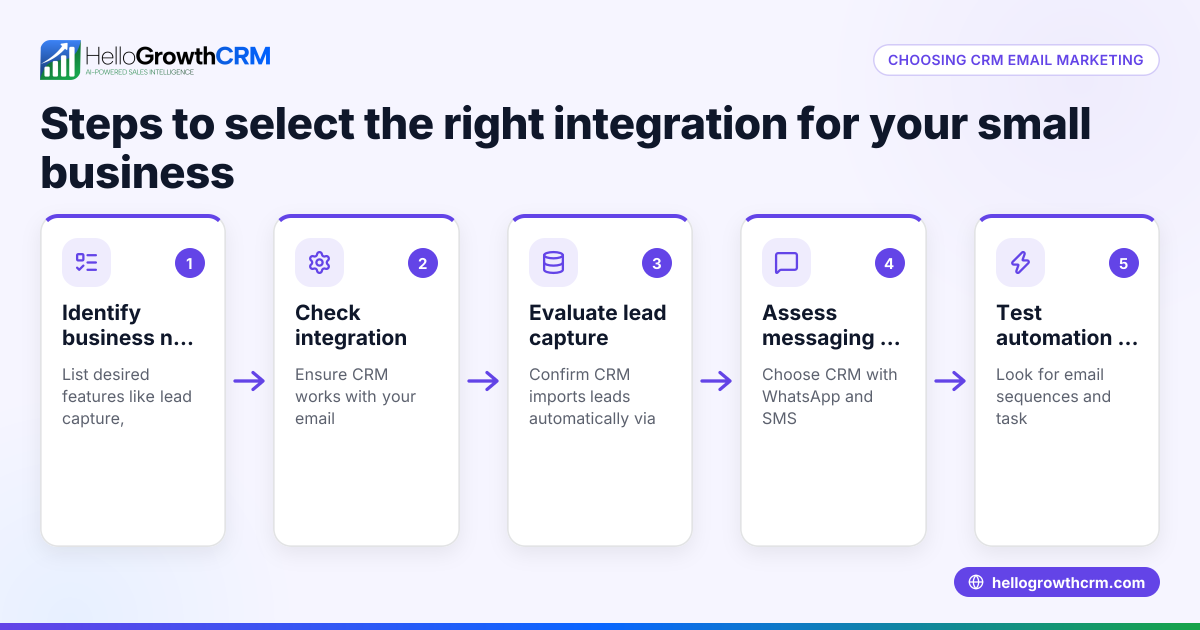
- Identify your email automation needs: Determine if you need simple follow-up sequences, bulk campaigns, or personalised one-to-one outreach. Check if your sales process requires multi-step sequences or just single emails.
- Check integration capabilities: Your CRM should integrate smoothly with your existing tools such as web forms, WhatsApp, or other messaging channels. Visit integrations to confirm compatibility.
- Evaluate automation features: Look for features like multi-step email sequences that run automatically until a prospect replies, and whether the system stops sending once engagement happens.
- Consider AI assistance: Some CRMs offer AI agents that draft follow-up emails after calls, reducing manual drafting effort. This can speed up the sales cycle and keep reps focused on closing.
- Shared inbox visibility: For teams, ensure the CRM provides a shared inbox so all replies to quotation emails or outreach are visible to the entire sales team, avoiding duplicated efforts.
- Test user experience and ease of use: Automation should be easy to set up and modify without needing technical expertise. Check if your team will actually use it.
- Review pricing and plan limits: Understand which automation features are included in each pricing tier. Some advanced automation like multi-channel campaigns or AI agents may require higher plans.
Example (fictional figures)
A property agency in Novena wants to automate follow-up emails after initial enquiries. They plan a five-step email sequence over two weeks. Assume each step is sent every 3 days unless the prospect replies.
- Number of leads: 100
- Conversion rate without automation: 10%
- Expected increase with automation: 5% (hypothetical for illustration)
Without automation: 100 leads × 10% = 10 sales
With automation: 100 leads × 15% = 15 sales
Assuming average sale value: S$500,000 per property
Revenue without automation: 10 × S$500,000 = S$5,000,000
Revenue with automation: 15 × S$500,000 = S$7,500,000
Additional revenue: S$7,500,000 - S$5,000,000 = S$2,500,000
This example shows how automated email sequences can help increase follow-up success and revenue. The sequence stops if the prospect replies, saving unnecessary emails.
Common mistakes
- Sending too many emails too quickly: Avoid overwhelming prospects; space out emails over days or weeks.
- Not personalising messages: Generic emails reduce engagement; use CRM data to tailor content.
- Ignoring team visibility: Without a shared inbox, team members may duplicate outreach or miss replies. Use a CRM with shared inbox features.
- Failing to stop sequences on reply: Continuing to email after a reply annoys prospects; automation should pause sequences immediately.
- Choosing tools without integrations: Lack of integration with other sales channels like WhatsApp or web forms limits automation effectiveness. Check integrations.
- Overlooking AI assistance: Manual drafting wastes time; consider CRMs with AI agents to draft follow-ups for review.
Doing this in HelloGrowthCRM
HelloGrowthCRM offers sequences and campaigns that automate multi-step outreach workflows sending timed messages over email, SMS, and other channels until a prospect replies. This five-step follow-up runs over two weeks and stops immediately upon reply. AI agents (in beta) draft follow-up messages after calls, so sales reps only review and send, saving time. The HelloMail shared inbox lets the whole team see replies to quotation emails within the CRM, preventing duplicated efforts and ensuring smooth communication. Learn more about these features at email automation and sequences and AI CRM.
Frequently asked questions
What is the difference between CRM and email automation? CRM is the system that manages your customer data and sales pipeline. Email automation is a feature within some CRMs that automatically sends emails based on rules or sequences. Together, they streamline communication and sales follow-up.
How does email sequencing automation work with a CRM? Email sequencing automation sends a series of timed emails to prospects automatically, often stopping when the prospect replies. This keeps leads engaged without manual effort, improving follow-up rates.
Can email automation integrate with WhatsApp or other channels? Some CRMs provide multi-channel automation including WhatsApp, SMS, and email. Check the CRM’s integration options to ensure it fits your communication channels. HelloGrowthCRM supports multi-channel sequences; see integrations.
Is AI involved in CRM email automation? Yes, some CRMs use AI agents to draft follow-up emails or update records automatically, reducing repetitive work. HelloGrowthCRM offers AI agents in beta to help sales reps draft messages after calls.
How do I choose the right CRM email automation for my small business? Assess your sales process, required automation complexity, integration needs, and team size. Test ease of use and ensure the CRM supports shared inboxes for team visibility. Review feature tiers carefully.
Key takeaways
- CRM email automation saves time by sending scheduled, multi-step emails automatically.
- Look for automation that stops sequences once a prospect replies to avoid spamming.
- Integration with other channels like WhatsApp and shared inboxes improves team collaboration.
- AI agents can help draft follow-ups, reducing manual work.
- Testing ease of use and matching features to your sales process is critical before choosing.
Start automating your sales follow-up with HelloGrowthCRM. Start on the Free Forever plan (200 leads, no credit card) to try sequences, AI agents (beta), and shared inbox features designed for Singapore small businesses.
Ready to put this into practice?
Set up your pipeline, WhatsApp follow-ups, and AI lead scoring in minutes — free, no credit card.
Try HelloGrowthCRM freeGet CRM tips in your inbox
Join thousands of sales professionals who get weekly insights on CRM strategy, AI automation, and pipeline optimization.

The HelloGrowthCRM team publishes guides on CRM strategy, AI sales tools, and revenue operations for small business sales teams.