HelloGrowthCRM software
Built for real small-business sales teams
HelloGrowthCRM helps reps qualify faster, follow up on time, and close more deals—with practical automation in one place.
- AI lead scoring and pipeline visibility
- Built-in dialer, WhatsApp, and email automation
- Sales forecasting and RevOps-ready reporting
CRM workflow automation uses software to automate repetitive sales and lead management tasks, such as assigning leads, sending follow-ups, and updating records. It helps small businesses respond faster, reduce errors, and keep sales moving. This article explains why CRM workflow automation matters, how to evaluate options step-by-step, a worked example for a Singapore business, common mistakes to avoid, and how HelloGrowthCRM supports these workflows.
Why this comes up / what goes wrong
Many small and mid-sized businesses in Singapore rely on manual processes like WhatsApp chats, email threads, and spreadsheets to manage leads and sales. This causes slow follow-up, lost leads, and inconsistent customer experience. Business owners and sales leaders search for "crm workflow automation" because they want software that can automatically assign leads, remind sales reps of tasks, and send follow-ups without manual effort. Without automation, teams waste time on routine tasks instead of selling, and leads fall through the cracks.
Step-by-step
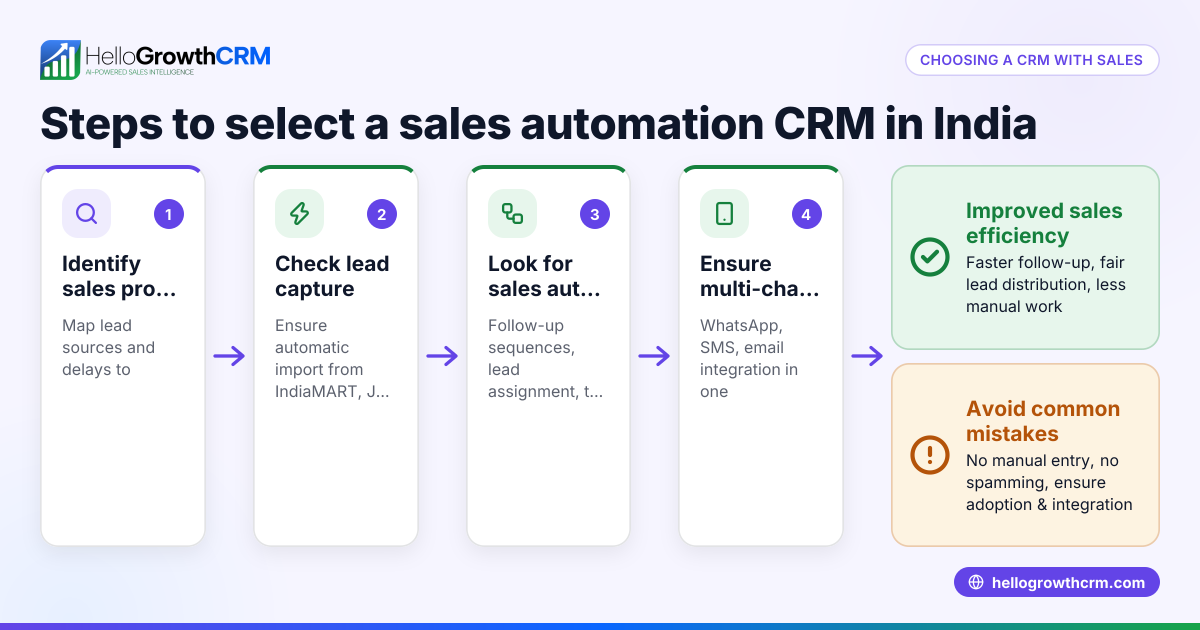
- Identify your sales process and pain points: Map out how leads enter your funnel, how they are assigned, and what follow-ups happen. Note where delays or errors occur.
- List required automation features: Common needs include lead routing by source or territory, task creation for follow-ups, multi-step message sequences, and validation rules to ensure data quality.
- Check integration options: Ensure the CRM can capture leads from your website forms, WhatsApp, or other channels you use.
- Evaluate ease of use: The CRM should be simple enough that your sales team will actually use it daily.
- Consider AI assistance: Some CRMs offer AI agents to draft follow-ups or update records automatically, reducing reps’ workload.
- Test workflow builders: Confirm you can create or customise workflows that trigger actions like assigning leads round-robin or creating follow-up tasks.
- Review communication channels: Check if the CRM supports WhatsApp, SMS, and email sequences to automate outreach.
- Assess reporting and forecasting: Automation should help track pipeline progress and sales forecasts.
- Check pricing and plans: Some automation features may only be available on higher-tier plans.
- Run a pilot with your team: Trial the CRM with real leads and workflows before full adoption.
Example (fictional figures)
An F&B supplier in Woodlands receives 100 new leads monthly from online enquiries. They want to assign leads evenly among 4 sales reps and automate a 5-step WhatsApp follow-up over 2 weeks.
- Leads per rep per month = 100 ÷ 4 = 25
- Each new lead is assigned round-robin to a rep, triggering a first-call task automatically.
- The 5-step follow-up sequence runs every 3 days until the prospect replies or the sequence ends.
If each rep spends 15 minutes manually assigning leads and creating follow-up tasks per lead:
- Time saved per rep per month = 25 leads × 15 minutes = 375 minutes = 6.25 hours
This time can be redirected to closing deals, improving revenue.
Common mistakes
- Choosing a CRM without true workflow automation: Verify the CRM supports automated lead routing and task creation to avoid manual work.
- Ignoring integration needs: Ensure the CRM captures leads from your existing channels like WhatsApp or web forms.
- Overcomplicating workflows: Start simple; overly complex automation can confuse the team and cause errors.
- Not involving sales reps early: Get feedback from users before finalising workflows to ensure adoption.
- Neglecting follow-up automation: Automated sequences prevent leads from going cold.
- Failing to monitor and adjust workflows: Regularly review workflow effectiveness and tweak as needed.
Doing this in HelloGrowthCRM
HelloGrowthCRM offers workflows, lead routing, and validation rules that automate assigning new IndiaMART enquiries round-robin and create first-call tasks automatically. Its AI agents (currently in Beta) draft follow-up messages after calls for reps to review and send, reducing manual effort. The platform supports sequences and campaigns, enabling automated multi-step outreach over email, WhatsApp and SMS that stops as soon as a prospect replies. These features help Singapore small businesses keep leads moving efficiently. Learn more about HelloGrowthCRM’s workflow automation capabilities on the AI CRM page and how it integrates WhatsApp and SMS on WhatsApp and SMS CRM. For Singapore businesses, see HelloGrowthCRM for Singapore.
Frequently asked questions
What is CRM workflow automation? CRM workflow automation is software that automates repetitive sales tasks like lead assignment, follow-up reminders, and communication sequences. It reduces manual work and speeds up the sales process.
How does workflow automation improve sales follow-up? It ensures leads are assigned immediately, tasks are created automatically, and follow-up messages are sent on schedule, reducing delays and missed leads.
Can CRM workflows work with WhatsApp? Yes, some CRMs like HelloGrowthCRM support WhatsApp sequences and campaigns to automate multi-step outreach alongside email and SMS.
What should I look for in a workflow automation CRM? Look for easy workflow builders, lead routing options, multi-channel communication sequences, AI assistance, and integration with your lead sources.
Is AI useful in CRM workflows? AI can draft follow-up messages and update records automatically, saving time and helping reps focus on selling.
How do I start using CRM workflow automation? Map your sales process, choose a CRM with suitable automation features, test workflows with your team, and adjust based on feedback.
Key takeaways
- CRM workflow automation speeds up lead assignment and follow-up, reducing lost leads.
- Choose a CRM that supports multi-channel sequences including WhatsApp, SMS, and email.
- AI agents can draft messages and update records, lowering reps’ manual workload.
- Start simple with workflows and involve your sales team early for better adoption.
- Regularly monitor and refine workflows to keep sales processes efficient.
- HelloGrowthCRM offers workflow automation, AI agents, and sequences tailored for Singapore small businesses.
Start automating your sales workflows today with HelloGrowthCRM. Start on the Free Forever plan (200 leads, no credit card).
Ready to put this into practice?
Set up your pipeline, WhatsApp follow-ups, and AI lead scoring in minutes — free, no credit card.
Try HelloGrowthCRM freeGet CRM tips in your inbox
Join thousands of sales professionals who get weekly insights on CRM strategy, AI automation, and pipeline optimization.

The HelloGrowthCRM team publishes guides on CRM strategy, AI sales tools, and revenue operations for small business sales teams.