HelloGrowthCRM software
Built for real small-business sales teams
HelloGrowthCRM helps reps qualify faster, follow up on time, and close more deals—with practical automation in one place.
- AI lead scoring and pipeline visibility
- Built-in dialer, WhatsApp, and email automation
- Sales forecasting and RevOps-ready reporting
CRM-friendly task boards for sales pipelines help small businesses track sales activities, follow-ups and deal stages in an organised way that integrates with their customer relationship management system. They turn sales steps into manageable tasks with due dates, so leads don’t slip through the cracks. This article explains why businesses seek these tools, how to evaluate them step-by-step, a worked example, common pitfalls, and how HelloGrowthCRM supports task boards and pipeline management.
Why this comes up / what goes wrong
Small and mid-sized businesses in Singapore often lose leads or delay follow-ups because they rely on scattered tools like WhatsApp, email, or spreadsheets to manage sales. Without a CRM-friendly task board, sales teams struggle to visualise where each lead stands in the pipeline and what follow-up actions are due. This leads to missed calls, forgotten quotes, and inconsistent sales processes.
Founders or sales leaders without dedicated sales managers find it especially hard to keep track of all tasks and deals. They want a simple, integrated view where each sales opportunity is a "deal" that moves through stages, with tasks attached to ensure timely follow-up. This improves conversion rates and revenue forecasting.
Step-by-step
- Identify your sales stages and task requirements
- List the typical stages your deals go through (e.g., lead, contacted, quote sent, negotiation, closed).
- Determine what follow-up tasks are needed at each stage (calls, emails, meetings).
- Check for CRM integration
- Confirm the task board integrates directly with your CRM data.
- Ensure tasks are linked to deals or contacts to avoid duplication.
- Look for due dates and reminders
- Tasks should have clear due dates.
- The system should notify or highlight overdue tasks to prioritise follow-up.
- Evaluate visual layout and usability
- Choose a board that clearly shows tasks by stage or priority.
- Drag-and-drop functionality helps move deals or tasks easily.
- Assess team collaboration features
- Check if you can assign tasks to team members.
- Look for activity logs or notes tied to each task for context.
- Consider reporting and forecasting support
- The task board should feed into sales forecasting tools.
- Review if the system tracks task completion rates and pipeline health.
- Test with your actual sales process
- Use a trial or demo to add real leads and tasks.
- Confirm it fits your workflow and team size.
- Plan for scalability and support
- Ensure the tool can grow with your business.
- Check availability of help resources or managed services.
Example (fictional figures)
A property agency in Novena has 50 active leads. Each lead moves through stages: Contacted, Viewing Scheduled, Offer Made, Contract Signed.
- Average deal value: S$800,000
- Typical follow-up: call 2 days after viewing, email 1 day after offer.
They use a task board where:
- 10 leads are at "Viewing Scheduled" with follow-up calls due in 2 days.
- 5 leads are at "Offer Made" with email follow-ups due tomorrow.
If a call is missed, the task board flags it as overdue.
Calculations:
Expected revenue pipeline = 50 leads × S$800,000 = S$40,000,000
If 10 leads close this month:
S$800,000 × 10 = S$8,000,000
The task board ensures follow-ups happen to maintain this conversion rate, preventing loss of potential S$8,000,000 revenue.
Common mistakes
- Ignoring task due dates: Without strict due dates, follow-ups get delayed. Prevent by choosing boards with automatic reminders.
- Not linking tasks to deals: Tasks disconnected from deals cause confusion. Use CRM-integrated boards that tie tasks to pipeline stages.
- Overcomplicating task boards: Too many columns or fields overwhelm users. Start simple and expand as needed.
- Relying on memory or manual notes: Without logged activities, important info is lost. Select tools that log calls, emails, and notes automatically.
- Skipping team assignments: If tasks aren’t assigned, accountability drops. Ensure tasks can be assigned and tracked by person.
- Neglecting pipeline hygiene: Old or stalled deals clutter boards. Regularly clean and update the pipeline.
Doing this in HelloGrowthCRM
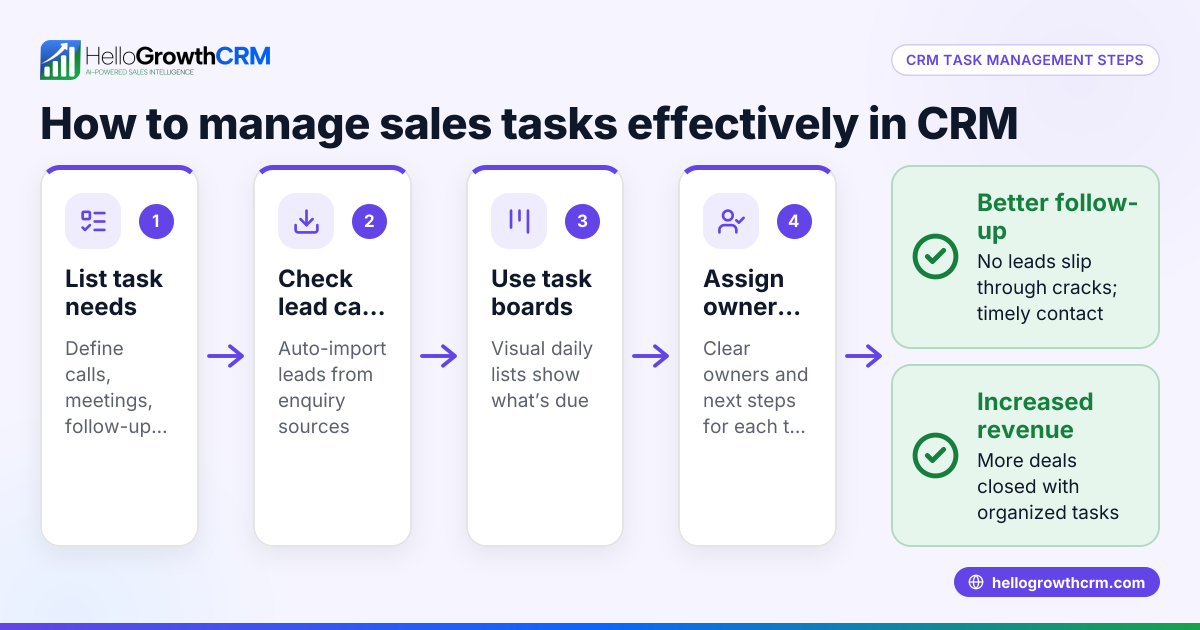
HelloGrowthCRM offers Deals (pipeline) that track open opportunities from first contact through close, with stage movement, probability, and expected value. For example, a quotation sent last week appears at the 'quote sent' stage with a follow-up date, so it is not forgotten.
Its Activities and task boards turn each follow-up into a task with a due date; the day's calls appear as a list, removing the need to remember manually. This keeps sales teams organised and on track.
For founders without a sales manager, HelloGrowthCRM provides Managed RevOps support where a revenue specialist works the follow-up queue weekly, ensuring leads are nurtured consistently.
Learn more about HelloGrowthCRM's AI CRM, sales task boards, and sales forecasting features.
Frequently asked questions
What makes a task board CRM-friendly? A CRM-friendly task board integrates directly with your CRM data, linking tasks to deals or contacts. It updates automatically as deals move through stages and logs all activities, so your sales pipeline and follow-ups stay in sync.
Can task boards improve sales follow-up in small teams? Yes. Task boards organise follow-ups by due date and priority, helping small teams avoid missed calls or emails. They provide a visual overview so everyone knows what needs attention each day.
How do task boards help with sales forecasting? By tracking deal stages and task completion, task boards provide accurate pipeline data. This data feeds into forecasting tools to predict revenue based on current opportunities and their probabilities.
Is it possible to assign tasks to specific team members? Good task boards allow assigning tasks to individuals, creating accountability and clarity on who handles each follow-up or internal task.
What should I look for in a task board if I don’t have a sales manager? Look for solutions with managed services or revenue operations support. This ensures someone regularly reviews the pipeline and follow-up tasks, maintaining sales momentum even without a dedicated manager.
Key takeaways
- CRM-friendly task boards link tasks directly to deals in your sales pipeline.
- Due dates, reminders, and visual layouts help prioritise follow-ups.
- Assigning tasks and logging activities improves team accountability.
- Regular pipeline hygiene prevents clutter and keeps sales moving.
- Managed RevOps can support follow-up if no sales manager is present.
- HelloGrowthCRM’s Deals and Activities boards provide these features in one platform.
Start organising your sales pipeline and follow-ups more effectively. Start on the Free Forever plan (200 leads, no credit card) today.
Ready to put this into practice?
Set up your pipeline, WhatsApp follow-ups, and AI lead scoring in minutes — free, no credit card.
Try HelloGrowthCRM freeGet CRM tips in your inbox
Join thousands of sales professionals who get weekly insights on CRM strategy, AI automation, and pipeline optimization.

The HelloGrowthCRM team publishes guides on CRM strategy, AI sales tools, and revenue operations for small business sales teams.