HelloGrowthCRM software
Built for real small-business sales teams
HelloGrowthCRM helps reps qualify faster, follow up on time, and close more deals—with practical automation in one place.
- AI lead scoring and pipeline visibility
- Built-in dialer, WhatsApp, and email automation
- Sales forecasting and RevOps-ready reporting
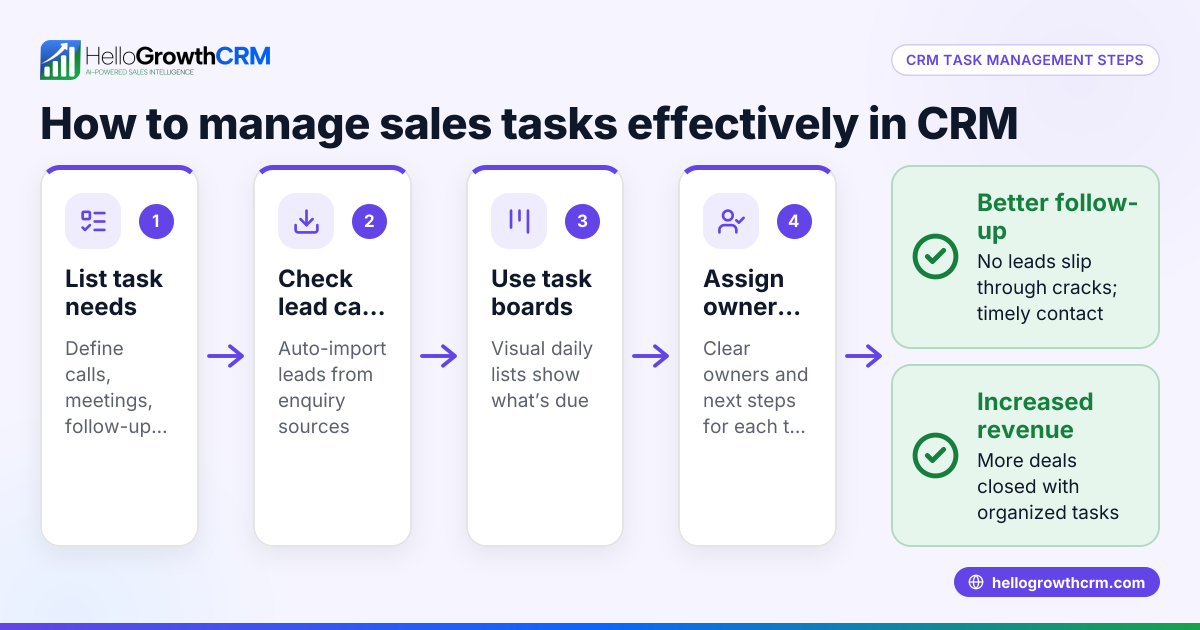
CRM task management is the process of using CRM software to convert every lead interaction and sales follow-up into organized tasks with clear ownership and deadlines. This approach prevents leads from falling through the cracks and ensures your team stays on top of daily calls, meetings, and follow-ups.
Why this comes up / what goes wrong
Small business owners in Canada often juggle multiple roles including sales, customer service, and operations. Without a dedicated system, leads and follow-ups are tracked across text messages, emails, notebooks, or spreadsheets. This scattered approach leads to slow follow-up, lost opportunities, and inconsistent customer experiences. When the sales team grows beyond a few people, relying on memory or manual tracking becomes unreliable. The search for "crm task management" reflects the need to find software that combines lead management with task tracking so no enquiry is forgotten and every next step is clear.
Step-by-step
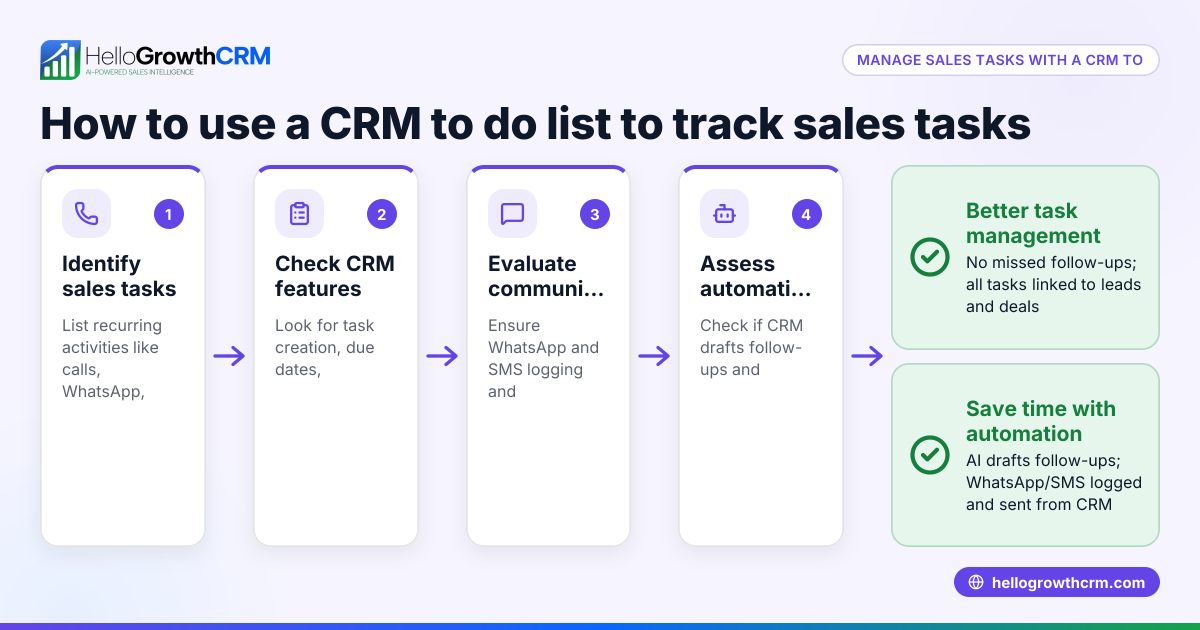
- Identify your task management needs: List what tasks you need to track (calls, emails, meetings, follow-ups) and how you want to assign and view them (by team member, priority, due date).
- Check lead integration: Ensure the CRM captures leads from all your sources (web forms, calls, WhatsApp) and automatically creates tasks or next steps linked to each lead.
- Evaluate task visibility and reminders: Look for task boards or lists that show daily and upcoming tasks clearly, preventing missed deadlines.
- Assess communication logging: Confirm that your CRM logs emails, WhatsApp, and SMS conversations on lead records so follow-ups are informed and consistent.
- Test user adoption features: Choose software with simple interfaces and mobile access to encourage your team to actually use the task and lead management features.
- Compare pricing and limits: Consider task limits, lead capacities, and whether essential features like WhatsApp integration are included or require paid plans.
- Try a free plan or demo: Use free tiers or trials to see how well the CRM’s task management fits your workflow before committing.
For more on how task boards work, see sales task boards.
Example (fictional figures)
A mortgage brokerage in Mississauga, Ontario, receives 50 new leads monthly from web forms and phone calls. They want to ensure every lead is followed up within 24 hours and tracked through the sales pipeline.
- Leads per month: 50
- Average follow-up calls per lead: 2
- Total monthly follow-up calls: 50 × 2 = 100
They choose a CRM that creates a task for each follow-up call with a due date.
- Daily calls to make: 100 calls ÷ 20 working days = 5 calls/day
The CRM shows a daily task list of 5 calls, so the sales rep never misses a call.
If each call takes 15 minutes:
- Time spent daily on calls: 5 calls × 15 minutes = 75 minutes
- Time spent monthly: 75 minutes × 20 days = 1,500 minutes = 25 hours
This structured task management helps the brokerage convert more leads by ensuring consistent, timely follow-up.
Common mistakes
- Ignoring task assignment clarity: Without clear ownership, tasks get overlooked. Prevent this by choosing a CRM that assigns tasks to specific users.
- Overloading with unnecessary tasks: Creating too many tasks for minor actions causes fatigue. Focus on meaningful next steps like calls or meetings.
- Failing to integrate communication channels: If WhatsApp or SMS chats aren’t logged, follow-ups lack context. Use a CRM that logs all messaging.
- Relying on memory instead of reminders: Without task due dates and alerts, follow-ups slip. Pick software with task boards and daily task lists.
- Not training the team: A complex CRM will be unused. Choose simple interfaces and provide training to boost adoption.
See more on managing communication in WhatsApp and SMS CRM.
Doing this in HelloGrowthCRM
HelloGrowthCRM supports CRM task management with features designed for small and mid-sized Canadian businesses. Every lead from forms, calls, or WhatsApp lands as a lead record with an owner and a next step. Each follow-up becomes a task with a due date, and the day’s calls appear as a clear list, not a memory test. WhatsApp conversations are logged directly on the lead record, and follow-ups can be sent as WhatsApp or SMS messages. For details, visit HelloGrowthCRM for Canada and explore sales task boards.
Frequently asked questions
What is CRM task management? CRM task management is using CRM software to create, assign, and track sales or customer follow-up tasks linked to leads. It helps teams stay organized and ensures no lead is forgotten.
How does a CRM with task management improve sales? It turns every lead interaction into a scheduled task with clear ownership and deadlines. This improves follow-up speed, reduces lost leads, and increases conversion rates.
Can I manage WhatsApp conversations in a CRM? Yes, some CRMs, including HelloGrowthCRM, log WhatsApp chats on lead records and allow follow-ups via WhatsApp or SMS directly from the CRM.
What should I look for in a CRM task management solution? Look for automatic lead capture, task assignment, clear task boards or lists, communication logging, and ease of use to encourage team adoption.
Is task management included in free CRM plans? Many CRMs offer basic task management in free plans, but features like WhatsApp and SMS integration usually require paid tiers. Check the specific CRM’s plan details.
For more on task boards, see sales task boards.
Key takeaways
- CRM task management organizes sales follow-ups as tasks with owners and due dates.
- Integrating leads from all sources into the CRM prevents lost opportunities.
- Task boards and daily call lists reduce reliance on memory and missed follow-ups.
- Logging WhatsApp and SMS conversations provides context for better customer engagement.
- Choose simple, mobile-friendly CRMs to ensure team adoption.
Start managing your leads and tasks efficiently by trying HelloGrowthCRM’s free plan with 200 leads and no credit card required at Start on the Free Forever plan (200 leads, no credit card).
Ready to put this into practice?
Set up your pipeline, WhatsApp follow-ups, and AI lead scoring in minutes — free, no credit card.
Try HelloGrowthCRM freeGet CRM tips in your inbox
Join thousands of sales professionals who get weekly insights on CRM strategy, AI automation, and pipeline optimization.

The HelloGrowthCRM team publishes guides on CRM strategy, AI sales tools, and revenue operations for small business sales teams.