HelloGrowthCRM software
Built for real small-business sales teams
HelloGrowthCRM helps reps qualify faster, follow up on time, and close more deals—with practical automation in one place.
- AI lead scoring and pipeline visibility
- Built-in dialer, WhatsApp, and email automation
- Sales forecasting and RevOps-ready reporting
CRM task management means using a customer relationship management system to organise, assign and track sales and follow-up tasks efficiently. It replaces scattered notes and reminders with a central system that ensures no lead or opportunity is missed. This article covers why task management in CRM matters, how to evaluate solutions step-by-step, a worked example, common pitfalls, and how HelloGrowthCRM supports task management.
Why this comes up / what goes wrong
Small and mid-sized businesses in Singapore often lose leads or delay follow-ups because they rely on WhatsApp chats, emails, or spreadsheets to track sales activities. This informal approach leads to missed calls, forgotten tasks, and unclear ownership of leads. Sales teams waste time hunting for information instead of closing deals. A CRM with task management aims to solve these problems by centralising lead data, assigning tasks with deadlines, and providing visibility over daily activities.
Step-by-step
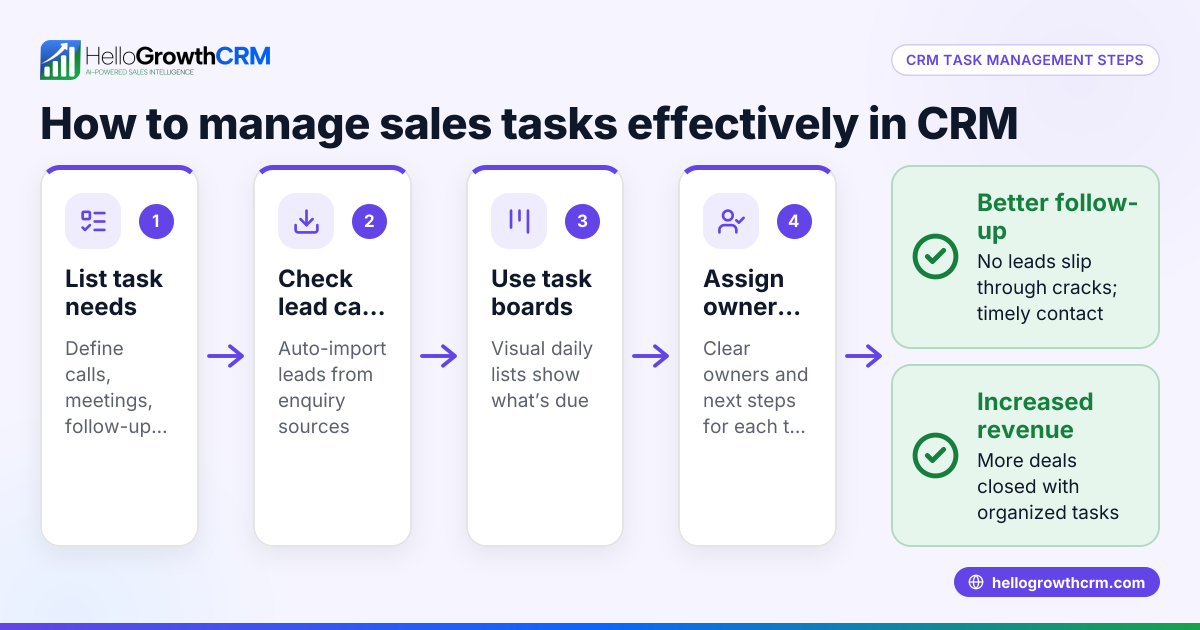
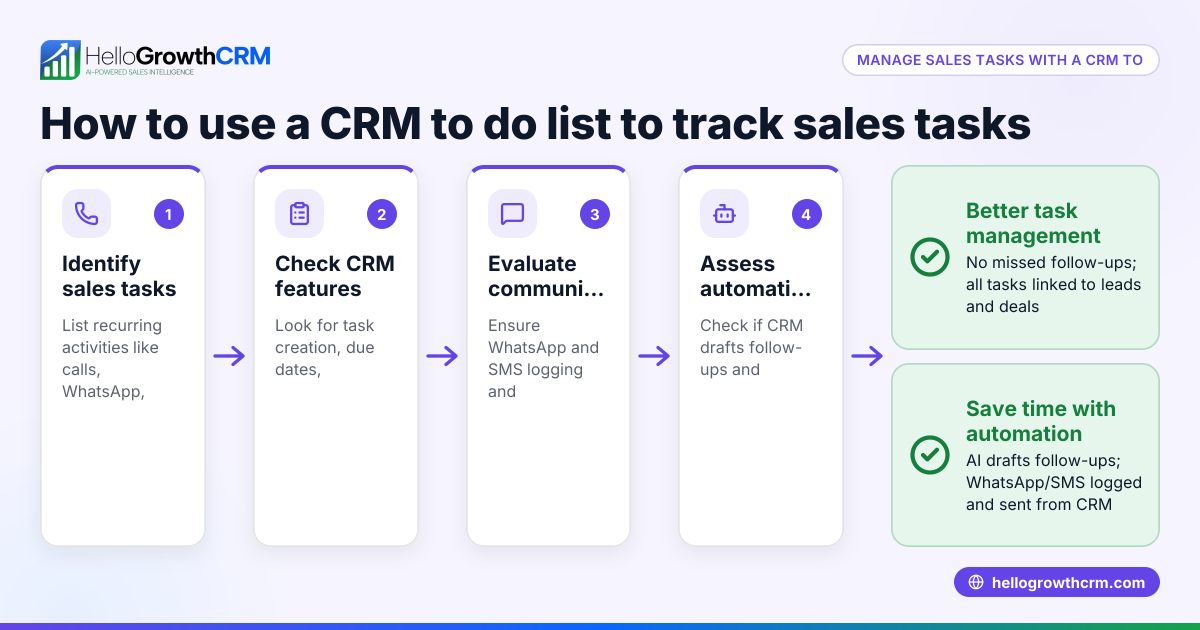
- Identify your task management needs: List what types of tasks your sales team performs (calls, meetings, follow-ups) and how you want to track them (due dates, reminders, status updates).
- Check lead integration: Ensure the CRM captures leads automatically from web forms, WhatsApp, calls, or emails, so tasks can be linked to leads without manual entry.
- Look for task assignment and tracking features: The CRM should allow assigning tasks to team members with due dates and priorities, and provide a clear view of pending tasks.
- Evaluate the user interface: Task boards or lists should be easy to use and update, helping your team manage their day without extra training or confusion.
- Consider communication channels: If your team uses WhatsApp or SMS heavily, check if the CRM logs these conversations and can send follow-up messages directly.
- Assess reporting and forecasting: Good task management should feed into sales pipeline views and forecasting tools, helping you track progress and bottlenecks.
- Trial the CRM: Use a free plan or demo to test task management features in real scenarios before committing.
Example (fictional figures)
An F&B supplier in Woodlands receives 120 leads monthly from their website and WhatsApp. They want to ensure every lead is followed up within 2 days.
- Leads per month = 120
- Average follow-up time target = 2 days
- Sales team size = 3
Each lead generates 2 follow-up tasks (initial call and reminder).
Total monthly tasks = 120 leads × 2 tasks = 240 tasks
Tasks per salesperson = 240 tasks ÷ 3 salespeople = 80 tasks each
Daily tasks per salesperson (assuming 20 working days) = 80 ÷ 20 = 4 tasks per day
This workload requires a CRM task board that clearly lists daily tasks with due dates and reminders to avoid missing follow-ups.
Common mistakes
- Not assigning task ownership: Leads and tasks without clear owners lead to confusion. Always assign tasks to specific team members.
- Ignoring task due dates: Without due dates, tasks pile up unnoticed. Use CRM features that require due dates and send reminders.
- Using multiple disconnected tools: Managing tasks across WhatsApp, email and spreadsheets causes information loss. Choose a CRM that integrates communication and task management.
- Overcomplicating task workflows: Complex task statuses or too many steps discourage use. Keep task boards simple and intuitive.
- Failing to train the team: Without proper onboarding, team members may avoid using the CRM. Provide training and monitor usage.
For more on managing sales tasks efficiently, see sales task boards.
Doing this in HelloGrowthCRM
HelloGrowthCRM supports task management by turning every follow-up into a task with a due date, so the day's calls and activities appear as a clear list, not a memory test. New enquiries from forms, calls or WhatsApp land as leads with an owner and next step, avoiding lost opportunities. WhatsApp conversations are logged on the lead record, and follow-ups can be sent as WhatsApp or SMS messages directly from the CRM. This integration helps teams stay organised and responsive. Learn more about HelloGrowthCRM for Singapore and its WhatsApp and SMS CRM features.
Frequently asked questions
What is a CRM with task management? A CRM with task management combines customer data and sales activities with tools to assign, track and remind about sales tasks. This helps small businesses organise follow-ups and improve lead conversion.
Can I use WhatsApp for CRM task management? Yes, some CRMs integrate WhatsApp messaging with task management, logging conversations and enabling follow-up messages. This keeps communication and tasks in one place.
How does task management improve sales? By ensuring every lead has a clear next step and deadline, task management prevents leads from slipping through the cracks and helps sales teams prioritise their work.
What features should I look for in a CRM task management solution? Look for automatic lead capture, task assignment with due dates, easy task boards or lists, and communication integration such as WhatsApp or SMS.
Is it difficult to switch from spreadsheets to a CRM for task management? It can require some adjustment and training, but CRMs designed for small businesses usually have simple interfaces and onboarding support to ease the transition.
Key takeaways
- CRM task management centralises sales tasks with clear ownership and deadlines.
- Automatic lead capture from multiple channels reduces manual entry errors.
- Task boards and lists help sales teams prioritise daily work without confusion.
- Integration with WhatsApp and SMS keeps communication and tasks linked.
- Avoid common mistakes like unclear task ownership and disconnected tools.
- Trial CRM features before committing to ensure they fit your team’s workflow.
To start organising your sales tasks and leads better, try HelloGrowthCRM’s free plan with 200 leads and no credit card required at Start on the Free Forever plan (200 leads, no credit card).
Ready to put this into practice?
Set up your pipeline, WhatsApp follow-ups, and AI lead scoring in minutes — free, no credit card.
Try HelloGrowthCRM freeGet CRM tips in your inbox
Join thousands of sales professionals who get weekly insights on CRM strategy, AI automation, and pipeline optimization.

The HelloGrowthCRM team publishes guides on CRM strategy, AI sales tools, and revenue operations for small business sales teams.