HelloGrowthCRM software
Built for real small-business sales teams
HelloGrowthCRM helps reps qualify faster, follow up on time, and close more deals—with practical automation in one place.
- AI lead scoring and pipeline visibility
- Built-in dialer, WhatsApp, and email automation
- Sales forecasting and RevOps-ready reporting
CRM texting integrates SMS and WhatsApp messaging into your CRM, letting your sales team engage leads and customers on preferred channels while keeping conversations logged and linked to contacts. This article covers why CRM texting matters for small businesses, how to evaluate it, a worked example, common mistakes, and HelloGrowthCRM’s texting features.
Why this comes up / what goes wrong
Many small-business owners rely on text messaging to reach leads because it’s fast and personal. But using separate apps like your phone’s SMS or WhatsApp alongside spreadsheets and email makes tracking conversations hard. Leads get lost or forgotten, follow-ups slow down, and sales suffer. A CRM with texting built in solves this by centralizing messages, automating follow-ups, and logging every interaction. Business owners searching for "crm texting" want a solution that keeps texting organized, efficient, and measurable without juggling multiple tools.
Step-by-step
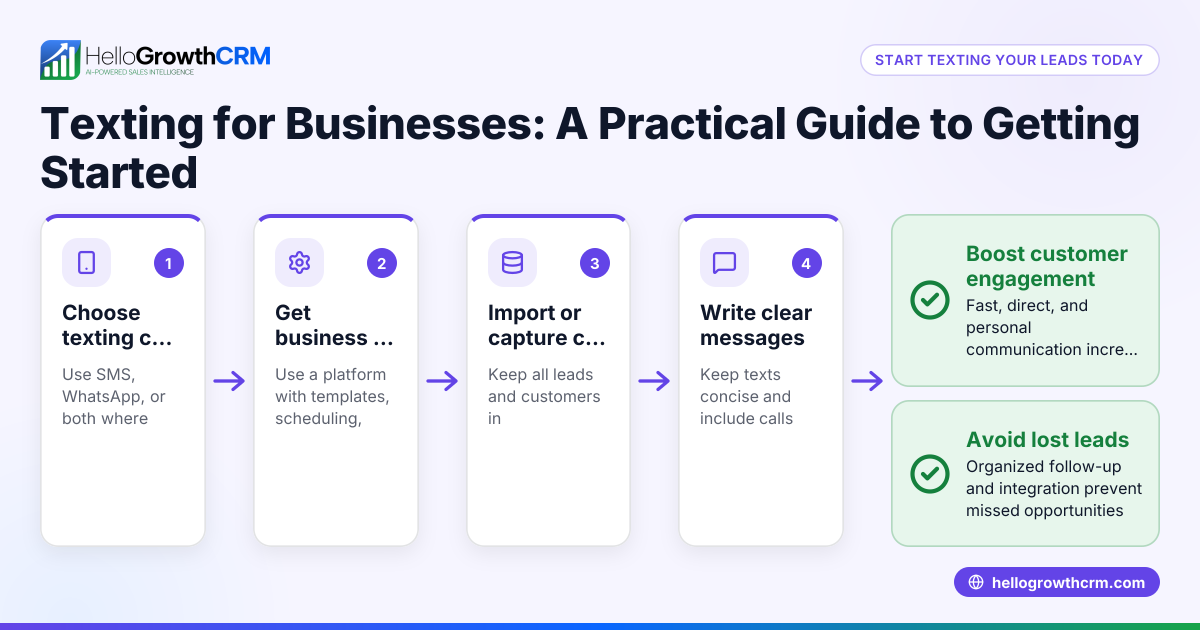
- Identify your texting channels: Decide if you need SMS, WhatsApp, or both. Check which your customers prefer and where your team can respond quickly.
- Check integration with your CRM: Ensure the CRM supports sending and receiving texts within the contact record. Confirm it logs conversations automatically.
- Evaluate automation features: Look for capabilities like message sequences, templates, and AI assistance to draft or schedule follow-ups.
- Verify team collaboration tools: Confirm that multiple users can access conversations, assign tasks, and see message history.
- Assess compliance and opt-in management: Make sure the CRM helps manage consent and respects privacy regulations for texting customers.
- Test usability: Try the texting features yourself or with your team. Check for ease of use on desktop and mobile.
- Review pricing and limits: Understand any restrictions on message volume, users, or automation features.
- Look for reporting and analytics: Confirm the CRM tracks texting activity and impact on sales pipeline.
For more on texting and calling tools, see the WhatsApp and SMS CRM and built-in CRM dialer pages.
Example (fictional figures)
A plumbing company in Austin, Texas, called "Austin Pipe Pros," wants to improve lead follow-up using CRM texting.
- They receive 100 new leads monthly from their website.
- Their average conversion rate without texting is 20%, with average sale $1,500.
- They want to send SMS follow-ups within 1 hour of lead capture.
Austin Pipe Pros estimates:
Potential additional conversions by texting:
100 leads × 10% increase = 10 extra sales
Additional revenue:
10 sales × $1,500 = $15,000
Cost of CRM texting plan:
Assumed $100/month
Return on investment (ROI) monthly:
$15,000 − $100 = $14,900
This example shows texting can quickly boost revenue by improving timely engagement and follow-up.
Common mistakes
- Not centralizing texts in CRM: Using separate texting apps leads to lost conversations. Prevent by choosing a CRM with integrated SMS and WhatsApp logging.
- Ignoring automation: Manually texting every lead wastes time and causes delays. Use templates and sequences to automate follow-ups.
- Failing to track opt-ins: Texting without proper consent risks legal trouble. Use CRM features to manage opt-in status.
- Overlooking team access: If only one person handles texting, leads can slip through. Choose a CRM that shares texting history across the team.
- Neglecting reporting: Without analytics, you can’t measure texting effectiveness. Pick a CRM that reports on texting activity.
- Choosing a complex system: Overly complicated texting features can slow down reps. Test usability before committing.
For tips on CRM texting and calling, see HelloGrowthCRM for the United States.
Doing this in HelloGrowthCRM
HelloGrowthCRM supports WhatsApp and SMS texting by logging all WhatsApp conversations on the lead record and enabling follow-ups as messages. Its AI agents (currently in beta on the Growth plan) draft follow-up messages after calls for the rep to review and send, saving time. The Free Forever plan lets two-person teams run their pipeline at no cost until they need calling or WhatsApp automation. Learn more on the WhatsApp and SMS CRM page.
Frequently asked questions
What is CRM texting? CRM texting integrates SMS and WhatsApp messaging into your CRM so you can send, receive, and log texts directly linked to leads and customers. This centralizes communication and improves follow-up speed.
Can I automate texting in a CRM? Yes, many CRMs offer automation like message templates, scheduled sequences, and AI drafting to help reps send timely follow-ups without manual effort.
Is WhatsApp texting included in all CRM plans? Not always. Some CRMs include WhatsApp texting only in paid plans. For example, HelloGrowthCRM offers WhatsApp texting on Starter and above plans but not on the Free plan.
How does CRM texting help sales teams? It keeps all messages organized, prevents leads from slipping through, enables quick responses, and allows managers to track texting activity and results.
Do I need special approval to send WhatsApp messages from a CRM? WhatsApp Business API usage involves Meta’s policies and template approvals. Check official WhatsApp Business resources for details. This is separate from CRM features.
Key takeaways
- CRM texting means managing SMS and WhatsApp messages inside your CRM for organized, trackable communication.
- Evaluate CRM texting by checking channel support, integration, automation, team collaboration, compliance, usability, and reporting.
- Avoid common mistakes like scattered texting apps, no automation, ignoring opt-ins, and lack of team access.
- HelloGrowthCRM offers WhatsApp and SMS messaging logged on lead records, AI-assisted follow-ups, and a Free Forever plan for small teams.
Start managing your leads with CRM texting today. Start on the Free Forever plan (200 leads, no credit card).
Ready to put this into practice?
Set up your pipeline, WhatsApp follow-ups, and AI lead scoring in minutes — free, no credit card.
Try HelloGrowthCRM freeGet CRM tips in your inbox
Join thousands of sales professionals who get weekly insights on CRM strategy, AI automation, and pipeline optimization.

The HelloGrowthCRM team publishes guides on CRM strategy, AI sales tools, and revenue operations for small business sales teams.