HelloGrowthCRM software
Built for real small-business sales teams
HelloGrowthCRM helps reps qualify faster, follow up on time, and close more deals—with practical automation in one place.
- AI lead scoring and pipeline visibility
- Built-in dialer, WhatsApp, and email automation
- Sales forecasting and RevOps-ready reporting
CRM visualization means using graphical tools like dashboards, pipeline boards, and reports to see your sales data clearly. It helps small businesses track leads, sales progress, and team activities at a glance. This article covers why CRM visualization matters, how to evaluate it step-by-step, a practical example, common mistakes to avoid, and how HelloGrowthCRM supports visualization with WhatsApp and SMS integration, AI agents, and a Free Forever plan.
Why this comes up / what goes wrong
Small business owners often juggle multiple sales channels like email, text messages, and phone calls, plus spreadsheets to track leads. Without clear visualization, it’s easy to lose track of who to follow up with, which deals are stuck, or how the team is performing. This leads to slow follow-up, lost leads, and missed revenue. When evaluating CRM visualization, owners want to understand how well a CRM shows their sales pipeline, lead status, communications, and tasks in an easy-to-use visual format that the whole team will actually use.
Step-by-step
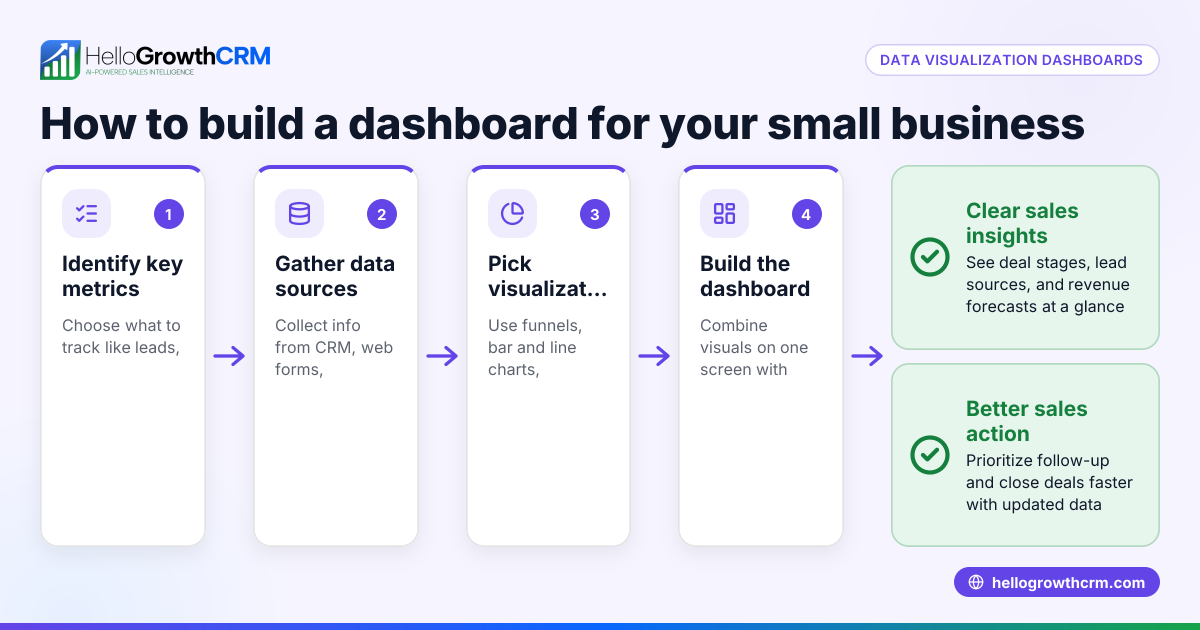
- Identify your key sales data to visualize: Decide whether you need pipeline stages, lead source tracking, communication logs, task reminders, or sales forecasts. Check if the CRM supports these visual elements.
- Check the type of visual tools offered: Look for Kanban boards, dashboards with charts, activity timelines, and task boards. Confirm these tools update in real-time and are easy to customize.
- Evaluate communication integration visualization: See if WhatsApp, SMS, and email conversations are logged and visible within the lead record to track all interactions visually.
- Assess AI assistance in visualization: Some CRMs offer AI agents that draft follow-ups or update records automatically, reducing manual work and improving workflow visualization.
- Test user experience with your team: The visualization should be intuitive and encourage adoption by sales reps and managers. Check if mobile and desktop views are consistent.
- Consider scalability and cost: Ensure the CRM visualization tools scale with your team size and business needs without hidden costs.
- Review reporting and forecasting visuals: Confirm the CRM provides clear sales forecasting and reporting dashboards to visualize business health.
- Compare trial or free plans: Use free plans or demos to see the visualization in action before committing.
Example (fictional figures)
A residential real-estate team in Phoenix, Arizona, uses CRM visualization to track their quarterly sales pipeline.
- Current pipeline value: $2,000,000
- Number of active leads: 50
- Average deal closing time: 60 days
They want to visualize monthly sales progress and forecast Q2 revenue.
Assuming 25% of pipeline closes in Q2:
$2,000,000 × 25% = $500,000 forecasted sales
They use a Kanban board showing stages: New Lead, Contacted, Showing, Offer, Closed.
Each lead card shows WhatsApp message history logged automatically, helping agents prioritize follow-ups.
The dashboard updates daily to show:
- Number of leads per stage
- Total pipeline value
- Forecasted revenue
This visualization helps the team focus on deals near closing and identify bottlenecks.
Common mistakes
- Choosing CRMs without real-time updates: Leads and pipeline data that lag cause missed opportunities. Prevent by testing live demos.
- Ignoring communication logging visualization: Without WhatsApp or SMS logs visible, reps lose context. Ensure the CRM integrates these channels visibly, like HelloGrowthCRM’s WhatsApp and SMS CRM (/product/whatsapp-sms-crm).
- Overcomplicating dashboards: Too many charts or irrelevant data confuse users. Keep visuals focused on actionable metrics.
- Neglecting team adoption: A great visualization tool is useless if reps don’t use it. Involve your team in testing and training.
- Not leveraging AI agents: Manually drafting follow-ups wastes time. Use AI agents that draft messages after calls for review, as in HelloGrowthCRM’s Beta AI agents (/product/ai-crm).
- Skipping free trials or plans: Paying before testing visualization features can lead to mismatches. Use free plans like HelloGrowthCRM’s Free Forever plan (/free-crm) for two-person teams.
Doing this in HelloGrowthCRM
HelloGrowthCRM offers visualization through its WhatsApp and SMS CRM, where conversations with leads are logged on the lead record and follow-ups can be sent as messages. AI agents in Beta draft follow-up messages after calls, so reps only review and send, improving workflow visibility and speed. For small teams, the Free Forever plan lets two-person teams run a full pipeline at no cost until calling or WhatsApp automation is needed. Learn more about HelloGrowthCRM for the United States (/usa).
Frequently asked questions
What is CRM visualization? CRM visualization uses graphical tools like pipelines, dashboards, and communication logs to display sales and lead data clearly. It helps teams track progress and prioritize activities visually.
Why is WhatsApp integration important for CRM visualization? WhatsApp integration logs conversations directly on lead records, giving reps immediate context and reducing missed follow-ups. HelloGrowthCRM’s WhatsApp and SMS CRM keeps this communication visible and actionable (/product/whatsapp-sms-crm).
How do AI agents improve CRM visualization? AI agents automate routine tasks like drafting follow-up messages, updating records, and executing workflows, reducing manual steps and keeping sales pipelines visually up to date. HelloGrowthCRM offers Beta AI agents for this purpose (/product/ai-crm).
Can I try CRM visualization before buying? Yes, many CRMs offer free plans or trials. HelloGrowthCRM’s Free Forever plan supports a two-person team to manage pipelines with visualization tools at no cost (/free-crm).
What should I look for in a CRM visualization tool? Look for real-time updates, ease of use, communication logging, AI assistance, customizable dashboards, and a plan that fits your team size and budget.
Key takeaways
- CRM visualization shows sales data graphically to improve lead tracking and team coordination.
- Check for pipeline boards, dashboards, and communication logs integrated with WhatsApp and SMS.
- Use AI agents to automate follow-ups and keep data current.
- Test free plans or demos to ensure the visualization fits your team’s workflow.
- Avoid overly complex dashboards and prioritize tools that encourage team adoption.
- HelloGrowthCRM offers WhatsApp and SMS CRM, Beta AI agents, and a Free Forever plan to support effective CRM visualization.
Start improving your sales visibility today by starting on the Free Forever plan (200 leads, no credit card).
Ready to put this into practice?
Set up your pipeline, WhatsApp follow-ups, and AI lead scoring in minutes — free, no credit card.
Try HelloGrowthCRM freeGet CRM tips in your inbox
Join thousands of sales professionals who get weekly insights on CRM strategy, AI automation, and pipeline optimization.

The HelloGrowthCRM team publishes guides on CRM strategy, AI sales tools, and revenue operations for small business sales teams.