HelloGrowthCRM software
Built for real small-business sales teams
HelloGrowthCRM helps reps qualify faster, follow up on time, and close more deals—with practical automation in one place.
- AI lead scoring and pipeline visibility
- Built-in dialer, WhatsApp, and email automation
- Sales forecasting and RevOps-ready reporting
A CRM with email campaigns lets small businesses automate multi-step outreach and track email replies without juggling multiple tools. It streamlines follow-ups, improves lead engagement, and keeps your sales team coordinated. This article explains why small businesses look for this feature, how to evaluate CRMs with email campaigns, a practical example, common pitfalls, and how HelloGrowthCRM supports these needs.
Why this comes up / what goes wrong
Small-business owners often rely on email, texts, and spreadsheets to track leads and sales. This can lead to slow follow-up, missed replies, and lost deals. Without automation, manually sending emails and tracking responses wastes time and causes inconsistency. Teams may struggle to share information about leads, resulting in duplicated efforts or dropped conversations. A CRM with email campaigns addresses these problems by automating follow-ups, centralizing communication, and helping the team work together efficiently.
Step-by-step
- Identify your email campaign needs: Determine if you want simple broadcast emails, automated sequences that pause when a lead replies, or multi-channel campaigns including SMS and WhatsApp. Check if the CRM supports these features.
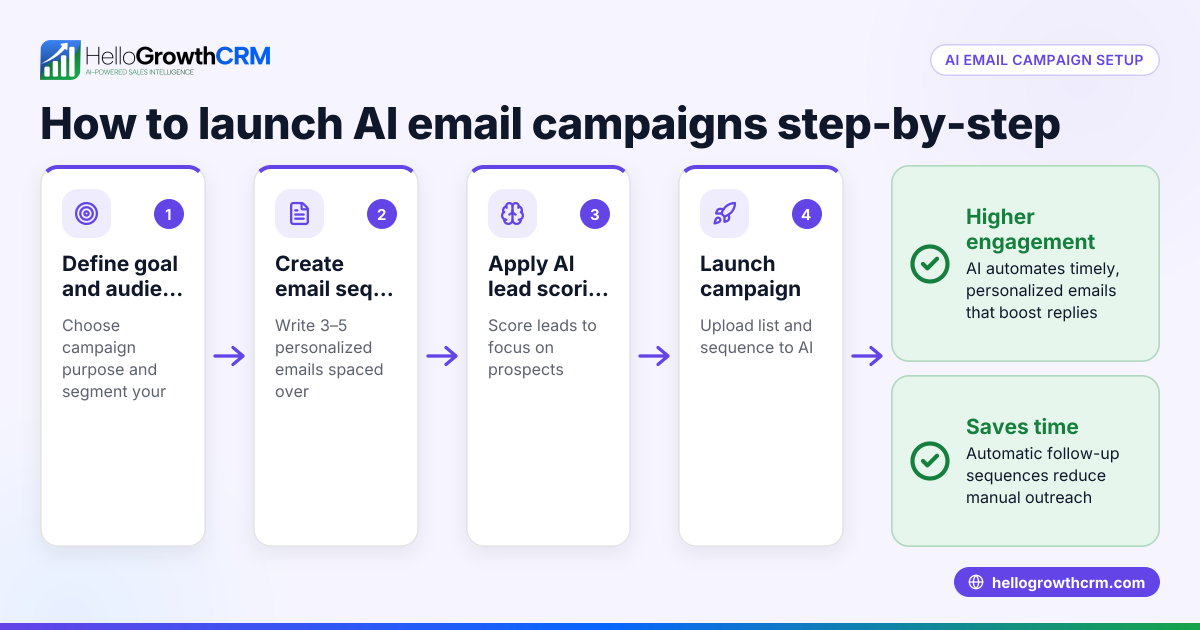
- Check automation capabilities: Look for multi-step sequences that run over days or weeks automatically. Confirm if the system stops sending messages once a prospect responds to avoid spamming.
- Evaluate shared inbox features: Ensure the CRM has a shared inbox or similar tool so your sales team can see all replies to emails, keeping everyone updated on lead status without forwarding chains.
- Verify multi-channel messaging: If you use WhatsApp or SMS for sales, check that the CRM logs these conversations on the lead record and allows follow-ups via these channels.
- Consider ease of use and integration: The CRM should integrate with your existing lead capture tools and be easy enough for your team to adopt without extra training.
- Review pricing and plan limits: Some CRM email campaign features require paid plans. Confirm what is included in each plan and if it fits your budget.
For more on automation, see email automation and sequences. For messaging options, check WhatsApp and SMS CRM.
Example (fictional figures)
A plumbing company in Austin, Texas, wants to automate email follow-ups to new leads captured from their website. They plan a five-step email sequence over two weeks to convert inquiries into booked jobs.
- They expect 100 new leads per month.
- Their average job value is $500.
- Current conversion rate without automation is 10% (10 jobs).
With automation, they aim to increase conversion to 15% (15 jobs).
Calculations:
Jobs before automation = 100 leads × 10% = 10 jobs
Revenue before automation = 10 jobs × $500 = $5,000
Jobs after automation = 100 leads × 15% = 15 jobs
Revenue after automation = 15 jobs × $500 = $7,500
Revenue increase = $7,500 - $5,000 = $2,500
This $2,500 increase shows how automating email campaigns with follow-up sequences can boost sales without extra advertising spend.
Common mistakes
- Not stopping sequences when leads reply: Continuing to send emails after a response annoys prospects. Prevent this by choosing a CRM with sequences that automatically pause on reply.
- Ignoring team visibility on replies: If replies go to individual inboxes only, the team loses context. Use a CRM with a shared inbox so everyone sees important emails on deals.
- Relying on email alone: Some leads respond better to WhatsApp or SMS. Choose a CRM that supports multi-channel messaging to reach leads where they engage most.
- Overloading leads with too many messages: Sending too many emails in a short time can cause unsubscribes. Space out your sequence steps thoughtfully.
- Choosing a CRM that is too complex or lacks integrations: If your team struggles to use the CRM or it doesn’t connect with your lead sources, adoption will suffer. Test usability and integration options.
Learn more about avoiding mistakes in email automation and sequences.
Doing this in HelloGrowthCRM
HelloGrowthCRM offers sequences and campaigns that automate a five-step follow-up over two weeks and stop immediately when a prospect replies. Its HelloMail shared inbox lets your team see replies to quotation emails on the deal record, avoiding lost messages. The CRM also supports WhatsApp and SMS, logging conversations on lead records and enabling follow-ups via these channels. This helps small and mid-sized businesses keep leads engaged across email and mobile messaging without switching apps. Learn more at HelloGrowthCRM for the United States.
Frequently asked questions
What is the difference between email sequences and campaigns in a CRM? Email sequences are automated workflows that send timed messages step-by-step until a prospect replies or the sequence ends. Campaigns are broadcast messages sent to a list or segment at once. Sequences focus on personalized follow-up, while campaigns target groups simultaneously.
Can I use WhatsApp and SMS along with email campaigns in one CRM? Yes. Some CRMs, like HelloGrowthCRM, support multi-channel outreach by combining email sequences with WhatsApp and SMS messaging. This lets you engage leads on their preferred channels and log all conversations in one place.
How do I know if my team will adopt a CRM with email campaigns? Look for a CRM with a shared inbox for team visibility, easy-to-use automation tools, and integrations with your lead sources. Involving your sales team in trials and training helps ensure adoption.
Are email campaigns in CRMs compliant with spam laws? CRMs provide tools to manage opt-outs and control message frequency, but it’s your responsibility to follow laws like CAN-SPAM. Always include unsubscribe options and avoid spamming prospects.
Do I need a paid plan for email campaigns in HelloGrowthCRM? Sequences and campaigns typically require Starter or higher plans; the Free plan may not include these features. Check the email automation and sequences page for details.
Key takeaways
- A CRM with email campaigns automates follow-up and improves lead engagement.
- Look for multi-step sequences that pause on reply and shared inbox features.
- Multi-channel messaging with WhatsApp and SMS enhances outreach.
- Avoid common mistakes like over-messaging and poor team visibility.
- HelloGrowthCRM supports these features to help small businesses manage leads efficiently.
Start automating your sales follow-up today. Start on the Free Forever plan (200 leads, no credit card).
Ready to put this into practice?
Set up your pipeline, WhatsApp follow-ups, and AI lead scoring in minutes — free, no credit card.
Try HelloGrowthCRM freeGet CRM tips in your inbox
Join thousands of sales professionals who get weekly insights on CRM strategy, AI automation, and pipeline optimization.

The HelloGrowthCRM team publishes guides on CRM strategy, AI sales tools, and revenue operations for small business sales teams.