HelloGrowthCRM software
Built for real small-business sales teams
HelloGrowthCRM helps reps qualify faster, follow up on time, and close more deals—with practical automation in one place.
- AI lead scoring and pipeline visibility
- Built-in dialer, WhatsApp, and email automation
- Sales forecasting and RevOps-ready reporting
A CRM with email integration for email-focused sales teams in New Zealand combines contact and lead management with built-in email tools that keep conversations organised and visible to the team. This article explains why email integration matters, how to evaluate CRMs step-by-step, a practical example, common mistakes to avoid, and how HelloGrowthCRM supports email-focused sales teams.
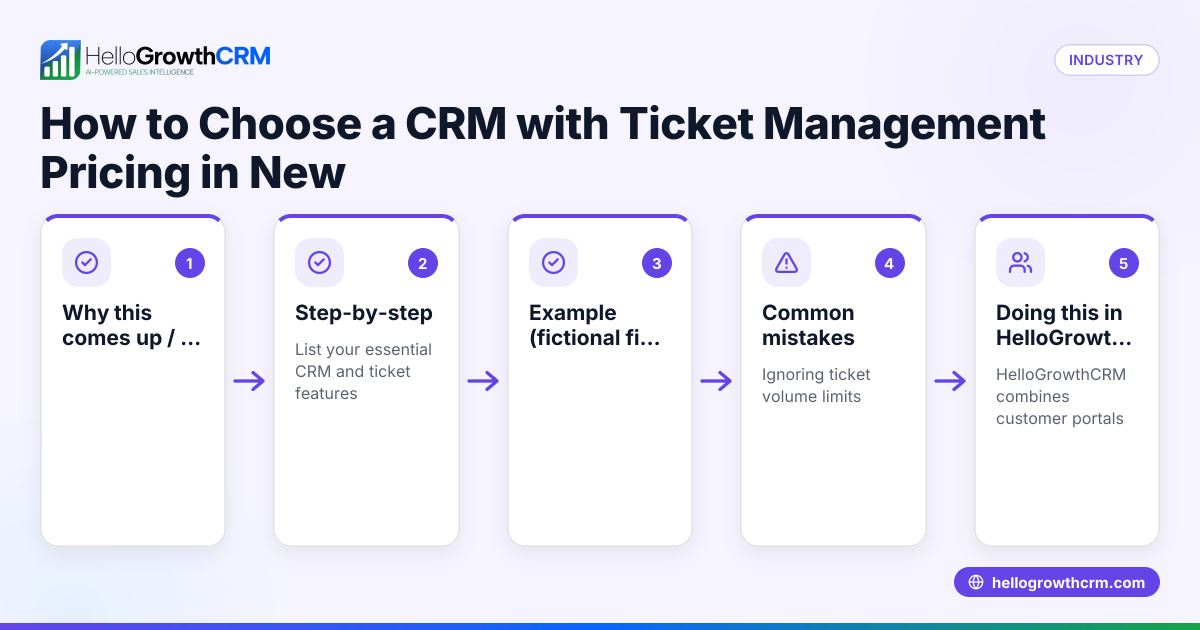
Why this comes up / what goes wrong
Small and mid-sized businesses in New Zealand often rely heavily on email for sales communication. Teams send quotations, follow up on leads, and negotiate deals primarily through email. However, without proper integration, email threads get lost in personal inboxes or scattered spreadsheets. This causes slow follow-up, duplicated efforts, and missed opportunities. Business owners and sales leaders search for a CRM solution that keeps email conversations linked to leads and deals, visible to the whole sales team, and easy to manage without switching apps.
Step-by-step
- Identify your sales team's email usage: Check how much your team depends on email versus calls or messaging apps. Confirm that email is the main channel for lead nurturing and closing deals.
- Check CRM email integration features: Look for a CRM that offers a shared inbox or email threading inside the system. This means replies to quotation emails or enquiries are visible to the whole team on the relevant deal, preventing lost communication.
- Evaluate automation options: See if the CRM supports email sequences or automation to follow up with leads automatically. This reduces manual work and speeds up response times. Learn more about email automation and sequences.
- Consider integration with other tools: Your CRM should connect with your website forms, lead sources, and other software to capture leads automatically. Check if it offers API and integrations including popular services relevant to New Zealand businesses. For example, HelloGrowthCRM integrates with IndiaMART and JustDial among others. See integrations for details.
- Assess team collaboration features: The CRM should allow multiple team members to see and respond to emails linked to leads and deals. This avoids duplicated replies or lost messages.
- Review reporting and pipeline management: Confirm the CRM provides clear sales pipeline views and email activity reports to help forecast and improve sales performance.
- Test user adoption and ease of use: Choose a CRM that your team can easily adopt without complex setup or switching between multiple tools.
- Check support and managed services: For small businesses without dedicated sales managers, managed revenue operations (RevOps) services can help keep follow-ups on track. HelloGrowthCRM offers this support. See HelloGrowthCRM for New Zealand.
Example (fictional figures)
A small real-estate agency in Auckland, KiwiHomes Ltd, closes about 50 sales leads a month using email as the main communication channel. They want to speed up follow-up and improve team visibility.
- Current average lead response time: 48 hours
- Potential value per sale: NZ$500,000
- Expected increase in closed leads with faster follow-up: 10% (5 more sales)
Calculating the impact:
5 additional sales × NZ$500,000 per sale = NZ$2,500,000 additional revenue
If the CRM reduces response time from 48 to 24 hours, the agency expects these 5 extra sales monthly.
This shows how choosing a CRM with good email integration can directly affect revenue by improving lead response and team coordination.
Common mistakes
- Choosing a CRM without a shared inbox: This causes emails to stay in personal inboxes, leading to lost or duplicated communication. Prevent this by verifying the CRM supports shared inbox features like HelloMail.
- Ignoring automation capabilities: Manually sending follow-ups wastes time and risks inconsistency. Check for email sequence automation to keep leads engaged.
- Overlooking integrations: Without syncing lead sources, you’ll waste time entering data manually. Confirm the CRM supports APIs and popular integrations suited for NZ businesses.
- Neglecting team collaboration: If only one person can see email replies, others may duplicate efforts or miss updates. Ensure the CRM shows all team replies on deals.
- Not testing user experience: A complicated CRM reduces adoption. Trial the software with your team before committing.
- Skipping managed support options: Small teams without sales managers may struggle to keep follow-ups consistent. Consider managed RevOps services.
Doing this in HelloGrowthCRM
HelloGrowthCRM offers a shared inbox called HelloMail, where replies to quotation emails are visible to the whole team on the deal, helping sales teams stay coordinated without switching apps. It also supports API and integrations including IndiaMART and JustDial enquiries arriving directly as leads in the CRM. For founders without a sales manager, HelloGrowthCRM provides Managed RevOps, assigning a specialist to work the follow-up queue weekly, ensuring leads are contacted promptly. Learn more about these features at email automation and sequences, integrations, and HelloGrowthCRM for New Zealand.
Frequently asked questions
What is the benefit of a CRM with email integration for sales teams? A CRM with email integration centralises email conversations linked to leads and deals, making it easier for teams to track communication, avoid duplicated messages, and respond faster. This improves lead conversion and team collaboration.
How does email automation help sales teams? Email automation allows you to set up sequences that automatically send follow-ups or nurture emails to leads, saving time and ensuring consistent communication. This helps sales teams engage leads promptly without manual effort.
Can I connect my existing email account to a CRM? Many CRMs offer shared inboxes or email syncing features that link your existing email accounts. Check if the CRM supports this and whether replies are visible to the whole team to avoid silos.
What integrations should I look for in a CRM for New Zealand businesses? Look for APIs and integrations that connect with your website forms, lead sources, and business tools. HelloGrowthCRM supports integrations including IndiaMART and JustDial, helping automate lead capture.
Is managed revenue operations support useful for small sales teams? Yes. Managed RevOps provides expert help to keep your sales follow-up on track, clean your pipeline, and optimise lead scoring, especially if you don’t have a dedicated sales manager.
Key takeaways
- Choose a CRM with a shared inbox to keep email replies visible to your whole sales team.
- Use email automation to follow up leads consistently and save time.
- Ensure the CRM integrates with your lead sources and business tools via API.
- Prioritise ease of use and team adoption to get the most from your CRM.
- Consider managed RevOps services for ongoing sales follow-up support.
Start improving your sales email management today. Start on the Free Forever plan (200 leads, no credit card).
Ready to put this into practice?
Set up your pipeline, WhatsApp follow-ups, and AI lead scoring in minutes — free, no credit card.
Try HelloGrowthCRM freeGet CRM tips in your inbox
Join thousands of sales professionals who get weekly insights on CRM strategy, AI automation, and pipeline optimization.

The HelloGrowthCRM team publishes guides on CRM strategy, AI sales tools, and revenue operations for small business sales teams.