HelloGrowthCRM software
Built for real small-business sales teams
HelloGrowthCRM helps reps qualify faster, follow up on time, and close more deals—with practical automation in one place.
- AI lead scoring and pipeline visibility
- Built-in dialer, WhatsApp, and email automation
- Sales forecasting and RevOps-ready reporting
A CRM with email integration for email-focused sales teams in Canada lets you manage incoming and outgoing emails from leads and customers directly inside the CRM interface. This improves team collaboration, reduces lost emails, and speeds up follow-up. It also helps sales teams who rely heavily on email to keep track of conversations without switching between multiple apps.
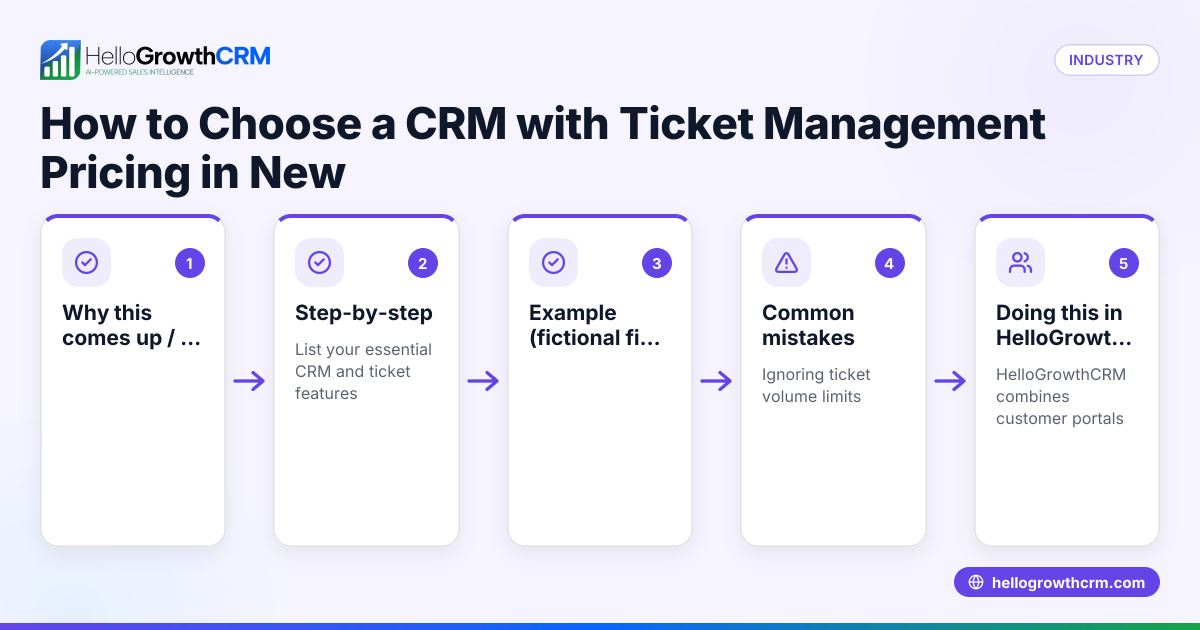
Why this comes up / what goes wrong
Many small and mid-sized Canadian businesses run sales heavily through email but struggle because their CRM or sales tool doesn’t integrate well with email. Salespeople often juggle multiple platforms—email clients, spreadsheets, messaging apps—leading to lost leads, slow replies, and poor visibility for managers. Without email integration, teams miss out on shared context and can accidentally duplicate outreach or lose track of conversations. This inefficiency costs time and sales.
Step-by-step
- Identify your team’s email usage and volume: Check how many salespeople use email and how many emails are sent daily. This helps you choose a CRM that can handle your volume and workflow.
- Check for native email integration: Confirm the CRM lets you send, receive, and track emails inside the platform, not just link to an external client. Native integration improves efficiency.
- Look for shared inbox features: A shared inbox allows all team members to see replies on deals, preventing duplicated or missed follow-ups.
- Evaluate automation capabilities: See if the CRM supports email sequences or automation to nurture leads without manual sending. This saves time and standardizes outreach.
- Review integration options: Ensure the CRM integrates with your other tools (website forms, lead sources, marketing platforms) to capture email leads automatically. Check integrations for compatibility.
- Consider reporting and analytics: The CRM should provide email activity reports to measure response rates and sales effectiveness.
- Test ease of use and adoption: A CRM that is complicated will see low adoption. Trial the email features to ensure your team finds it intuitive.
- Assess support and managed services: For founders without sales managers, consider if the CRM offers managed RevOps support to keep follow-ups on track. See more on Managed RevOps.
Example (fictional figures)
A bilingual insurance agency in Laval, Quebec, called "Laval Insurance Group," sends about 200 sales emails weekly to prospects. They want to switch to a CRM with email integration to improve follow-up and team visibility.
- Current monthly revenue: C$120,000
- Average deal size: C$3,000
- Conversion rate from email leads: 10%
- Lost deals due to slow follow-up: 15%
By adopting a CRM with email integration and shared inbox:
- They reduce lost deals by half, recovering 7.5% of deals
- Additional monthly revenue = C$120,000 × 7.5% = C$9,000
If the CRM costs C$300/month and saves 7.5% of revenue, the ROI is:
- ROI = (C$9,000 - C$300) / C$300 = 29 times the cost
This example shows how email integration can directly impact revenue by reducing lost leads.
Common mistakes
- Choosing a CRM without true email integration: Avoid CRMs that only link to email clients or require switching apps. Choose one with a native email interface.
- Ignoring shared inbox features: Without a shared inbox, team members may duplicate outreach or miss replies. Always check for this feature.
- Overlooking automation and sequences: Manual email follow-up is error-prone and slow. Use CRMs that support email automation to maintain consistent contact.
- Not testing integrations with existing tools: Ensure the CRM connects with your lead sources and marketing tools to avoid manual data entry.
- Underestimating training and adoption: A complicated CRM leads to poor use. Prioritize ease of use and provide training.
- Neglecting ongoing sales operations support: Founders without sales managers should consider managed RevOps to keep sales follow-up consistent.
Check out email automation and sequences to learn how automation supports email-focused teams.
Doing this in HelloGrowthCRM
HelloGrowthCRM offers the HelloMail shared inbox, enabling your sales team to manage inbound and outbound emails from leads and customers directly inside the CRM. Replies to quotation emails and other conversations are visible to the entire team on the deal, reducing missed follow-ups and duplicated outreach.
The CRM also supports API and integrations, so enquiries from platforms like IndiaMART and JustDial arrive automatically as leads, streamlining your sales pipeline. For founders without a sales manager, HelloGrowthCRM provides Managed RevOps services where a revenue specialist works your follow-up queue weekly, ensuring no lead slips through.
Explore HelloGrowthCRM features including HelloMail, integrations, and Managed RevOps support detailed on the Canada page to see how it fits your Canadian sales team.
Frequently asked questions
What is the benefit of email integration in a CRM for sales teams? Email integration centralizes communication, allowing sales teams to send, receive, and track emails within the CRM. This improves response times, visibility for managers, and team collaboration, reducing lost leads.
Can I automate email sequences in a CRM? Yes, many CRMs support email sequences or automation that send scheduled emails to nurture leads. This helps maintain contact without manual effort and increases conversion chances.
How do I know if a CRM’s email integration is good for my team? Test if the CRM offers a shared inbox, native email sending and receiving, and reporting on email activity. Also check if it integrates with your current lead sources and marketing tools.
Is it necessary to have managed sales operations support with a CRM? For small teams or founders without dedicated sales managers, managed RevOps support can keep follow-up consistent and pipelines clean, improving sales outcomes.
Does HelloGrowthCRM support email integration for Canadian businesses? Yes, HelloGrowthCRM includes HelloMail, a shared inbox inside the CRM, plus integrations with popular lead sources. This helps Canadian sales teams manage their email-focused workflows efficiently.
Key takeaways
- A CRM with native email integration centralizes communication and improves sales follow-up.
- Shared inbox features prevent duplicated outreach and missed replies.
- Automation and email sequences save time and standardize lead nurturing.
- Ensure the CRM integrates with your existing tools and lead sources.
- Managed RevOps support helps founders keep sales follow-up consistent.
- HelloGrowthCRM offers HelloMail, integrations, and Managed RevOps tailored for Canadian teams.
Start improving your email-focused sales process today. Start on the Free Forever plan (200 leads, no credit card) with HelloGrowthCRM and see how email integration helps your team close more deals.
Ready to put this into practice?
Set up your pipeline, WhatsApp follow-ups, and AI lead scoring in minutes — free, no credit card.
Try HelloGrowthCRM freeGet CRM tips in your inbox
Join thousands of sales professionals who get weekly insights on CRM strategy, AI automation, and pipeline optimization.

The HelloGrowthCRM team publishes guides on CRM strategy, AI sales tools, and revenue operations for small business sales teams.