HelloGrowthCRM software
Built for real small-business sales teams
HelloGrowthCRM helps reps qualify faster, follow up on time, and close more deals—with practical automation in one place.
- AI lead scoring and pipeline visibility
- Built-in dialer, WhatsApp, and email automation
- Sales forecasting and RevOps-ready reporting
CRM workflow automation means setting up rules and processes in your CRM software that automatically perform actions such as lead routing, task creation, message sending, and record updates based on triggers like new enquiries or customer responses. This reduces manual work and speeds up your sales process.
Why this comes up / what goes wrong
Many Australian small business owners find their sales process relies on manual tasks like copying leads from emails, sending follow-ups individually, and juggling spreadsheets. This leads to slow responses, lost leads, and inconsistent customer experiences. As businesses grow beyond a handful of customers, these manual methods become inefficient and error-prone. This is why owners search for "crm workflow automation" — to find software that can automate routine sales and customer management tasks, freeing their team to focus on selling.
Step-by-step
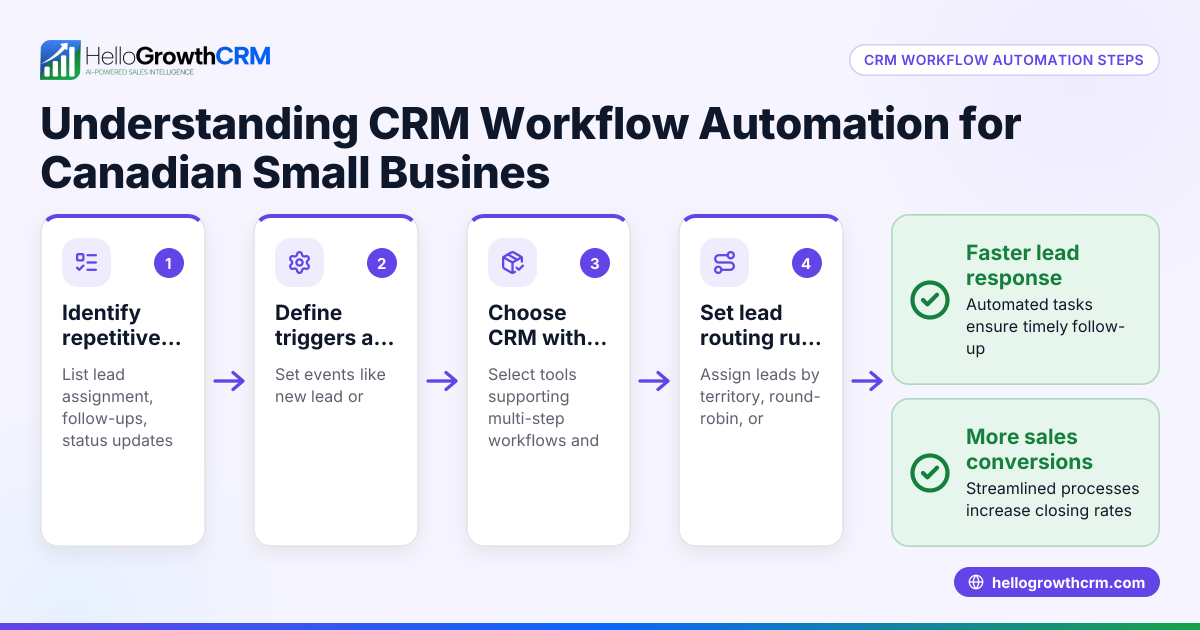
- Identify your key sales processes to automate
- List repetitive tasks like lead assignment, follow-up reminders, and status updates.
- Check which tasks cause delays or errors.
- Check the CRM’s workflow capabilities
- Confirm it supports automated task creation, lead routing, and field updates.
- Look for validation rules that prevent data errors.
- Evaluate automation triggers and actions
- Ensure workflows can start on events like new leads, status changes, or customer replies.
- Verify the system can send messages via email, SMS, or WhatsApp automatically.
- Consider AI assistance in workflows
- See if the CRM offers AI agents that draft follow-ups or update records to reduce rep workload.
- Test multi-step sequences and campaigns
- Check if you can set up multi-step follow-up sequences that stop when a prospect replies.
- Assess lead routing rules
- Confirm leads can be assigned automatically by territory, source, score, or round-robin.
- Review reporting and monitoring
- Ensure you can track workflow performance and sales pipeline progress.
- Check integration options
- Confirm the CRM can capture leads from your website forms and other tools.
- Trial the software with your team
- Test workflows in a real scenario to see if they save time and reduce errors.
For more on AI-powered CRM features, see AI CRM.
Example (fictional figures)
A plumbing and gas business in Perth, Western Australia, called "Perth Plumbing Co," wants to automate lead follow-up to avoid losing new enquiries.
- They receive about 50 new leads monthly from their website.
- Currently, a staff member manually assigns leads and sends follow-ups by email and text.
- They want to assign leads evenly to 5 sales reps and automatically send a 5-step follow-up sequence over two weeks.
Steps:
- Leads assigned round-robin to 5 reps:
- 50 leads ÷ 5 reps = 10 leads per rep
- Workflow creates a first-call task automatically for each new lead.
- A five-step follow-up sequence runs over 14 days:
- Step 1 message sent on day 0
- Step 2 on day 3
- Step 3 on day 7
- Step 4 on day 10
- Step 5 on day 14
- Sequence stops immediately if the prospect replies.
Benefits:
- Saves 10 hours monthly previously spent on manual lead assignment and follow-ups.
- Faster lead response improves conversion chances.
Common mistakes
- Automating without mapping processes: Automate only after clearly understanding your sales steps to avoid ineffective workflows.
- Ignoring validation rules: Without field validation, bad data can enter your CRM, causing errors downstream. Use validation rules to prevent this.
- Overcomplicating workflows: Keep workflows simple to maintain and troubleshoot easily.
- Not testing workflows: Always test automation with real data before full rollout to catch issues.
- Failing to monitor automation: Regularly review workflow performance to ensure it still meets your needs.
- Neglecting multi-channel follow-ups: Use sequences that combine email, SMS, and WhatsApp for better engagement, not just one channel (see WhatsApp and SMS CRM).
Doing this in HelloGrowthCRM
HelloGrowthCRM offers automated workflows that assign leads by round-robin or rules and create follow-up tasks automatically. Its AI agents can draft follow-up messages after calls for reps to review and send. You can set up multi-step sequences that run over days and stop when a prospect replies. These features help small and mid-sized businesses automate lead handling and follow-ups efficiently. Learn more about these capabilities at AI CRM.
Frequently asked questions
What is a CRM workflow? A CRM workflow is a set of automated rules in your CRM software that trigger actions like sending emails, assigning tasks, or updating records based on events such as new leads or status changes.
How does workflow automation improve sales? It speeds up lead response, reduces manual errors, and ensures consistent follow-ups, which can increase conversion rates and free sales teams to focus on selling.
Can I automate multi-step follow-ups in a CRM? Yes, many CRMs allow sequences where you schedule several messages over days or weeks that stop automatically when a prospect replies.
What should I check before choosing CRM workflow automation? Check the automation triggers and actions supported, lead routing options, multi-channel messaging, AI assistance availability, and ease of use for your team.
Is AI used in CRM workflows? Some CRMs include AI agents that draft follow-ups or update records automatically, reducing the workload on sales reps.
How does lead routing work in CRM automation? Leads can be assigned automatically based on rules like territory, source, lead score, or round-robin distribution to balance workload.
See more on CRM features for Australian businesses at HelloGrowthCRM for Australia.
Key takeaways
- CRM workflow automation handles repetitive sales tasks automatically, saving time.
- Key features include lead routing, task creation, multi-step follow-ups, and AI drafting.
- Test and monitor workflows to avoid errors and keep processes efficient.
- Use multi-channel sequences (email, SMS, WhatsApp) for better engagement.
- HelloGrowthCRM supports workflows, AI agents, and sequences suited to SMB needs.
Start automating your sales tasks today. Start on the Free Forever plan (200 leads, no credit card).
Ready to put this into practice?
Set up your pipeline, WhatsApp follow-ups, and AI lead scoring in minutes — free, no credit card.
Try HelloGrowthCRM freeGet CRM tips in your inbox
Join thousands of sales professionals who get weekly insights on CRM strategy, AI automation, and pipeline optimization.

The HelloGrowthCRM team publishes guides on CRM strategy, AI sales tools, and revenue operations for small business sales teams.