HelloGrowthCRM software
Built for real small-business sales teams
HelloGrowthCRM helps reps qualify faster, follow up on time, and close more deals—with practical automation in one place.
- AI lead scoring and pipeline visibility
- Built-in dialer, WhatsApp, and email automation
- Sales forecasting and RevOps-ready reporting
A customer journey builder helps real estate and builder businesses understand and guide prospects through every interaction, from first contact to closing and after-sale support. It ensures timely follow-up, consistent communication, and better customer satisfaction, which are critical in industries where leads often come from multiple sources and sales cycles can be long.
Why this comes up / what goes wrong
For US real estate agents and builder business owners, managing leads and customers can become chaotic without a clear journey map. Leads may arrive via phone, email, text, or web forms, and tracking their progress manually often leads to slow follow-up or lost prospects. Accountants supporting these businesses see missed revenue opportunities and inefficient sales processes. Without a defined customer journey, teams struggle to know when to contact a lead, what messages to send, or how to handle post-sale service requests.
Step-by-step
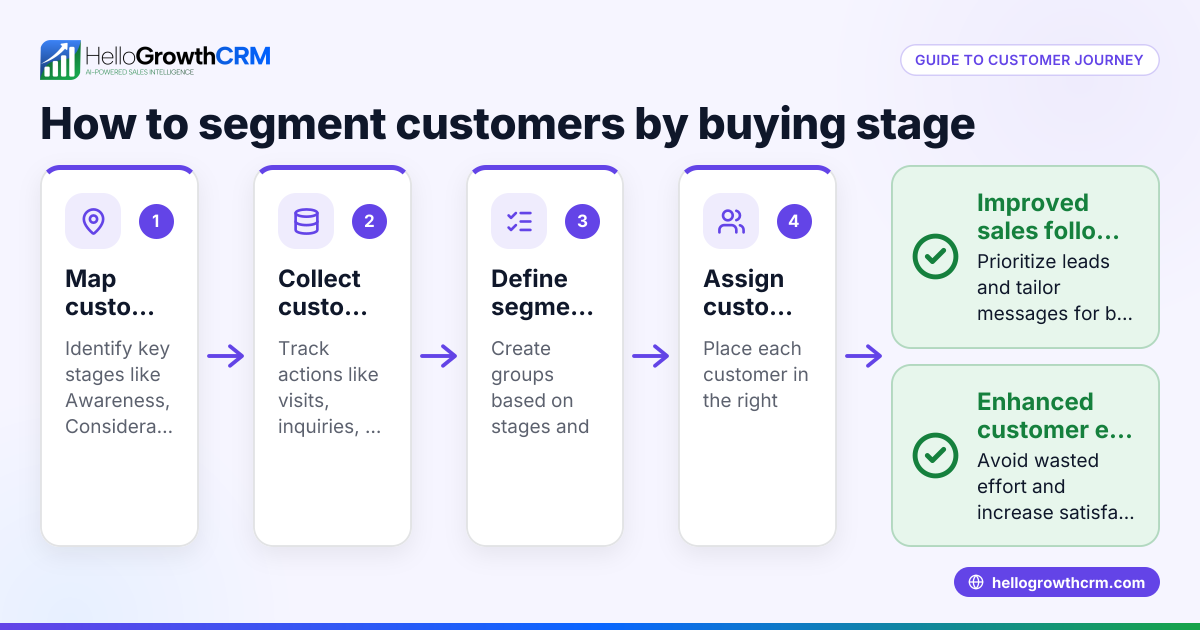
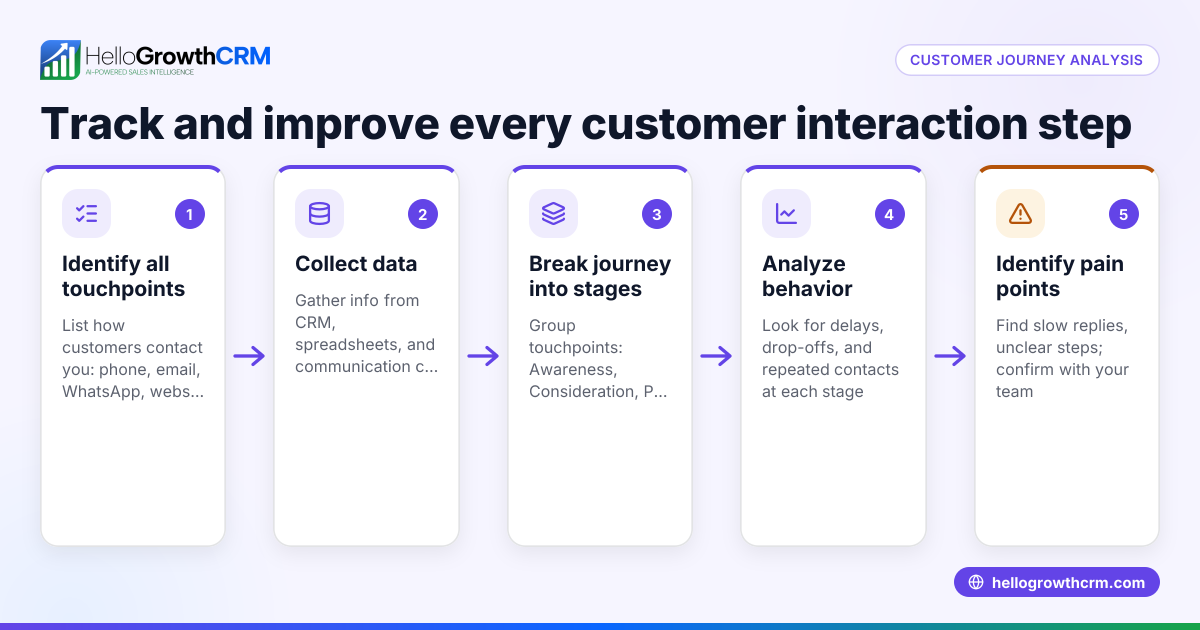
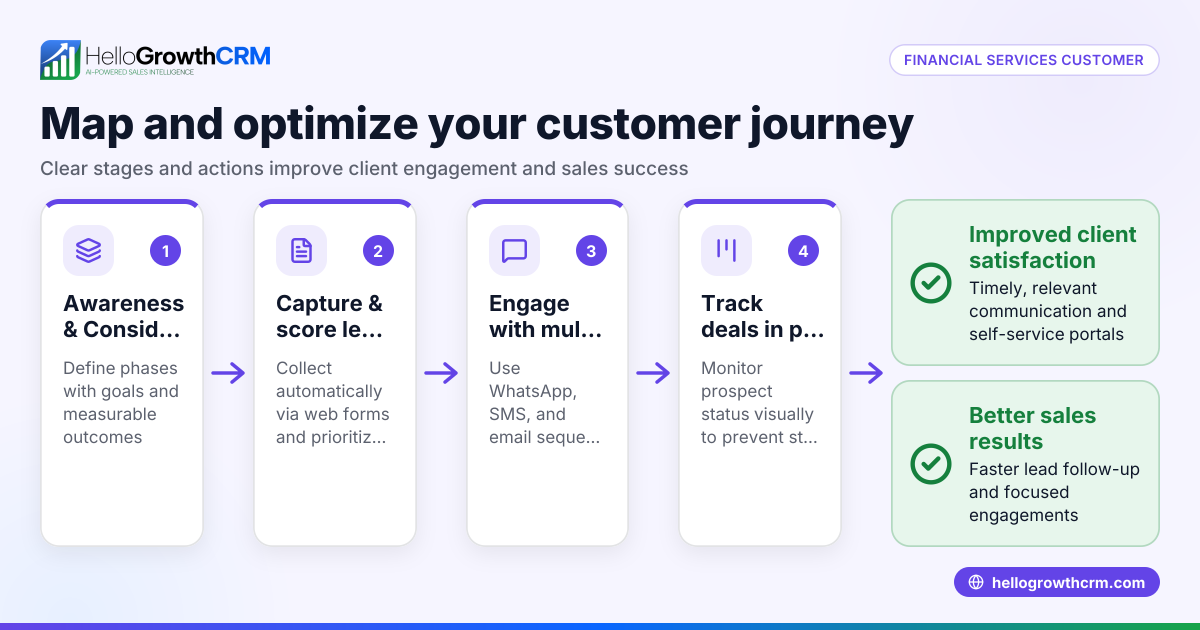
- Define your customer stages: Identify key phases such as Lead Capture, Qualification, Property Showing, Negotiation, Closing, and After-Sale Support. Check that each stage reflects your real estate or building sales process.
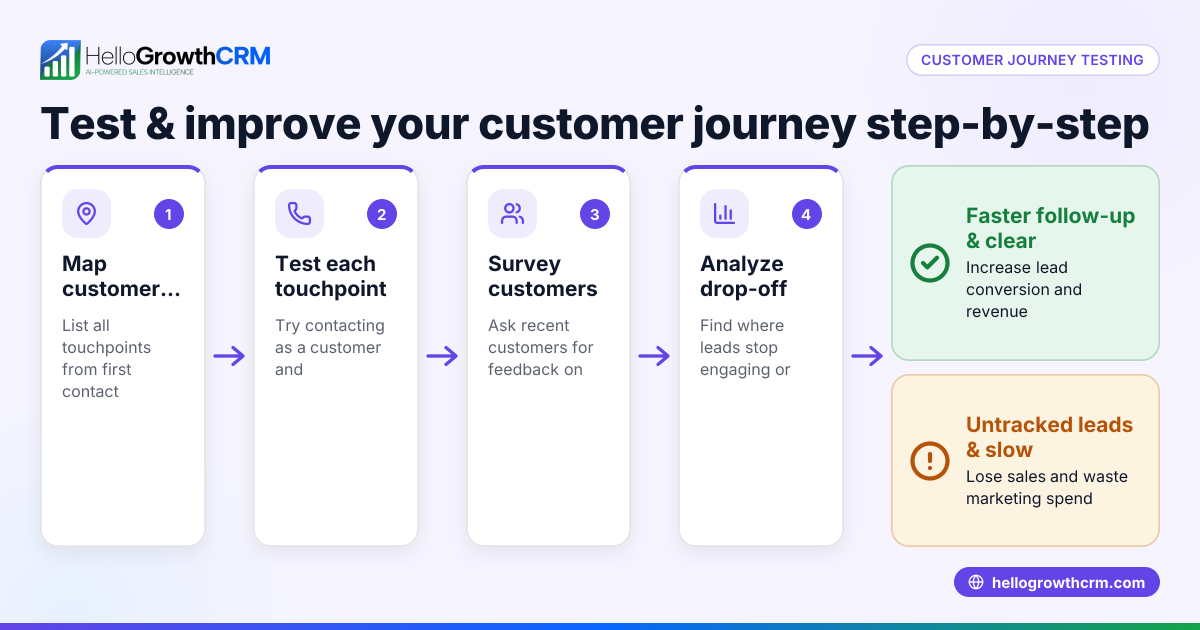
- Map customer touchpoints: List all ways customers interact with your business—calls, WhatsApp messages, emails, web form submissions, and in-person meetings. Verify you can track these interactions consistently.
- Set follow-up tasks and timelines: For each stage, decide when and how to follow up. Check that tasks are assigned clearly to team members and deadlines are realistic.
- Create communication sequences: Develop email, SMS, or WhatsApp sequences tailored to each stage, such as welcome messages for new leads or reminders before property showings. Confirm messages are relevant and personalized.
- Integrate after-sale service: Plan how to manage service requests, referrals, and support tickets without losing customer context. Check that all post-sale interactions stay linked to the original deal.
- Use reporting to adjust the journey: Regularly review pipeline reports and customer feedback to identify bottlenecks or drop-offs. Verify your system can provide these insights easily.
- Train your team: Ensure everyone understands the journey stages, tools, and their responsibilities. Check for consistent use across your sales and support teams. See how this connects with a customer health score to monitor engagement.
Example (fictional figures)
Phoenix Home Builders, a residential building team in Phoenix, Arizona, tracks their customer journey as follows:
- Lead Capture: $50,000 marketing spend generates 200 leads.
- Qualification: 150 leads qualify for follow-up.
- Property Showing: 90 leads schedule site visits.
- Negotiation: 45 leads enter negotiation.
- Closing: 30 deals close.
Calculation of conversion rates:
Lead to Qualified = 150 ÷ 200 = 0.75 (75%)
Qualified to Showing = 90 ÷ 150 = 0.6 (60%)
Showing to Negotiation = 45 ÷ 90 = 0.5 (50%)
Negotiation to Closing = 30 ÷ 45 = 0.67 (67%)
Revenue per deal averages $350,000.
Total revenue = 30 deals × $350,000 = $10,500,000
This example shows how tracking each stage helps Phoenix Home Builders forecast revenue and allocate resources effectively.
Common mistakes
- Skipping stage definition: Without clear stages, teams don’t know when to act. Prevent by defining and documenting each step.
- Ignoring multi-channel touchpoints: Leads come from many sources; missing some causes lost leads. Prevent by integrating all communication channels.
- No follow-up deadlines: Leads go cold without timely contact. Prevent by assigning tasks with clear due dates.
- Generic messaging: Sending the same message to all leads reduces engagement. Prevent by customizing sequences per stage.
- Separating sales and service data: Losing customer context after sale causes poor service. Prevent by keeping service requests on the same customer record.
- Failing to train staff: Tools and processes fail without team buy-in. Prevent by regular training and accountability. For industry-specific tips, see Real estate and builders.
Doing this in HelloGrowthCRM
HelloGrowthCRM provides a branded self-service customer portal that includes referrals, support tickets, and a knowledge base. After the sale, service requests stay linked on the same customer record as the deal, helping your team keep full context for follow-up and support. This helps maintain a seamless customer journey from lead capture through after-sale service. Learn more about HelloGrowthCRM for the United States and how it supports real estate and builder workflows.
Frequently asked questions
What is a customer journey builder in real estate? A customer journey builder maps the stages and touchpoints a real estate prospect experiences, helping teams automate follow-up and improve customer experience. It aligns marketing, sales, and service efforts around a unified process.
How can I track leads from multiple channels effectively? Use a CRM that integrates phone, email, WhatsApp, SMS, and web forms into one pipeline. This prevents leads from slipping through gaps and enables consistent follow-up.
Why is after-sale service important in the customer journey? After-sale service builds trust and encourages referrals. Keeping service tickets and requests linked to the original deal record ensures your team has full customer history for efficient support.
How do I know if my customer journey needs improvement? Look for long delays in follow-up, low conversion rates between stages, or frequent customer complaints. Use pipeline reports and customer feedback to identify weak points.
Can I customize communication sequences for different buyer types? Yes, effective customer journey builders tailor messages and sequences based on buyer profiles or stages to increase relevance and engagement. HelloGrowthCRM supports multi-channel sequences.
For more details on monitoring engagement, see the customer health score.
Key takeaways
- Define clear customer journey stages tailored to your real estate or builder sales process.
- Map and track all customer touchpoints across channels for consistent follow-up.
- Assign tasks with deadlines and create personalized communication sequences.
- Integrate after-sale service requests on the same customer record to maintain context.
- Use pipeline reporting and feedback to continuously improve the journey.
- Train your team to ensure consistent use of the customer journey builder.
Start organizing your customer journey today with HelloGrowthCRM. Start on the Free Forever plan (200 leads, no credit card) to see how it fits your real estate or builder business.
Ready to put this into practice?
Set up your pipeline, WhatsApp follow-ups, and AI lead scoring in minutes — free, no credit card.
Try HelloGrowthCRM freeGet CRM tips in your inbox
Join thousands of sales professionals who get weekly insights on CRM strategy, AI automation, and pipeline optimization.

The HelloGrowthCRM team publishes guides on CRM strategy, AI sales tools, and revenue operations for small business sales teams.