HelloGrowthCRM software
Built for real small-business sales teams
HelloGrowthCRM helps reps qualify faster, follow up on time, and close more deals—with practical automation in one place.
- AI lead scoring and pipeline visibility
- Built-in dialer, WhatsApp, and email automation
- Sales forecasting and RevOps-ready reporting
Ecommerce businesses often struggle to keep up with fast-moving leads, multiple communication channels, and manual tracking using spreadsheets or email alone. This leads to lost sales and frustrated customers. Workflow automation solves these issues by automating lead routing, follow-ups, task creation, and status updates.
Why this comes up / what goes wrong
An ecommerce business owner or accountant managing online sales faces challenges such as:
- Leads coming from multiple sources (website forms, social media ads, marketplaces) getting lost or delayed in response.
- Sales teams juggling WhatsApp, SMS, and email for customer communication without a unified system.
- Manual task assignment leading to uneven workloads and missed follow-ups.
- Difficulty tracking order status and customer interactions in one place.
Without automation, these problems cause slow lead follow-up, poor customer experience, and lost revenue.
Step-by-step
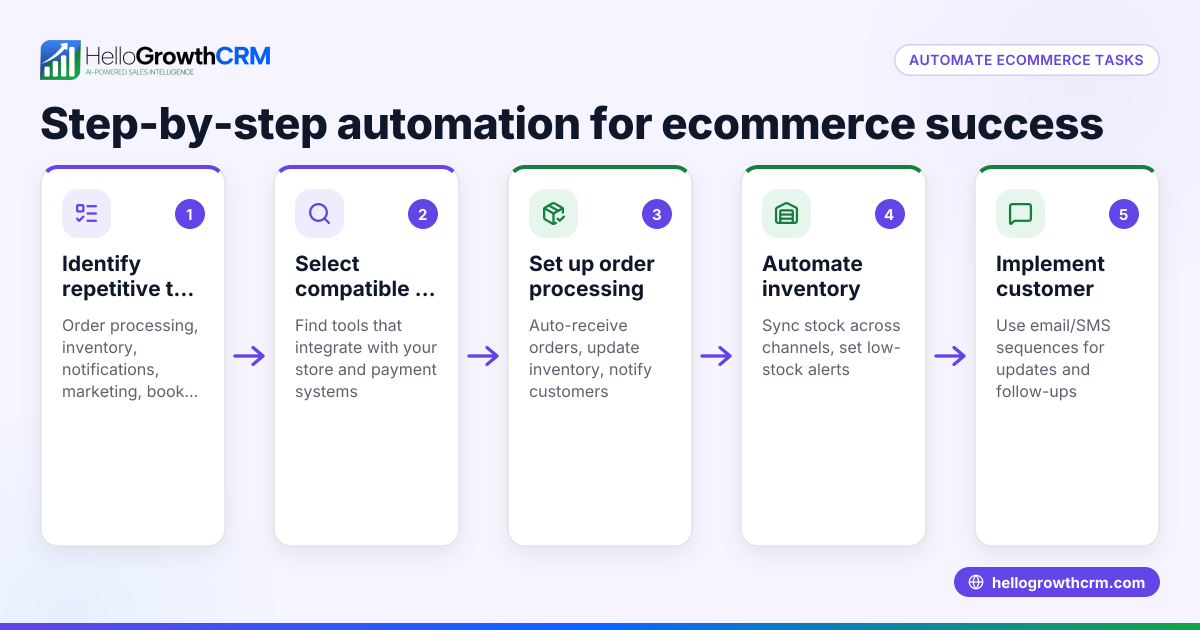
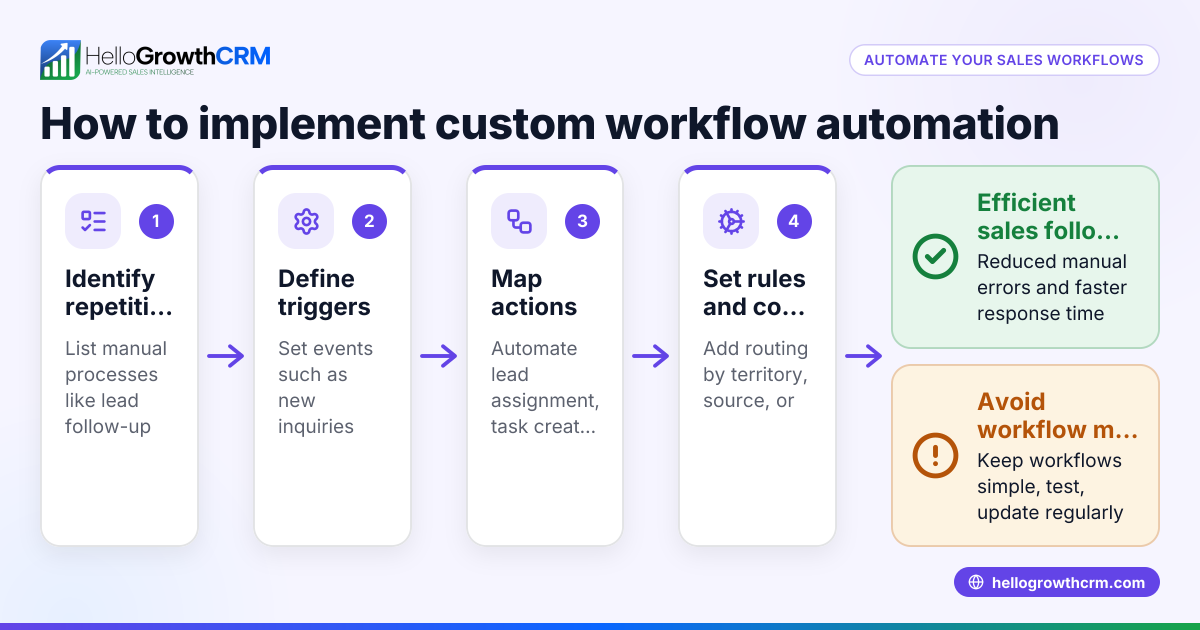
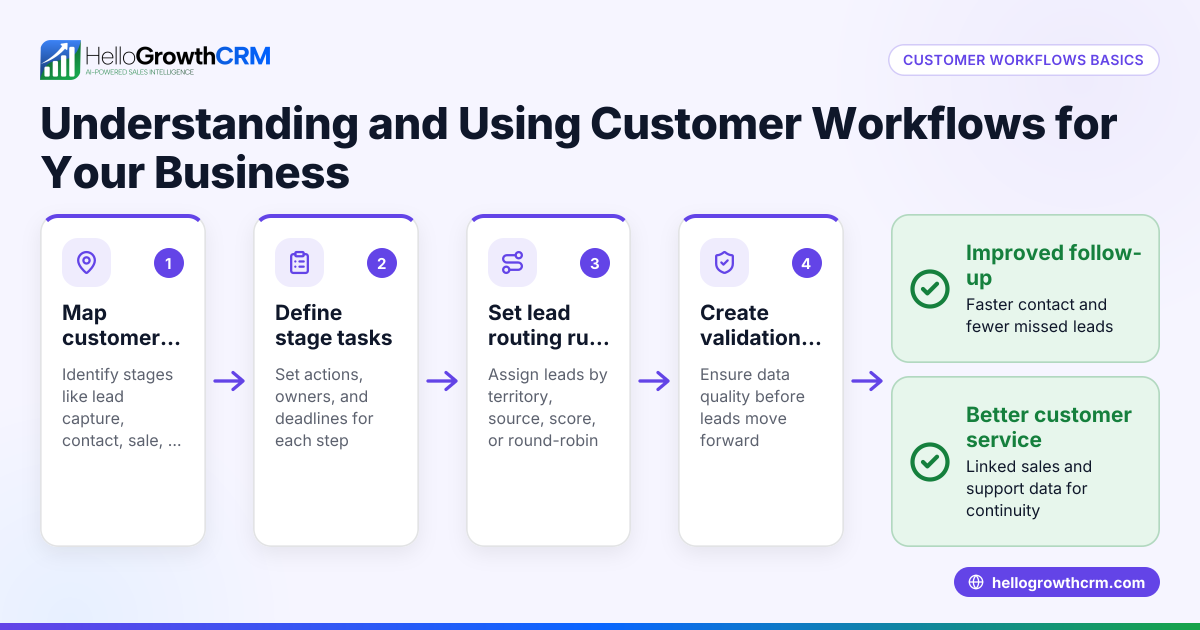
- Identify key sales and customer touchpoints to automate
- Check where leads enter your system (website, ads, marketplaces).
- Note common follow-up actions like sending welcome messages, order confirmations, or reminders.
- Choose automation triggers and actions
- For example, when a lead submits a web form, automatically assign it to a sales rep.
- Set follow-up message sequences that stop when the customer replies.
- Set up lead routing rules
- Use round-robin assignment to distribute leads evenly.
- Validate lead information to ensure data quality.
- Implement multi-step communication sequences
- Create sequences spanning email, WhatsApp, and SMS over days or weeks.
- Include automatic stopping conditions when prospects respond.
- Assign tasks automatically to sales reps
- For example, create a first-call task immediately after lead assignment.
- Use AI agents to draft follow-ups
- After calls, have AI draft messages for reps to review and send, saving time.
- Monitor and adjust workflows regularly
- Track response rates and task completion.
- Refine message timing and routing rules based on performance.
- Integrate your ecommerce platform and CRM
- Ensure orders and customer data sync with your CRM for a full sales view.
Example (fictional figures)
Meet FreshBites, a 15-employee ecommerce food delivery business based in Austin, Texas. They receive 500 new leads monthly from their website and social ads.
- Step 1: FreshBites sets up a workflow to assign new leads round-robin to 5 sales reps.
- Step 2: Upon lead assignment, a first-call task is created automatically.
- Step 3: A five-step follow-up sequence runs over two weeks via email, SMS, and WhatsApp, stopping immediately if the lead replies.
- Step 4: An AI agent drafts follow-up messages after calls for reps to review.
Financial impact example:
Average order value = $120 Conversion rate before automation = 10% Monthly leads = 500
Expected monthly orders before automation = 500 × 10% = 50
After automation, conversion rate improves to 15% (assumed illustrative)
Expected monthly orders after automation = 500 × 15% = 75
Increase in orders = 75 - 50 = 25
Additional monthly revenue = 25 × $120 = $3,000
This example shows how automation can increase sales volume and revenue by improving lead follow-up and task management.
Common mistakes
- Automating without clear goals
- Prevent by defining what you want to achieve (faster follow-up, higher conversion) before building workflows.
- Overcomplicating workflows
- Keep sequences simple and focused; too many steps can confuse reps and customers.
- Ignoring multi-channel communication
- Use email, SMS, and WhatsApp together to meet customers where they prefer.
- Not monitoring performance
- Regularly review workflow results and adjust to improve effectiveness.
- Failing to validate lead data
- Use validation rules to prevent incorrect or incomplete leads entering your system.
- Not assigning tasks automatically
- Assigning tasks manually leads to delays; automate task creation to keep reps on track.
Doing this in HelloGrowthCRM
HelloGrowthCRM offers ecommerce businesses workflows, lead routing, and validation rules that automate lead assignment and create follow-up tasks automatically. For example, a new web-form inquiry can be assigned round-robin and a first-call task created instantly. Sequences and campaigns let you set up multi-step outreach over email, SMS, and WhatsApp that pauses as soon as a prospect replies. AI agents draft follow-up messages after calls, so reps only need to review and send. Learn more about these features in HelloGrowthCRM’s AI CRM and explore solutions for E-commerce and online sellers. For US-based businesses, see HelloGrowthCRM for the United States.
Frequently asked questions
What is ecommerce workflow automation? Ecommerce workflow automation uses software to automate repetitive sales and customer management tasks such as lead routing, follow-ups, task creation, and communication across email, SMS, and WhatsApp. This helps speed up response times and reduce errors.
How do I choose which workflows to automate first? Start with high-impact tasks like lead assignment and follow-up messaging that directly affect sales conversion. Identify bottlenecks where leads get delayed or lost and automate those steps.
Can workflow automation handle multiple communication channels? Yes, modern automation tools support multi-channel outreach including email, SMS, and WhatsApp. This ensures you reach customers on their preferred platform and improve engagement.
How does AI help with ecommerce workflows? AI agents can draft follow-up messages after calls or interactions, reducing the manual workload for sales reps. This speeds up communication while keeping messages personalized.
Is workflow automation suitable for small ecommerce teams? Absolutely. Even small teams benefit by saving time on repetitive tasks, ensuring no leads slip through, and providing consistent customer communication.
Key takeaways
- Ecommerce workflow automation speeds up lead follow-up and reduces manual errors.
- Automate lead routing, task creation, and multi-step communication sequences.
- Use AI agents to draft follow-ups and save sales rep time.
- Monitor and refine workflows regularly for best results.
- Avoid overcomplicating automation; keep steps clear and simple.
Start streamlining your ecommerce sales process today. Start on the Free Forever plan (200 leads, no credit card).
Ready to put this into practice?
Set up your pipeline, WhatsApp follow-ups, and AI lead scoring in minutes — free, no credit card.
Try HelloGrowthCRM freeGet CRM tips in your inbox
Join thousands of sales professionals who get weekly insights on CRM strategy, AI automation, and pipeline optimization.

The HelloGrowthCRM team publishes guides on CRM strategy, AI sales tools, and revenue operations for small business sales teams.