HelloGrowthCRM software
Built for real small-business sales teams
HelloGrowthCRM helps reps qualify faster, follow up on time, and close more deals—with practical automation in one place.
- AI lead scoring and pipeline visibility
- Built-in dialer, WhatsApp, and email automation
- Sales forecasting and RevOps-ready reporting
Custom workflow automation means setting up automated sequences that trigger specific actions in your business processes based on defined events or conditions. This helps reduce manual work, speeds up response times, and ensures consistent handling of leads and tasks.
Why this comes up / what goes wrong
Small-business owners often face repetitive tasks such as assigning new leads, following up with prospects, or updating customer information. Without automation, these tasks require manual effort, which can cause delays, missed sales opportunities, and inconsistent customer experiences. For example, a sales rep might forget to follow up promptly, or leads might be assigned unevenly, causing some reps to be overloaded while others have little to do.
This inefficiency can lead to lost revenue and frustrated customers. Custom workflow automation aims to solve these problems by automating routine tasks based on your specific business rules.
Step-by-step
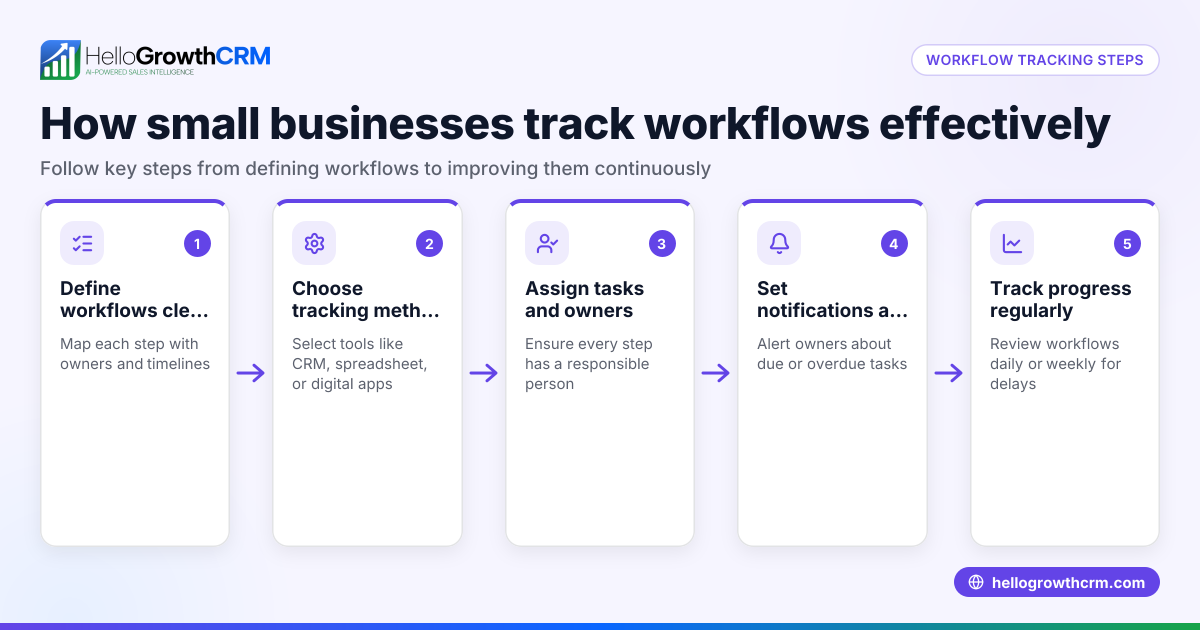
- Identify repetitive tasks: List the manual, repetitive processes in your sales or service workflow, such as lead follow-up, task creation, or data updates.
- Define triggers: Decide what events should start the automation, like receiving a new inquiry form, a lead status change, or a scheduled date.
- Map the actions: Specify what should happen automatically after the trigger, for example, assigning the lead to a sales rep, creating a task, sending an email or SMS message, or updating a record field.
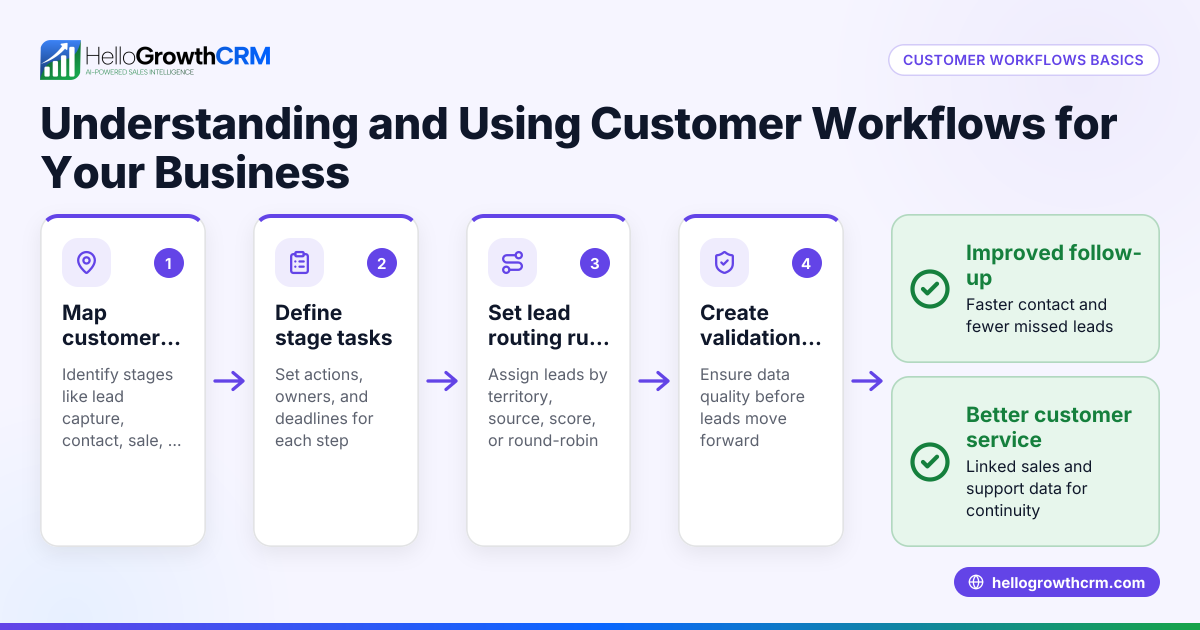
- Set conditions and rules: Add routing or validation rules to control when and how the workflow runs, such as assigning leads by territory, source, or score.
- Test the workflow: Run test cases to ensure each step triggers correctly and the right people get tasks or notifications.
- Monitor and adjust: After going live, track how the workflow performs and make adjustments to improve efficiency or fix issues.
For more on automating outreach, see WhatsApp and SMS CRM and for advanced automation, check AI CRM.
Example (fictional figures)
A landscaping contractor in Charlotte, North Carolina, receives 50 new client inquiries each month. They want to automate lead assignment and follow-up to improve conversion rates.
- Each new inquiry triggers automatic lead assignment to one of 5 sales reps in a round-robin fashion.
- A first-call task is created automatically for the assigned rep.
- A 5-step follow-up sequence runs over 14 days via email and SMS, stopping immediately if the prospect replies.
Calculations:
- Total inquiries: 50 per month
- Number of reps: 5
- Leads per rep per month = 50 ÷ 5 = 10 leads
- Follow-up sequence duration: 14 days
- Number of messages in sequence: 5
- Average interval between messages = 14 days ÷ 5 = 2.8 days
This setup saves the owner about 10 hours per month previously spent manually assigning leads and reminding reps to follow up.
Common mistakes
- Overcomplicating workflows: Avoid creating too many conditional branches that confuse users. Keep workflows straightforward and focused on key tasks.
- Skipping testing: Always test workflows with real or simulated data before full deployment to catch errors early.
- Ignoring user feedback: Involve your sales team to get feedback on workflow usability and make improvements.
- Not updating workflows: Business processes evolve; review and update workflows regularly to keep them effective.
- Failing to monitor results: Track metrics like response times and lead conversion rates to measure workflow impact and adjust as needed.
Doing this in HelloGrowthCRM
HelloGrowthCRM offers workflows, lead routing, and validation rules to automate task creation and lead assignment based on triggers like new inquiries. For example, a new web-form inquiry is assigned round-robin and a first-call task is created automatically. Sequences and campaigns enable automated multi-step outreach across email, SMS, and WhatsApp that stop as soon as the prospect replies. AI agents draft follow-up messages after calls, allowing reps to review and send quickly. Learn more about these features in the AI CRM and WhatsApp and SMS CRM sections.
Frequently asked questions
What is custom workflow automation? Custom workflow automation is a way to automate your unique business processes by setting up rules that trigger specific actions like assigning leads, creating tasks, or sending follow-ups automatically.
How does lead routing work in custom workflows? Lead routing automatically assigns new leads to sales reps based on rules such as round-robin distribution, territory, or lead score, ensuring fair workload and faster follow-up.
What are sequences in workflow automation? Sequences are automated multi-step outreach workflows that send timed messages via email, SMS, or WhatsApp until the prospect responds, helping maintain consistent contact without manual effort.
Can AI agents help with workflow automation? Yes, AI agents in HelloGrowthCRM can draft follow-up messages after calls, reducing the time reps spend writing messages while keeping control over communication quality.
Do I need technical skills to set up custom workflows? No, HelloGrowthCRM provides user-friendly tools to build workflows through simple menus without coding, making automation accessible to small-business owners.
Can workflows be changed after setup? Yes, workflows can be edited anytime to adapt to changing business needs, ensuring your automation stays relevant and effective.
Key takeaways
- Custom workflow automation automates repetitive business tasks by triggering actions based on your specific rules.
- It reduces manual errors, speeds up response times, and ensures consistent customer handling.
- Start by identifying tasks to automate, defining triggers, mapping actions, testing, and monitoring results.
- Avoid overly complex workflows and update them regularly based on user feedback and performance.
- HelloGrowthCRM supports workflows, lead routing, sequences, and AI agents to automate sales processes efficiently.
To start automating your workflows and improve your sales follow-up, Start on the Free Forever plan (200 leads, no credit card).
Ready to put this into practice?
Set up your pipeline, WhatsApp follow-ups, and AI lead scoring in minutes — free, no credit card.
Try HelloGrowthCRM freeGet CRM tips in your inbox
Join thousands of sales professionals who get weekly insights on CRM strategy, AI automation, and pipeline optimization.

The HelloGrowthCRM team publishes guides on CRM strategy, AI sales tools, and revenue operations for small business sales teams.