HelloGrowthCRM software
Built for real small-business sales teams
HelloGrowthCRM helps reps qualify faster, follow up on time, and close more deals—with practical automation in one place.
- AI lead scoring and pipeline visibility
- Built-in dialer, WhatsApp, and email automation
- Sales forecasting and RevOps-ready reporting
An email complaint is a message sent by a customer or prospect via email to express dissatisfaction or raise concerns about your business’s product, service, or communication. For UK small businesses, managing these complaints effectively can prevent loss of trust, protect your reputation, and retain customers.
Why this comes up / what goes wrong
Small business owners often face email complaints because customers expect quick and clear responses. Complaints can arise from product defects, delivery delays, unexpected charges, or poor communication. Many small businesses run sales and customer service across WhatsApp, email, and spreadsheets, which can cause messages to be missed or answered slowly. This delays resolution, frustrates customers, and risks losing leads or damaging your business reputation.
Step-by-step
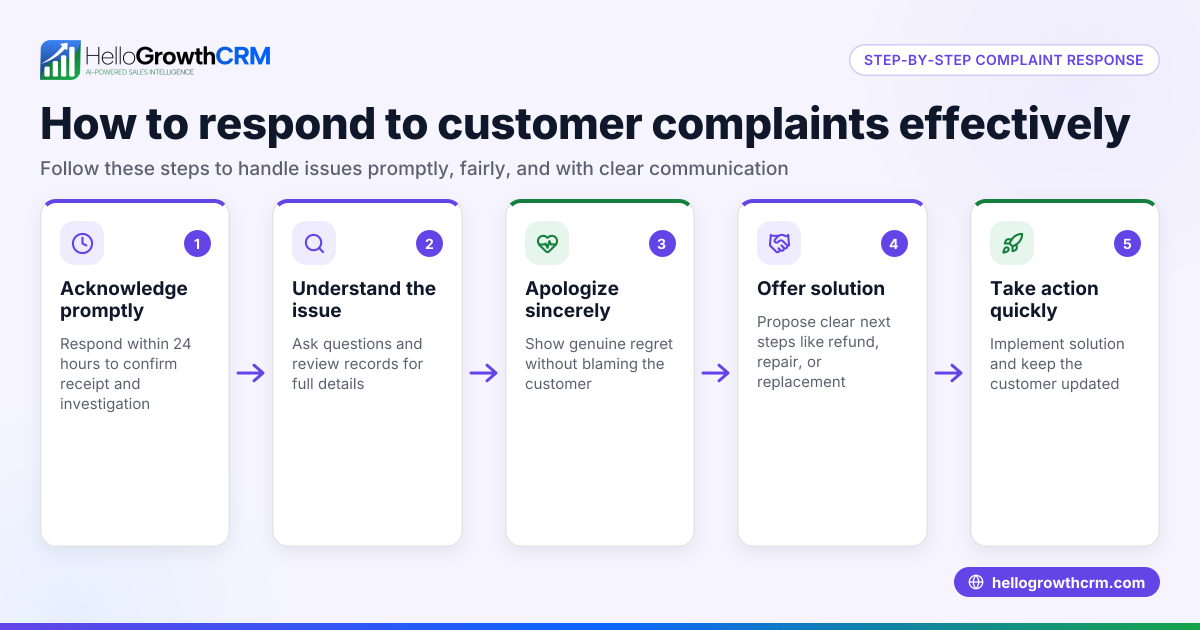
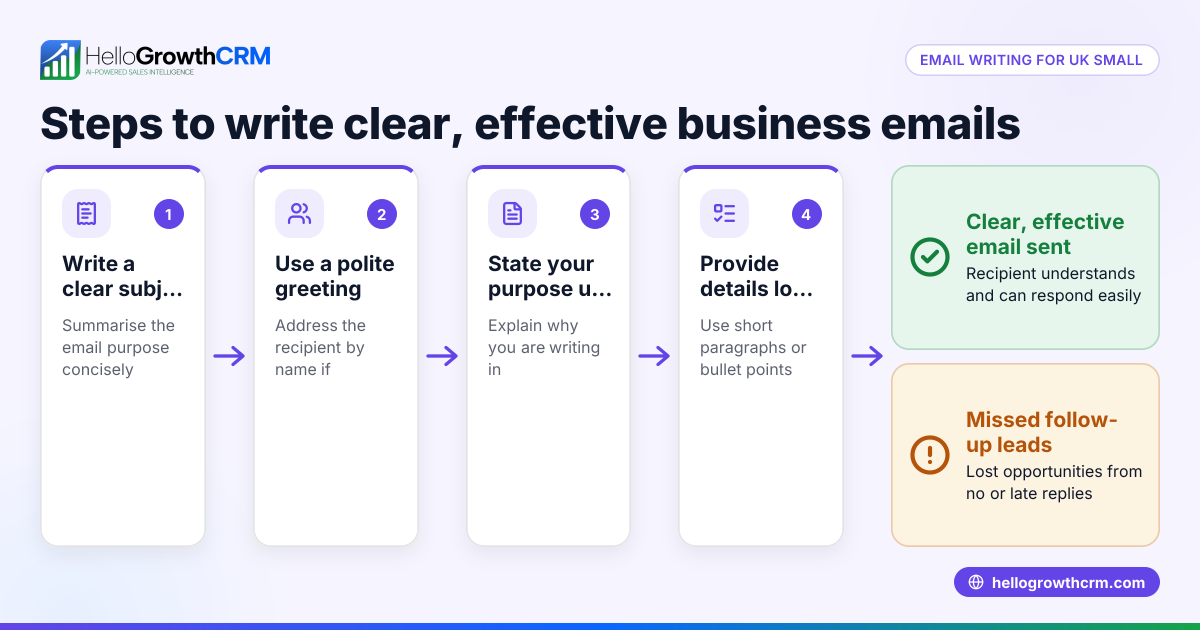
- Read the complaint carefully: Understand the customer's issue fully. Check if it relates to a specific order, service, or communication.
- Acknowledge receipt promptly: Reply within 24 hours to confirm you received their complaint and are investigating.
- Investigate the issue: Gather all relevant details like order numbers, dates, previous messages, and consult your team if needed.
- Respond with a clear solution or next step: Explain what you will do to resolve the problem or politely ask for any missing information.
- Follow up until resolved: Keep the customer informed regularly until the complaint is fully addressed.
- Record the complaint and outcome: Document the issue and resolution for future reference and training.
- Review your processes: Use complaints as feedback to improve products, services, or communication and reduce repeat issues.
Check your replies for tone and clarity to keep communication professional and empathetic.
Example (fictional figures)
A kitchen-fitting company in Leeds receives this email complaint on 05/04/2026: “My kitchen installation was delayed and the final bill seems higher than quoted.”
Step 1: Read and identify the complaint about delay and billing.
Step 2: Send an acknowledgment on 06/04/2026: “Thank you for your email. We are reviewing your case and will update you shortly.”
Step 3: Investigate the order details and installation schedule.
Step 4: Reply on 08/04/2026 with a clear explanation and offer a £100 goodwill discount.
Step 5: Follow up on 12/04/2026 to confirm customer satisfaction.
Step 6: Record the complaint and resolution in your CRM.
Step 7: Review scheduling and billing processes to prevent future delays and confusion.
Calculations:
Original quoted price = £4,800
Final bill = £5,200
Difference = £5,200 - £4,800 = £400
Goodwill discount offered = £100
Adjusted final bill = £5,200 - £100 = £5,100
The company explains the reasons for the £400 difference and applies the £100 discount to maintain goodwill.
Common mistakes
- Ignoring or delaying replies: Prevent this by setting reminders and using automated sequences to acknowledge complaints immediately. See email automation and sequences.
- Responding defensively or unclearly: Prevent this by training your team to reply calmly and clearly, focusing on solutions.
- Losing track of complaint emails: Prevent this by using a shared inbox so the whole team can see and manage replies. See HelloGrowthCRM for the United Kingdom.
- Not documenting resolutions: Prevent this by recording all complaint details and outcomes in your CRM for accountability.
- Failing to learn from complaints: Prevent this by regularly reviewing complaints to improve your service.
Doing this in HelloGrowthCRM
HelloGrowthCRM offers a HelloMail shared inbox where replies to quotation emails and complaints are visible to your entire team on the deal. This prevents missed emails and allows quick collaborative responses. You can also set up sequences and campaigns to automate follow-up emails over a two-week period that stop automatically when the prospect replies, ensuring timely acknowledgments and responses without manual effort. Learn more about email automation and sequences and managing multi-channel communication including WhatsApp and SMS CRM.
Frequently asked questions
What is an email complaint in business? An email complaint is when a customer or prospect uses email to express dissatisfaction or report an issue with your business. It requires prompt and professional handling to maintain trust.
How quickly should I respond to an email complaint? Aim to acknowledge receipt within 24 hours and provide a full response as soon as you have the necessary information. Quick responses show you value your customers.
Can I automate responses to email complaints? Yes, automated email sequences can send acknowledgments and follow-ups until the customer replies, helping you manage complaints efficiently without delays. See email automation and sequences.
Why should I use a shared inbox for complaints? A shared inbox ensures your whole team sees incoming complaint emails, preventing lost messages and allowing faster, coordinated responses. HelloGrowthCRM’s HelloMail offers this feature. See HelloGrowthCRM for the United Kingdom.
How do I prevent repeat complaints? Document complaints and resolutions, then review them regularly to identify patterns and improve your products or processes.
Key takeaways
- An email complaint is a customer's expression of dissatisfaction via email needing prompt attention.
- Respond quickly with an acknowledgment, investigate thoroughly, and communicate clearly.
- Use a shared inbox and automated sequences to manage complaints efficiently and avoid delays.
- Document complaints and use them to improve your business processes.
- HelloGrowthCRM’s HelloMail shared inbox and automated sequences help your team handle email complaints effectively.
Start managing your email complaints better and never miss a lead or customer concern. Start on the Free Forever plan (200 leads, no credit card).
Ready to put this into practice?
Set up your pipeline, WhatsApp follow-ups, and AI lead scoring in minutes — free, no credit card.
Try HelloGrowthCRM freeGet CRM tips in your inbox
Join thousands of sales professionals who get weekly insights on CRM strategy, AI automation, and pipeline optimization.

The HelloGrowthCRM team publishes guides on CRM strategy, AI sales tools, and revenue operations for small business sales teams.