HelloGrowthCRM software
Built for real small-business sales teams
HelloGrowthCRM helps reps qualify faster, follow up on time, and close more deals—with practical automation in one place.
- AI lead scoring and pipeline visibility
- Built-in dialer, WhatsApp, and email automation
- Sales forecasting and RevOps-ready reporting
An email CTA (Call to Action) is a clear instruction or prompt in an email that encourages the recipient to take a specific action. This might be clicking a link, replying to the message, signing up for a webinar, or making a purchase. Effective email CTAs guide prospects smoothly through your sales process and increase engagement.
Why this comes up / what goes wrong
Small-business owners often send emails to leads or customers but don’t get the response they want because their emails lack clear CTAs. Without a direct call to action, recipients may read the email but not know what to do next, causing leads to go cold or sales opportunities to stall. Many owners work with limited marketing resources and rely on manual follow-up through text messages, spreadsheets, or separate email tools, which can lead to inconsistent outreach and missed chances.
Step-by-step
- Decide the goal of your email: What do you want the recipient to do? Examples include scheduling a call, downloading a brochure, or replying for a quote.
- Write a clear, concise CTA statement: Use action verbs like “Download,” “Reply,” “Register,” or “Call now.” Keep it short and direct.
- Make the CTA stand out visually: Use buttons, bold text, or color to highlight the CTA so it catches the eye.
- Place the CTA prominently: Ideally near the end of the email but visible without scrolling too far.
- Include only one main CTA per email: Multiple CTAs can confuse the reader and reduce the chance of any action.
- Test your CTA link or action: Make sure any links or buttons work correctly and lead to the intended page.
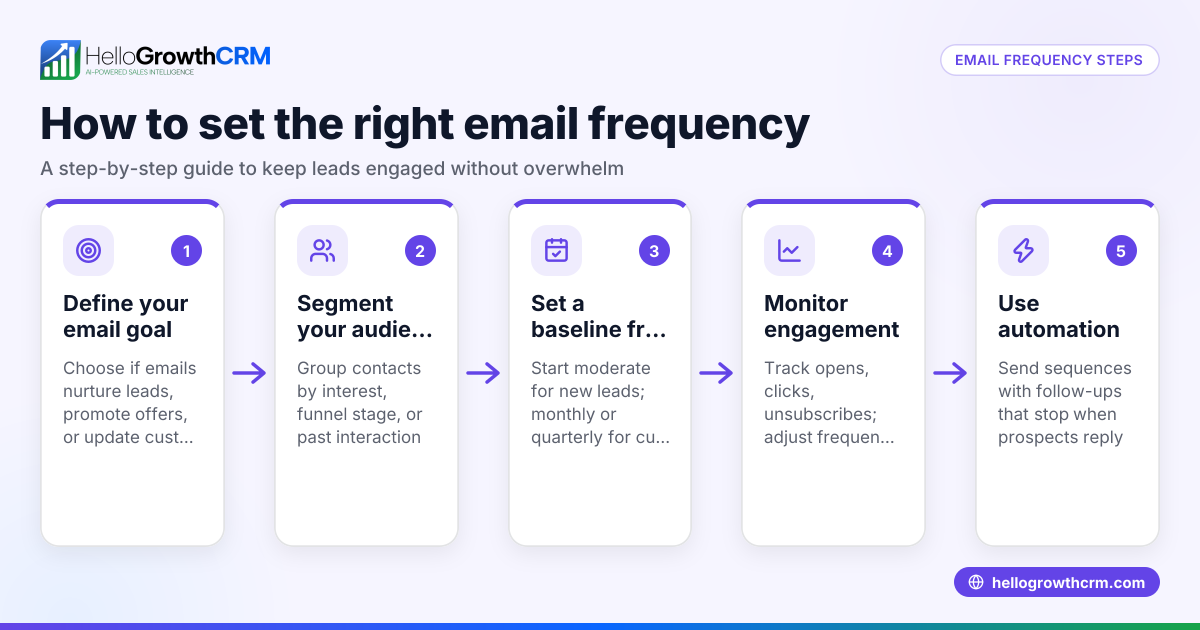
- Follow up consistently: Use email sequences or campaigns to send reminders if the recipient doesn’t respond, stopping the follow-up once they do.
For more on automating this process, see email automation and sequences.
Example (fictional figures)
A B2B software reseller in Denver, Colorado, wants to convert leads interested in their product demo.
- Email goal: Get leads to schedule a demo call.
- CTA: “Schedule your free demo now” with a button linking to a calendar booking page.
The reseller sends 1,000 emails.
Assuming a 10% click-through rate:
1,000 × 10% = 100 clicks
Of those clicks, 50% book a demo:
100 × 50% = 50 demo bookings
If each demo converts to a $5,000 sale at 20%:
50 × 20% = 10 sales
10 sales × $5,000 = $50,000 in revenue
This example shows how a clear CTA helps move leads through the funnel toward revenue.
Common mistakes
- Vague CTAs: Saying “Contact us” without specifying how or why can confuse recipients. Prevent this by being specific, e.g., “Reply to this email to get a free quote.”
- Multiple CTAs in one email: Offering too many options dilutes focus. Prevent by having one main CTA per email.
- Poor visibility of the CTA: If the CTA blends into the text, readers may miss it. Use buttons or bold formatting to highlight it.
- Broken links or incorrect actions: A non-working link frustrates recipients. Always test links before sending.
- No follow-up after sending: Sending one email and not following up loses potential leads. Use automated sequences to stay in touch efficiently (email automation and sequences).
Doing this in HelloGrowthCRM
HelloGrowthCRM helps you manage email CTAs with its HelloMail shared inbox and sequences features. The HelloMail shared inbox lets your team see all replies to quotation emails in one place, preventing missed responses. Its sequences feature can automate a five-step follow-up over two weeks, sending timely reminders via email, SMS, or WhatsApp and stopping the moment the prospect replies. This keeps your outreach consistent without extra manual work. Learn more about email automation and sequences and how HelloGrowthCRM supports WhatsApp and SMS CRM.
Frequently asked questions
What is the best placement for an email CTA? Place the CTA near the end of your email where it’s easy to find but still visible without excessive scrolling. The goal is to make it the natural next step after reading your message.
Can I have more than one CTA in an email? It’s best to focus on one primary CTA to avoid confusing recipients. If you need multiple CTAs, segment your emails by goal or send separate messages.
How do I know if my CTA is effective? Track click-through rates and conversions from your emails. If few people act on your CTA, try making it clearer, more urgent, or easier to complete.
How often should I follow up after sending an email with a CTA? Following up 2-3 times over one to two weeks is typical. Automated sequences help maintain this schedule and stop when the prospect responds.
Can I automate email CTAs with HelloGrowthCRM? Yes, HelloGrowthCRM’s sequences feature automates multi-step outreach including email CTAs and stops follow-up once a reply is received. The shared inbox keeps your team aligned on responses.
Key takeaways
- An email CTA is a clear instruction prompting the recipient to take a specific action.
- Use one concise, visually distinct CTA per email placed prominently.
- Test your CTA links and follow up consistently using email sequences.
- Avoid vague CTAs, multiple CTAs, or broken links to improve response rates.
- HelloGrowthCRM supports email CTA management with shared inboxes and automated sequences.
Start improving your email CTAs and follow-ups today by trying HelloGrowthCRM. Start on the Free Forever plan (200 leads, no credit card).
Ready to put this into practice?
Set up your pipeline, WhatsApp follow-ups, and AI lead scoring in minutes — free, no credit card.
Try HelloGrowthCRM freeGet CRM tips in your inbox
Join thousands of sales professionals who get weekly insights on CRM strategy, AI automation, and pipeline optimization.

The HelloGrowthCRM team publishes guides on CRM strategy, AI sales tools, and revenue operations for small business sales teams.