HelloGrowthCRM software
Built for real small-business sales teams
HelloGrowthCRM helps reps qualify faster, follow up on time, and close more deals—with practical automation in one place.
- AI lead scoring and pipeline visibility
- Built-in dialer, WhatsApp, and email automation
- Sales forecasting and RevOps-ready reporting
Business email programs are software solutions designed to help businesses manage their professional email communication effectively. They organize inbound and outbound emails, automate follow-ups, and provide shared access to messages so teams can collaborate without losing track of conversations. These programs improve response times, maintain consistent messaging, and help small and mid-sized businesses capture more leads and close deals faster.
Why this comes up / what goes wrong
Small business owners often begin managing sales and customer communication through personal email accounts or basic email clients. They may also rely on spreadsheets or text messages to track leads and follow-ups. This approach leads to several problems:
- Slow or missed follow-ups that lose potential customers.
- Disorganized conversations spread across different inboxes.
- Team members unaware of previous replies, causing duplicated or conflicting messages.
- Wasted time manually sending reminders and tracking responses.
Without a dedicated business email program, small teams struggle to maintain professional, timely communication. This can hurt customer trust and reduce sales effectiveness.
Step-by-step
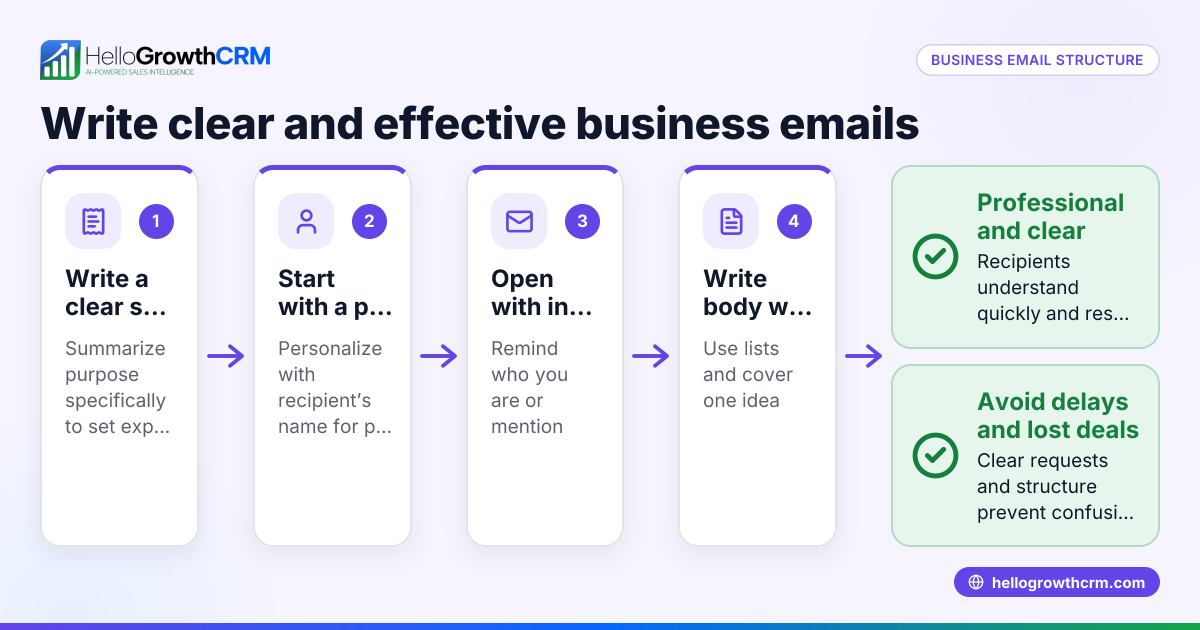
- Choose a business email program that fits your business size and needs. Look for features like shared inboxes and automation to support sales workflows.
- Set up a professional email address using your business domain. This builds credibility and brand recognition with customers.
- Import your existing contacts and leads into the program. Organize them by status, source, or priority to keep track.
- Create email templates for common messages such as quotations, follow-ups, and reminders. Templates save time and ensure consistent communication.
- Configure automated sequences or campaigns to follow up with prospects over days or weeks. Make sure these sequences stop automatically when a prospect replies to avoid spamming.
- Set up a shared inbox if you have a sales team. This allows everyone to see incoming replies and coordinate responses without forwarding emails.
- Train your team to use the program daily, logging notes and updating lead status. Consistent use prevents lost information and keeps everyone aligned.
- Monitor email performance with reporting tools to track open rates, reply rates, and follow-up effectiveness. Use this data to refine your messaging and sequences.
For more details on automation features, see email automation and sequences.
Example (fictional figures)
A two-location dental practice in Columbus, Ohio, wants to improve patient appointment reminders and new patient outreach.
- Monthly new patient leads: 150
- Current follow-up rate: 50%
- Goal follow-up rate: 85%
They set up a five-step email sequence over two weeks to remind leads and follow up on inquiries.
Calculate the number of leads followed up after improvement:
150 leads × 85% follow-up = 127.5 leads
Calculate the current number of leads followed up:
150 leads × 50% follow-up = 75 leads
Calculate the increase in follow-ups:
127.5 leads − 75 leads = 52.5 leads
Assuming each new patient visit is worth $250, estimate potential revenue increase:
52.5 leads × $250 = $13,125
This automated sequence saves staff time by running on its own and stops immediately if a lead replies, preventing unnecessary messages.
Common mistakes
- Using personal email accounts instead of business domain emails. Prevent this by setting up professional email addresses linked to your business domain.
- No follow-up automation, causing leads to be forgotten or delayed. Use automated sequences that run on their own and stop when a prospect replies.
- Team members not sharing email replies, leading to duplicated or missed responses. Implement a shared inbox so the whole team can see incoming messages.
- Sending too many follow-ups without stopping when prospects respond. Configure sequences to stop immediately upon receiving a reply.
- Neglecting to track email performance and adjust messaging accordingly. Regularly review performance reports to improve your email campaigns.
Learn more about avoiding these mistakes with WhatsApp and SMS CRM.
Doing this in HelloGrowthCRM
HelloGrowthCRM provides a HelloMail shared inbox where replies to quotation emails are visible to the entire sales team on the deal. This prevents missed or duplicated responses and keeps everyone informed. Its sequences and campaigns feature allows you to create automated, multi-step follow-ups that run over two weeks and stop instantly when a prospect replies. This ensures timely, consistent outreach without manual effort. Explore these features at email automation and sequences.
Frequently asked questions
What makes a business email program different from regular email? A business email program includes features like shared inboxes, templates, automation, and tracking designed specifically for managing customer communication efficiently. Standard email clients lack these tools, making it harder to coordinate team responses and automate follow-ups.
How can I automate follow-ups without annoying prospects? Use automated sequences that send timed messages and stop immediately when the prospect replies. This avoids over-messaging and keeps communication relevant and respectful.
Can small teams benefit from shared inboxes? Yes, shared inboxes let team members view all customer replies in one place, coordinate responses, and avoid duplicated efforts or missed messages.
Do business email programs integrate with other sales tools? Many business email programs integrate with CRM systems and support multi-channel outreach including WhatsApp and SMS, helping you manage all customer communication from one platform.
How do I measure if my email program is effective? Track metrics such as open rates, reply rates, and conversion rates. Use this data to adjust your messaging, timing, and follow-up sequences for better results.
For more on automation and CRM integration, see HelloGrowthCRM for the United States.
Key takeaways
- Business email programs organize and automate professional email communication.
- Using domain-based business emails builds trust and brand consistency.
- Automated sequences improve follow-up rates and save time.
- Shared inboxes keep sales teams aligned and prevent missed replies.
- Tracking email performance helps optimize outreach.
Start improving your email communication with HelloGrowthCRM. Start on the Free Forever plan (200 leads, no credit card).
Ready to put this into practice?
Set up your pipeline, WhatsApp follow-ups, and AI lead scoring in minutes — free, no credit card.
Try HelloGrowthCRM freeGet CRM tips in your inbox
Join thousands of sales professionals who get weekly insights on CRM strategy, AI automation, and pipeline optimization.

The HelloGrowthCRM team publishes guides on CRM strategy, AI sales tools, and revenue operations for small business sales teams.