HelloGrowthCRM software
Built for real small-business sales teams
HelloGrowthCRM helps reps qualify faster, follow up on time, and close more deals—with practical automation in one place.
- AI lead scoring and pipeline visibility
- Built-in dialer, WhatsApp, and email automation
- Sales forecasting and RevOps-ready reporting
Email management for lawyers means organizing incoming and outgoing emails so that client communications are tracked, responded to promptly, and never lost. This article covers why lawyers struggle with email, a step-by-step approach to managing emails efficiently, common mistakes to avoid, and how HelloGrowthCRM can help streamline your email workflow.
Why this comes up / what goes wrong
Lawyers and small legal teams often receive a high volume of emails from clients, prospects, courts, and colleagues. Without a system, emails get buried, responses are delayed, and important deadlines or client requests can be missed. Many lawyers still rely on personal inboxes, spreadsheets, or notes to track client communications, which leads to inefficiency and lost opportunities. For small-business owners running law practices, the challenge is to manage emails alongside calls, meetings, and casework without losing control.
Step-by-step
- Centralize your email communications: Use a shared inbox or unified platform where all client emails are visible to your legal team. This prevents duplicate replies and ensures everyone is aware of ongoing conversations.
- Categorize and prioritize emails: Create folders or labels for different case types, clients, or urgency levels. Check that every email is assigned to a category immediately upon receipt.
- Set clear next steps for each email: For every client inquiry or task that comes in via email, decide the next action—whether it’s drafting a response, scheduling a meeting, or gathering documents—and assign it to a team member.
- Use email templates and sequences for common replies: Draft standard responses for frequent questions or initial client outreach. Automate follow-ups with sequences to save time and ensure consistent communication.
- Regularly review and archive completed emails: At least once a week, archive emails related to closed cases or completed tasks to keep your inbox manageable.
- Integrate email with your client and case management tools: Link emails to client records or case files to maintain context and history.
- Monitor response times and set reminders: Track how quickly emails are answered and use reminders for pending replies to avoid delays.
These steps help lawyers stay organized, reduce missed emails, and improve client satisfaction. For more on automating follow-ups, see email automation and sequences.
Example (fictional figures)
A residential real-estate legal team in Phoenix, Arizona, receives about 100 client emails weekly regarding property closings and contract reviews.
- They centralize emails into a shared inbox accessible by all team members.
- Each email is categorized as "Urgent," "Follow-up needed," or "Informational."
- Urgent emails are responded to within 24 hours.
- Using email sequences, they automate a five-step follow-up over two weeks for new client inquiries.
Assuming each email requires an average of 15 minutes to handle:
100 emails × 15 minutes = 1,500 minutes 1,500 minutes ÷ 60 = 25 hours per week on email
By automating follow-ups and categorizing emails, they reduce manual handling time by 40%:
25 hours × 40% = 10 hours saved weekly
This allows the team to focus more on casework and client meetings.
Common mistakes
- Ignoring email organization: Without folders or labels, emails get lost. Prevent by setting up categories from day one.
- No shared visibility: Relying on personal inboxes causes duplicated effort. Use a shared inbox to keep the team aligned.
- Delayed responses: Not tracking response times leads to client frustration. Use reminders and monitor reply deadlines.
- Manual follow-ups: Relying on memory to follow up wastes time. Implement automated sequences for consistent outreach (see email automation and sequences).
- Not linking emails to cases: Important context is lost if emails are separate from case files. Integrate email with your CRM or case management.
Doing this in HelloGrowthCRM
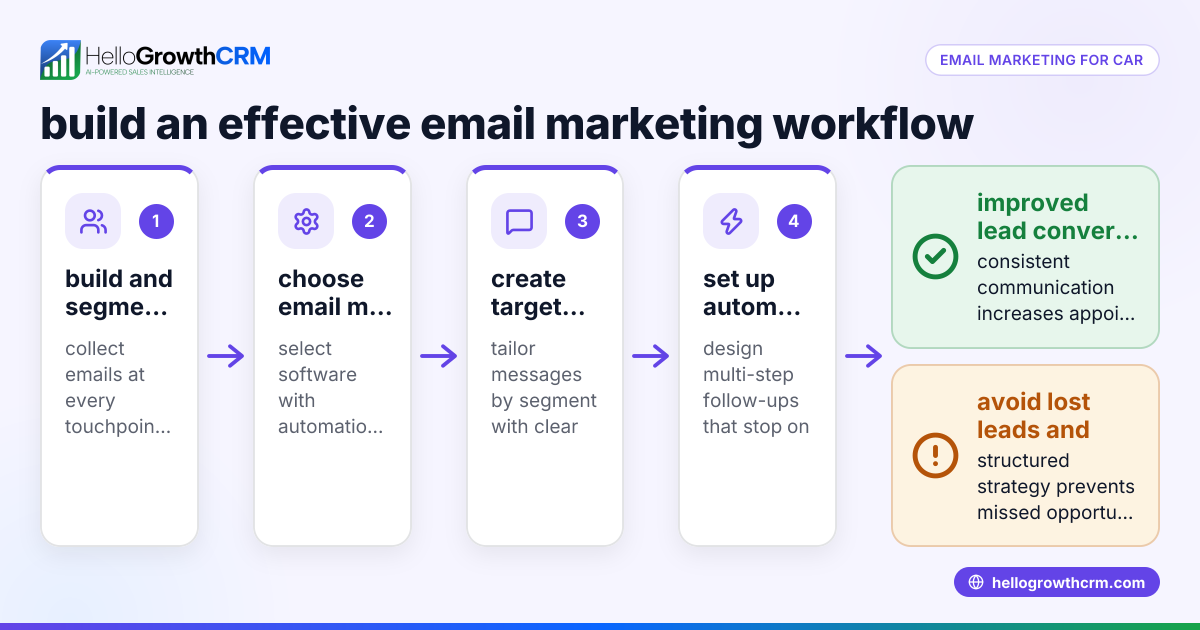
HelloGrowthCRM offers a HelloMail shared inbox where replies to quotation emails and client messages are visible to the whole legal team on the deal, preventing missed communications. Every enquiry from a form, call, or WhatsApp lands as a lead with an owner and a next step, keeping requests organized instead of lost in notebooks. Using sequences and campaigns, you can automate a five-step follow-up over two weeks that stops as soon as the prospect replies, saving time and ensuring no client inquiry is forgotten. Learn more about HelloMail and sequences at email automation and sequences and explore how HelloGrowthCRM supports US businesses at HelloGrowthCRM for the United States. For managing client messages across channels, see WhatsApp and SMS CRM.
Frequently asked questions
How can lawyers reduce email overload? Centralizing emails in a shared inbox and categorizing by priority helps lawyers manage volume. Automating routine follow-ups with sequences also cuts down manual effort.
What is the best way to track client email requests? Assign each email a next step and owner in your CRM or case management system. This ensures accountability and timely responses.
Can email management improve client satisfaction? Yes. Prompt, organized responses build trust and reduce client frustration caused by missed or delayed emails.
Are there tools that integrate email with legal case management? Many CRMs offer email integration features. HelloGrowthCRM, for example, links emails to leads and deals to keep communication in context.
How do automated email sequences work for lawyers? Sequences send timed, pre-written emails to prospects or clients until a reply is received, ensuring consistent follow-up without manual effort.
Key takeaways
- Centralize all client emails in a shared inbox to avoid lost messages.
- Categorize and assign next steps to every email for clear accountability.
- Use automated email sequences to follow up efficiently and save time.
- Regularly archive completed emails to keep your inbox manageable.
- Integrate email with your CRM or case management to maintain context.
- Monitor response times and set reminders to avoid delays.
Start improving your email management today with HelloGrowthCRM. Start on the Free Forever plan (200 leads, no credit card).
Ready to put this into practice?
Set up your pipeline, WhatsApp follow-ups, and AI lead scoring in minutes — free, no credit card.
Try HelloGrowthCRM freeGet CRM tips in your inbox
Join thousands of sales professionals who get weekly insights on CRM strategy, AI automation, and pipeline optimization.

The HelloGrowthCRM team publishes guides on CRM strategy, AI sales tools, and revenue operations for small business sales teams.