HelloGrowthCRM software
Built for real small-business sales teams
HelloGrowthCRM helps reps qualify faster, follow up on time, and close more deals—with practical automation in one place.
- AI lead scoring and pipeline visibility
- Built-in dialer, WhatsApp, and email automation
- Sales forecasting and RevOps-ready reporting
Email sharing is the practice of making email conversations accessible to multiple people within a business so that everyone involved in sales or customer service can see, reply to, and manage messages together. This avoids lost leads, repeated replies, and communication gaps. In this article, you’ll learn why email sharing is a common need for small businesses, how to set it up properly, an example scenario, common pitfalls, and how HelloGrowthCRM supports team email sharing.
Why this comes up / what goes wrong
Many small businesses run sales and customer support through individual email accounts or personal inboxes. When multiple people handle leads or customers, this setup causes problems like missed replies, duplicate responses, and lack of visibility into what others have communicated. For example, a sales rep might send a quotation email, but if another rep replies without knowing the history, it can confuse the customer and slow down closing. Small teams often try to share email by forwarding messages or sharing passwords, which is insecure and inefficient. Email sharing solves these issues by centralizing communication so the team works as one.
Step-by-step
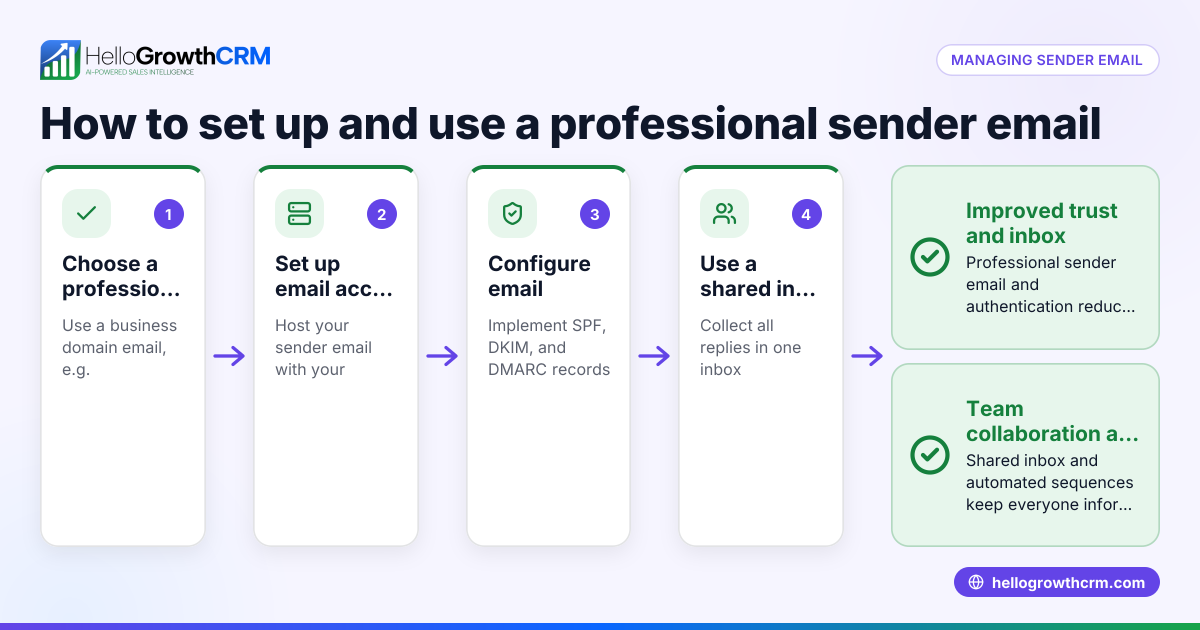
- Choose a shared inbox system: Pick a tool or CRM feature that lets your team access the same email threads without sharing passwords. Check for features like visibility of replies and ability to assign conversations.
- Set up a shared email address or alias: Create an email like sales@yourbusiness.com that forwards to the shared inbox. Confirm the forwarding works by sending a test email.
- Add team members to the shared inbox: Ensure all sales or support staff who need access have accounts or permissions to see and reply.
- Establish clear reply guidelines: Decide who replies first, how to handle follow-ups, and how to mark conversations as done or needing attention.
- Use email automation and sequences: Implement automated follow-ups that run until the prospect replies, saving manual effort and ensuring no lead is forgotten. Check that sequences stop automatically when a reply is received.
- Monitor and review regularly: Track email response times, check for missed replies, and adjust team roles or sequences as needed.
Example (fictional figures)
A two-location dental practice in Columbus, Ohio, uses email sharing to manage appointment requests and insurance questions.
- The practice sets up a shared inbox sales@columbusdentistry.com forwarded to HelloGrowthCRM.
- Three staff members have access to the shared inbox.
- They send a quotation email for teeth whitening costing $350.
- The practice uses a five-step follow-up sequence over two weeks.
Calculations:
Quotation price = $350
Follow-up sequence runs 5 messages over 14 days until reply
If a patient replies after the third message, the sequence stops automatically, saving time.
This setup helps the team avoid duplicate replies and keeps all communication visible.
Common mistakes
- Sharing passwords instead of using a shared inbox: This risks security and causes confusion. Use dedicated shared inbox tools.
- No clear reply responsibility: Without guidelines, team members may reply multiple times or leave emails unanswered. Define roles clearly.
- Ignoring automation tools: Manually following up wastes time and risks missed leads. Use email sequences to automate follow-ups. See email automation and sequences.
- Not monitoring inbox activity: Without review, emails can slip through. Regularly check response times and missed conversations.
- Using personal email accounts for business communication: This splits conversations and reduces visibility. Always use a shared business email.
Doing this in HelloGrowthCRM
HelloGrowthCRM offers HelloMail, a shared inbox inside the CRM where replies to quotation emails and customer messages are visible to the whole team on the deal. This means no switching between email clients and no lost messages. Additionally, the CRM provides sequences and campaigns that automate a five-step follow-up over two weeks, stopping immediately when the prospect replies. These features help small and mid-sized businesses keep sales communication organized and timely. Learn more about email automation and sequences and WhatsApp and SMS CRM.
Frequently asked questions
What is email sharing in a business context? Email sharing means giving multiple team members access to the same email conversations so they can collaborate on replies and manage leads or customers together.
Why should small businesses use email sharing? It prevents missed or duplicate replies, improves team coordination, and ensures every lead or customer message gets timely attention.
How can I set up email sharing without risking security? Use a shared inbox tool or CRM feature that allows access without sharing passwords. Assign permissions to team members and avoid forwarding personal email passwords.
Can email sharing be automated? Yes, automation tools like email sequences can send follow-ups automatically and stop when a reply is received, reducing manual work. HelloGrowthCRM offers these features.
Is it better to use a shared inbox or forward emails to team members? A shared inbox centralizes communication and keeps all replies in one place, unlike forwarding which can fragment conversations and cause confusion.
Key takeaways
- Email sharing lets multiple team members access and manage the same email conversations.
- It solves common small-business problems like missed replies and duplicated communication.
- Set up a shared inbox, add team members, and define clear reply roles.
- Use email automation and sequences to follow up consistently and stop on reply.
- Avoid sharing passwords or using personal email accounts for business communication.
- HelloGrowthCRM’s HelloMail shared inbox and sequences simplify team email management.
Start managing your sales emails better with HelloGrowthCRM. Start on the Free Forever plan (200 leads, no credit card).
Ready to put this into practice?
Set up your pipeline, WhatsApp follow-ups, and AI lead scoring in minutes — free, no credit card.
Try HelloGrowthCRM freeGet CRM tips in your inbox
Join thousands of sales professionals who get weekly insights on CRM strategy, AI automation, and pipeline optimization.

The HelloGrowthCRM team publishes guides on CRM strategy, AI sales tools, and revenue operations for small business sales teams.