HelloGrowthCRM software
Built for real small-business sales teams
HelloGrowthCRM helps reps qualify faster, follow up on time, and close more deals—with practical automation in one place.
- AI lead scoring and pipeline visibility
- Built-in dialer, WhatsApp, and email automation
- Sales forecasting and RevOps-ready reporting
An enrollment CRM builder is a software tool designed to help real estate developers, property brokers, and builder businesses capture and manage leads, automate follow-ups, and track sales pipelines specifically for property sales and customer enrollment. These CRMs are tailored to the needs of Indian builder businesses, helping them organise contacts from multiple sources such as IndiaMART, JustDial, and website forms.
Why this comes up / what goes wrong
Builder business owners and accountants often struggle with managing leads coming from various channels like walk-ins, phone calls, WhatsApp messages, and online portals. Without a proper CRM, leads get lost or followed up too late, causing missed sales opportunities and revenue loss. Many builders still use spreadsheets or WhatsApp chats to track prospects, which is inefficient and prone to errors. The lack of automation and visibility into the sales pipeline makes it hard to forecast sales or assign tasks to the sales team effectively.
Step-by-step
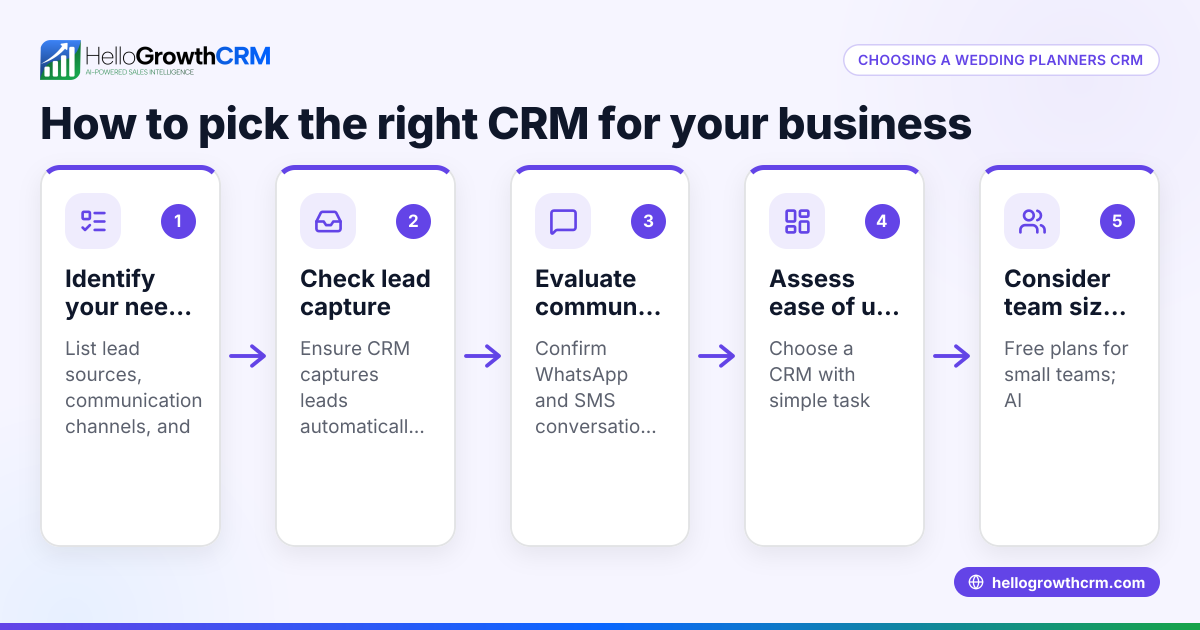
- List Your Lead Sources and Data Needs: Identify where your leads come from — property portals, IndiaMART, JustDial, referrals, or walk-ins. Check if the CRM builder can capture leads automatically from these sources.
- Check Communication Channels Supported: Confirm the CRM supports WhatsApp and SMS messaging since these are popular communication channels in India’s real estate sector. The CRM should log WhatsApp conversations against each lead.
- Evaluate Lead Management Features: Look for pipeline management with stages relevant to property sales, task boards, and reminders to ensure timely follow-ups.
- Assess Automation and AI Capabilities: Consider if the CRM offers AI agents or automation to draft follow-up messages or update records, reducing manual work for your sales reps.
- Verify Reporting and Forecasting Tools: The CRM should provide sales forecasting and reporting to help you plan inventory and cash flow.
- Check User Adoption Ease: The CRM must be easy for your sales and telecalling teams to use daily, ideally integrating with WhatsApp natively to avoid switching apps.
- Review Pricing and Scalability: Choose a CRM that fits your current team size and can scale as you grow, with a free or trial plan to test before committing.
- Ask About Support and Training: Ensure the CRM vendor offers onboarding support and training tailored to real estate and builder businesses.
For more on industry-specific CRMs, see Real estate and builders.
Example (fictional figures)
A mid-size builder in Pune receives leads from their website and JustDial. They want to track 150 leads monthly and automate WhatsApp follow-ups.
- Lead capture cost: Included in CRM
- Sales team size: 4 reps
- CRM subscription: Free Forever plan for 2 users to start, upgrade when automation needed
- Monthly revenue target: ₹50,00,000
Steps:
- Capture 150 leads automatically from JustDial and website forms.
- Assign leads to 4 sales reps evenly: 150 ÷ 4 = 37.5 leads each
- Use WhatsApp messages logged on lead records to follow up.
- AI agent drafts follow-up messages after calls (on Growth plan).
- Track pipeline stages: Inquiry → Site Visit → Booking → Payment
- Forecast sales based on pipeline value, e.g., ₹50,00,000 target.
This builder can start on the Free Forever plan to manage the pipeline for 2 users and upgrade when they need calling and WhatsApp automation.
Common mistakes
- Ignoring lead source integration: Leads from portals like IndiaMART or JustDial must flow automatically into the CRM. Prevent by confirming lead capture features before buying.
- Using multiple disconnected tools: Managing leads on WhatsApp and spreadsheets causes data loss. Choose a CRM with native WhatsApp integration to log conversations and follow-ups.
- Not automating follow-ups: Manual follow-ups delay responses. Use AI agents or sequences to draft and schedule messages.
- Overcomplicating the CRM: Complex CRMs reduce user adoption. Pick a simple, industry-focused CRM with an intuitive interface.
- Neglecting sales pipeline visibility: Without clear pipeline stages, sales forecasting is guesswork. Ensure your CRM has a Kanban pipeline board.
Learn more about WhatsApp and SMS CRM features at WhatsApp and SMS CRM.
Doing this in HelloGrowthCRM
HelloGrowthCRM offers a WhatsApp-native CRM designed for Indian SMBs and growing sales teams. It logs WhatsApp conversations on lead records and allows follow-ups via WhatsApp and SMS messages. AI agents (in beta on Growth plan) draft follow-up messages after calls for sales reps to review and send, saving time. The Free Forever plan supports a two-person team running a full Kanban pipeline at no cost until calling or WhatsApp automation is needed. For details, visit HelloGrowthCRM for India.
Frequently asked questions
What is an enrollment CRM builder for real estate? An enrollment CRM builder is software tailored for property developers and builders to capture, organise, and follow up with potential buyers or tenants. It centralises lead data and automates communication to improve sales efficiency.
Can a CRM integrate with lead portals like IndiaMART or JustDial? Yes, many CRM builders offer automatic lead capture from popular portals like IndiaMART and JustDial. This ensures no lead is missed and reduces manual data entry.
Why is WhatsApp integration important for builders? WhatsApp is widely used by Indian buyers and sales teams. A CRM that logs WhatsApp conversations and sends follow-ups directly saves time and improves response rates.
How does AI help in a builder CRM? AI agents can draft follow-up messages and update lead records automatically, reducing manual work for sales reps and speeding up response times.
Is there a free CRM plan suitable for small builder teams? Yes, HelloGrowthCRM offers a Free Forever plan for two users that includes lead management and a Kanban pipeline, ideal for small teams starting out.
How do I ensure my sales team uses the CRM daily? Choose a CRM with an intuitive interface, mobile access, and integration with communication channels like WhatsApp that your team already uses.
Key takeaways
- An enrollment CRM builder centralises lead management and automates follow-ups for builders.
- Integration with IndiaMART, JustDial, and WhatsApp is critical for Indian real estate businesses.
- AI agents can draft follow-ups, saving sales reps time and improving response speed.
- Start with a free or trial plan to test CRM features before scaling.
- Avoid managing leads across multiple tools; use a CRM that your team will actually use daily.
- Clear pipeline stages and reporting help with sales forecasting and planning.
Start managing your leads better today with HelloGrowthCRM. Start on the Free Forever plan (200 leads, no credit card).
Ready to put this into practice?
Set up your pipeline, WhatsApp follow-ups, and AI lead scoring in minutes — free, no credit card.
Try HelloGrowthCRM freeGet CRM tips in your inbox
Join thousands of sales professionals who get weekly insights on CRM strategy, AI automation, and pipeline optimization.

The HelloGrowthCRM team publishes guides on CRM strategy, AI sales tools, and revenue operations for small business sales teams.