HelloGrowthCRM software
Built for real small-business sales teams
HelloGrowthCRM helps reps qualify faster, follow up on time, and close more deals—with practical automation in one place.
- AI lead scoring and pipeline visibility
- Built-in dialer, WhatsApp, and email automation
- Sales forecasting and RevOps-ready reporting
Follow up software for sales is designed to help businesses keep timely contact with leads, automate reminders, and manage outreach sequences. This prevents lost opportunities caused by slow or missed follow-ups, especially common in small businesses juggling multiple tasks without dedicated sales software.
Why this comes up / what goes wrong
Small and mid-sized Australian businesses often handle sales leads using email, text messages, and spreadsheets. This approach can lead to slow follow-up because it relies heavily on memory or manual tracking. Leads may get lost or forgotten, causing sales opportunities to slip away. Business owners and sales teams need software that organises follow-up tasks, automates outreach, and tracks interactions in one place to improve conversion rates.
Step-by-step
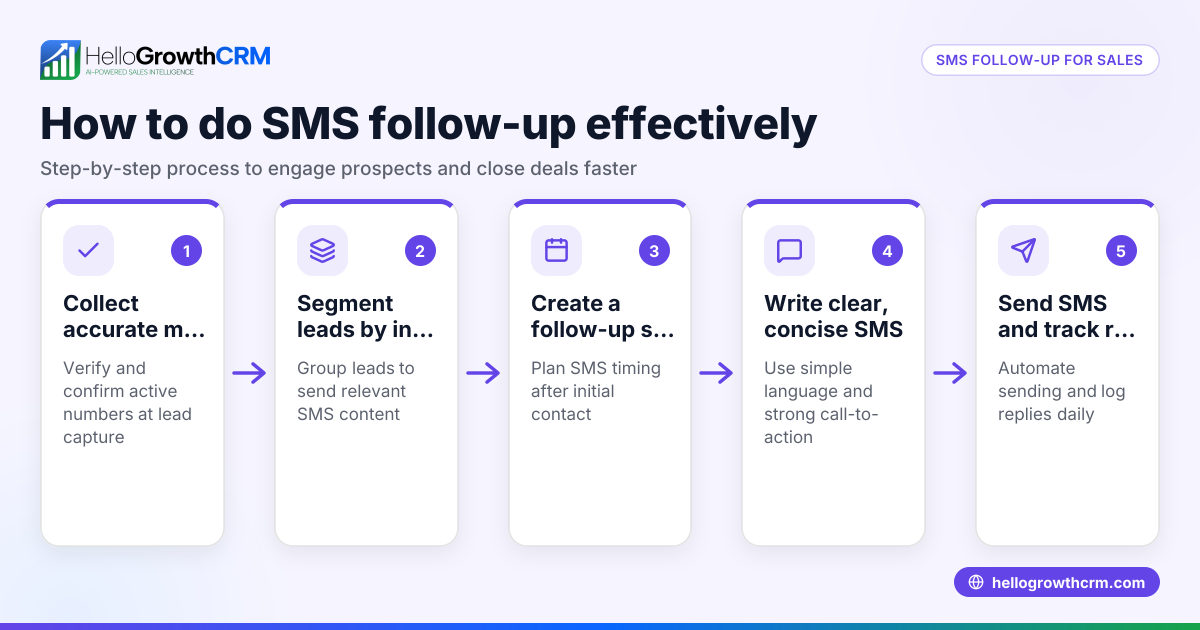
- Identify your follow-up needs: Determine how many leads you handle weekly, how many follow-up steps you want, and which communication channels (email, SMS, WhatsApp) you use.
- Check task and activity management: Ensure the software can turn each follow-up into a task with a due date, helping your team stay on top of calls and messages without relying on memory. Look for visual task boards to organise daily activities clearly.
- Look for automation features: Automated sequences that run multi-step follow-ups over days or weeks save time. The system should stop outreach immediately once a prospect replies to avoid over-contacting.
- Consider AI assistance: Some software offers AI agents to draft follow-up messages after calls, reducing the time reps spend writing and allowing faster responses.
- Evaluate integration and usability: Make sure the software integrates with your existing lead sources like web forms and that your team finds it easy to use.
- Review pricing and plans: Match the software’s features and limits to your business size and sales volume. Free plans with task limits may suit startups, while growing teams might need paid tiers.
- Test with a trial or demo: Use free trials to see if the software fits your workflow and improves follow-up efficiency.
Example (fictional figures)
A registered training organisation in Adelaide handles about 100 new leads monthly. They want a five-step follow-up sequence over two weeks via email and SMS, with task reminders for calls.
- Leads per month = 100
- Follow-up steps = 5
- Duration = 14 days
They choose software that creates a task for each follow-up step with due dates. Each lead generates 5 tasks:
100 leads × 5 tasks = 500 tasks monthly
Their chosen plan allows up to 500 tasks on the free tier, so they start there. Automated sequences send messages every 3 days until the prospect replies, stopping the sequence immediately.
This setup ensures no lead is missed, and sales reps focus only on active tasks and conversations.
Common mistakes
- Relying solely on memory or spreadsheets: Prevent by using task boards and activity logging to track follow-ups reliably.
- Not automating sequences: Manual follow-up wastes time and risks inconsistency; use automated multi-step workflows instead.
- Ignoring reply triggers: If the software doesn’t stop sequences when a prospect responds, it can annoy leads. Choose software that halts outreach upon reply.
- Overcomplicating the process: Too many follow-up steps or channels can overwhelm reps and prospects; keep sequences focused and manageable.
- Choosing software without trial: Avoid this by testing free plans or demos to ensure the tool fits your team’s needs.
- Neglecting mobile or multi-channel support: Ensure the software supports your preferred communication channels like email, SMS, and WhatsApp.
Doing this in HelloGrowthCRM
HelloGrowthCRM helps sales teams manage follow-up effectively with three key features:
- Activities and task boards: Each follow-up becomes a task with a due date, and daily calls appear as a clear list, removing the need to remember everything. Learn more about sales task boards.
- Sequences and campaigns: Automate a five-step follow-up over two weeks that stops immediately when a prospect replies. See how email automation and sequences work.
- AI agents: Beta AI agents draft follow-up messages after calls so reps only review and send, speeding up outreach. Explore HelloGrowthCRM for Australia for details.
Frequently asked questions
What is the best follow up software for small businesses? The best software depends on your team size, lead volume, and communication channels. Look for tools with task boards, automated sequences, and easy integration with your leads. Testing free plans helps find the right fit.
How many follow-up steps are ideal in a sales sequence? Typically, 3 to 5 follow-up steps over 1 to 2 weeks balance persistence with respect for the prospect’s time. Automated sequences should stop immediately once a reply is received.
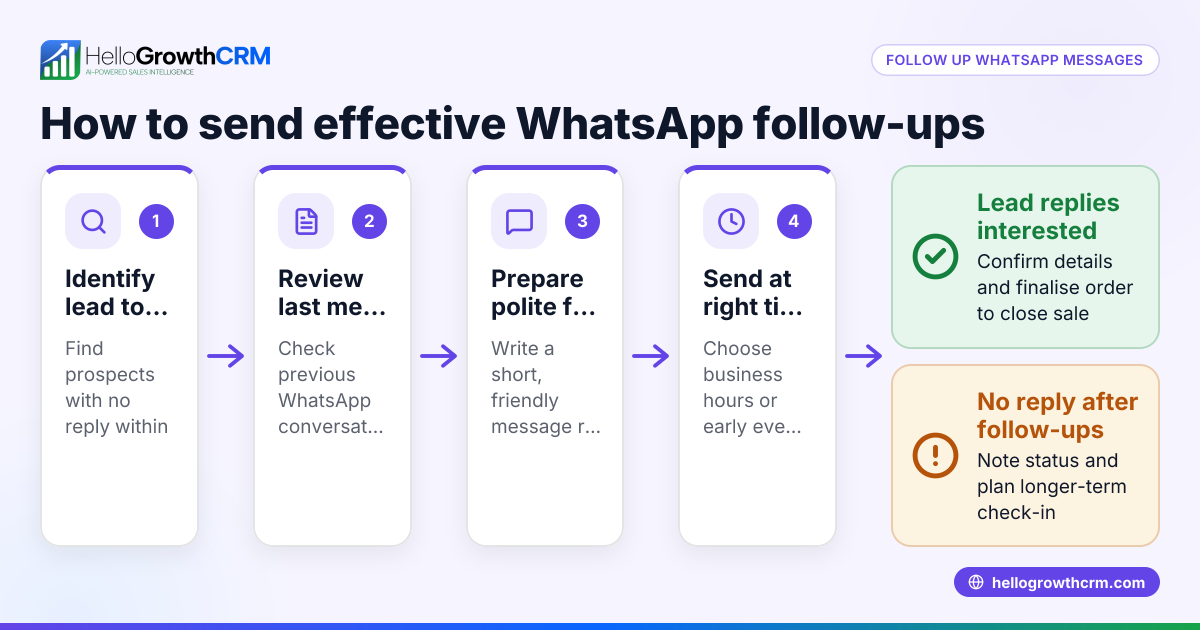
Can follow up software integrate with WhatsApp? Yes, some CRMs include WhatsApp integration for messaging. This helps keep all communication in one place and automates follow-up across multiple channels.
How do I avoid annoying prospects with follow-up software? Use software that stops sequences as soon as a prospect replies. Also, limit the number of follow-up steps and space them out over days to avoid overwhelming prospects.
Is AI helpful in sales follow-up? AI can draft messages and update records, saving time and ensuring timely outreach. However, reps should review AI drafts to keep communication personalised.
Key takeaways
- Follow up software automates and organises sales outreach to prevent lost leads.
- Task boards and activity logging help sales teams manage daily follow-ups without memory reliance.
- Automated sequences run multi-step outreach and stop immediately on prospect reply.
- AI agents can draft follow-up messages to speed up rep workflow.
- Testing free plans or demos ensures software fits your business needs.
- Choose software supporting your preferred communication channels like email, SMS, and WhatsApp.
Start improving your sales follow-up today. Start on the Free Forever plan (200 leads, no credit card).
Ready to put this into practice?
Set up your pipeline, WhatsApp follow-ups, and AI lead scoring in minutes — free, no credit card.
Try HelloGrowthCRM freeGet CRM tips in your inbox
Join thousands of sales professionals who get weekly insights on CRM strategy, AI automation, and pipeline optimization.

The HelloGrowthCRM team publishes guides on CRM strategy, AI sales tools, and revenue operations for small business sales teams.