HelloGrowthCRM software
Built for real small-business sales teams
HelloGrowthCRM helps reps qualify faster, follow up on time, and close more deals—with practical automation in one place.
- AI lead scoring and pipeline visibility
- Built-in dialer, WhatsApp, and email automation
- Sales forecasting and RevOps-ready reporting
A follow up WhatsApp message is a short, polite message sent after initial contact to remind or prompt a lead or customer to respond or take action. It helps keep your sales process moving and shows professionalism. This article explains why follow up WhatsApp messages matter, how to send them step-by-step, common mistakes to avoid, and how HelloGrowthCRM can help automate and track follow-ups.
Why this comes up / what goes wrong
Many small-business owners in India rely on WhatsApp for sales conversations because it is widely used and convenient. However, leads often go cold when follow-ups are missed or delayed. Without a clear system, salespeople forget to send reminders or lose track of conversations. This leads to lost sales opportunities and wasted time. Running sales on WhatsApp and spreadsheets can cause confusion, slow responses, and inconsistent messaging. Business owners want to know how to send effective follow up WhatsApp messages that get replies and keep deals moving.
Step-by-step
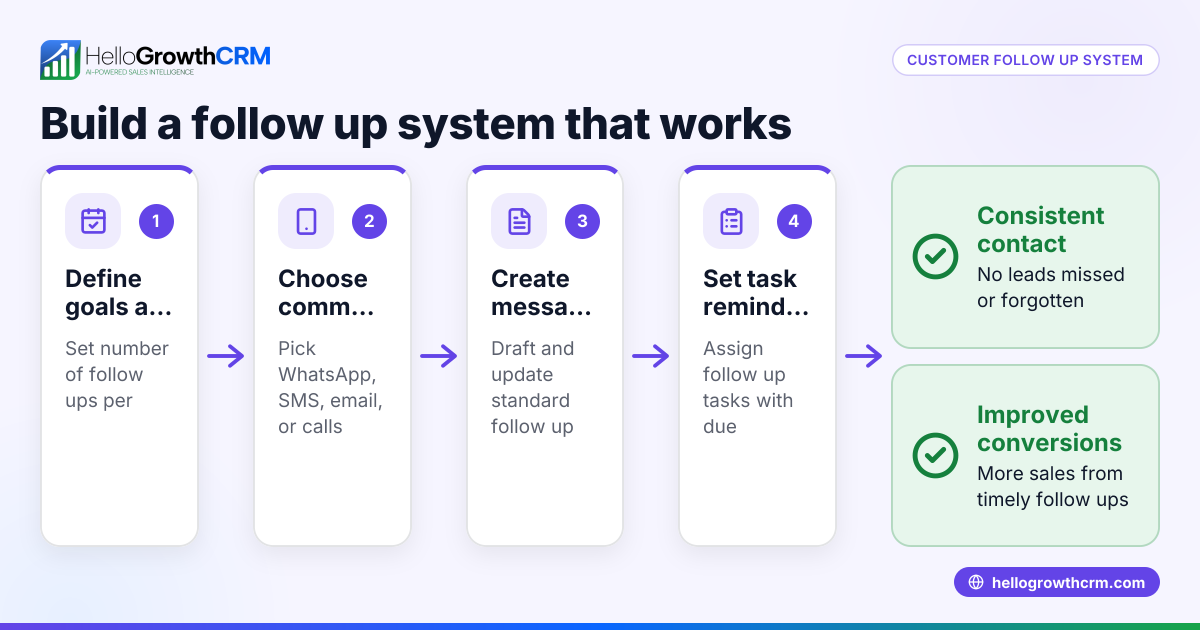
- Identify the lead to follow up with: Check your recent conversations or lead list for prospects who have not replied within the expected time.
- Review previous messages: Read your last WhatsApp message to the lead. Note what was discussed and any questions pending.
- Prepare a polite, clear follow-up message: Keep it short, friendly, and to the point. Mention the previous conversation briefly and ask if they need more information or are ready to proceed.
- Send the message at an appropriate time: Avoid very early or late hours. Business hours or early evening are usually best.
- Set a reminder or task to follow up again if needed: If you don’t get a reply within 2-3 days, plan another follow-up.
- Log the follow-up message and any replies: Keep a record of all WhatsApp chats linked to the lead to avoid confusion.
- Adjust your approach based on the lead’s response: If interested, move forward with the sales process. If not, note the reason or schedule a future check-in.
Use tools like sales task boards to track follow-up tasks and deadlines so you never miss a message.
Example (fictional figures)
Rajesh runs a small furniture business and contacted a lead on 01/04/2024 about a ₹1,00,000 order. He sent a quote via WhatsApp but got no reply by 05/04/2024.
Step 1: Identify lead for follow-up — Lead contacted on 01/04/2024, no reply by 05/04/2024.
Step 2: Review last message — Quote sent for ₹1,00,000 furniture order.
Step 3: Prepare follow-up message: "Hello, just checking if you had a chance to review the furniture quote I sent on 1st April. Please let me know if you have any questions or want to proceed."
Step 4: Send message on 05/04/2024 at 11:00 AM.
Step 5: Set reminder to follow up again on 08/04/2024 if no reply.
Step 6: Log message in CRM.
Step 7: On 07/04/2024, lead replies interested. Rajesh confirms delivery dates and finalises the order.
Common mistakes
- Sending follow-ups too soon or too often: Wait 2-3 days before following up again to avoid annoying the lead. Use task boards to schedule reminders.
- Not personalising messages: Avoid generic texts. Mention previous conversations or specific details to show attention.
- Ignoring or losing track of replies: Always log WhatsApp messages linked to the lead record to avoid confusion.
- Using unclear or pushy language: Keep follow-ups polite and clear, focusing on helping the lead rather than pressuring.
- Failing to plan next steps: Each follow-up should have a clear purpose and a plan for what to do based on the lead’s response.
Use WhatsApp and SMS CRM features to keep all conversations organised and avoid these mistakes.
Doing this in HelloGrowthCRM
HelloGrowthCRM helps you send and track follow up WhatsApp messages efficiently. All WhatsApp conversations with a lead are logged on their record, so you never lose context. Each follow-up can be created as a task with a due date on your sales task boards, turning reminders into manageable lists instead of memory tests. You can also set up automated five-step follow-up sequences over two weeks that run on their own and stop immediately once the prospect replies, saving you time and effort. Learn more about WhatsApp and SMS CRM and email automation and sequences to streamline your sales follow-ups.
Frequently asked questions
How many follow up WhatsApp messages should I send? It is best to send 2-3 follow-up messages spaced 2-3 days apart. Too many messages can annoy leads, while too few may lose the opportunity. Use task boards to schedule and track these follow-ups.
What is the best time to send a follow up WhatsApp message? Send follow-ups during business hours, typically between 10 AM and 6 PM. Avoid early mornings, late nights, or weekends to respect the lead’s time.
Can I automate follow up WhatsApp messages? Yes, with tools like HelloGrowthCRM, you can automate multi-step follow-up sequences that send messages at set intervals and stop when the lead replies, reducing manual work.
Should I include a call to action in my follow up message? Yes, always include a clear call to action, such as asking if they need more information or are ready to proceed. This encourages a response.
What if the lead never replies after follow-ups? If there is no response after 2-3 follow-ups, note it in your CRM and consider a longer-term check-in later. Avoid spamming the lead.
Key takeaways
- Follow up WhatsApp messages remind leads politely and keep sales moving.
- Use a clear, short, and personalised message referencing prior contact.
- Schedule follow-ups 2-3 days apart and log every message.
- Avoid pushing too hard or sending too many messages.
- Use HelloGrowthCRM to automate follow-ups, track conversations, and manage tasks.
Start sending effective follow up WhatsApp messages today to convert more leads. You can start on the Free Forever plan (200 leads, no credit card) and see how HelloGrowthCRM helps your team stay organised and responsive.
Ready to put this into practice?
Set up your pipeline, WhatsApp follow-ups, and AI lead scoring in minutes — free, no credit card.
Try HelloGrowthCRM freeGet CRM tips in your inbox
Join thousands of sales professionals who get weekly insights on CRM strategy, AI automation, and pipeline optimization.

The HelloGrowthCRM team publishes guides on CRM strategy, AI sales tools, and revenue operations for small business sales teams.