HelloGrowthCRM software
Built for real small-business sales teams
HelloGrowthCRM helps reps qualify faster, follow up on time, and close more deals—with practical automation in one place.
- AI lead scoring and pipeline visibility
- Built-in dialer, WhatsApp, and email automation
- Sales forecasting and RevOps-ready reporting
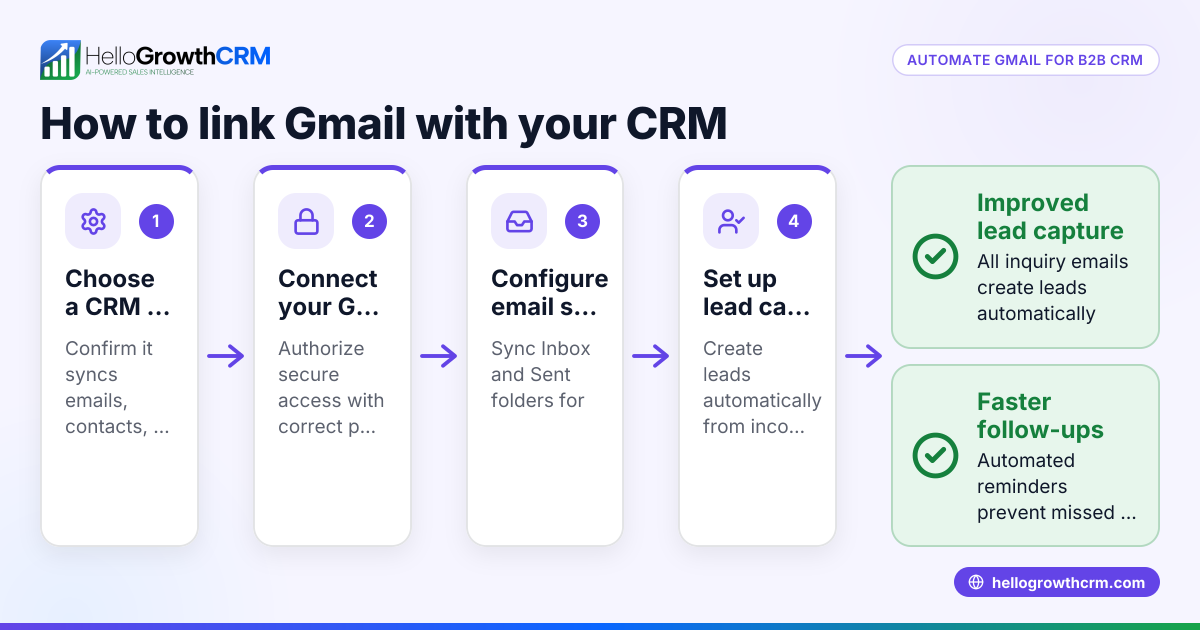
A free CRM with Gmail integration lets you manage customer emails and contacts from your Gmail account within your CRM system at no cost. This connection helps you track conversations, automate follow-ups, and organize leads efficiently without switching apps. Here, you will learn why small businesses seek this setup, step-by-step guidance on selecting the right CRM, common mistakes to avoid, a practical example, and how HelloGrowthCRM can help you get started.
Why this comes up / what goes wrong
Small-business owners often juggle customer communication across email, spreadsheets, and notes, which leads to lost leads and slow follow-ups. Gmail is widely used for business email, so integrating it with a CRM can streamline sales workflows. However, many free CRMs either lack Gmail integration or offer limited features, forcing businesses to upgrade or manage disconnected tools. Owners want a free CRM that works well with Gmail to save time, improve lead tracking, and avoid paying for features they may not use yet.
Step-by-step
- Identify your must-have Gmail integration features. Check if the CRM syncs Gmail contacts, logs emails automatically, allows sending emails from the CRM, and supports email templates.
- Test the CRM’s Gmail connection process. Confirm it uses secure OAuth authentication, does not require sharing your Gmail password, and updates email logs in real time.
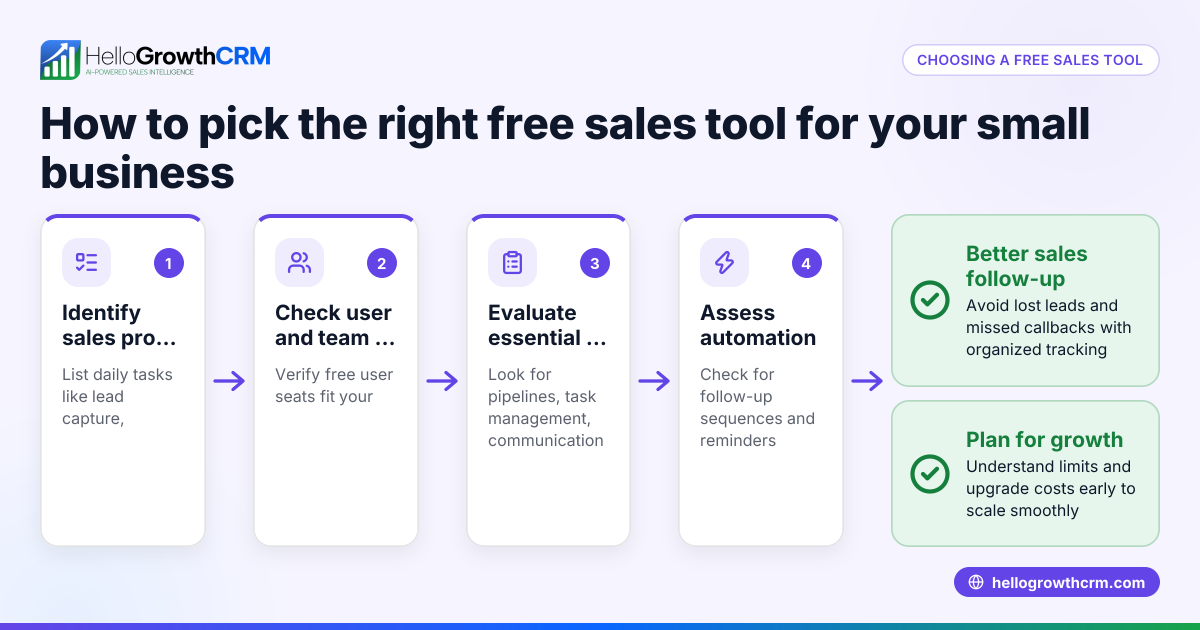
- Evaluate the CRM’s free plan limits. Look for how many users, leads, and emails you can manage without cost. Some free plans limit Gmail sync or email sends.
- Check if the CRM supports other integrations you need. For example, HelloGrowthCRM supports IndiaMART and JustDial enquiries arriving as leads. See integrations for more.
- Assess ease of use and adoption. A CRM that your team finds intuitive and integrates with Gmail smoothly will see better use and fewer lost leads.
- Consider upgrade options. If you grow beyond the free plan, check pricing and added features like calling or WhatsApp automation.
- Trial the CRM with your Gmail account. Use a test lead and email to verify the integration works as expected.
Example (fictional figures)
A residential real-estate team in Phoenix, Arizona, uses a free CRM with Gmail integration to track buyer inquiries. They receive 150 leads monthly and send follow-up emails from the CRM.
- Leads per month: 150
- Email sends per lead: 3
- Total emails monthly: 150 × 3 = 450
Their chosen free CRM allows 200 leads and 500 emails per month, fitting their needs without upgrade.
Monthly cost: $0 (free plan)
This setup saves them time by automatically logging Gmail emails to lead records, reducing missed follow-ups.
Common mistakes
- Choosing a CRM without true Gmail integration. Prevent this by testing email logging and sending before committing.
- Ignoring free plan limits. Check lead and email caps to avoid unexpected upgrade pressure.
- Overlooking security in Gmail connection. Ensure the CRM uses OAuth, not password sharing.
- Not considering team adoption. Pick a CRM that fits your team’s workflow to get consistent use.
- Neglecting other integrations. If you use platforms like IndiaMART or JustDial, confirm the CRM supports them (integrations).
Doing this in HelloGrowthCRM
HelloGrowthCRM offers a Free Forever plan ideal for two-person teams to manage pipelines at no cost until advanced calling or WhatsApp automation is needed. While the Free plan does not include calling or WhatsApp/SMS features, it supports email templates and scheduling, helping you stay organized. The CRM also integrates leads from IndiaMART and JustDial via API, ensuring enquiries arrive directly in your pipeline. For more about integrations visit integrations. Start your free trial and manage up to 200 leads without a credit card at free CRM for small business.
Frequently asked questions
What is the best free CRM with Gmail integration? The best free CRM depends on your business size and needs. Look for one that offers seamless Gmail sync, good free plan limits, and ease of use. HelloGrowthCRM’s Free Forever plan supports email templates and scheduling but does not include calling or WhatsApp automation on free.
How do CRMs integrate with Gmail? Most CRMs use secure OAuth to connect with Gmail, allowing automatic email logging, contact syncing, and sending emails from the CRM interface. This keeps all customer communication in one place.
Can I use Gmail integration on a free CRM plan? Many free CRM plans include basic Gmail integration like email logging and contact sync, but may limit the number of emails or users. Check the plan details carefully before choosing.
Does HelloGrowthCRM support Gmail integration? HelloGrowthCRM supports email templates and scheduling on its Free Forever plan, helping small teams manage communications. For full calling and WhatsApp features, paid plans are available. Learn more about HelloGrowthCRM for the United States at HelloGrowthCRM for the United States.
Are there any security concerns with Gmail integration? Ensure the CRM uses OAuth authentication to connect with Gmail, which does not require sharing your password and follows Google’s security standards.
Key takeaways
- A free CRM with Gmail integration helps small businesses track emails and leads without switching apps.
- Test Gmail syncing, email logging, and sending before choosing a CRM.
- Check free plan limits on leads, users, and emails to avoid surprises.
- Use secure OAuth connections to protect your Gmail account.
- HelloGrowthCRM offers a Free Forever plan for two-person teams with email templates and scheduling.
- Confirm other needed integrations like IndiaMART or JustDial are supported.
Start managing your leads and emails more efficiently today. Start on the Free Forever plan (200 leads, no credit card).
Ready to put this into practice?
Set up your pipeline, WhatsApp follow-ups, and AI lead scoring in minutes — free, no credit card.
Try HelloGrowthCRM freeGet CRM tips in your inbox
Join thousands of sales professionals who get weekly insights on CRM strategy, AI automation, and pipeline optimization.

The HelloGrowthCRM team publishes guides on CRM strategy, AI sales tools, and revenue operations for small business sales teams.