HelloGrowthCRM software
Built for real small-business sales teams
HelloGrowthCRM helps reps qualify faster, follow up on time, and close more deals—with practical automation in one place.
- AI lead scoring and pipeline visibility
- Built-in dialer, WhatsApp, and email automation
- Sales forecasting and RevOps-ready reporting
Help desk time tracking records how much time your support team spends resolving customer issues. It helps measure productivity, identify delays, and improve customer satisfaction. This article covers why small businesses need help desk time tracking, how to set it up step-by-step, common mistakes to avoid, a worked example, and how HelloGrowthCRM helps organize leads and tasks for smoother support workflows.
Why this comes up / what goes wrong
Small-business owners often find their support teams handling customer inquiries via email, phone, WhatsApp, or text messages without a clear way to measure how long each issue takes to resolve. Without tracking time, it’s hard to know if customers wait too long or if support staff are overloaded or inefficient. This leads to lost leads, missed follow-ups, and frustrated customers. Many businesses rely on notebooks or spreadsheets, which are error-prone and don’t update in real time. Help desk time tracking addresses these problems by providing clear data on support activities.
Step-by-step
- Choose a time tracking method: Decide whether to use a manual log, spreadsheet, or software that tracks time automatically. Check that it can record start and stop times for each support ticket or lead.
- Define what to track: Identify which support activities need timing—calls, emails, WhatsApp chats, or task completion. Confirm your team understands which tasks count.
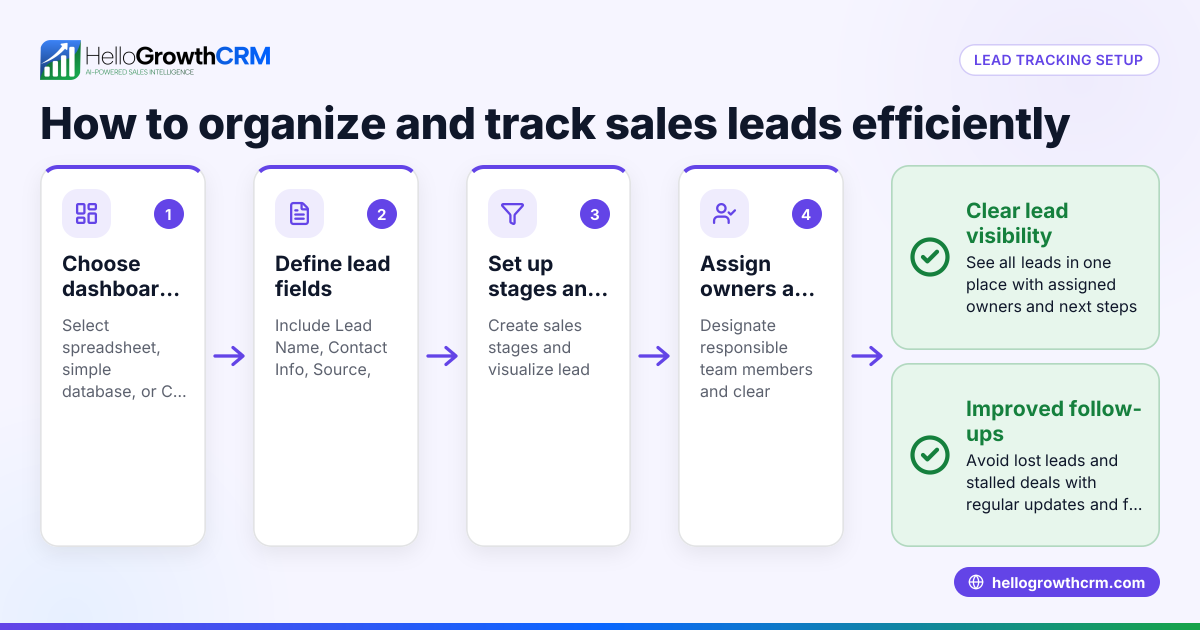
- Assign tickets or leads to owners: Make sure each customer inquiry is assigned to a specific team member. This helps track who spends time on what.
- Start tracking time per ticket or lead: Have support staff start and stop timers as they work on each issue. Check regularly that times are logged accurately.
- Review and analyze data weekly: Check total time spent per ticket, average resolution time, and identify bottlenecks or delays.
- Adjust processes based on insights: Use the data to balance workloads, improve training, or automate repetitive tasks.
- Integrate time tracking with lead management: Use tools that link time tracking to leads and customer data for better follow-up and forecasting.
Example (fictional figures)
A two-location dental practice in Columbus, Ohio, tracked help desk time in March 2026 to improve patient appointment scheduling support.
- Total support tickets handled in March: 120
- Average time per ticket after tracking: 15 minutes
Calculations:
120 tickets × 15 minutes = 1,800 minutes total
1,800 minutes ÷ 60 = 30 hours total support time in March
By knowing this, the practice assigned more staff during peak times to reduce wait times and improve service.
Common mistakes
- Not tracking start and stop times accurately: Prevent by using timers or software with automatic tracking.
- Mixing unrelated tasks in one time entry: Prevent by defining clear task categories.
- Failing to assign tickets or leads properly: Prevent by using a CRM that assigns ownership automatically.
- Ignoring analysis of time data: Prevent by scheduling regular reviews to act on findings.
- Using multiple disconnected tools: Prevent by choosing integrated solutions that combine lead capture and task management.
Doing this in HelloGrowthCRM
HelloGrowthCRM helps by capturing every enquiry from forms, calls, or WhatsApp as a lead with an owner and a next step, eliminating lost or forgotten tickets. This clear ownership makes it easier to track how long each lead or support task takes. You can organize leads in pipelines and task boards, making follow-up and time management more visible and actionable. Learn more about HelloGrowthCRM’s WhatsApp and SMS CRM and its built-in CRM dialer to improve your support process.
Frequently asked questions
What is the best way to track help desk time for small businesses? The best way is to use simple software or CRM tools that automatically track time spent on each support ticket or lead. Manual logs or spreadsheets work but are prone to errors. Automation saves time and improves accuracy.
How does help desk time tracking improve customer service? It shows how long customers wait and how quickly issues are resolved. This data helps managers allocate resources better, train staff, and reduce delays, leading to happier customers.
Can I track time on WhatsApp conversations with customers? Yes, with tools like HelloGrowthCRM, you can capture WhatsApp inquiries as leads and assign them to team members, making it easier to track time spent on those conversations.
How often should I review help desk time tracking data? Weekly reviews are recommended to spot trends and adjust workloads before issues escalate. Monthly summaries help with longer-term improvements.
Is it necessary to assign a lead owner for effective time tracking? Yes, assigning a lead owner ensures accountability and accurate tracking of who spends time on each customer issue. This prevents tasks from falling through the cracks.
Key takeaways
- Help desk time tracking records how long support tasks take, improving productivity and customer satisfaction.
- Assigning tickets or leads to owners is essential for accurate tracking.
- Regular review of time data identifies bottlenecks and workload imbalances.
- Avoid manual errors by using integrated CRM tools.
- Tracking time on WhatsApp and calls is possible with the right CRM features.
- Consistent processes and clear task definitions improve time tracking accuracy.
Start improving your help desk time tracking today by using HelloGrowthCRM. It captures every enquiry with an owner and next step, keeping your leads organized and moving forward. Get started on the Free Forever plan (200 leads, no credit card).
Ready to put this into practice?
Set up your pipeline, WhatsApp follow-ups, and AI lead scoring in minutes — free, no credit card.
Try HelloGrowthCRM freeGet CRM tips in your inbox
Join thousands of sales professionals who get weekly insights on CRM strategy, AI automation, and pipeline optimization.

The HelloGrowthCRM team publishes guides on CRM strategy, AI sales tools, and revenue operations for small business sales teams.