HelloGrowthCRM software
Built for real small-business sales teams
HelloGrowthCRM helps reps qualify faster, follow up on time, and close more deals—with practical automation in one place.
- AI lead scoring and pipeline visibility
- Built-in dialer, WhatsApp, and email automation
- Sales forecasting and RevOps-ready reporting
A lead tracking dashboard template is a tool or format designed to help small and mid-sized businesses organize their sales leads efficiently. It consolidates lead information, tracks progress through sales stages, and highlights next steps to improve follow-up and conversion rates. This article covers why businesses need such a template, how to set one up step-by-step, common pitfalls to avoid, and a worked example using realistic US business figures.
Why this comes up / what goes wrong
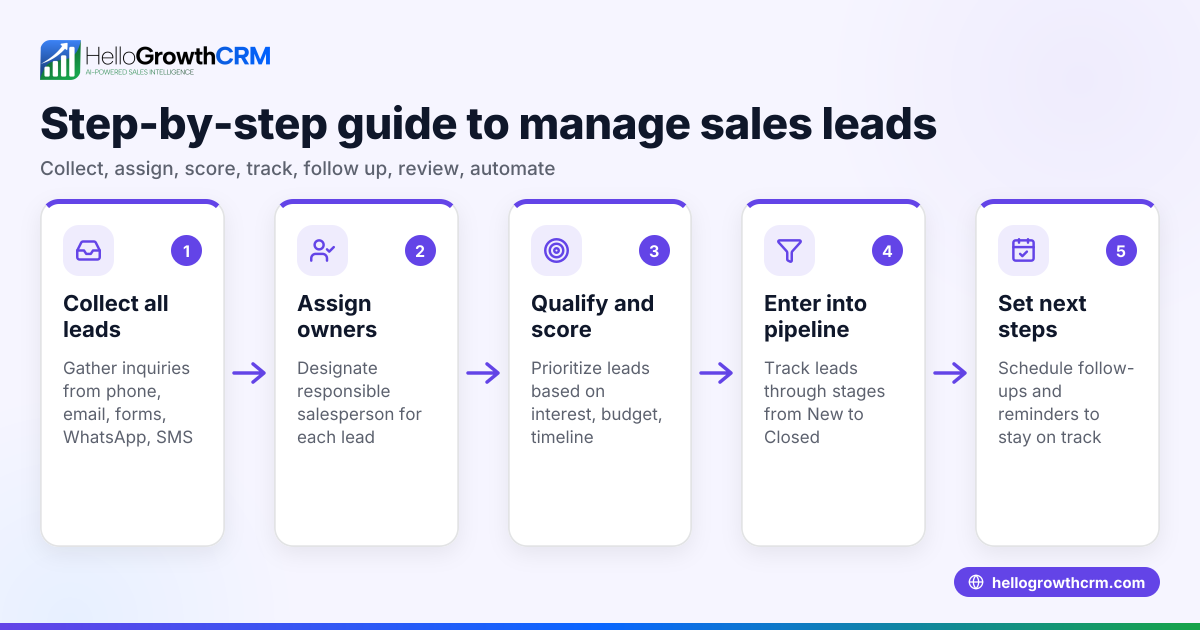
Small-business owners often struggle with managing leads because inquiries come from multiple sources like web forms, calls, WhatsApp, or emails. Without a centralized system, leads get lost in notebooks, spreadsheets, or text messages. This causes slow follow-up and missed opportunities. A lead tracking dashboard template offers a ready-to-use format to capture leads consistently, assign owners, and track progress without juggling multiple tools.
Step-by-step
- Choose your dashboard format: Decide whether you want a spreadsheet (Excel, Google Sheets), a simple database, or a CRM tool with dashboard features. Check that it can capture lead details, status, owner, and next steps.
- Define lead fields: Include fields such as Lead Name, Contact Info, Source (web form, call, WhatsApp), Date Captured, Lead Owner, Stage (New, Contacted, Qualified, Proposal, Closed), and Next Step with due date.
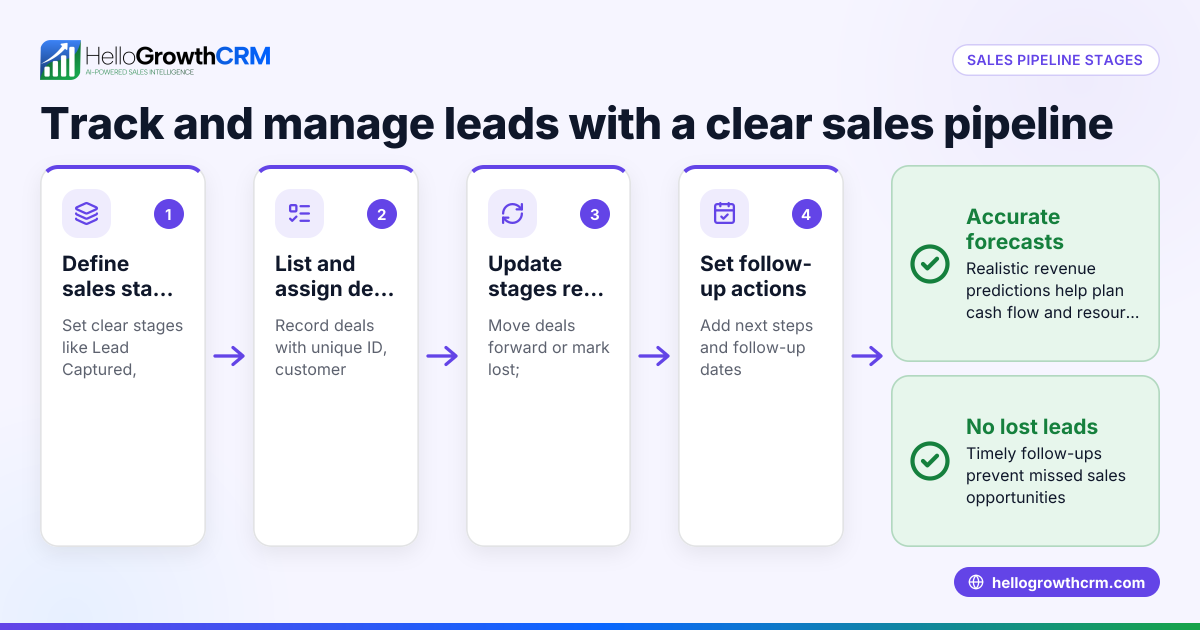
- Set up stages and status tracking: Create clear sales stages that reflect your sales process. Check that the dashboard visually shows where each lead is in the pipeline.
- Assign lead owners and next steps: For each lead, assign a team member responsible and a specific next action. Verify that these assignments are visible and actionable.
- Add summary metrics and filters: Include summary data like total leads, leads by stage, and leads due for follow-up. Check that you can filter or sort leads by owner, source, or status.
- Test data entry and updates: Enter sample leads and walk through updating stages and next steps. Confirm that the dashboard updates correctly and reflects real-time status.
- Review and refine regularly: Schedule weekly reviews to update the dashboard and ensure no leads are stuck or forgotten.
For downloadable templates, you can find free sales templates and tools at free sales tools and calculators and sales templates.
Example (fictional figures)
A B2B software reseller in Denver, Colorado, wants to track leads from January 2026.
- Lead 1: Contacted on 01/05/2026, source: website form, potential deal $25,000.
- Lead 2: Contacted on 01/10/2026, source: WhatsApp inquiry, potential deal $40,000.
Setup:
- Total leads captured: 2
- Leads by stage: New (0), Contacted (2), Qualified (0), Proposal (0), Closed (0)
- Next steps: Follow-up call on 01/12/2026 for Lead 1, product demo scheduled on 01/15/2026 for Lead 2.
Calculations:
- Potential pipeline value = $25,000 + $40,000 = $65,000
This simple dashboard helps the owner see that both leads are in the Contacted stage with clear next steps and expected follow-up dates.
Common mistakes
- Not centralizing lead capture: Leads scattered across emails, texts, or notebooks cause delays. Use a single lead tracking dashboard to consolidate all leads.
- Missing next steps or owners: Without assigned owners and clear next steps, leads stall. Always assign responsibility and action.
- Ignoring regular updates: A dashboard is only useful if kept current. Schedule weekly reviews to update lead status.
- Overcomplicating the dashboard: Too many fields or complex formulas can discourage use. Keep it simple and focused on actionable data.
- Not filtering or segmenting leads: Without filters, it’s hard to prioritize. Use filters by lead owner, stage, or source to focus follow-up.
Learn more ways to avoid errors with AI lead scoring to prioritize leads effectively.
Doing this in HelloGrowthCRM
HelloGrowthCRM captures every enquiry from a form, call, or WhatsApp as a lead with an owner and a next step, avoiding lost leads in notebooks. The pipeline forecast and AI insights show which stages deals are stalling in without building spreadsheets. You can also download free sales tools, templates, and calculators without creating an account from the free sales tools and calculators page.
Frequently asked questions
What is a lead tracking dashboard template? A lead tracking dashboard template is a pre-designed format or tool that helps businesses organize and monitor sales leads, track their progress through sales stages, and assign follow-up actions.
Can I use Excel or Google Sheets for lead tracking? Yes, many small businesses use spreadsheets for lead tracking. Ensure your sheet includes key fields like lead source, owner, stage, and next steps, and add filters to prioritize leads.
How often should I update my lead tracking dashboard? Updating your dashboard weekly is recommended to keep lead statuses current and prevent leads from stalling or being forgotten.
How can AI help with lead tracking? AI can score leads based on engagement and historical data to prioritize follow-up efforts. Tools like HelloGrowthCRM offer AI lead scoring to identify the most promising leads.
Are there free templates available for lead tracking? Yes, you can download free sales templates and tools from HelloGrowthCRM’s sales templates and free sales tools and calculators pages without signing up.
Key takeaways
- Use a centralized lead tracking dashboard template to organize all leads in one place.
- Include essential fields: lead source, owner, stage, and next steps with due dates.
- Assign clear lead owners and next steps to avoid stalled deals.
- Update the dashboard regularly, ideally weekly, to maintain accuracy.
- Keep the dashboard simple and use filters to prioritize leads effectively.
- Download free sales templates and tools from HelloGrowthCRM to get started.
Start organizing your leads today by trying the Free Forever plan (200 leads, no credit card) at HelloGrowthCRM.
Ready to put this into practice?
Set up your pipeline, WhatsApp follow-ups, and AI lead scoring in minutes — free, no credit card.
Try HelloGrowthCRM freeGet CRM tips in your inbox
Join thousands of sales professionals who get weekly insights on CRM strategy, AI automation, and pipeline optimization.

The HelloGrowthCRM team publishes guides on CRM strategy, AI sales tools, and revenue operations for small business sales teams.