HelloGrowthCRM software
Built for real small-business sales teams
HelloGrowthCRM helps reps qualify faster, follow up on time, and close more deals—with practical automation in one place.
- AI lead scoring and pipeline visibility
- Built-in dialer, WhatsApp, and email automation
- Sales forecasting and RevOps-ready reporting
A homecare CRM is software that helps homecare businesses manage leads, schedule visits, and communicate efficiently with clients and caregivers. Choosing the right CRM means finding one that fits your team’s size, communication style, and workflow. This article explains why homecare businesses need CRMs, the steps to evaluate options, common mistakes to avoid, and how HelloGrowthCRM supports homecare teams.
Why this comes up / what goes wrong
Small homecare business owners often juggle client intake, caregiver scheduling, and follow-ups using separate tools like spreadsheets, email, and text messages. This scattered approach leads to lost leads, missed appointments, and slow responses that harm client satisfaction and growth. As the team grows beyond a few people, manual tracking becomes inefficient and error-prone. A homecare CRM centralizes lead capture, communication, and task management to reduce these problems and improve sales and service consistency.
Step-by-step
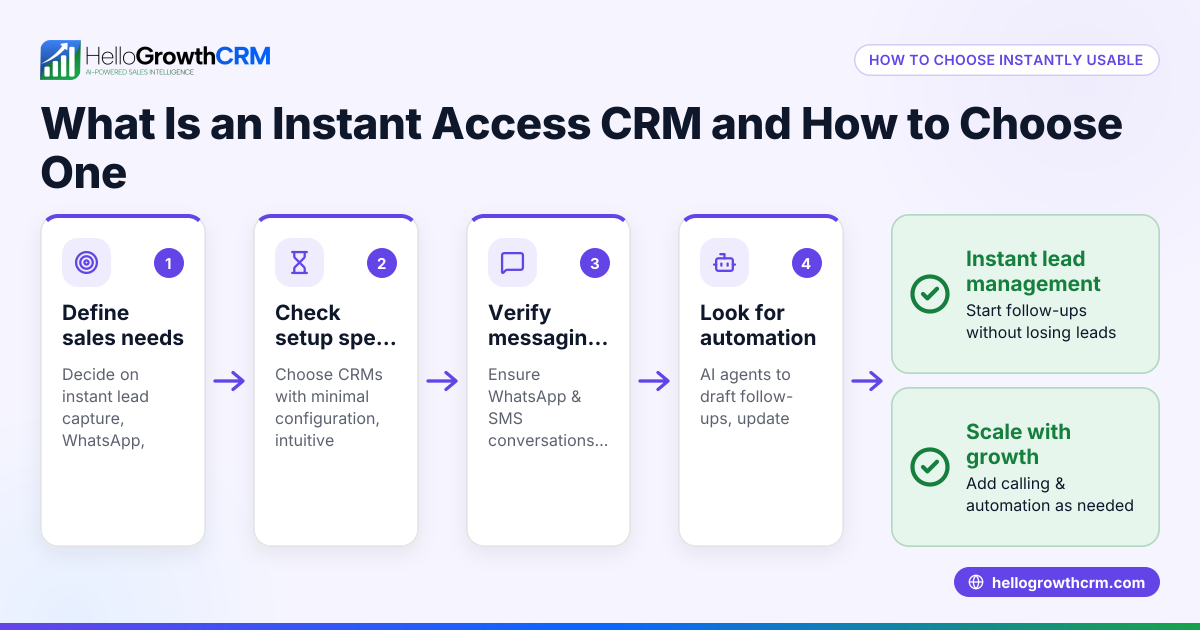
- Define your needs clearly. List the key tasks your CRM must handle, such as lead capture, scheduling visits, caregiver management, and client communication channels (e.g., WhatsApp, SMS).
- Check communication features. Confirm the CRM supports the messaging channels your team and clients use. For example, WhatsApp conversations logged on lead records and follow-ups sent as messages help homecare teams relying on mobile messaging. See WhatsApp and SMS CRM.
- Evaluate automation capabilities. Look for features like AI agents that draft follow-up messages after calls, so staff only review and send, saving time and reducing errors. This is available in beta on some plans. Learn more at AI CRM.
- Consider your team size and budget. Start with a free or low-cost plan that matches your current team size and lead volume. Some plans support multiple users managing a set number of leads with a full Kanban pipeline. Visit Free Forever plan.
- Assess integration and workflow. Ensure the CRM can integrate with your existing tools like web forms or scheduling software, or at least allows easy data import/export. Also, check if it offers built-in calling features to streamline outreach. See built-in CRM dialer.
- Test usability and adoption. Choose a CRM with a simple interface that your team can learn quickly. Adoption is critical—if the team doesn’t use it, the benefits vanish.
- Request demos or trials. Use trial periods to test real workflows, including lead capture, messaging, task management, and reporting.
Example (fictional figures)
A homecare agency with two locations in Columbus, Ohio, has 8 employees and manages about 150 active leads monthly. They want to reduce lost leads and improve caregiver scheduling communications.
- They start with a free plan supporting up to 200 leads and two users.
- They capture 150 leads, which is under the 200-lead limit.
- Their two intake staff manage leads using a Kanban pipeline.
- They schedule follow-ups and track communications.
- When ready to upgrade for messaging automation, they switch to a paid plan with AI agents drafting follow-up messages.
- The AI agent drafts 3 follow-up messages daily, saving each rep 30 minutes.
- They use the built-in dialer to make outbound calls without switching apps.
Calculations:
Assuming each follow-up message saves 10 minutes:
3 messages × 10 minutes = 30 minutes saved per rep per day
For 2 reps:
30 minutes × 2 reps = 60 minutes saved daily
Over 20 working days:
60 minutes × 20 days = 1,200 minutes = 20 hours saved monthly
This time saving improves lead follow-up speed and caregiver scheduling accuracy.
Common mistakes
- Choosing a CRM without mobile messaging support. Many homecare clients prefer WhatsApp or SMS. Avoid CRMs lacking these channels. Messaging logged on lead records and follow-ups as messages improve communication.
- Ignoring team size and budget constraints. Picking a CRM with more features than needed can waste money and complicate training. Start with a free or basic plan.
- Overlooking automation. Manual follow-ups are slow and error-prone. Use AI agents or automation to draft messages and update records.
- Poor integration with existing tools. If the CRM doesn’t work with your web forms or scheduling software, data entry doubles. Check integration capabilities.
- Neglecting user adoption. Complex CRMs create resistance. Choose simple, intuitive software and train your team.
- Not testing before committing. Always trial the CRM with your actual workflows.
Doing this in HelloGrowthCRM
HelloGrowthCRM supports homecare teams with WhatsApp and SMS messaging, logging conversations on lead records and enabling follow-up messages on the channels clients prefer. Its AI agents (in beta on Growth) draft follow-up messages after calls, so reps only review and send, saving time and reducing errors. For small teams, the Free Forever plan lets two users manage pipelines at no cost until calling or WhatsApp automation is needed. Learn more about HelloGrowthCRM for the United States.
Frequently asked questions
What features should a homecare CRM have? A homecare CRM should support lead capture, client and caregiver communication (preferably via WhatsApp and SMS), scheduling, task management, and automation like AI-assisted follow-ups. Integration with web forms and a built-in dialer can improve efficiency. See built-in CRM dialer.
Can I try the CRM before buying? Yes. Many CRMs offer free plans for small teams, allowing homecare teams to run their pipeline without cost before upgrading for more features. For example, HelloGrowthCRM offers a Free Forever plan for two users. Visit Free Forever plan.
How does AI help in a homecare CRM? AI agents can draft follow-up messages after calls, update records, and execute workflow steps automatically. This reduces manual work and speeds up lead engagement, which is crucial for timely homecare client intake. Learn more at AI CRM.
Is WhatsApp important for homecare CRM communication? Yes. Many homecare clients and caregivers prefer WhatsApp for quick, informal communication. A CRM that logs WhatsApp conversations and allows sending follow-ups as messages helps maintain clear records and faster responses. See WhatsApp and SMS CRM.
Can the CRM handle calling within the app? Yes. Some CRMs include built-in dialers that let your team make calls without switching apps, streamlining outreach and follow-up. Check for this feature if calling is important. See built-in CRM dialer.
Key takeaways
- Homecare CRMs centralize lead management, scheduling, and communication to reduce lost leads and improve service.
- Support for WhatsApp and SMS messaging is essential for client and caregiver engagement.
- AI agents can automate follow-up message drafting, saving time and reducing errors.
- Start with a free or low-cost plan that fits your team size and lead volume.
- Ensure the CRM integrates well with your existing tools and includes features like a built-in dialer.
- Test usability and adoption before fully committing.
Choosing the right homecare CRM can streamline your operations and improve client satisfaction. Start exploring with the Free Forever plan, which supports up to two users managing 200 leads at no cost. Visit Start on the Free Forever plan (200 leads, no credit card) to get started today.
Ready to put this into practice?
Set up your pipeline, WhatsApp follow-ups, and AI lead scoring in minutes — free, no credit card.
Try HelloGrowthCRM freeGet CRM tips in your inbox
Join thousands of sales professionals who get weekly insights on CRM strategy, AI automation, and pipeline optimization.

The HelloGrowthCRM team publishes guides on CRM strategy, AI sales tools, and revenue operations for small business sales teams.