HelloGrowthCRM software
Built for real small-business sales teams
HelloGrowthCRM helps reps qualify faster, follow up on time, and close more deals—with practical automation in one place.
- AI lead scoring and pipeline visibility
- Built-in dialer, WhatsApp, and email automation
- Sales forecasting and RevOps-ready reporting
For small businesses, starting with a moderate number of cold emails per day can be a practical approach. This range balances reaching enough prospects without overwhelming your team or triggering spam filters. The exact number depends on your team size, the quality of your email list, and your capacity to follow up effectively. This article explains why setting the right daily cold email volume matters, how to determine your number step-by-step, a detailed example, common pitfalls, and how HelloGrowthCRM’s built-in dialer can support your outreach.
Why this comes up / what goes wrong
Many small-business owners struggle with cold email outreach because they either send too few emails and miss opportunities or send too many and hurt their sender reputation or overwhelm their sales team. Without a clear daily target, you might waste time on low-value leads or fail to follow up promptly, losing potential sales. Additionally, managing cold emails alongside calls and messages on spreadsheets or email alone often leads to disorganization and slow response times.
Step-by-step
- Assess Your Team’s Capacity: Count how many salespeople or reps you have. Each person can realistically send 50-100 personalized cold emails per day without sacrificing quality.
- Check Your Email Sending Limits: Many email providers limit daily sends; check the rules that apply to you or ask counsel for specifics. Ensure your sending volume fits within these limits to avoid blocking.
- Segment Your Email List: Prioritize leads by quality or industry to focus on prospects more likely to respond. Use AI lead scoring if available.
- Set a Daily Target: Multiply your team size by a manageable number of emails per person (start with 50). Adjust based on response rates and workload.
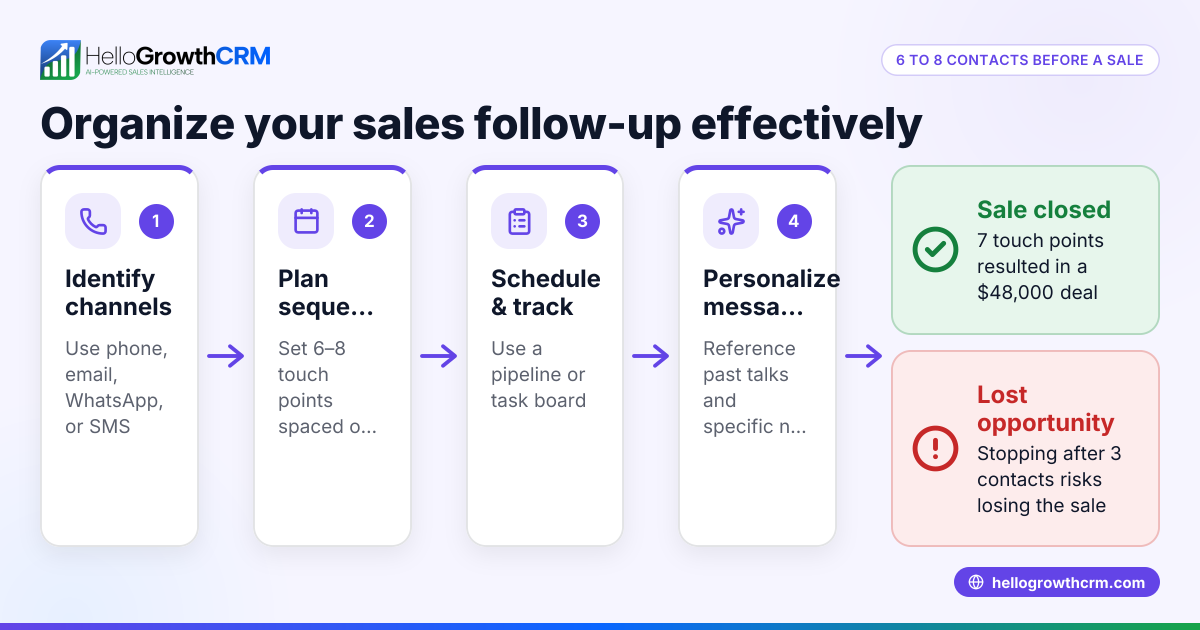
- Plan Follow-ups: Allocate time to send follow-up emails or calls after the initial outreach. Follow-ups improve conversion but require time.
- Monitor Engagement and Adjust: Track open rates, replies, and unsubscribes. If engagement drops, reduce volume or improve message quality.
- Use Tools to Automate and Track: Consider CRM with email automation and sequences to schedule emails and follow-ups efficiently. See email automation and sequences.
Example (fictional figures)
John runs a landscaping business in Charlotte, North Carolina, with 2 sales reps. He wants to send cold emails to generate leads.
- Team size = 2 reps
- Emails per rep per day = 50 (manageable volume)
- Total emails per day = 2 × 50 = 100 emails
John monitors his response rate and finds 10% reply rate, so 10 replies/day.
He spends 2 hours daily making calls to follow up on replies using HelloGrowthCRM’s built-in dialer.
This approach balances outreach volume and follow-up capacity effectively.
Common mistakes
- Sending too many emails too fast: This can trigger spam filters or overwhelm your team. Prevent by starting with a lower volume and scaling gradually.
- Neglecting follow-ups: Initial cold emails often don’t get replies. Schedule and track follow-ups to improve results.
- Using generic messages: Personalization increases response rates. Avoid mass generic emails.
- Ignoring engagement metrics: Not monitoring open and reply rates leads to wasted effort. Use analytics to refine your approach.
- Managing emails manually: Using spreadsheets or email alone causes lost leads and slow responses. Use CRM tools to organize outreach.
See more on managing WhatsApp and SMS outreach with CRM tools at WhatsApp and SMS CRM.
Doing this in HelloGrowthCRM
HelloGrowthCRM includes a built-in dialer that lets your reps work through lead lists directly inside the CRM. Each call outcome is logged on the lead record, keeping your sales data organized and accessible. This helps coordinate cold email outreach with phone follow-ups efficiently, ensuring no lead is lost or forgotten. Learn more about the dialer at HelloGrowthCRM for the United States and CRM dialer features.
Frequently asked questions
How many cold emails can I send without getting flagged as spam? Start with a conservative daily volume (50-100 emails per sender) and maintain good list hygiene. Avoid purchased lists and personalize emails to reduce spam risk.
Should I send all cold emails at once or spread them out? Spread emails throughout the day to avoid triggering spam filters and to manage responses better. Scheduling tools in CRM can help automate this.
How important are follow-up emails? Very important. Most responses come after one or more follow-ups. Plan and automate follow-up sequences to increase conversion.
Can I combine cold emails with calls? Yes. Combining cold emails with phone calls improves contact rates. Using a CRM with a built-in dialer helps coordinate these activities efficiently.
Is it better to send fewer highly personalized emails or more generic ones? Highly personalized emails generally get better response rates, even if you send fewer. Quality over quantity is key.
Key takeaways
- Aim to send 50-150 cold emails per day depending on team size and capacity.
- Prioritize quality leads and personalize emails to improve response.
- Schedule and track follow-ups to increase conversions.
- Monitor engagement metrics and adjust your volume accordingly.
- Use CRM tools with email automation and built-in dialer to organize outreach.
Start your cold email outreach with a clear daily target and adapt as you learn what works best for your business. To manage your leads and calls efficiently, try HelloGrowthCRM’s built-in dialer and email automation features.
Start on the Free Forever plan (200 leads, no credit card) at HelloGrowthCRM Free Forever plan.
Ready to put this into practice?
Set up your pipeline, WhatsApp follow-ups, and AI lead scoring in minutes — free, no credit card.
Try HelloGrowthCRM freeGet CRM tips in your inbox
Join thousands of sales professionals who get weekly insights on CRM strategy, AI automation, and pipeline optimization.

The HelloGrowthCRM team publishes guides on CRM strategy, AI sales tools, and revenue operations for small business sales teams.