HelloGrowthCRM software
Built for real small-business sales teams
HelloGrowthCRM helps reps qualify faster, follow up on time, and close more deals—with practical automation in one place.
- AI lead scoring and pipeline visibility
- Built-in dialer, WhatsApp, and email automation
- Sales forecasting and RevOps-ready reporting
Efficiently assigning customer support tickets is essential for New Zealand small businesses to respond quickly and keep customers satisfied. Without a clear process, tickets can be delayed or lost, causing frustration and lost opportunities. This guide explains why ticket assignment is important, provides step-by-step instructions, a realistic example, common mistakes to avoid, and how HelloGrowthCRM can help.
Why this comes up / what goes wrong
Many small businesses in New Zealand receive support requests through multiple channels such as email, phone, WhatsApp, or website forms. Without a centralised system and clear assignment rules, tickets can be missed or handled by the wrong person. For example, a retail store in Wellington might get inquiries about product returns, delivery issues, and billing. If tickets are not assigned promptly and clearly, customers wait longer for answers and staff can become overwhelmed or confused. Proper ticket assignment ensures each issue is dealt with efficiently by the right team member.
Step-by-step
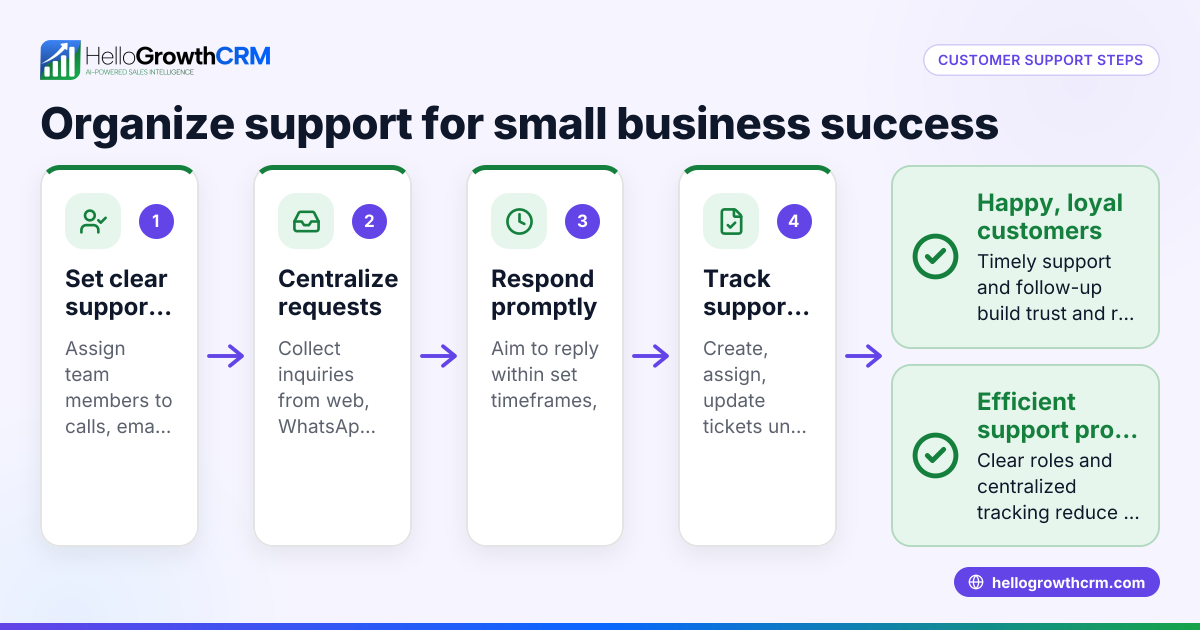
- Collect all support requests in one place: Gather tickets from all channels—email, calls, WhatsApp, web forms—into a single system or spreadsheet. This prevents lost or duplicated tickets.
- Categorise the tickets: Label each ticket by issue type such as technical, billing, delivery, or general enquiry. This helps assign to the correct expert.
- Prioritise tickets: Determine urgency by impact on the customer and deadlines. Use categories like urgent, high, medium, or low priority.
- Check team availability and skills: Review who is available and their expertise to match tickets appropriately. Avoid overloading any individual.
- Assign tickets clearly: Allocate each ticket to a specific team member and set a deadline for response or resolution.
- Communicate the assignment: Inform both the assigned staff member and the customer about who is handling the ticket and expected response times.
- Track ticket progress: Monitor status regularly to catch delays or issues. Follow up if tickets are overdue.
- Close tickets after resolution: Confirm with the customer that their issue is resolved before closing the ticket.
Regularly review unassigned or overdue tickets to maintain good service. Using a CRM with integrated ticketing can automate many of these steps.
Example (fictional figures)
A small real estate agency in Auckland receives 15 support tickets on 10/04/2024. They categorise and assign tickets as follows:
- Total tickets: 15
- Categories: 7 maintenance, 5 property enquiries, 3 billing
- Team members: 3 agents (Alice, Bob, Carol)
Step 1: Prioritise urgent maintenance tickets. Of the 7 maintenance tickets, 5 are urgent and 2 are normal.
Step 2: Assign urgent maintenance tickets to Alice, who has the best technical skills.
Step 3: Assign the 2 normal maintenance tickets to Bob.
Step 4: Assign all 5 property enquiries to Carol, the customer relations expert.
Step 5: Assign all 3 billing tickets to Bob.
Step 6: Set a 24-hour response deadline for each ticket.
Workload summary:
- Alice: 5 urgent maintenance tickets
- Bob: 2 maintenance + 3 billing = 5 tickets
- Carol: 5 property enquiries
This balances workload evenly and ensures urgent issues get prompt attention.
Common mistakes
- Not centralising tickets: Leads to lost or duplicated requests. Prevent by collecting all tickets in one system.
- Ignoring prioritisation: Treating all tickets equally causes delays in urgent cases. Always label urgency.
- Assigning without checking availability: Overloads some staff while others may be idle. Review workloads before assigning.
- Poor communication: Not informing assigned staff or customers causes confusion. Notify both promptly.
- No follow-up on overdue tickets: Issues remain unresolved. Set reminders and monitor status.
- Using multiple unconnected tools: Makes tracking difficult. Use a CRM with integrated ticketing like HelloGrowthCRM to avoid this.
Learn more about managing customer health and ticket follow-up at customer health score.
Doing this in HelloGrowthCRM
HelloGrowthCRM supports assigning customer support tickets by keeping all service requests on the same customer record as the deal. Its branded self-service customer portal allows customers to submit tickets directly. The built-in ticketing and knowledge base features let your team track, assign, and resolve support requests efficiently. For more details, see HelloGrowthCRM for New Zealand.
Frequently asked questions
How do I decide who to assign a ticket to? Assign tickets based on team members’ skills and current workload. Prioritise urgent tickets to the most experienced staff and balance assignments to avoid overload.
Can I assign tickets automatically? Some CRM systems offer automatic assignment rules based on ticket category or priority. HelloGrowthCRM supports smart ticket management to streamline this process.
What if a ticket is not resolved on time? Set reminders and escalation policies to flag overdue tickets. Regular monitoring helps prevent delays and ensures customers get timely support.
How do I keep customers informed about their ticket status? Use your CRM’s communication tools to send updates via email, WhatsApp, or SMS. HelloGrowthCRM integrates WhatsApp and SMS sequences for this purpose. See WhatsApp and SMS CRM for more.
Is it better to have a dedicated support team or share duties? This depends on your business size. Small teams may share duties, but clear assignment rules are critical to avoid confusion and delays.
Key takeaways
- Collect all support tickets centrally to avoid lost requests.
- Categorise and prioritise tickets before assignment.
- Assign tickets based on team skills and workload.
- Communicate assignments clearly to staff and customers.
- Monitor ticket status regularly to prevent delays.
- Use CRM tools like HelloGrowthCRM for integrated ticket and customer management.
Start managing your customer support tickets smoothly today. Start on the Free Forever plan (200 leads, no credit card).
Ready to put this into practice?
Set up your pipeline, WhatsApp follow-ups, and AI lead scoring in minutes — free, no credit card.
Try HelloGrowthCRM freeGet CRM tips in your inbox
Join thousands of sales professionals who get weekly insights on CRM strategy, AI automation, and pipeline optimization.

The HelloGrowthCRM team publishes guides on CRM strategy, AI sales tools, and revenue operations for small business sales teams.