HelloGrowthCRM software
Built for real small-business sales teams
HelloGrowthCRM helps reps qualify faster, follow up on time, and close more deals—with practical automation in one place.
- AI lead scoring and pipeline visibility
- Built-in dialer, WhatsApp, and email automation
- Sales forecasting and RevOps-ready reporting
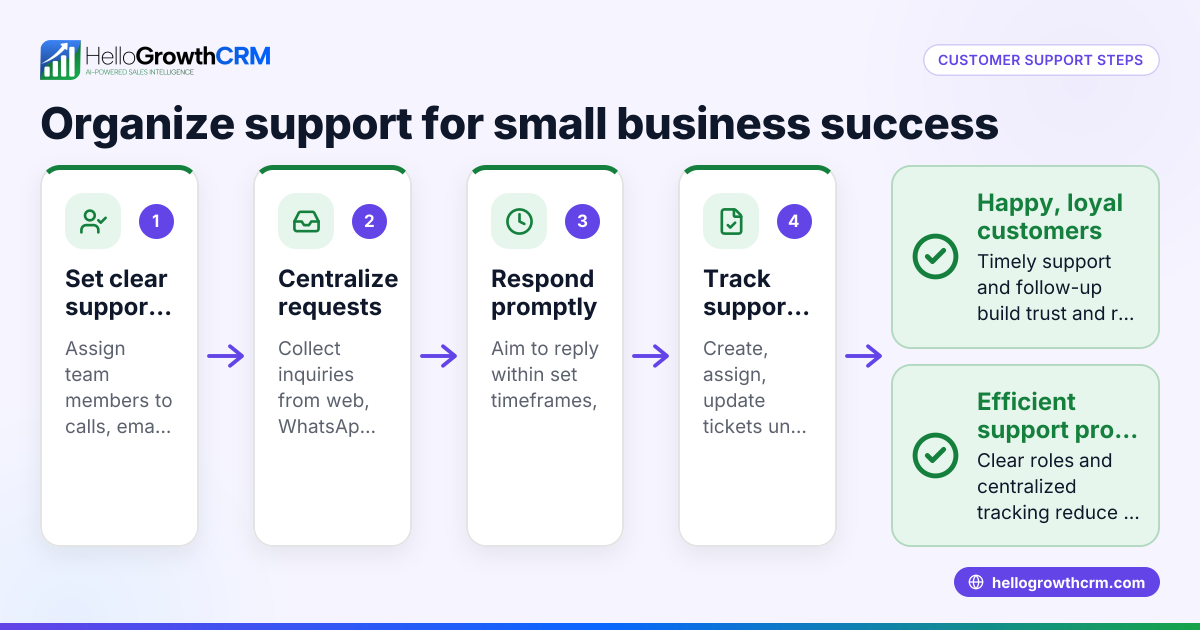
Assigning customer support tickets correctly ensures timely responses and satisfied customers. Start by collecting all relevant ticket information, then categorize the issue by type and urgency. Next, review your team members’ skills and current workload to decide who should handle the ticket. Assign the ticket formally in your system, set deadlines, and notify both the assigned agent and the customer. This article covers why this process matters, detailed steps, a worked example with calculations, common mistakes to avoid, and how HelloGrowthCRM can help you manage tickets efficiently.
Why this comes up / what goes wrong
Small and mid-sized US businesses often manage customer support tickets using scattered tools like email threads, text messages, or spreadsheets. Without a clear assignment process, tickets may be delayed, overlooked, or assigned to the wrong person. This leads to slow responses, frustrated customers, and lost revenue. Assigning tickets properly creates accountability and improves resolution speed. Many small businesses also struggle to prioritize tickets, causing urgent issues to wait too long. A structured ticket assignment system helps prevent these problems.
Step-by-step
- Capture the ticket details. Gather the customer's full name, contact information, detailed description of the issue, order or account numbers, and any relevant attachments. Check that no key information is missing.
- Categorize the ticket. Determine the issue type (e.g., billing, technical support, product inquiry) and urgency level (low, medium, high). This classification helps prioritize and route tickets correctly.
- Review your support team. List your team members' skills, availability, and current workload. Check for specialists needed to resolve the issue.
- Assign the ticket. Choose the best-suited agent or department based on expertise and current capacity. Enter the assignment details into your ticket tracking system or CRM.
- Set deadlines and priorities. Define expected response and resolution times according to the ticket’s urgency. Communicate these deadlines clearly to the assigned agent.
- Notify the assigned agent and customer. Send alerts to the support agent with ticket details and inform the customer about who is handling their issue and expected response times.
- Track progress and update status. Monitor the ticket’s status regularly until resolution. If workload or priorities change, reassign the ticket accordingly.
Using a CRM with a customer health score can help you monitor customer issues and prioritize tickets effectively.
Example (fictional figures)
A residential real-estate team in Phoenix, Arizona receives a customer support ticket on 04/15/2024 from a client named Jane Smith. She reports that her online property listing is not showing in search results.
- Capture ticket details:
- Customer: Jane Smith
- Contact: jane@example.com
- Issue: "Listing not showing on search results"
- Order number: 12345
- Categorize ticket:
- Issue type: Technical Support
- Urgency: High (affects sales visibility)
- Review support team:
- Agent A: Technical expert, currently handling 3 open tickets
- Agent B: General support, currently handling 1 open ticket
- Assign ticket:
- Assign to Agent A due to technical expertise despite higher workload.
- Set deadlines:
- Expected response time: 4 hours
- Expected resolution time: 24 hours
- Notify:
- Agent A receives ticket details and deadlines.
- Jane Smith receives confirmation of assignment and expected response time.
- Track progress:
- Daily check-ins until issue is resolved.
Workload calculation:
Agent A current tickets = 3 New ticket assigned = 1 Total tickets after assignment = 3 + 1 = 4
Agent B current tickets = 1
Agent A has higher workload but specialized skills needed for this ticket.
This example shows balancing workload with skill specialization to ensure prompt, effective support.
Common mistakes
- Assigning tickets without complete information. Prevent this by verifying all ticket details before assigning.
- Ignoring team workload balance. Avoid overloading agents by tracking current assignments and distributing tickets fairly.
- Failing to categorize tickets properly. Always tag tickets by type and urgency to prioritize correctly.
- Not communicating assignments clearly. Notify both the assigned agent and customer to set expectations and avoid confusion.
- Using multiple disconnected tools. Consolidate ticket management to prevent lost or duplicated tickets. A WhatsApp and SMS CRM can centralize communication channels.
- Neglecting to track ticket progress. Regularly update ticket status and reassign if priorities change.
Doing this in HelloGrowthCRM
HelloGrowthCRM includes a branded customer portal where customers can submit support tickets directly. After the sale, service requests stay on the same customer record as the deal, making it easy to track all interactions in one place. The platform supports tickets and a knowledge base to streamline assignment and resolution. Referral tracking is also integrated, helping you manage customer service and growth in one system. Learn more about HelloGrowthCRM for the United States.
Frequently asked questions
How do I prioritize support tickets? Prioritize tickets by assessing urgency and impact on the customer’s business. Use categories like high, medium, and low priority to decide which issues require faster response and resolution.
What is the best way to assign tickets if my team is small? In small teams, assign tickets based on each member’s expertise and current workload. Rotate assignments evenly to prevent burnout. Using a CRM helps keep track of who is assigned which ticket and deadlines.
Can customers see their ticket status? Yes, a customer portal allows customers to view ticket status anytime, reducing follow-up calls and emails and improving transparency.
How do I handle tickets that require multiple departments? Use ticket tagging and internal notes to coordinate between departments. Assign a primary owner responsible for tracking overall progress and communication.
What tools can help manage support tickets better? Centralized CRM platforms that integrate communication channels like WhatsApp and SMS improve ticket management. HelloGrowthCRM offers these features along with a customer portal and referral tracking.
Key takeaways
- Always capture complete ticket details before assignment.
- Categorize tickets by type and urgency to prioritize effectively.
- Assign tickets based on team skills and current workload.
- Communicate assignments clearly to both agents and customers.
- Use a centralized CRM system to streamline ticket management.
- A customer portal improves transparency and reduces support overhead.
Start managing your customer support tickets efficiently today. Start on the Free Forever plan (200 leads, no credit card).
Ready to put this into practice?
Set up your pipeline, WhatsApp follow-ups, and AI lead scoring in minutes — free, no credit card.
Try HelloGrowthCRM freeGet CRM tips in your inbox
Join thousands of sales professionals who get weekly insights on CRM strategy, AI automation, and pipeline optimization.

The HelloGrowthCRM team publishes guides on CRM strategy, AI sales tools, and revenue operations for small business sales teams.