HelloGrowthCRM software
Built for real small-business sales teams
HelloGrowthCRM helps reps qualify faster, follow up on time, and close more deals—with practical automation in one place.
- AI lead scoring and pipeline visibility
- Built-in dialer, WhatsApp, and email automation
- Sales forecasting and RevOps-ready reporting
To automate support ticket notifications in the UK, you need to implement a system that automatically alerts your support team when a new ticket is created or updated and keeps customers informed without manual intervention. This ensures timely responses, reduces missed tickets, and improves customer satisfaction.
Why this comes up / what goes wrong
Small UK businesses often lose leads or customer goodwill because support tickets slip through the cracks. Without automation, staff rely on manual checks of emails, WhatsApp messages, or spreadsheets to spot new requests. This causes delays and inconsistent communication. Running sales and support through WhatsApp or email alone makes it hard to track when customers are updated or when tickets are resolved. Automating notifications helps maintain a clear, trackable process that saves time and avoids errors.
Step-by-step
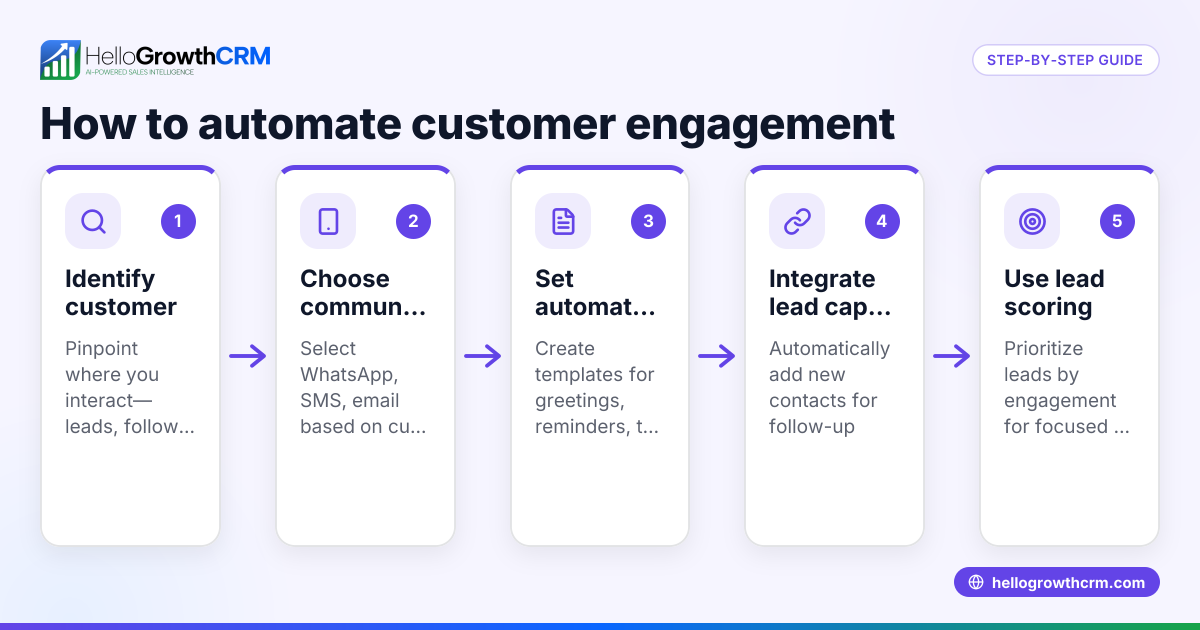
- Choose your ticketing system: Select software that supports support tickets and notifications. It should integrate with your existing communication channels like WhatsApp, email, and SMS.
- Set up ticket capture: Configure the system to capture support requests from multiple sources such as web forms, emails, or WhatsApp messages. Check that each new ticket creates a record automatically.
- Define notification triggers: Decide what events should trigger notifications—new ticket created, ticket assigned, status changed, or customer reply received. Set these rules clearly.
- Configure notification recipients: Assign who receives each notification. This might be the assigned support agent, a team lead, or the customer. Check that contact details are correct.
- Create notification templates: Write clear, concise notification messages for each trigger. Include ticket ID, summary, and next steps. Ensure templates are consistent across email, WhatsApp, and SMS.
- Test the notification flow: Create test tickets and verify notifications are sent promptly to the right people with correct information.
- Train your team: Make sure everyone understands how notifications work and how to respond when alerted.
- Monitor and refine: Regularly review notification logs and customer feedback. Adjust triggers or templates to improve clarity and timeliness.
- Integrate with customer records: Link tickets and notifications to customer profiles for full visibility of support history.
- Use reporting tools: Track ticket volumes, response times, and notification effectiveness to spot bottlenecks.
Example (fictional figures)
An accountancy practice in Birmingham receives support requests for tax filing help. They want to automate notifications so their small team never misses a query.
- On 15/04/2024, a customer submits a web form requesting help.
- The system creates a ticket automatically.
- Notification triggers: New ticket created, assigned to Sarah.
- Sarah receives an email and WhatsApp notification instantly.
- Customer receives an SMS acknowledging receipt.
Calculations for notification timing:
- Ticket created at 09:00
- Notification sent within 1 minute = 09:01
- Customer SMS sent within 2 minutes = 09:02
This ensures the customer knows their request is logged and Sarah can respond quickly.
Common mistakes
- Not linking tickets to customer records: This causes fragmented information. Prevent by integrating tickets with customer profiles for full history, as HelloGrowthCRM does with its customer portal and tickets feature.
- Overloading notifications: Too many alerts cause fatigue. Prevent by carefully selecting essential triggers only.
- Ignoring multi-channel notifications: Relying on email only misses customers who prefer WhatsApp or SMS. Prevent by using a system that supports all channels, like a WhatsApp and SMS CRM.
- Not testing notification flows: Errors go unnoticed. Prevent by thorough testing before going live.
- Lack of team training: Notifications ignored or misunderstood. Prevent by training staff on the notification system.
Doing this in HelloGrowthCRM
HelloGrowthCRM offers a customer portal, support tickets, and a knowledge base that keep service requests on the same customer record as the deal. This makes it easy to track support history and automate notifications across WhatsApp, SMS, and email. Its integration with WhatsApp and SMS CRM channels ensures timely, multi-channel notifications to both your team and customers. Learn more about HelloGrowthCRM for the United Kingdom and how it can help automate your support ticket notifications at HelloGrowthCRM for the United Kingdom.
Frequently asked questions
How do I choose the right software for support ticket notifications? Choose software that integrates with your main communication channels (WhatsApp, email, SMS), supports automated notification triggers, and links tickets to customer records. Consider HelloGrowthCRM for integrated WhatsApp and SMS CRM features.
Can I automate notifications for multiple channels at once? Yes, modern CRM and ticketing systems allow notifications via email, WhatsApp, and SMS simultaneously or based on customer preference. This ensures your message reaches the customer promptly.
How often should I review my notification settings? Review notification triggers and templates at least quarterly or after customer feedback to make sure they remain relevant and effective.
What are the benefits of linking tickets to customer records? Linking tickets to customer records provides a complete view of customer interactions, improving service quality and enabling better reporting. HelloGrowthCRM keeps service requests on the same record as the deal for this reason.
Can I use automation to notify customers about SLA breaches? Yes, you can set up notifications to alert customers and your team if service level agreements (SLAs) are at risk of being breached, helping maintain service standards.
Key takeaways
- Automate support ticket notifications to ensure timely alerts and customer updates.
- Use multi-channel notifications including WhatsApp, SMS, and email for better reach.
- Link tickets to customer records to maintain a full service history.
- Test notification flows thoroughly and train your team.
- Avoid notification overload by selecting essential triggers.
- Review and refine notification settings regularly.
Start automating your support ticket notifications today with HelloGrowthCRM. You can Start on the Free Forever plan (200 leads, no credit card) and see how easy it is to keep your team and customers in the loop.
Ready to put this into practice?
Set up your pipeline, WhatsApp follow-ups, and AI lead scoring in minutes — free, no credit card.
Try HelloGrowthCRM freeGet CRM tips in your inbox
Join thousands of sales professionals who get weekly insights on CRM strategy, AI automation, and pipeline optimization.

The HelloGrowthCRM team publishes guides on CRM strategy, AI sales tools, and revenue operations for small business sales teams.