HelloGrowthCRM software
Built for real small-business sales teams
HelloGrowthCRM helps reps qualify faster, follow up on time, and close more deals—with practical automation in one place.
- AI lead scoring and pipeline visibility
- Built-in dialer, WhatsApp, and email automation
- Sales forecasting and RevOps-ready reporting
To check whether an email address is valid, follow a simple process: verify the email’s format, confirm the domain exists and can receive emails, and send a test message to see if it bounces. This article explains each step in detail, shares a worked example relevant to UK small businesses, outlines common mistakes, and shows how HelloGrowthCRM can help manage email communications efficiently.
Why this comes up / what goes wrong
UK small business owners often gather customer emails through website forms, direct inquiries, or networking. However, invalid email addresses cause problems such as lost leads, failed communications, and wasted time. Common issues include typos in the email, outdated or inactive domains, and fake addresses entered by mistake or deliberately. Without validating emails, sales and support teams may send messages that never reach the recipient, lowering response rates and harming business growth.
Step-by-step
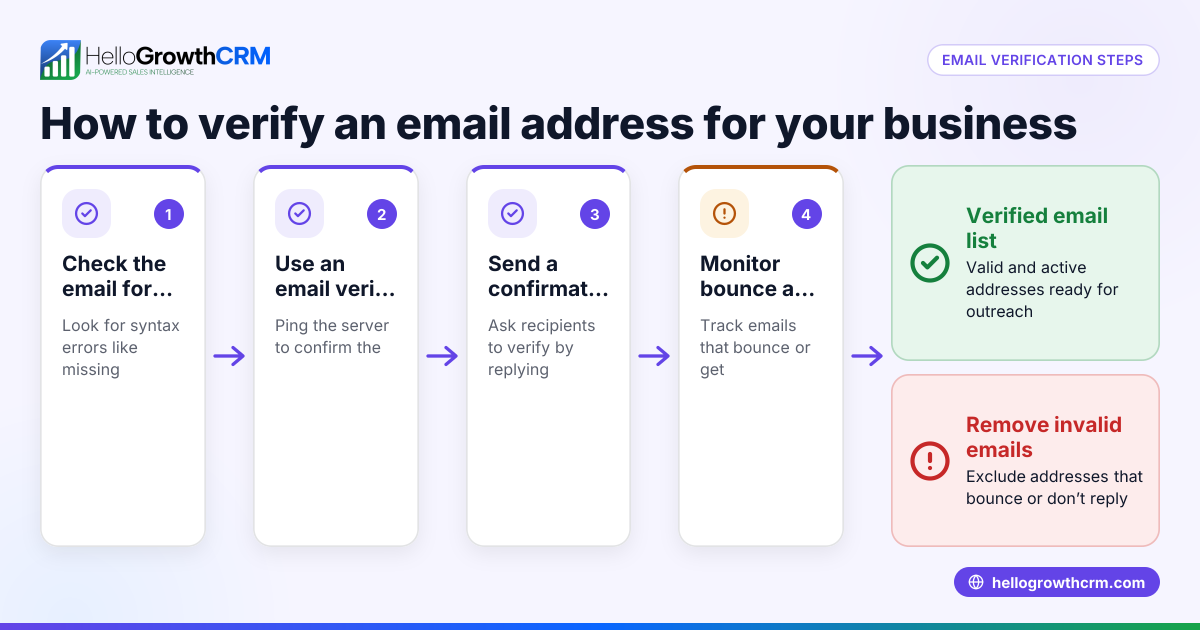
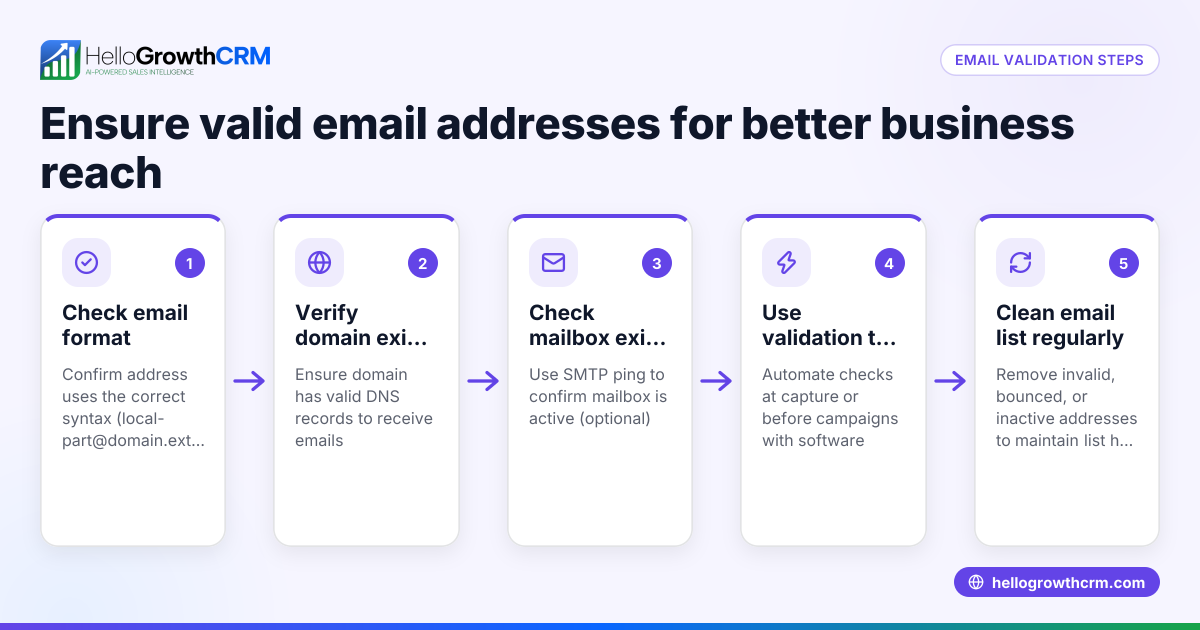
- Check the email format
- Make sure the email contains exactly one "@" symbol.
- Confirm there are no spaces or invalid characters.
- Check the domain part (after the @) ends with a recognised extension like .co.uk, .com, .org, or others.
- Example of a valid format: "jane.smith@example.co.uk".
- Verify the domain exists
- Use a domain lookup tool or command prompt (e.g.,
ping example.co.uk) to check if the domain responds. - If the domain does not respond, the email address is likely invalid.
- Check the mail server (MX records)
- Use online DNS lookup tools or command line commands (e.g.,
nslookup -type=mx example.co.uk) to find MX records. - MX records indicate that the domain is set up to receive emails.
- If no MX records are found, the email address cannot receive mail.
- Send a test email
- Send a non-critical test message or a verification email.
- Monitor if the email bounces back.
- A bounce indicates the address is invalid or inactive.
- Use email validation tools cautiously
- Some online tools check syntax and domain but cannot confirm mailbox existence.
- Combine these tools with manual checks for best results.
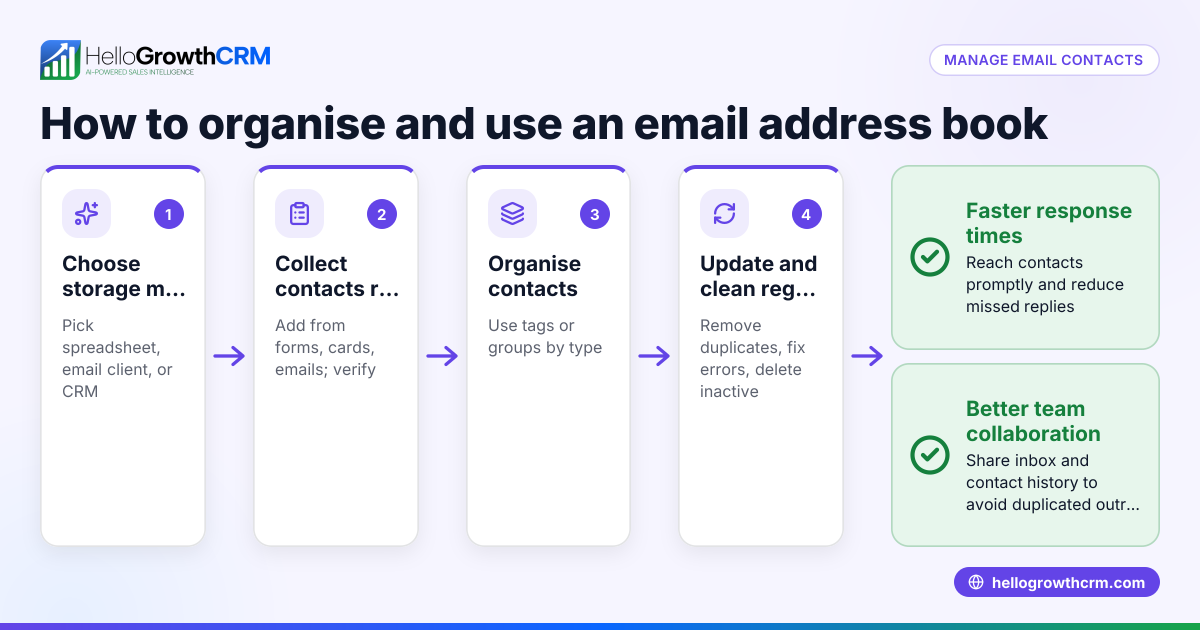
- Maintain your email list
- Regularly remove invalid or inactive email addresses.
- This improves deliverability and reduces bounce rates in campaigns.
Example (fictional figures)
A solar panel installer in Glasgow receives an email address from a lead on 15/05/2026: "contact@glasgowsolar.co.uk".
Step 1: Check format "contact@glasgowsolar.co.uk" contains one @ and ends with .co.uk, so format is valid.
Step 2: Verify domain Ping "glasgowsolar.co.uk" → response received, so domain exists.
Step 3: Check MX records Use DNS lookup tool → MX records found for "glasgowsolar.co.uk".
Step 4: Send test email Send quotation email. No bounce received.
Conclusion: The email address is valid and safe to use for follow-up.
Common mistakes
- Ignoring format errors
- Mistakes like missing @, extra spaces, or invalid characters cause invalid addresses.
- Prevent by always verifying syntax first.
- Skipping domain verification
- A domain may look real but be inactive or miss MX records.
- Always check domain response and MX records.
- Relying only on automated tools
- Some tools miss mailbox-level checks.
- Combine automated tools with manual tests like sending emails.
- Not testing emails before campaigns
- Sending bulk emails without test sends leads to high bounce rates.
- Always test a sample before large campaigns.
- Failing to clean email lists
- Old or inactive addresses reduce deliverability.
- Regularly update and remove invalid emails.
Prevent these mistakes by following the step-by-step process and using tools wisely.
Doing this in HelloGrowthCRM
HelloGrowthCRM offers the HelloMail shared inbox where replies to quotation emails are visible to the whole sales team on the deal. This ensures no follow-up is missed or duplicated. Additionally, sequences and campaigns automate five-step email follow-ups over two weeks, stopping automatically when a prospect replies, saving time and improving response rates. Learn more about email automation and sequences and how HelloGrowthCRM supports UK businesses on HelloGrowthCRM for the United Kingdom.
Frequently asked questions
How can I check if an email address is fake? Check for correct format, verify the domain’s MX records, and send a test email to see if it bounces. Fake emails often fail one or more of these steps.
Is checking the email format enough? No, format checking is just the first step. You must also verify the domain exists and has mail servers to receive emails.
Can I automate email validation? Parts of validation can be automated with tools and CRM features like sequences. However, manual checks like sending test emails improve accuracy. HelloGrowthCRM’s sequences help automate follow-ups based on replies.
What happens if I send emails to invalid addresses? You risk high bounce rates, harming your sender reputation and reducing future email deliverability.
How often should I clean my email list? Regularly, ideally before campaigns and every few months, to remove invalid or inactive addresses and keep your list healthy.
For managing multi-channel follow-ups including WhatsApp and SMS, see WhatsApp and SMS CRM.
Key takeaways
- Always verify email format before other checks.
- Confirm the domain exists and has MX records.
- Send test emails to confirm the mailbox can receive messages.
- Avoid relying solely on automated validation tools.
- Regularly clean your email list to maintain deliverability.
- Use CRM tools like HelloGrowthCRM to automate and track email follow-ups efficiently.
Start managing your leads better today. Start on the Free Forever plan (200 leads, no credit card).
Ready to put this into practice?
Set up your pipeline, WhatsApp follow-ups, and AI lead scoring in minutes — free, no credit card.
Try HelloGrowthCRM freeGet CRM tips in your inbox
Join thousands of sales professionals who get weekly insights on CRM strategy, AI automation, and pipeline optimization.

The HelloGrowthCRM team publishes guides on CRM strategy, AI sales tools, and revenue operations for small business sales teams.