HelloGrowthCRM software
Built for real small-business sales teams
HelloGrowthCRM helps reps qualify faster, follow up on time, and close more deals—with practical automation in one place.
- AI lead scoring and pipeline visibility
- Built-in dialer, WhatsApp, and email automation
- Sales forecasting and RevOps-ready reporting
To connect WhatsApp Business to a CRM in Singapore, you must link your WhatsApp Business account to your chosen CRM platform. This enables your sales team to manage conversations, capture leads, and follow up efficiently within the CRM. The process typically involves verifying your WhatsApp Business number within the CRM and configuring message workflows.
Why this comes up / what goes wrong
Many small and mid-sized Singapore businesses use WhatsApp Business to communicate with leads and customers because it is familiar and instant. However, without CRM integration, managing leads across WhatsApp, email, and spreadsheets becomes slow and prone to lost opportunities. Business owners often struggle to keep track of conversations and follow-ups, leading to lost sales.
Connecting WhatsApp Business to a CRM centralises communication, automates workflows, and improves response times. But the setup can be confusing, especially when handling API access, phone number verification, and message templates. This article provides clear, step-by-step instructions tailored for Singapore businesses.
Step-by-step
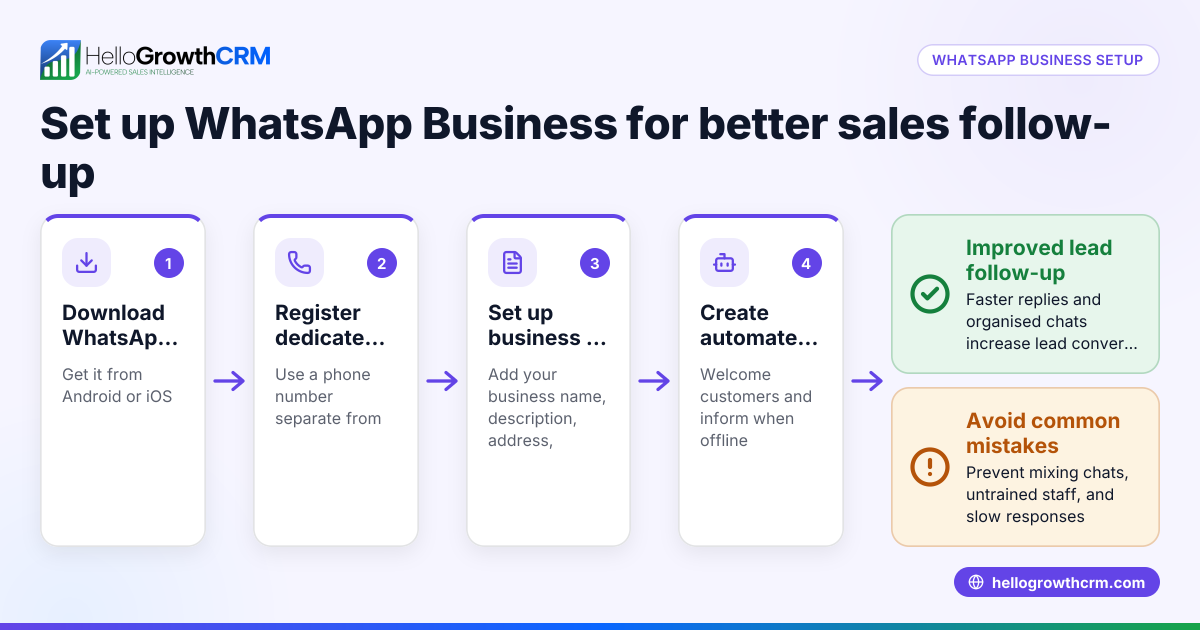
- Prepare your WhatsApp Business account
- Ensure you have a WhatsApp Business account with a dedicated phone number.
- The number should be active and able to receive SMS or calls for verification.
- Check that your WhatsApp Business profile is complete with your business name and details.
- Choose a CRM that supports WhatsApp integration
- Select a CRM that can connect directly to WhatsApp Business or via WhatsApp Business API.
- Verify that the CRM supports Singapore phone numbers.
- Access the CRM’s WhatsApp integration settings
- Log in to your CRM account.
- Navigate to the integrations or messaging section.
- Select WhatsApp Business integration.
- Link your WhatsApp Business number
- Enter your WhatsApp Business phone number in the CRM.
- Follow the CRM prompts to verify the number, usually by receiving a code via SMS or WhatsApp.
- Set up message templates and workflows
- Create or import approved WhatsApp message templates if required.
- Configure automated workflows such as welcome messages, follow-ups, and reminders.
- Test the integration
- Send a test message to a colleague or your own number.
- Confirm that messages appear in the CRM lead record and replies sync back.
- Train your sales team
- Show your team how to access WhatsApp chats within the CRM.
- Explain how to log notes and schedule follow-ups.
- Monitor and optimise
- Regularly check message delivery and response rates.
- Adjust workflows based on team feedback.
Example (fictional figures)
A tuition centre in Tampines wants to connect WhatsApp Business to their CRM to manage student enquiries. They have a WhatsApp Business number +65 9123 4567.
- Step 1: Confirm their WhatsApp Business number +65 9123 4567 is active.
- Step 2: Choose a CRM that supports WhatsApp integration for Singapore numbers.
- Step 3: Log into the CRM, go to WhatsApp integration settings.
- Step 4: Enter +65 9123 4567 and receive a verification code via SMS.
- Step 5: Input the code 123456 into the CRM to verify the number.
- Step 6: Create message templates for enquiry response and follow-up.
- Step 7: Send a test message to +65 9876 5432 (staff phone) and confirm it logs in the CRM.
This setup helps the tuition centre respond faster and track all WhatsApp conversations linked to leads.
Common mistakes
- Using a personal WhatsApp number: Always use a dedicated WhatsApp Business number to avoid mixing personal and business chats. Prevent by registering a separate business number.
- Skipping number verification: Without verifying your WhatsApp Business number in the CRM, messages won’t sync. Always complete the verification step.
- Ignoring message template approval: Some CRMs require WhatsApp message templates to be approved by Meta. Check and submit templates early to avoid delays.
- Not training the team: Sales reps may not use the CRM properly without training, leading to lost leads. Schedule training sessions.
- Overlooking phone number format: Use the full international format (+65 for Singapore) to avoid connection errors.
- Failing to test the setup: Always test sending and receiving messages before going live to catch issues early.
Doing this in HelloGrowthCRM
HelloGrowthCRM offers WhatsApp and SMS integration that logs WhatsApp conversations directly on the lead record, allowing follow-ups as messages within the CRM. It also includes AI agents (Beta) that draft follow-up messages after calls for rep review and sending. For small teams, the Free Forever plan supports managing pipelines for up to two users without cost until calling or WhatsApp automation is needed. Learn more about HelloGrowthCRM's WhatsApp and SMS CRM features here and its built-in CRM dialer here. For Singapore businesses, see the tailored features here.
Frequently asked questions
Can I use any WhatsApp Business account with a CRM? You need a WhatsApp Business account with a dedicated number that can be verified by the CRM. Personal WhatsApp accounts or unverified numbers typically cannot be linked.
Do I need WhatsApp Business API to connect to a CRM? Many CRMs require WhatsApp Business API access for integration. Some platforms offer native or simplified connections without full API setup, but this depends on the CRM.
How do I verify my WhatsApp Business number with the CRM? Verification usually involves entering your phone number and receiving a code via SMS or WhatsApp, which you then input into the CRM to confirm ownership.
What happens if my WhatsApp message templates are not approved? Without approved templates, automated messages may not send. Submit templates for approval early and only use approved templates in workflows.
Can my sales team manage WhatsApp conversations inside the CRM? Yes, with proper integration, WhatsApp chats appear on the lead record, and follow-ups can be sent directly from the CRM.
Key takeaways
- Use a dedicated WhatsApp Business number with international format (+65) for Singapore.
- Choose a CRM that supports WhatsApp Business integration and number verification.
- Complete number verification and set up message templates before going live.
- Train your sales team to manage WhatsApp conversations within the CRM.
- Test the integration thoroughly to ensure messages sync correctly.
- HelloGrowthCRM supports WhatsApp conversations logged on lead records and AI-assisted follow-ups.
Start managing your leads better by connecting WhatsApp Business to your CRM. You can start on the Free Forever plan (200 leads, no credit card) today and see how HelloGrowthCRM can help streamline your sales process.
Ready to put this into practice?
Set up your pipeline, WhatsApp follow-ups, and AI lead scoring in minutes — free, no credit card.
Try HelloGrowthCRM freeGet CRM tips in your inbox
Join thousands of sales professionals who get weekly insights on CRM strategy, AI automation, and pipeline optimization.

The HelloGrowthCRM team publishes guides on CRM strategy, AI sales tools, and revenue operations for small business sales teams.