HelloGrowthCRM software
Built for real small-business sales teams
HelloGrowthCRM helps reps qualify faster, follow up on time, and close more deals—with practical automation in one place.
- AI lead scoring and pipeline visibility
- Built-in dialer, WhatsApp, and email automation
- Sales forecasting and RevOps-ready reporting
Creating a customer support knowledge base helps your business provide quick answers to customers, reduce support workload, and improve satisfaction. Many small businesses in the US find themselves overwhelmed by repeated questions and slow responses. A well-structured knowledge base makes information easy to find, improving customer experience and saving time.
Why this comes up / what goes wrong
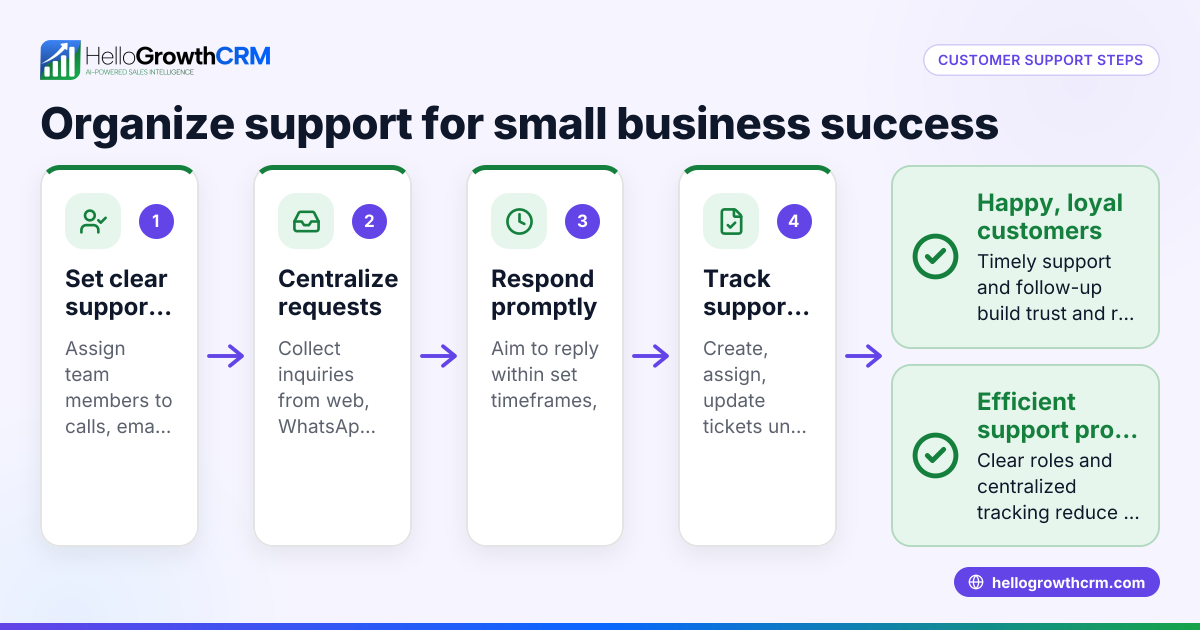
Small-business owners often handle customer support through multiple channels such as phone, email, WhatsApp, SMS, and spreadsheets. This leads to scattered information and slow follow-up. Without a centralized knowledge base, support teams rely on memory or unorganized notes, causing inconsistent answers and customer frustration. Customers may also prefer self-service options but cannot find clear information. A knowledge base addresses these issues by centralizing answers in an accessible format.
Step-by-step
- Gather common customer questions and issues
- Review past support tickets, emails, WhatsApp, SMS conversations, and call logs.
- Make a list of the most frequent questions or problems customers raise.
- Organize questions into clear categories
- Group related topics under headings like Billing, Product Setup, Technical Support, or Returns.
- Keep categories simple and user-friendly to help customers navigate easily.
- Choose a hosting platform for your knowledge base
- Options include website plugins, dedicated knowledge base software, or a CRM with built-in knowledge base features.
- Ensure the platform supports keyword search and works well on mobile devices.
- Write clear, concise articles
- Use plain language and break down solutions into step-by-step instructions.
- Include images or short videos where helpful to clarify steps.
- End each article with a summary or next steps for the customer.
- Add search functionality
- Make sure customers can search by keywords or phrases.
- Test the search results to confirm relevance and ease of use.
- Publish and promote your knowledge base
- Link to it from your website, customer emails, and social media.
- Train your support team to direct customers to the knowledge base first.
- Regularly update the content
- Schedule quarterly reviews to check for accuracy and add new articles as needed.
- Remove outdated information promptly.
- Collect feedback and measure usage
- Use customer surveys or feedback forms to learn what works well.
- Track which articles get the most views and what customers search for.
Example (fictional figures)
Austin Plumbing Co., a small business in Texas, wants to reduce the volume of phone support calls by creating a knowledge base.
- They review 500 support tickets from the last 6 months.
- Identify the top 5 issues: Leak repair, billing questions, appointment scheduling, water heater setup, and emergency procedures.
Costs:
- Hiring a part-time content writer for 20 hours at $25/hour = $500
- Knowledge base software subscription = $50/month
Calculations for the first 3 months:
Content writer cost: $25 × 20 hours = $500 Software cost: $50 × 3 months = $150 Total initial investment = $500 + $150 = $650
Austin Plumbing estimates that by deflecting some support calls, they save about $1,000 in phone support labor over 3 months, covering the initial investment and improving customer experience.
Common mistakes
- Not organizing content logically: Prevent this by grouping articles under clear, intuitive categories.
- Writing overly technical or long articles: Use simple language and break instructions into clear, short steps.
- Failing to update regularly: Schedule quarterly reviews to keep information accurate and relevant.
- Lack of search functionality: Always include a search feature and test it for accuracy.
- Not promoting the knowledge base: Share links with customers in emails, on your website, and via WhatsApp or SMS.
- Ignoring customer feedback: Use surveys to improve articles and add content that customers request.
Doing this in HelloGrowthCRM
HelloGrowthCRM offers a branded self-service customer portal with a built-in knowledge base feature. After the sale, support tickets and service requests stay linked to the same customer record as the deal, keeping all customer information centralized. This helps your team track issues and solutions efficiently. Learn more about these features at customer health score and how HelloGrowthCRM fits US businesses at HelloGrowthCRM for the United States. You can also manage your WhatsApp and SMS customer communications alongside your knowledge base using HelloGrowthCRM’s WhatsApp and SMS CRM.
Frequently asked questions
What is a customer support knowledge base? A knowledge base is a collection of organized articles, FAQs, and guides that help customers find answers on their own without needing to contact support. It reduces support workload and improves customer satisfaction.
How often should I update my knowledge base? You should review and update your knowledge base at least every three months or whenever you introduce new products, services, or receive new common questions. This ensures information remains accurate and useful.
Can I use WhatsApp and SMS to direct customers to the knowledge base? Yes, you can send links to your knowledge base via WhatsApp and SMS messages. Using a CRM like HelloGrowthCRM that integrates WhatsApp and SMS helps you manage these communications efficiently.
Do I need a CRM to manage a knowledge base? While not required, a CRM with integrated knowledge base and support ticket features can centralize customer interactions and make managing support easier and faster.
How do I measure if my knowledge base is effective? Track article views, search terms, customer feedback, and monitor if support tickets decrease for common issues. These indicators show if customers find the knowledge base helpful.
Key takeaways
- Start by identifying and organizing common customer questions.
- Write clear, simple articles with step-by-step instructions.
- Use a platform that supports search and mobile access.
- Promote your knowledge base and train your team to use it.
- Regularly update content and collect customer feedback.
- Avoid common mistakes like poor organization and ignoring updates.
- Consider HelloGrowthCRM for integrated customer support and knowledge base management.
Creating a customer support knowledge base can improve your small business’s efficiency and customer satisfaction. Start building yours today and see the difference.
Start on the Free Forever plan (200 leads, no credit card) at HelloGrowthCRM.
Ready to put this into practice?
Set up your pipeline, WhatsApp follow-ups, and AI lead scoring in minutes — free, no credit card.
Try HelloGrowthCRM freeGet CRM tips in your inbox
Join thousands of sales professionals who get weekly insights on CRM strategy, AI automation, and pipeline optimization.

The HelloGrowthCRM team publishes guides on CRM strategy, AI sales tools, and revenue operations for small business sales teams.