HelloGrowthCRM software
Built for real small-business sales teams
HelloGrowthCRM helps reps qualify faster, follow up on time, and close more deals—with practical automation in one place.
- AI lead scoring and pipeline visibility
- Built-in dialer, WhatsApp, and email automation
- Sales forecasting and RevOps-ready reporting
Managing a sales pipeline in Excel involves setting up a structured spreadsheet that tracks every lead from initial contact to closing the deal. You need columns for lead name, contact info, deal stage, deal value, probability of closing, expected value, and follow-up dates. Regular updates and reviews ensure no leads slip through. This guide explains why managing pipelines in Excel often causes problems, walks you through each step to build your pipeline tracker, shows a realistic example, highlights common mistakes, and introduces how HelloGrowthCRM can help.
Why this comes up / what goes wrong
Many small New Zealand businesses start managing sales pipelines in Excel because it’s free and familiar. However, Excel lacks automation, reminders, and easy collaboration. Leads can be lost or forgotten when follow-ups aren’t tracked well. Sales stages may be inconsistent, and data entry errors cause inaccurate forecasting. Without a dedicated sales manager, founders struggle to keep the pipeline updated weekly. This can lead to slow follow-up, lost deals, and poor visibility of sales performance.
Step-by-step
- Set up your Excel spreadsheet columns:
- Lead/Company Name
- Contact Person
- Contact Phone/Email
- Deal Stage (e.g., New Lead, Contacted, Quote Sent, Negotiation, Closed Won/Lost)
- Deal Value (NZ$)
- Probability of Closing (%)
- Expected Value (calculated as Deal Value × Probability)
- Follow-up Date
- Notes
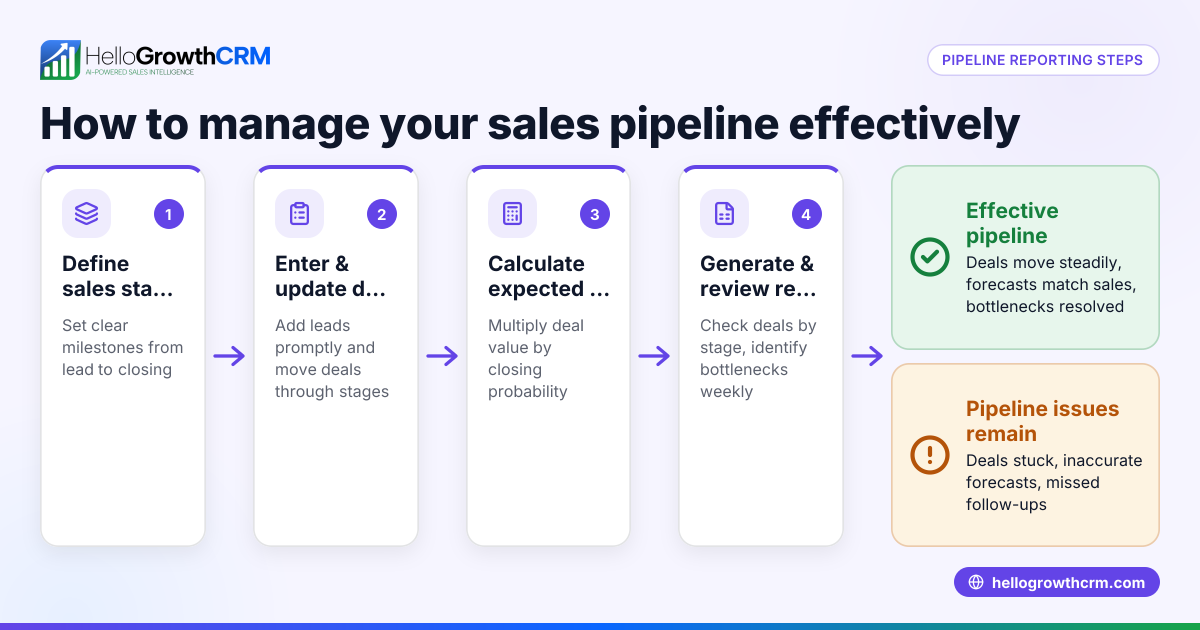
- Define your sales stages clearly:
- Use consistent stage names and order.
- Assign a probability % to each stage for forecasting.
- Enter your current leads:
- Fill in all known details.
- Calculate expected value for each deal.
- Sort and filter your pipeline:
- Sort by Follow-up Date ascending to prioritise urgent actions.
- Filter to view deals at specific stages.
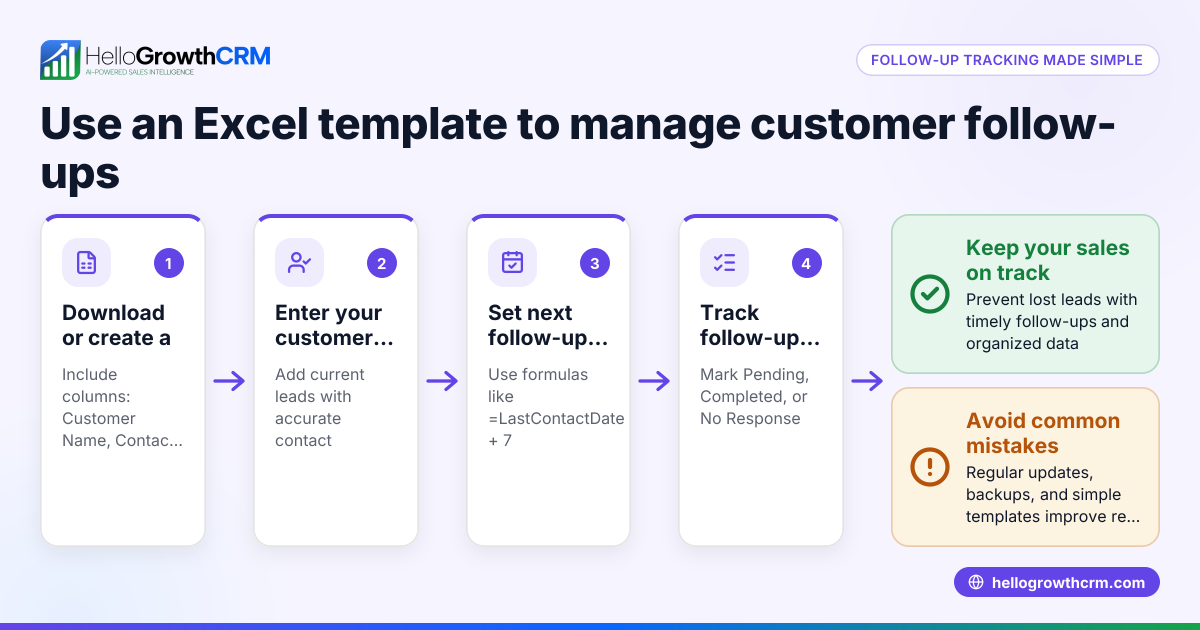
- Set reminders for follow-ups:
- Use Excel conditional formatting to highlight deals with follow-up dates within the next 3 days.
- Alternatively, export dates to a calendar or task manager.
- Update regularly:
- At least once a week, update deal stages, values, and follow-up dates.
- Mark closed deals as Won or Lost.
- Review pipeline health:
- Sum expected values to forecast revenue.
- Identify bottlenecks in stages.
- Backup your file:
- Save copies regularly to prevent data loss.
Example (fictional figures)
An electrical contractor in Wellington uses Excel to track leads.
| Lead Name | Contact | Stage | Deal Value | Probability | Expected Value | Follow-up Date | Notes |
|---|---|---|---|---|---|---|---|
| Kiwi Homes | John D. | Quote Sent | NZ$15,000 | 60% | NZ$9,000 | 15/07/2024 | Sent quote 08/07 |
| SolarBright | Mary S. | Contacted | NZ$25,000 | 30% | NZ$7,500 | 14/07/2024 | Awaiting reply |
Calculations:
Expected Value for Kiwi Homes = NZ$15,000 × 60% = NZ$9,000 Expected Value for SolarBright = NZ$25,000 × 30% = NZ$7,500
Total Expected Revenue = NZ$9,000 + NZ$7,500 = NZ$16,500
By sorting on Follow-up Date, the contractor sees SolarBright needs attention first on 14/07/2024.
Common mistakes
- Not updating regularly: Leads become stale. Prevent by scheduling weekly updates.
- Inconsistent stage definitions: Causes confusion. Define and document stages clearly.
- Ignoring follow-up dates: Leads slip through. Use conditional formatting to highlight upcoming follow-ups.
- Overcomplicating the sheet: Too many columns confuse users. Keep it simple and relevant.
- No backup: Risk of data loss. Save versions or use cloud storage.
- Manual calculations errors: Use formulas for expected value to avoid mistakes.
To improve forecasting and pipeline hygiene, consider tools like sales forecasting and a dedicated AI CRM.
Doing this in HelloGrowthCRM
HelloGrowthCRM simplifies pipeline management with Deals (pipeline) that track open opportunities from first contact through to close. For example, a quotation sent last week appears automatically as a deal at the 'quote sent' stage with a follow-up date, so it is not forgotten. Founders without sales managers can use Managed RevOps, where a specialist works the follow-up queue weekly to keep your pipeline clean. The built-in dialer lets telecallers call leads directly inside the CRM and log call outcomes instantly. Learn more about how HelloGrowthCRM supports New Zealand businesses at HelloGrowthCRM for New Zealand.
Frequently asked questions
How often should I update my sales pipeline in Excel? Update your pipeline at least once a week to keep data current and ensure timely follow-ups. Regular updates help you spot bottlenecks and forecast sales accurately.
Can Excel handle complex sales pipeline needs? Excel is good for simple pipelines but lacks automation, reminders, and collaboration features. For growing teams, a CRM like HelloGrowthCRM offers better pipeline management and sales forecasting.
How do I prioritise leads in an Excel pipeline? Use the Follow-up Date column and sort ascending to see which leads need attention soonest. Highlight upcoming dates with conditional formatting to avoid missing deadlines.
What formulas should I use for sales forecasting in Excel? Calculate Expected Value by multiplying Deal Value by Probability (e.g., =DealValue*Probability). Sum all Expected Values to get a forecast total.
Is it safe to store customer data in Excel? Excel files can be vulnerable if not stored securely. Use password protection or cloud storage with access controls. For better security and collaboration, consider a CRM.
Key takeaways
- Set up a clear Excel sheet with essential columns: lead, stage, value, probability, follow-up date.
- Update your pipeline weekly and use sorting and filters to prioritise work.
- Use formulas for expected value to forecast revenue.
- Avoid common mistakes like inconsistent stages and ignoring follow-ups.
- Consider HelloGrowthCRM for automated pipeline tracking, follow-up management, and integrated calling.
Managing a sales pipeline in Excel is possible but requires discipline and care. For easier management, try HelloGrowthCRM’s free plan with 200 leads and no credit card at Start on the Free Forever plan (200 leads, no credit card).
Ready to put this into practice?
Set up your pipeline, WhatsApp follow-ups, and AI lead scoring in minutes — free, no credit card.
Try HelloGrowthCRM freeGet CRM tips in your inbox
Join thousands of sales professionals who get weekly insights on CRM strategy, AI automation, and pipeline optimization.

The HelloGrowthCRM team publishes guides on CRM strategy, AI sales tools, and revenue operations for small business sales teams.