HelloGrowthCRM software
Built for real small-business sales teams
HelloGrowthCRM helps reps qualify faster, follow up on time, and close more deals—with practical automation in one place.
- AI lead scoring and pipeline visibility
- Built-in dialer, WhatsApp, and email automation
- Sales forecasting and RevOps-ready reporting
Managing your sales pipeline in Excel involves setting up a clear, structured spreadsheet to track your leads and deals from first contact to close. This helps you prioritise follow-ups and forecast sales. However, Excel requires careful organisation and regular updates to be effective.
Why this comes up / what goes wrong
Many UK small business owners start tracking sales leads in Excel because it’s free and familiar. But without a clear system, leads get lost, follow-ups are missed, and revenue suffers. Often, sales data is scattered across emails, WhatsApp messages, or spreadsheets without a unified view. This leads to slow responses and lost opportunities. Owners without dedicated sales managers struggle to keep the pipeline clean and up to date.
Step-by-step
- Open a new Excel workbook and create a sheet named "Sales Pipeline".
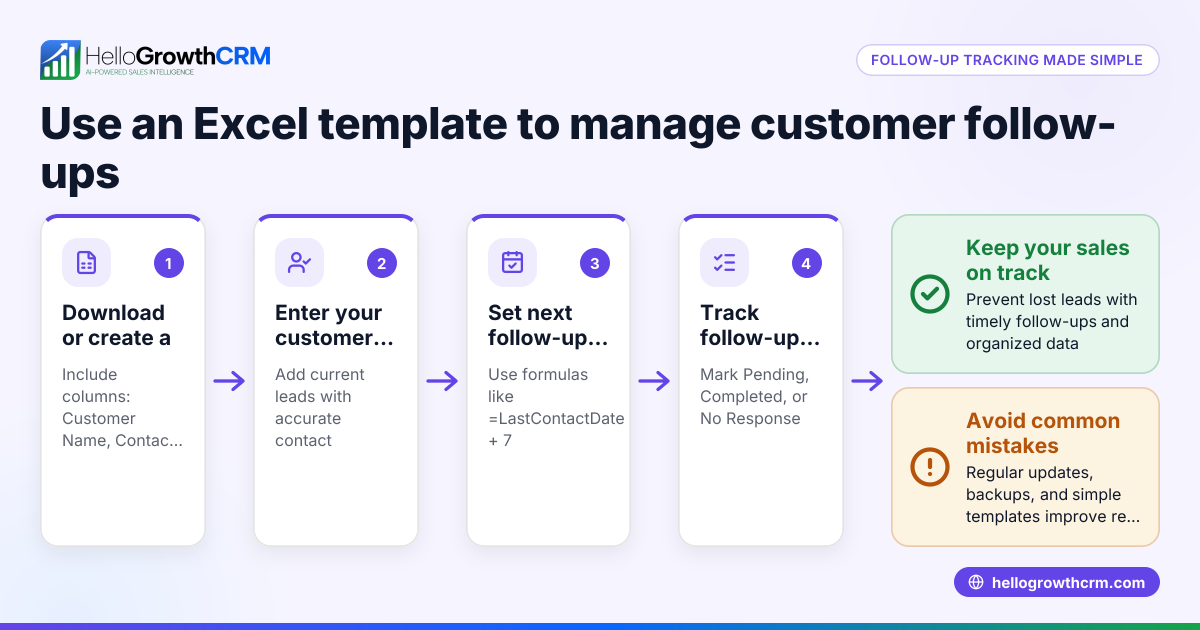
- Set up columns with these headers: Lead Name, Contact Details, Lead Source, Deal Stage, Deal Value (£), Expected Close Date, Next Action, Follow-up Date, Notes.
- Define deal stages relevant to your business, for example: Prospect, Contacted, Quote Sent, Negotiation, Won, Lost.
- Enter your current leads row by row, filling in all known details.
- Use data validation (Excel’s dropdown lists) for the Deal Stage column to avoid typos.
- Format the Expected Close Date and Follow-up Date columns as dates.
- Sort your pipeline regularly by Follow-up Date or Deal Stage to prioritise urgent actions.
- Use conditional formatting to highlight deals near their close date or overdue follow-ups.
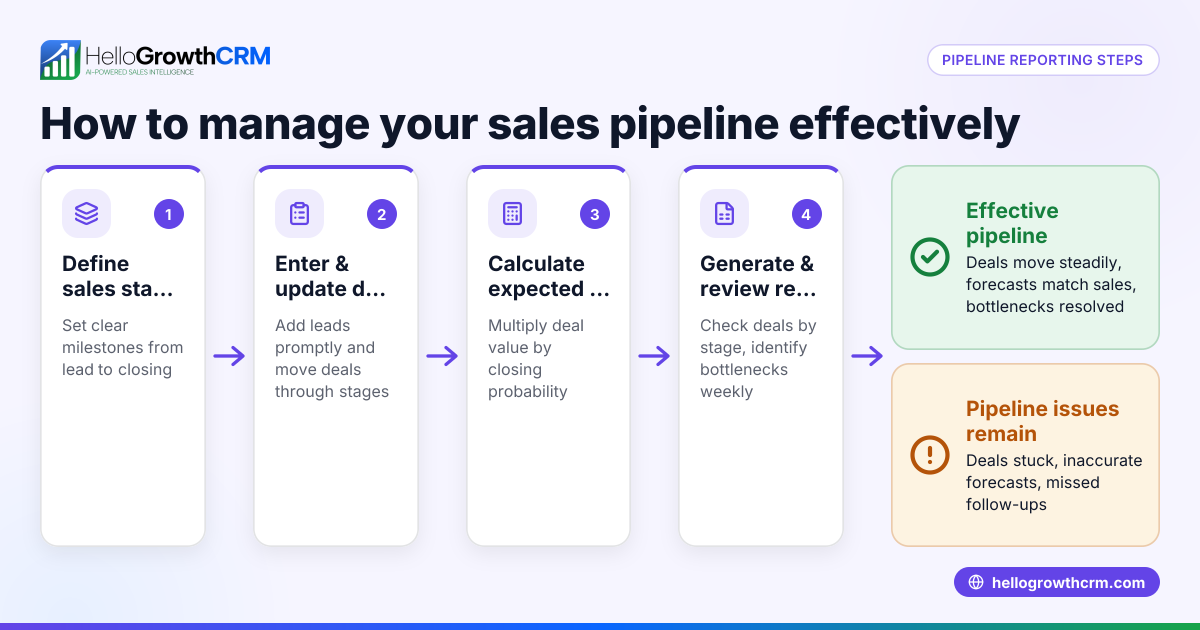
- Add a summary section on another sheet to total Deal Value by stage, helping you forecast sales.
- Review and update your pipeline weekly to mark progress, add new leads, and remove lost deals.
Example (fictional figures)
A kitchen-fitting company in Leeds tracks its sales pipeline in Excel as follows:
| Lead Name | Contact Details | Lead Source | Deal Stage | Deal Value (£) | Expected Close Date | Next Action | Follow-up Date | Notes |
|---|---|---|---|---|---|---|---|---|
| Green Kitchens | 07700 900123 | Website | Quote Sent | 12,500 | 15/05/2024 | Call to confirm | 10/05/2024 | Sent quote 08/05/2024 |
| HomeStyle Ltd | 0113 345 6789 | Referral | Contacted | 8,200 | 22/05/2024 | Email brochure | 18/05/2024 | Interested in oak sets |
Calculations for forecasting: Total Deal Value = £12,500 + £8,200 = £20,700 Assuming a 60% probability on Quote Sent stage: Expected Revenue = £12,500 × 60% = £7,500 For Contacted stage with 30% probability: Expected Revenue = £8,200 × 30% = £2,460 Total Expected Revenue = £7,500 + £2,460 = £9,960
Common mistakes
- Not updating the pipeline regularly: Leads to outdated information and missed follow-ups. Prevent by scheduling weekly reviews.
- Using inconsistent deal stages or terms: Causes confusion. Use dropdown lists for standard stages.
- Ignoring follow-up dates: Leads to lost sales. Highlight overdue follow-ups with conditional formatting.
- Overloading the spreadsheet with unnecessary data: Makes it cluttered. Keep only essential columns.
- Not summarising pipeline value: You lose sight of sales forecasts. Add a summary table for total and expected revenue.
- Failing to back up the file: Risk losing data. Save copies regularly or use cloud storage.
Doing this in HelloGrowthCRM
HelloGrowthCRM offers a Deals (pipeline) feature where a quotation sent last week appears as a deal at the 'quote sent' stage with a follow-up date, ensuring no deal is forgotten. For founders without a sales manager, Managed RevOps provides someone to work the follow-up queue weekly. Additionally, the built-in dialer lets telecallers call leads directly from the CRM, logging outcomes on each lead. These features help automate and organise pipeline management more effectively than Excel alone. Learn more about HelloGrowthCRM's AI CRM capabilities here and explore sales forecasting.
Frequently asked questions
How often should I update my Excel sales pipeline? Update your pipeline at least once a week to keep lead information current and to prioritise follow-ups effectively.
Can Excel handle large sales teams' pipelines? Excel can become cumbersome with many users or leads. For growing teams, consider a CRM like HelloGrowthCRM to manage pipelines collaboratively and automatically.
What deal stages should I use in my pipeline? Use stages that reflect your sales process clearly, such as Prospect, Contacted, Quote Sent, Negotiation, Won, and Lost. Keep them consistent with dropdown lists.
How can I forecast sales using Excel? Add probabilities to each deal stage and multiply deal values by these probabilities to estimate expected revenue. Summarise totals for a forecast view.
Is it better to use a CRM than Excel? A CRM like HelloGrowthCRM offers pipeline tracking with automated follow-ups, call logging with a built-in dialer, and managed revenue operations support, reducing manual work and errors.
Can I integrate Excel with HelloGrowthCRM? HelloGrowthCRM supports lead capture from web forms and integrations, allowing data to flow into the CRM, reducing manual Excel updates. See HelloGrowthCRM for the United Kingdom here.
Key takeaways
- Set up an Excel sheet with clear columns for lead details, stages, values, and follow-ups.
- Use dropdown lists and conditional formatting to maintain consistency and highlight priorities.
- Update and review your pipeline weekly to avoid losing leads.
- Calculate expected revenue by applying probabilities to deal values for sales forecasting.
- Avoid common mistakes like inconsistent data and missing follow-ups.
- Consider HelloGrowthCRM for automated pipeline management, follow-up queues, and built-in calling.
Start managing your sales pipeline more effectively today. Try HelloGrowthCRM’s Free Forever plan with 200 leads and no credit card required at Start on the Free Forever plan (200 leads, no credit card).
Ready to put this into practice?
Set up your pipeline, WhatsApp follow-ups, and AI lead scoring in minutes — free, no credit card.
Try HelloGrowthCRM freeGet CRM tips in your inbox
Join thousands of sales professionals who get weekly insights on CRM strategy, AI automation, and pipeline optimization.

The HelloGrowthCRM team publishes guides on CRM strategy, AI sales tools, and revenue operations for small business sales teams.