HelloGrowthCRM software
Built for real small-business sales teams
HelloGrowthCRM helps reps qualify faster, follow up on time, and close more deals—with practical automation in one place.
- AI lead scoring and pipeline visibility
- Built-in dialer, WhatsApp, and email automation
- Sales forecasting and RevOps-ready reporting
Organizing customer requests from multiple channels such as email, phone calls, WhatsApp, SMS, and website forms is essential for Canadian small businesses to avoid losing leads and ensure timely follow-up. Centralizing requests into one system, categorizing them, prioritizing based on urgency, assigning responsibility, and tracking progress leads to better customer service and increased sales.
Why this comes up / what goes wrong
Many small businesses in Canada receive customer requests from various sources: texts, emails, phone calls, social media messages, and online forms. Without a central place to collect these, requests can be lost, duplicated, or delayed. Using spreadsheets or multiple disconnected apps makes it difficult to prioritize requests or assign clear ownership. This results in missed sales opportunities, frustrated customers, and wasted team effort.
Step-by-step
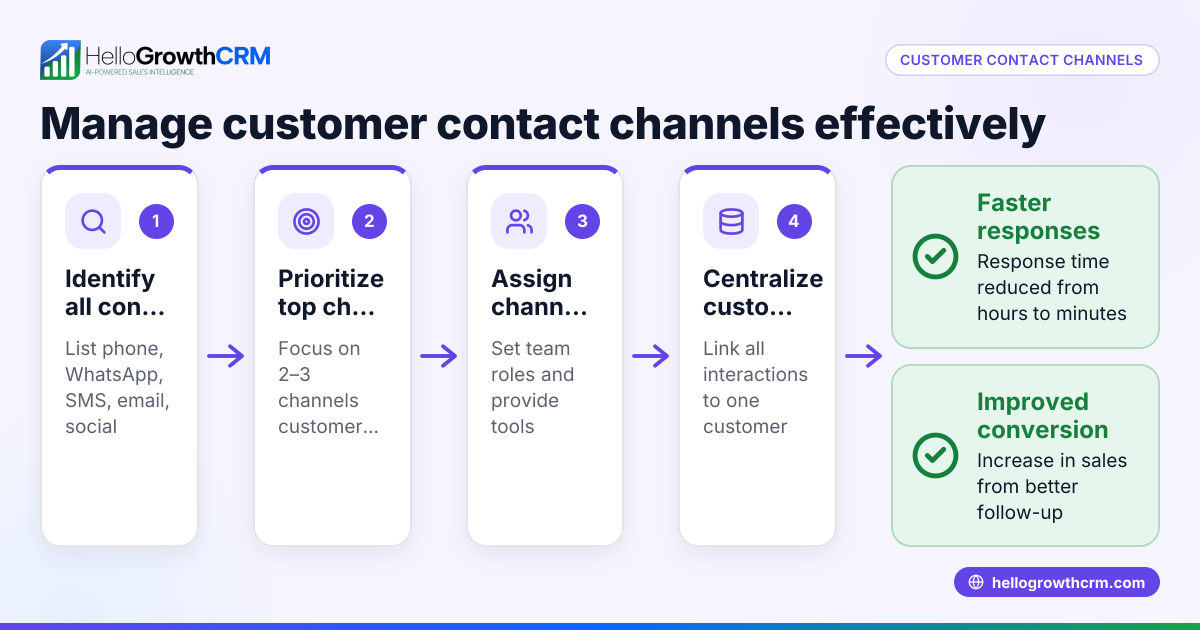
- List all customer request channels: Identify every way customers contact you, including email, phone, WhatsApp, SMS, web forms, and social media platforms.
- Choose a single system to capture all requests: Pick a CRM or ticketing system that can consolidate inputs from these channels either through integrations or manual entry.
- Create categories for requests: Define clear types such as sales inquiry, support ticket, referral, product feedback, or complaint.
- Set priority levels for each request: Assign priorities like urgent, high, medium, or low based on impact and deadlines.
- Record complete details for each request: Include customer name, contact information, channel used, date and time received, and a brief description.
- Assign ownership and deadlines: Designate a team member responsible for handling each request and specify due dates for resolution.
- Track request status regularly: Use statuses such as new, in progress, waiting on customer, or resolved to monitor progress.
- Automate reminders and follow-ups: Schedule automated emails, WhatsApp messages, or SMS sequences to ensure no request is forgotten.
- Hold regular review meetings: Conduct daily or weekly meetings to review open requests, check progress, and prevent backlogs.
- Collect customer feedback after resolution: Use feedback to improve your request handling process.
Make sure your chosen system supports multi-channel input and reporting for full visibility. For instance, HelloGrowthCRM offers a branded self-service customer portal and integrates tickets and referrals on the same customer record, helping keep everything organized (/product/customer-health-score).
Example (fictional figures)
Sunshine HVAC Ltd., a small HVAC company in Surrey, British Columbia, receives customer requests via phone, WhatsApp, and a website form. On 2024-06-01, they received 40 new requests:
- Phone: 15
- WhatsApp: 18
- Web form: 7
They categorized the requests as follows:
- Sales inquiries: 20
- Support tickets: 15
- Referral requests: 5
They assigned priority levels:
- Urgent: 7
- High: 12
- Medium: 15
- Low: 6
Each request was logged with customer details and assigned to team members with deadlines.
Tracking the requests:
Total requests = 15 + 18 + 7 = 40 Sales inquiries = 20 Support tickets = 15 Referral requests = 5
Urgent requests = 7 High priority = 12 Medium priority = 15 Low priority = 6
To manage follow-ups, Sunshine HVAC scheduled automated WhatsApp and email sequences to ensure no request was missed.
Common mistakes
- Not centralizing requests: Leads to lost or duplicated requests. Prevent this by using a single CRM or ticketing system.
- Ignoring categorization: Makes prioritization impossible. Prevent by defining clear categories.
- No priority assignment: Causes urgent requests to be delayed. Prevent by setting priority levels.
- No ownership assigned: Requests stall without a responsible team member. Prevent by assigning ownership.
- Lack of automated follow-up reminders: Requests fall through cracks. Prevent by scheduling automated reminders and sequences.
- Failing to review requests regularly: Backlogs grow unnoticed. Prevent by holding regular review meetings.
Using a customer health score can also help prioritize requests effectively and focus on high-value customers (/product/customer-health-score).
Doing this in HelloGrowthCRM
HelloGrowthCRM offers a branded self-service customer portal, referral programme tracking, support tickets, and a knowledge base. After the sale, service requests stay on the same customer record as the deal, keeping all information centralized. This helps Canadian small and mid-sized businesses manage customer requests from multiple channels efficiently. Learn more about HelloGrowthCRM for Canada and its capabilities at HelloGrowthCRM for Canada.
Frequently asked questions
How can I track customer requests from WhatsApp and SMS? You can use a CRM that integrates WhatsApp and SMS to capture messages directly into customer records, managing all requests in one place. HelloGrowthCRM supports this integration to help Canadian businesses streamline communication.
What is the best way to prioritize customer requests? Assign priority based on urgency and customer impact, such as urgent for outages or critical issues and medium for general inquiries. Clear categories and priority levels help your team respond efficiently and avoid delays.
How often should I review customer requests? Daily reviews work best for active teams to prevent backlog, while weekly reviews suit smaller volumes. Regular reviews ensure timely follow-up and balanced workloads.
Can I automate follow-ups for customer requests? Yes, automating sequences via email, WhatsApp, or SMS ensures no request is forgotten, saving time and maintaining consistent communication.
How does a customer portal help organize requests? A customer portal allows customers to submit and track requests directly, reducing inbound calls and emails. It centralizes communication and provides self-service options, improving efficiency.
Key takeaways
- Centralize all customer requests from multiple channels into one system.
- Categorize and prioritize requests for clear action steps.
- Assign ownership and deadlines to ensure accountability.
- Use automated reminders and sequences to keep follow-up timely.
- Regularly review and update requests to avoid backlogs.
- Consider tools like HelloGrowthCRM for integrated multi-channel management.
Start organizing your customer requests today. Start on the Free Forever plan (200 leads, no credit card) to manage leads and requests efficiently.
Ready to put this into practice?
Set up your pipeline, WhatsApp follow-ups, and AI lead scoring in minutes — free, no credit card.
Try HelloGrowthCRM freeGet CRM tips in your inbox
Join thousands of sales professionals who get weekly insights on CRM strategy, AI automation, and pipeline optimization.

The HelloGrowthCRM team publishes guides on CRM strategy, AI sales tools, and revenue operations for small business sales teams.