HelloGrowthCRM software
Built for real small-business sales teams
HelloGrowthCRM helps reps qualify faster, follow up on time, and close more deals—with practical automation in one place.
- AI lead scoring and pipeline visibility
- Built-in dialer, WhatsApp, and email automation
- Sales forecasting and RevOps-ready reporting
Using WhatsApp Business for sales in the UK means turning casual chats into a structured sales process. Many small businesses rely on WhatsApp but miss leads due to slow replies or disorganised messaging. WhatsApp Business offers tools like labels, quick replies, and automated messages that, when used properly, help you manage leads and close deals efficiently.
Why this comes up / what goes wrong
Small business owners often use WhatsApp informally to communicate with customers but lack a system for sales follow-up. Leads can get lost among personal chats or forgotten without reminders. Without a clear process, enquiries can go unanswered or sales opportunities missed. WhatsApp Business helps by letting you organise contacts, automate initial responses, and label chats to track where each lead is in your sales funnel.
Step-by-step
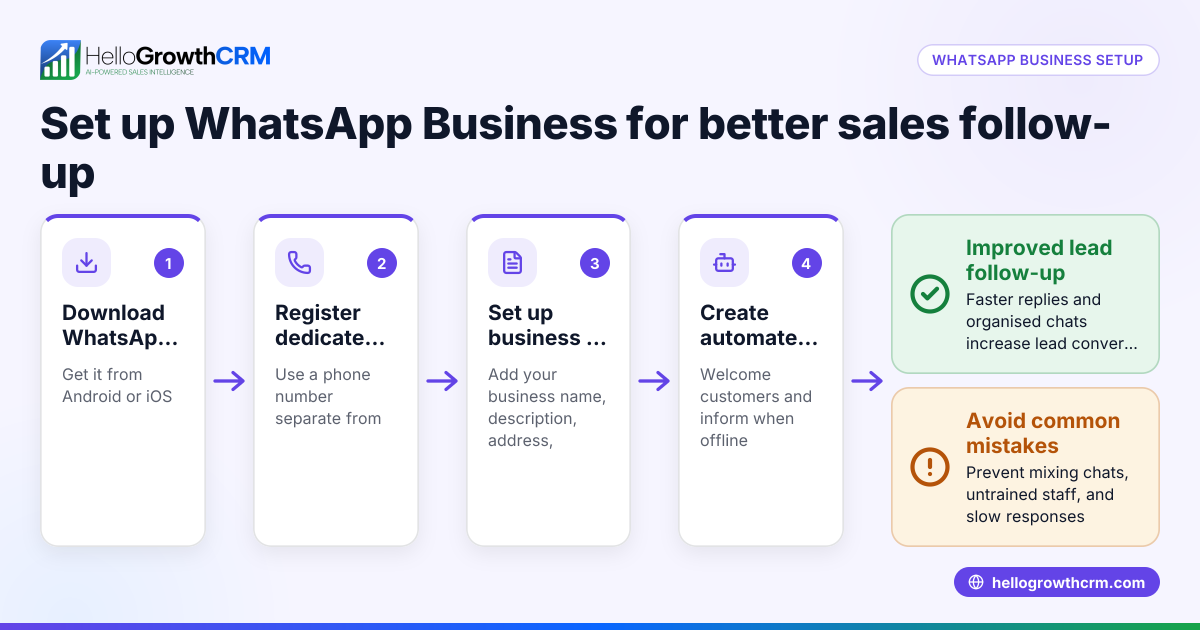
- Download WhatsApp Business from the app store on your smartphone.
- Set up your business profile: Enter your business name, address, description, email, and website to appear professional and trustworthy.
- Add contacts: Save customer phone numbers in your phone or import them if your device supports it.
- Use labels to organise contacts: Create labels such as "New Lead," "Follow-up," "Quote Sent," and "Customer" to filter and prioritise conversations.
- Create quick replies: Save templates for frequent questions or messages to respond faster.
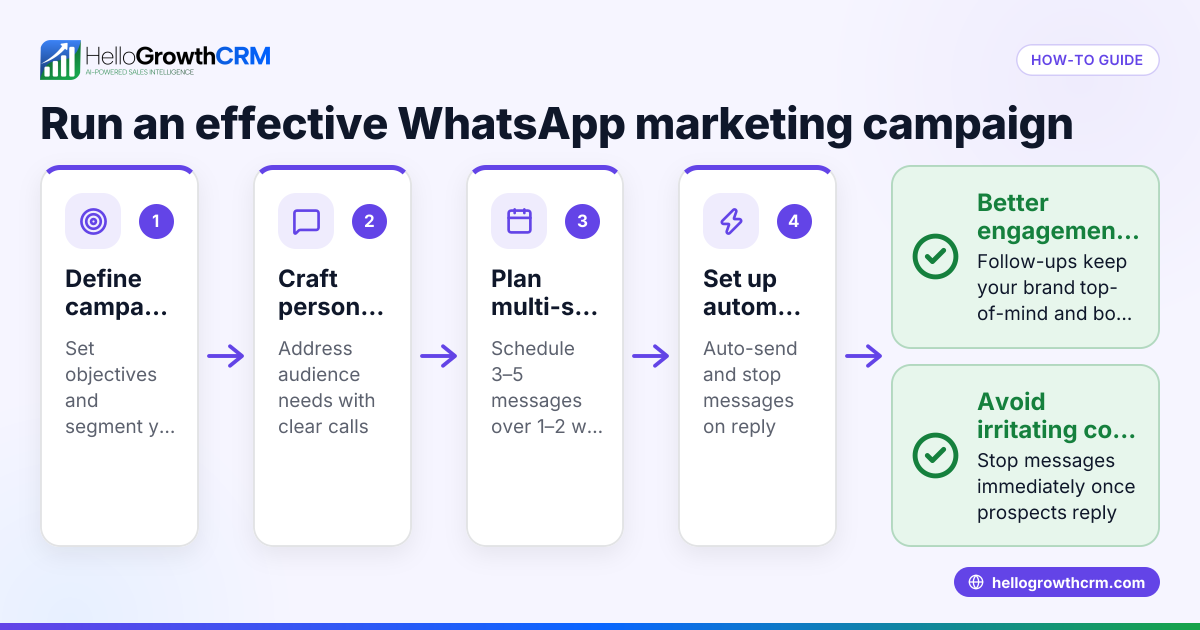
- Set automated greeting and away messages: Automatically greet new contacts and inform customers when you’re unavailable.
- Respond promptly: Check WhatsApp regularly and reply quickly to keep leads engaged.
- Track sales stages manually: Use labels or a spreadsheet to note each lead’s progress, such as enquiry, quote sent, or negotiation.
- Schedule follow-ups: Use your phone’s calendar or reminders to revisit leads who have asked for quotes or more information.
- Maintain professionalism: Use clear, polite language and confirm important details like pricing and delivery times.
Example (fictional figures)
A letting agency in Manchester uses WhatsApp Business to manage tenant enquiries.
- On 01/05/2024, they receive a new lead via WhatsApp.
- They label the contact "New Lead" and send a quick reply listing available properties.
- On 03/05/2024, they send a quotation for rent: £1,200 per month.
- They label the contact "Quote Sent" and set a reminder to follow up on 06/05/2024.
- On 06/05/2024, they message the lead again; the lead agrees to view the property.
- The agency updates the label to "Viewing Scheduled".
This approach helps the agency keep track of conversations and follow-ups clearly, reducing the risk of losing leads.
Common mistakes
- Mixing personal and business chats: Use WhatsApp Business separately from your personal WhatsApp to avoid confusion.
- Not using labels: Leads get lost without categorising contacts; always label chats to organise your pipeline.
- Ignoring follow-ups: Set reminders for follow-ups; even a brief message can revive a stalled lead.
- Slow responses: Customers expect quick replies; use quick replies and check messages frequently.
- No sales pipeline tracking: WhatsApp alone doesn’t track sales stages well; keep a spreadsheet or use a CRM.
- Unprofessional messages: Keep tone polite and clear to build trust and credibility.
For more detailed guidance, visit our help center.
Doing this in HelloGrowthCRM
HelloGrowthCRM supports WhatsApp sales by logging WhatsApp conversations on the lead record, so you never lose track of chats. Follow-ups can be sent as WhatsApp messages directly from the CRM, helping you engage leads promptly. If your business lacks a sales manager, Managed RevOps provides weekly follow-up support to keep your sales pipeline active. The Deals (pipeline) feature tracks quotations sent, showing them at the 'quote sent' stage with follow-up dates so no lead is forgotten. Learn more about our WhatsApp and SMS CRM and how HelloGrowthCRM helps UK businesses on HelloGrowthCRM for the United Kingdom.
Frequently asked questions
Can I use WhatsApp Business on multiple devices? WhatsApp Business is designed for one phone number on a single smartphone. You can use WhatsApp Web on a computer for convenience, but it does not support multiple users simultaneously. For team access to messages, consider a CRM that centralises communications.
Is WhatsApp Business free to use for sales? Yes, the WhatsApp Business app is free to download and use. However, advanced features like multi-user access or automated workflows may require third-party CRM tools.
How do I keep track of leads from WhatsApp messages? Use labels within WhatsApp Business to organise chats. For better tracking, maintain a separate sales pipeline in a spreadsheet or CRM. HelloGrowthCRM logs WhatsApp conversations on lead records and manages deals to simplify this process.
Can I automate messages in WhatsApp Business? Yes, you can set automated greeting and away messages, plus quick replies for common questions. For more complex messaging sequences, a CRM with messaging workflows is recommended.
Is WhatsApp Business compliant with UK sales regulations? WhatsApp Business itself does not handle compliance. Ensure you follow UK data protection laws such as GDPR when messaging customers.
Key takeaways
- Set up a professional WhatsApp Business profile and organise contacts with labels.
- Use quick replies and automated messages to speed up lead engagement.
- Track sales stages and schedule follow-ups manually or with a CRM.
- Respond promptly and maintain professional communication.
- Keep personal and business chats separate to avoid confusion.
- HelloGrowthCRM logs WhatsApp chats, manages follow-ups, and tracks deals efficiently.
Start organising your sales conversations today. Start on the Free Forever plan (200 leads, no credit card) to try HelloGrowthCRM and keep your WhatsApp sales leads in one place.
Ready to put this into practice?
Set up your pipeline, WhatsApp follow-ups, and AI lead scoring in minutes — free, no credit card.
Try HelloGrowthCRM freeGet CRM tips in your inbox
Join thousands of sales professionals who get weekly insights on CRM strategy, AI automation, and pipeline optimization.

The HelloGrowthCRM team publishes guides on CRM strategy, AI sales tools, and revenue operations for small business sales teams.