HelloGrowthCRM software
Built for real small-business sales teams
HelloGrowthCRM helps reps qualify faster, follow up on time, and close more deals—with practical automation in one place.
- AI lead scoring and pipeline visibility
- Built-in dialer, WhatsApp, and email automation
- Sales forecasting and RevOps-ready reporting
HubSpot dialer alternatives provide options suited to different small business needs in Australia, varying in ease of use, integration, and call management. This article compares key dialer options on criteria important to Australian small businesses and helps you decide which fits your sales team best.
Why this comes up / what goes wrong
Small business owners in Australia often start with HubSpot's dialer because it integrates with their CRM and marketing tools. However, some find limitations such as cost, complexity, or lack of local support. Many run sales through multiple channels like text messages, email, and spreadsheets, which can slow follow-up and cause lost leads. They look for alternatives that better fit their team size, budget, and communication style.
Choosing a dialer is not just about making calls; it’s about how well the dialer integrates with your sales process, the ease of use for your team, and whether it supports your preferred communication channels. Australian SMEs want a solution that helps them respond quickly and track outcomes efficiently.
Step-by-step
Here is a comparison table of common HubSpot dialer alternatives based on criteria important to Australian small businesses:
| Feature | HubSpot Dialer | CRM Dialer with Built-in Calling | Generic CRM Dialer | Standalone Dialer App |
|---|---|---|---|---|
| Ease of Use | Moderate; some setup | Simple, integrated in CRM | Varies; may need extra setup | Simple but separate from CRM |
| Local Australian Support | Limited | Depends on vendor | Varies | Usually limited |
| Integration with CRM | Native to HubSpot CRM | Built-in dialer inside CRM | May require integration work | None or manual sync |
| Call Outcome Logging | Yes, automatic | Yes, logs outcome per call | Varies | Usually manual |
| Power Dialing | Available on paid plans | Available on some plans | Depends on vendor | Usually no |
| Multi-channel Sales | Limited to calls and emails | Depends on CRM features | Depends | No |
| Pricing | Higher tier plans | Varies by vendor | Varies widely | Usually low cost |
Who should pick which?
- HubSpot Dialer: Best if you already use HubSpot CRM extensively and want seamless integration.
- CRM Dialer with Built-in Calling: Ideal for businesses wanting calls managed inside their CRM with automatic outcome logging.
- Generic CRM Dialer: Consider if you want specific CRM features beyond dialer capabilities.
- Standalone Dialer App: Suitable if you only need calling functionality and use separate CRM or spreadsheets.
For a full CRM comparison that includes dialer options, see our compare CRMs page.
Example (fictional figures)
A landscaping company in Newcastle, NSW, called GreenScape, has 5 sales reps. They want to switch from HubSpot dialer due to cost and limited multi-channel support. Their monthly budget for CRM and dialer is approximately A$1,200.
- HubSpot Dialer estimated cost: approximately A$350 per user × 5 reps = A$1,750 (exceeds budget) NEEDS EXPERT REVIEW
- Alternative CRM with built-in dialer: estimated at A$200 per user × 5 reps = A$1,000 (within budget) NEEDS EXPERT REVIEW
GreenScape chooses the alternative CRM dialer because it fits their budget and supports multi-channel messaging alongside calls.
Calculations:
A$350 × 5 = A$1,750 A$200 × 5 = A$1,000
Common mistakes
- Ignoring integration needs: Choosing a dialer that doesn’t integrate well with your CRM can cause double entry and missed leads.
- Prevent by: Selecting dialers with native or built-in CRM calling features.
- Overpaying for unused features: Paying for advanced features your team won’t use wastes money.
- Prevent by: Assessing your team’s needs clearly before purchasing.
- Neglecting local support: Overseas vendors may not understand Australian business needs.
- Prevent by: Choosing providers offering local support.
- Not tracking call outcomes: Without logging call results, it’s hard to monitor lead progress.
- Prevent by: Using dialers that log call outcomes automatically.
- Using disconnected tools: Managing calls, texts, and emails separately slows follow-up.
- Prevent by: Choosing multi-channel CRM dialers.
For more on avoiding CRM mistakes, see HelloGrowthCRM for Australia.
Doing this in HelloGrowthCRM
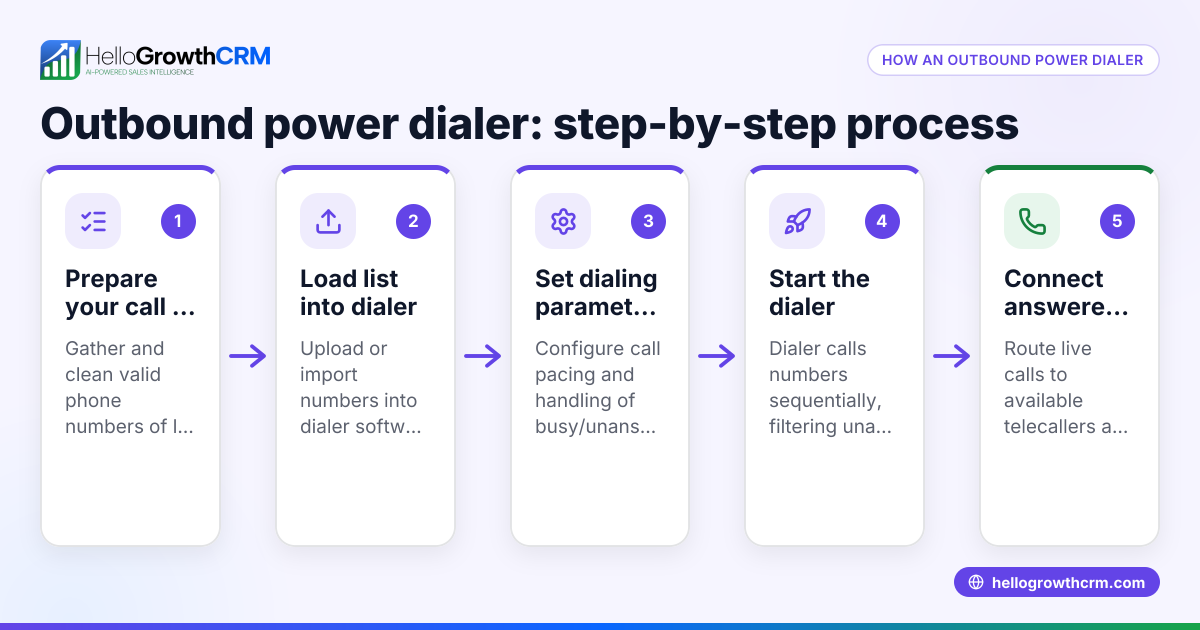
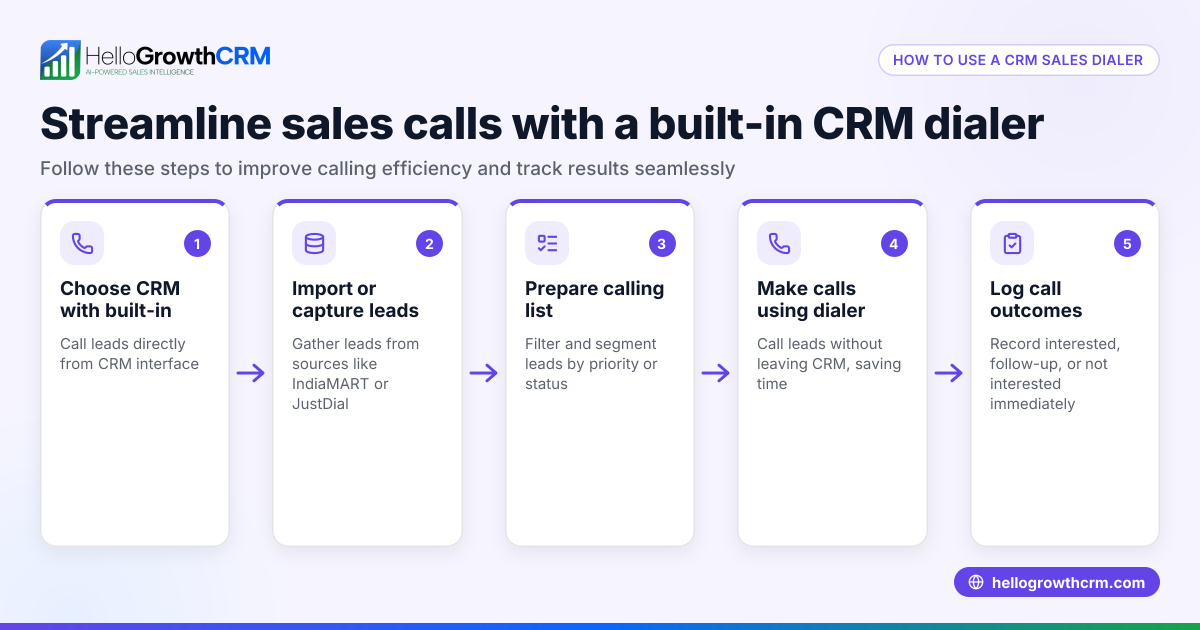
HelloGrowthCRM includes a built-in dialer that lets a telecaller work a list directly inside the CRM. Each call’s outcome is logged automatically on the lead record, keeping your sales pipeline current without manual data entry. This helps your team follow up faster and keeps full call histories tied to contacts and deals. Learn more about the built-in CRM dialer.
Frequently asked questions
What features should I look for in a HubSpot dialer alternative? Look for ease of use, CRM integration, call outcome logging, multi-channel support (WhatsApp, SMS), local support, and pricing that fits your budget.
Can I use a dialer without a CRM? Yes, standalone dialer apps exist but they usually require manual data entry or separate tools for tracking leads, which can slow your sales process.
How do built-in CRM dialers compare to standalone dialers? Built-in CRM dialers integrate calling and call logging within your CRM, reducing manual work. Standalone dialers may be simpler but often require manual syncing and lack integration with other sales tools.
Is power dialing important for small sales teams? Power dialing automates calling sequences, increasing call volume and efficiency. It can be valuable for teams making many calls daily.
How do I choose a dialer that fits my Australian small business? Consider your team size, budget, need for multi-channel communication, ease of use, and local support availability.
Key takeaways
- HubSpot dialer alternatives vary in ease of use, integration, and pricing.
- Small Australian businesses benefit from dialers that integrate with their CRM and support multiple communication channels.
- Built-in CRM dialers automate call outcome logging and reduce manual work.
- Avoid overpaying by matching dialer features to your team’s actual needs.
- Local support and multi-channel capabilities speed up follow-up and improve lead management.
Start your search with a clear view of your business needs and budget. To try a CRM with a built-in dialer, start on the Free Forever plan (200 leads, no credit card).
Ready to put this into practice?
Set up your pipeline, WhatsApp follow-ups, and AI lead scoring in minutes — free, no credit card.
Try HelloGrowthCRM freeGet CRM tips in your inbox
Join thousands of sales professionals who get weekly insights on CRM strategy, AI automation, and pipeline optimization.

The HelloGrowthCRM team publishes guides on CRM strategy, AI sales tools, and revenue operations for small business sales teams.