HelloGrowthCRM software
Built for real small-business sales teams
HelloGrowthCRM helps reps qualify faster, follow up on time, and close more deals—with practical automation in one place.
- AI lead scoring and pipeline visibility
- Built-in dialer, WhatsApp, and email automation
- Sales forecasting and RevOps-ready reporting
An interior design CRM is software tailored to help interior design businesses manage leads, client communications, projects, and sales pipelines efficiently. This article covers why interior design businesses need a CRM, step-by-step guidance on selecting one, a Canadian example, common mistakes to avoid, and how HelloGrowthCRM can support your team.
Why this comes up / what goes wrong
Interior design business owners and accountants in Canada often struggle to keep track of client inquiries, project timelines, and follow-ups because they rely on scattered tools like emails, text messages, and spreadsheets. This fragmentation can cause lost leads, delayed responses, and poor visibility into sales pipelines. Without a CRM designed for their industry, teams waste time on manual updates and miss opportunities to nurture prospects effectively. The need for a CRM that integrates communication channels and automates routine tasks is especially pressing for small to mid-sized interior design firms aiming to grow.
Step-by-step
- Identify your core needs: List what your interior design business must manage daily—lead tracking, client communication, project deadlines, invoicing, or supplier contacts. Check if you need mobile messaging support or task automation.
- Check industry-specific features: Look for CRMs that support sales pipelines tailored to construction or design projects and can log communications like WhatsApp or SMS messages directly on client records.
- Evaluate ease of use: Ensure the CRM is simple for your team to adopt. Complex systems often result in poor usage and data gaps.
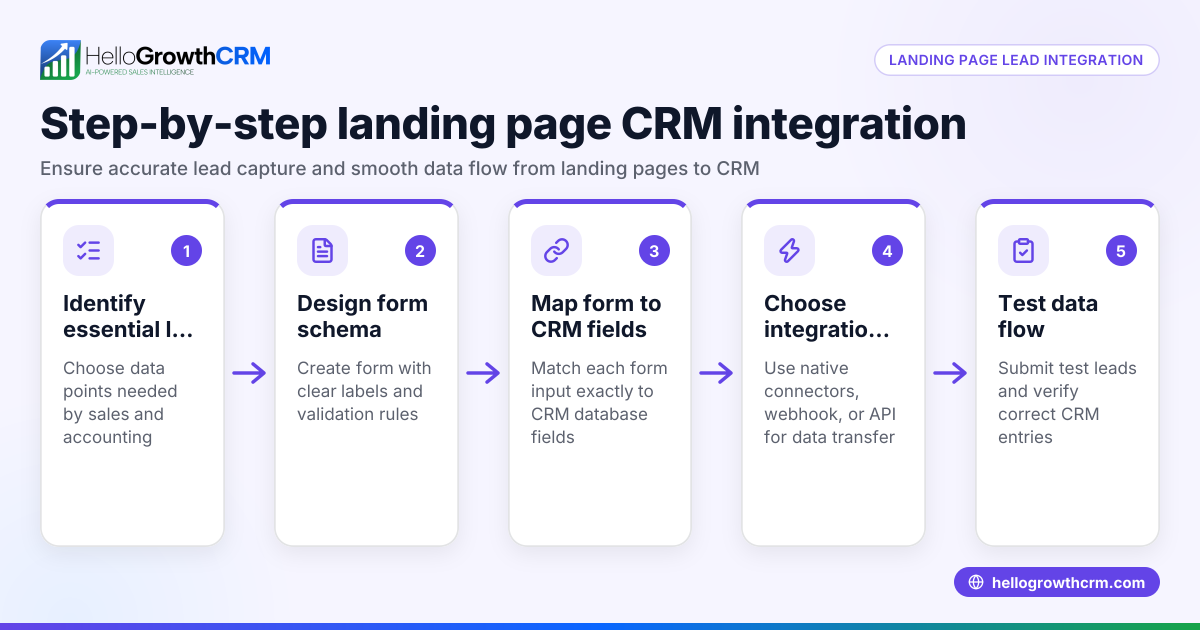
- Assess integration capabilities: Confirm the CRM can capture leads from your website forms or other tools you use.
- Consider automation and AI: Explore if the CRM offers AI agents to draft follow-ups or automate routine workflows, reducing manual effort.
- Review cost and scalability: Choose a solution that fits your current team size and can grow with you without forcing costly upgrades prematurely.
- Trial and feedback: Use free trials or plans to test the CRM with your team, gather feedback, and ensure it meets your workflow before committing.
For more on CRM features relevant to contractors and construction, see Contractors and construction and CRM features.
Example (fictional figures)
Consider a bilingual interior design firm in Laval, Quebec, called "DesignPlus Interiors," with 8 employees. They want to manage their leads and client communication more efficiently.
- Monthly leads: 120
- Average project value: C$15,000
- Current lost leads due to slow follow-up: 15% (18 leads)
If DesignPlus reduces lost leads to 5% by using a CRM, the recovered leads are:
120 leads × (15% - 5%) = 120 × 10% = 12 leads recovered
Additional revenue from recovered leads:
12 leads × C$15,000 = C$180,000
If the CRM subscription costs C$500/month, the net gain per year is:
(C$180,000 × 12 months) - (C$500 × 12 months) = C$2,160,000 - C$6,000 = C$2,154,000
This example shows how a CRM can significantly impact revenue by improving lead follow-up efficiency.
Common mistakes
- Choosing a generic CRM: Avoid CRMs that don’t support communication channels like WhatsApp or SMS popular in Canada. Prevent this by prioritizing industry-specific features.
- Overcomplicating workflows: Complex CRM setups can overwhelm small teams. Start simple and add features gradually.
- Ignoring team training: Without proper onboarding, even the best CRM goes unused. Schedule training sessions and monitor adoption.
- Neglecting mobile access: Interior design teams often work on-site. Select a CRM with mobile-friendly interfaces.
- Failing to automate follow-ups: Manual follow-ups can be forgotten. Use AI or automation features to keep leads engaged.
See more on avoiding pitfalls in Contractors and construction.
Doing this in HelloGrowthCRM
HelloGrowthCRM supports interior design teams by logging WhatsApp conversations on lead records and enabling follow-ups via WhatsApp or SMS messages. Its AI agents (currently in Beta on the Growth plan) draft follow-up messages after calls, so reps only need to review and send them. Small teams can start with the Free Forever plan, managing their sales pipeline at no cost until they require calling or WhatsApp automation. Learn more about these features at HelloGrowthCRM for Canada.
Frequently asked questions
What is the best CRM for interior design businesses? The best CRM for interior design is one that supports project-based pipelines, integrates communication channels like WhatsApp and SMS, and offers automation to reduce manual work. Evaluate options based on your team's size, workflow needs, and budget.
Can I use WhatsApp in an interior design CRM? Yes, some CRMs, including HelloGrowthCRM, integrate WhatsApp conversations directly into lead records, making follow-ups easier and more organized.
Is there a free CRM suitable for small interior design firms? Yes, HelloGrowthCRM offers a Free Forever plan for teams up to two people, allowing pipeline management without cost until advanced features are needed.
How can AI help in an interior design CRM? AI agents can draft follow-up messages and automate routine tasks, freeing your sales team to focus on client relationships and project delivery.
Should I consider mobile access when choosing a CRM? Absolutely. Interior design work often happens onsite or off-office. A CRM with mobile-friendly features ensures your team can update and access information anytime.
Key takeaways
- Interior design CRMs help manage leads, client communication, and projects efficiently.
- Prioritize CRMs supporting WhatsApp and SMS for seamless communication.
- Use AI and automation to reduce manual follow-ups and improve lead conversion.
- Start with a free or low-cost plan to test CRM fit before scaling.
- Avoid overly complex systems to ensure team adoption.
- Mobile access is essential for on-site interior design teams.
Choosing the right interior design CRM can transform your business by improving lead management and client communication. To get started without risk, start on the Free Forever plan (200 leads, no credit card) with HelloGrowthCRM today.
Ready to put this into practice?
Set up your pipeline, WhatsApp follow-ups, and AI lead scoring in minutes — free, no credit card.
Try HelloGrowthCRM freeGet CRM tips in your inbox
Join thousands of sales professionals who get weekly insights on CRM strategy, AI automation, and pipeline optimization.

The HelloGrowthCRM team publishes guides on CRM strategy, AI sales tools, and revenue operations for small business sales teams.