Full CRM Feature Map — Not Just a Dialer
AI, calling, messaging, pipeline, documents, automation, integrations and admin — 121+ named capabilities across 14 categories, from $10/user/mo. Search or jump to a category from the bar below.
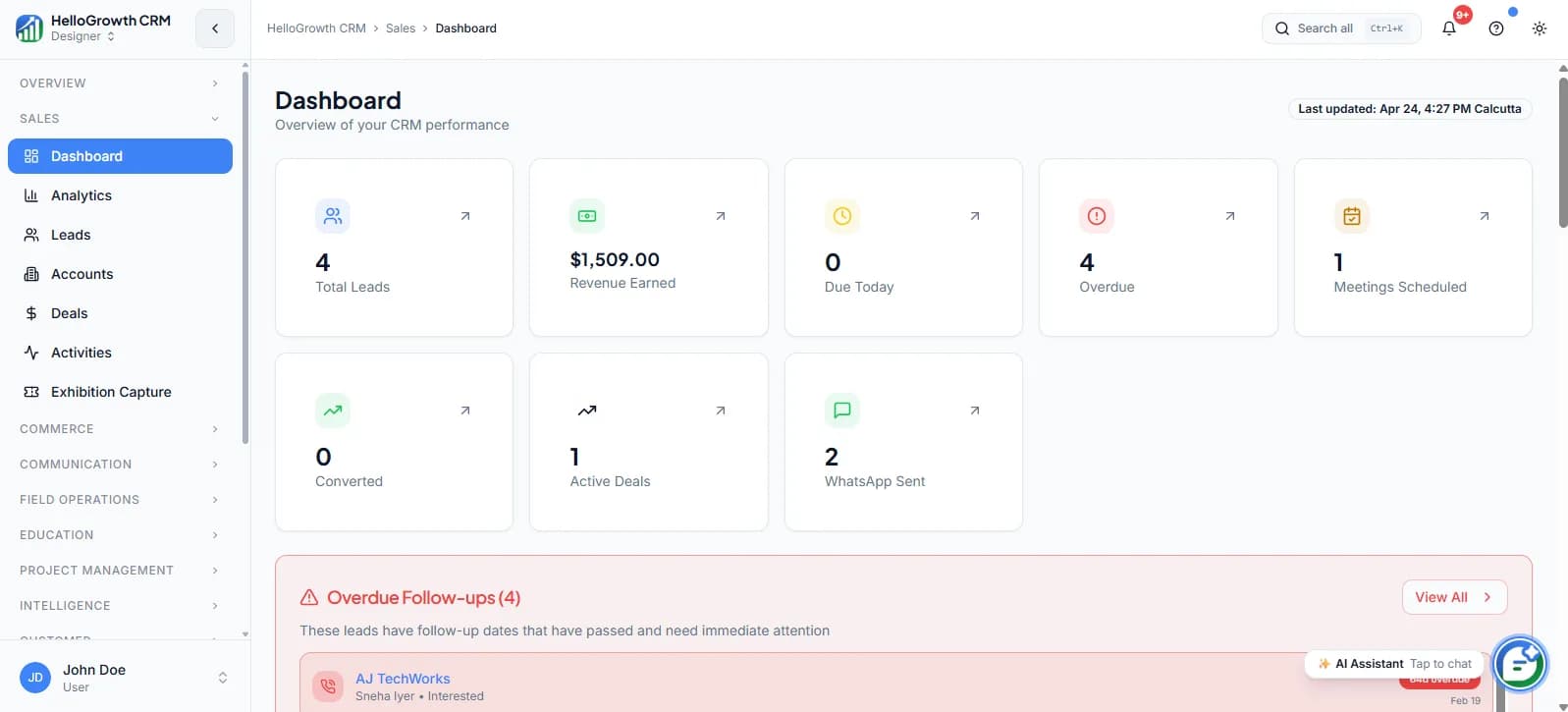
121 of 121 capabilities across 14 categories
AI & Intelligence
AI workflows that help teams enrich records, prioritize follow-up, summarize conversations, generate content, and turn raw data into action.
13 capabilities in this category

AI Lead Enrichment
Instantly enrich any lead with AI-powered intelligence using just a company name.
View feature
AI Lead Scoring & Recommendations
Analyze engagement, deal context, and behavior signals to surface the hottest leads and next steps.
View feature
AI-Powered Call Summaries & Sentiment
Automatically summarize every call with key topics, objections, sentiment, and recommended next steps.
View featureAI Email Drafting
Generate professional, context-aware email drafts from lead data, conversation history, and deal stage.
View featureCRM Command Chat (AI Assistant)
Use natural language to create follow-ups, move deals, draft emails, and complete CRM actions faster.
View featureAI-Powered Blog & Content Generation
Generate SEO-ready blog posts, LinkedIn content, and video scripts from market signals and company context.
View featureMarket Radar (Content Intelligence)
Aggregate competitive signals, industry trends, and market news into a single dashboard.
View featureAI Bug Analysis & Categorization
Automatically analyze, categorize, and prioritize bugs with AI-generated recommendations and impact context.
View featureAgentic AI Hub
12 AI agents with configurable autonomy levels — autonomous, supervised, and assistive. Voice calling, journey automation, deal risk monitoring, MCP connector and more.
View featureCall Coaching (Real-Time AI Hints)
Surface real-time talk-track hints, sentiment signals, and competitor mentions during live calls so reps stay on script.
View featureAI Email Composer
Generate personalised emails from CRM context — contact name, deal stage, last interaction — in one click.
View featureCRM Command Agent (AI-Powered)
Chat with your CRM in plain English — query leads, update deals, run reports, and trigger sequences without leaving the chat.
View featureKnowledge Sources
Feed your own material into the AI Knowledge Base so replies are grounded in your products, pricing, and tone instead of generic answers.
View featureCommunication & Outreach
Calling, messaging, email, chat, and attribution tools that help revenue teams engage leads without leaving the CRM.
23 capabilities in this category

Built-in Phone Dialer (Twilio-Powered)
Make and receive calls directly inside the CRM with automatic logging and real-time call status tracking.
View feature
AI Voice Agent (ElevenLabs + Twilio)
Deploy AI voice agents for real-time two-way conversations that qualify leads and handle follow-up at scale.
View feature
Cold Call Campaigns
Queue large outbound calling campaigns with staggered execution, monitoring, and AI-assisted scripting.
View featureSMS Messaging
Send one-off or bulk SMS from lead profiles with templates, variables, and delivery-safe formatting.
View featureBulk SMS Campaigns
Launch segmented bulk SMS campaigns with templates, suppression controls, reply tracking, and CRM-linked reporting.
View featureWhatsApp Integration (Meta Cloud API)
Send WhatsApp messages, templates, and attachments from leads and tasks using Meta's official Cloud API.
View featureBulk WhatsApp Campaigns
Run WhatsApp campaign workflows with template messaging, follow-up automation, and CRM-linked conversation visibility.
View featureEmail Integration
Send, track, and manage email inside the CRM with templates, AI drafting, and full timeline history.
View featureWeb Chat Assistant (Visitor Widget)
Add a public-facing, RAG-powered chat widget to answer questions, qualify visitors, and convert leads.
View featureSmart Lead Capture
Automatically capture attribution, referrer, device, and landing-page data whenever a new lead is created.
View featureChrome Extension — Web Lead Extractor
Capture leads from any webpage — LinkedIn, IndiaMART, JustDial, Shopify directories — with auto-filled contact details and one-click save to your CRM pipeline.
View featureSales Task Boards
Run follow-up workflows in board, calendar, and table views without leaving the CRM.
View featureSIP Trunk (Bring Your Own Carrier)
Connect your own SIP carrier to HelloGrowthCRM's call center — keep existing numbers and rates without switching providers.
View featureCall Routing & IVR
Route inbound calls based on CRM data — deal stage, lead score, territory, and rep availability — so every caller reaches the right person instantly.
View featureCall Center Workspace
Full call center inside your CRM — power dialer, inbound queue, call recording, and real-time rep monitoring.
View featureCall Transcription (Deepgram/AssemblyAI)
Transcribe every call automatically with speaker labels, timestamps, and AI-extracted key moments.
View featureEngagement Tracking (Email Open/Click)
Track email open rates, link clicks, and document views inside CRM so reps follow up with context — not guesswork.
View featureWhatsApp Catalog (Commerce)
Share product catalogs via WhatsApp and capture orders directly in the CRM pipeline.
View featureCold Outreach Campaigns
Multi-channel cold campaigns across email, LinkedIn, and WhatsApp — all tracked in the CRM pipeline.
View featureInbox Autopilot
Let AI triage act on conversations by intent and confidence — with a confidence floor, shadow mode, a kill switch, a full audit trail, and one-click undo. On paid plans.
View featureSafe Send (Outbound DLP)
Catch the wrong recipient and sensitive data before a message leaves, and append a legal footer for your workspace's region automatically.
View featureInbox SLA Policies
Put a first-response deadline on team-inbox conversations, counted in business hours, with a visible countdown and escalation on breach.
View featureReply Controls
An undo-send window, quiet hours for scheduled sends, and optional manager approval before a reply leaves the building.
View featureLead Management
Core lead operations tools for capturing, organizing, routing, cleaning, and progressing pipeline work across your CRM.
16 capabilities in this category

Leads Table View
Spreadsheet-like lead management for fast filtering, sorting, inline review, and daily sales execution.
View feature
Leads Kanban View
Kanban view to visualize lead stages and move work forward with a drag-and-drop workflow.
View feature
Lead Finder
Search and discover new leads to keep the pipeline full with better-fit prospects.
View featureLead Source Attribution
Track where leads come from so teams can improve channel performance and spending decisions.
View featureTerritory Management
Assign geographic ownership to ensure coverage, balance workload, and reduce rep conflict.
View featureDuplicate Detection
Detect and merge duplicate leads to keep CRM data clean and reporting trustworthy.
View featureLead Assignment Rules
Automatically assign leads based on rules to improve speed, fairness, and SLA adherence.
View featureAccounts
Manage companies and parent accounts to organize contacts, opportunities, and account context.
View featureActivities
Track calls, meetings, notes, and tasks to maintain a complete relationship timeline.
View featureCampaigns
Manage outreach campaigns and connect marketing execution to pipeline and revenue outcomes.
View featureMarket Radar
Use market intelligence and signal tracking to identify opportunities, threats, and timing faster.
View featureSmart Lead Routing
Routing rules assign every inbound lead to the right rep in real time — by territory, score, product fit, and capacity.
View featureLead Enrichment (Apollo/Clearbit/ZoomInfo)
Auto-enrich every inbound lead with company data, LinkedIn profile, and tech stack from Apollo, Clearbit, and ZoomInfo.
View featureLead Journeys (Journey Automation)
Build and run multi-step automated lead journeys across email, SMS, WhatsApp, and tasks — no rep involvement required.
View featureSmart Lists (Dynamic Saved Views)
Create saved, dynamic filter views that update automatically as CRM data changes — no manual re-filtering.
View featureLifecycle Stages
Define and automate lifecycle stages from first touch to customer — with rules that advance contacts automatically.
View featureAnalytics & Reporting
Reporting, forecasting, dashboards, and intelligence layers that help teams understand pipeline health, activity patterns, and performance trends.
10 capabilities in this category
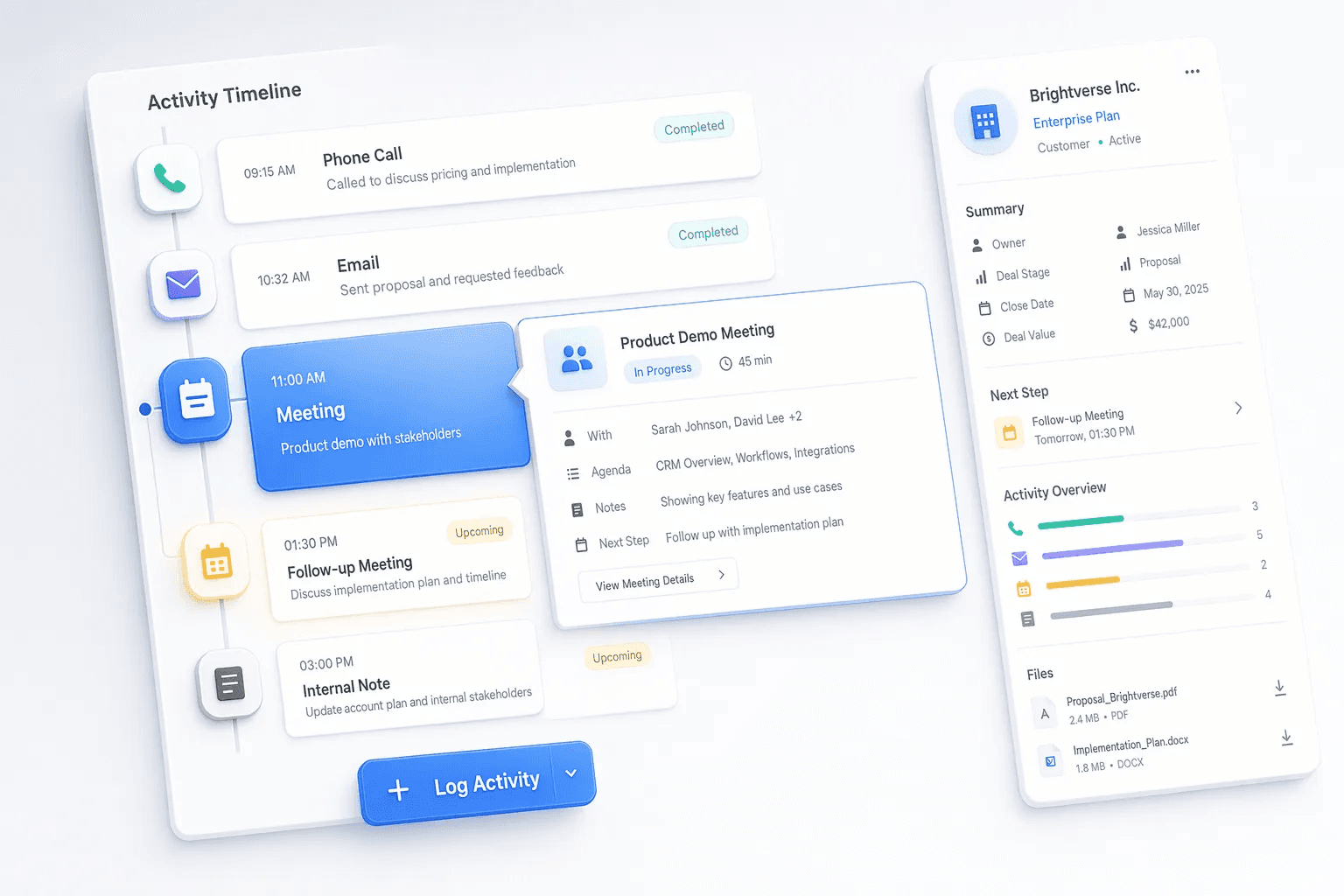
Analytics Dashboard
Advanced analytics with conversion funnels and caller performance reporting for revenue teams.
View feature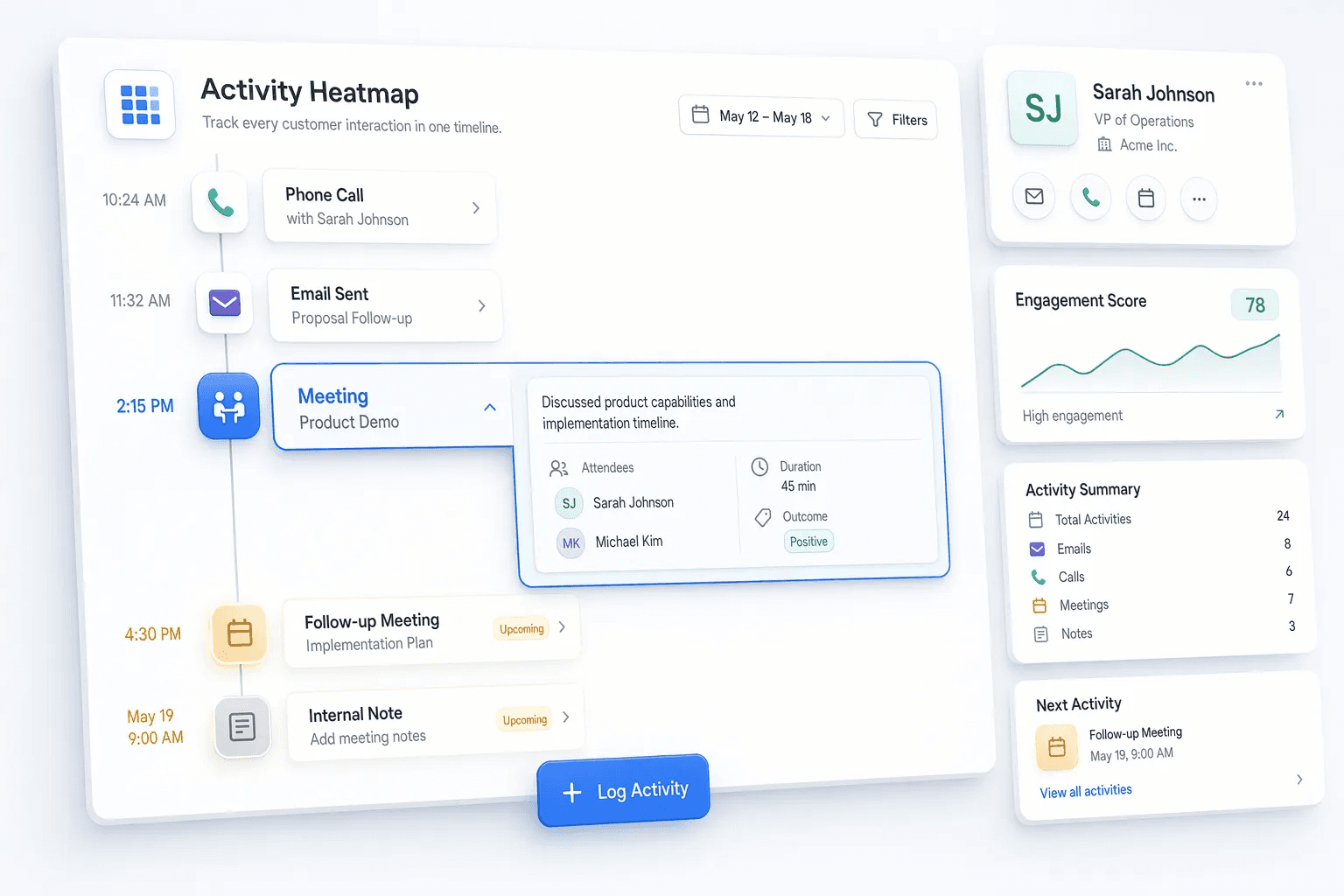
Activity Heatmap
Visual heatmaps show when team activity is highest so leaders can spot effective windows and gaps.
View feature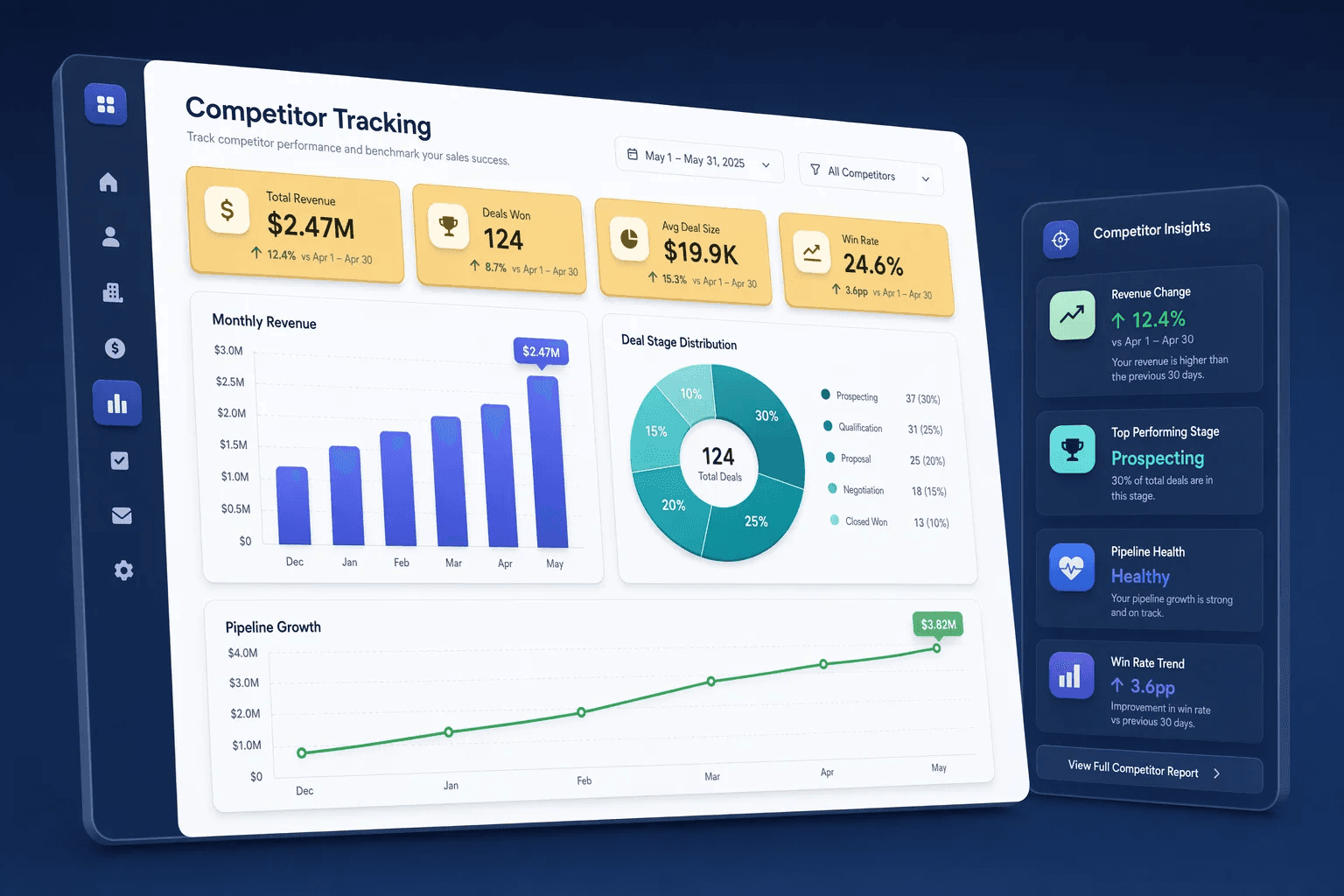
Competitor Tracking
Track competitor mentions across calls and conversations to improve positioning and enablement.
View featurePipeline Forecasting
Forecast revenue and analyze pipeline trends to predict outcomes, gaps, and risk earlier.
View featureDashboard
Main dashboard providing a daily overview of performance, tasks, activity, and key metrics.
View featureGoal & Quota Tracking
Set, monitor, and report on individual and team quotas to keep revenue targets visible and accountable.
View featureWin Rate & Deal Velocity
Track how often deals close and how fast they move so teams find bottlenecks and improve conversion.
View featureRep Performance & KPI Dashboards
Track every rep's activity KPIs — calls, emails, deals moved, follow-ups completed — with leaderboards and coaching flags.
View featureGrowth Audit (SEO + CWV + Competitive)
Free growth audit tool — scan your site's Core Web Vitals, SEO health, and competitive position. Generates a shareable PDF report.
View featureCall Insights & Sentiment Analysis
Analyse every call for sentiment, talk ratio, competitor mentions, and objection patterns — across your entire team.
View featureDocuments & Contracts
Proposal, contract, file, and template workflows that help sales teams move faster while keeping documents organized inside the CRM.
6 capabilities in this category

Contract Tracking
Track contracts, renewals, and important dates so teams reduce churn risk and avoid missed deadlines.
View feature
Document Templates
Create and manage reusable templates to speed up document creation and improve consistency.
View feature
File Attachments
Upload and manage files on leads and accounts so documents and context stay in one place.
View featureProposal Generator
AI-powered proposal generation speeds up document creation and improves consistency across deals.
View featureDigital Signatures
Collect legally binding e-signatures on proposals and contracts directly from the CRM without switching tools.
View featureQuote Approval Workflow
Route quotes through manager approval before sending to keep discount and pricing decisions consistent.
View featureAutomation
Automated reminders, scoring, routing, and lead monitoring workflows that help teams respond faster and prevent pipeline leakage.
7 capabilities in this category

Follow-up Reminders
Browser notifications for upcoming and overdue follow-ups help prevent drop-off and missed tasks.
View feature
Lead Aging Alerts
Warn teams when leads become stale so they can re-engage, escalate, or close out quickly.
View feature
Lead Routing Rules
Automatically route leads based on rules and ownership logic to improve speed-to-lead.
View featureLead Scoring
Automatically score leads based on engagement and fit signals so reps focus effort where it matters most.
View featureWorkflow Automation Builder
Build multi-step automated workflows triggered by CRM events to eliminate manual repetition across the funnel.
View featureRound-Robin Lead Distribution
Automatically distribute incoming leads evenly across reps to improve fairness and speed-to-first-contact.
View featureAuto Follow-Up Sequences
Build rule-based follow-up sequences that trigger automatically based on lead activity, inactivity, or stage change.
View featureIntegrations
Data movement and connectivity tools that help teams sync systems, automate actions, and handle migration or cleanup work faster.
6 capabilities in this category

API Webhooks
Trigger external automations and integrations whenever key CRM events happen.
View feature
Excel Import/Export
Import and export CRM data via Excel for migration, cleanup, bulk updates, and offline analysis.
View feature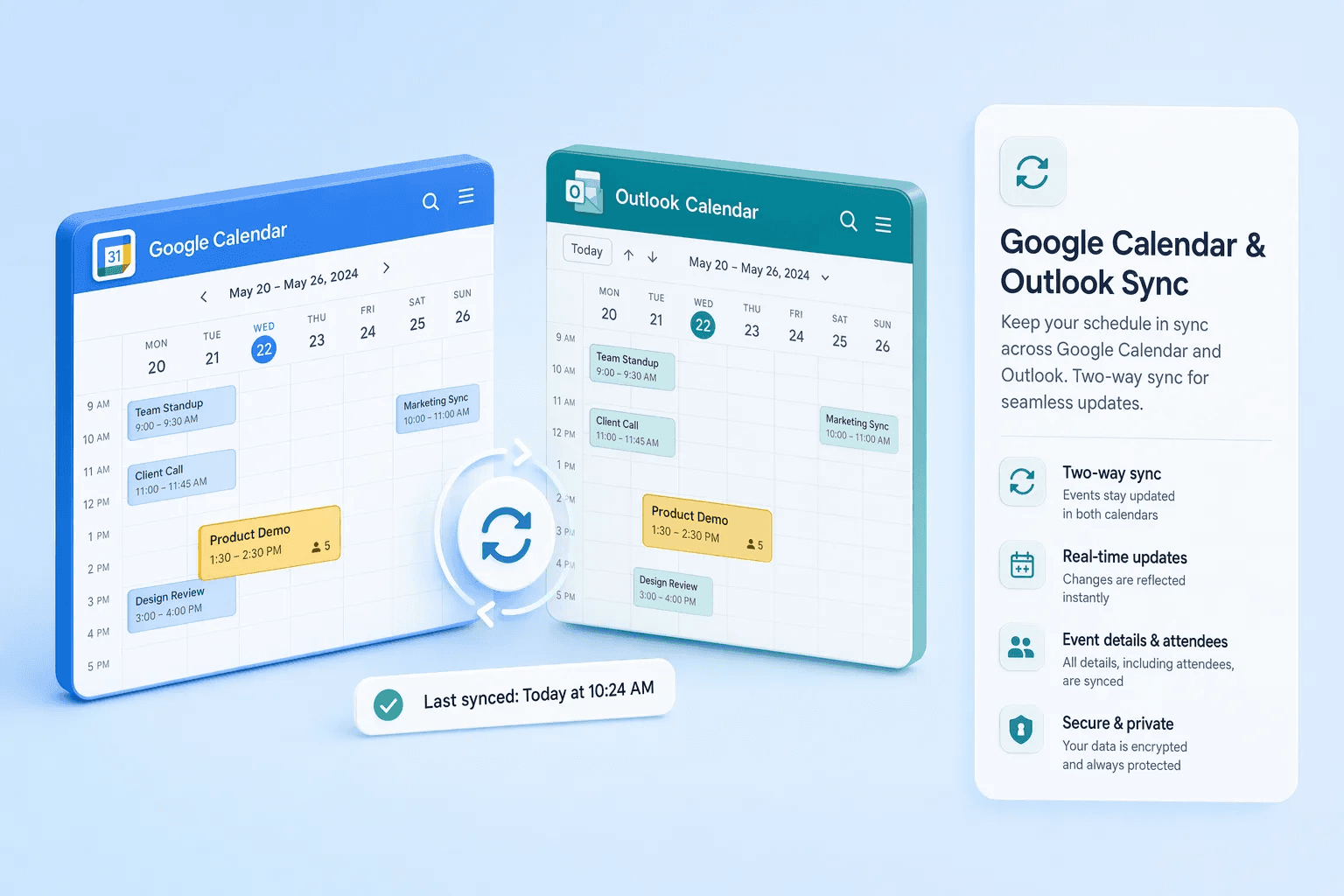
Google Calendar & Outlook Sync
Sync meetings and events between the CRM and your calendar so scheduling context stays connected to deals.
View featureSlack & Team Notifications
Get real-time Slack alerts for deal updates, assigned leads, and important CRM events without leaving your workspace.
View featureZapier & Third-Party Automations
Connect the CRM to thousands of third-party apps via Zapier to automate data sync and cross-tool workflows.
View featureBooking API
Scoped credentials so your own bot, voice agent, or website can read live availability and book meetings straight into the CRM. Available on request.
View featureSee all integrations
Browse the full integrations catalog for apps, APIs, calendars, messaging, and automation tools.
Open integrationsCustomization
Branding, field configuration, and tagging controls that help each team shape the CRM around its own workflow and identity.
8 capabilities in this category

White Labeling
Custom branding per tenant so the CRM matches your organization’s identity and customer experience.
View feature
Custom Fields
Create custom lead fields to match your sales process, data model, and reporting requirements.
View feature
Tags Management
Create and manage lead tags for segmentation, routing, prioritization, and reporting.
View featureSaved Views & Smart Filters
Create and save custom filtered views of leads and pipelines so teams focus on the right records every day.
View featureCustom Dashboards
Build drag-and-drop dashboards from available widgets to surface the KPIs and metrics each role cares about most.
View featureCustom Fields Builder
Add any field type — text, number, date, dropdown, multi-select, file — to contacts, companies, deals, or activities. No code.
View featureCustom Roles & Field-Level RBAC
Define roles with field-level and record-level permissions so each team member only sees and edits what they need.
View featureAudit Logging (Tamper-Proof Trails)
Immutable audit logs of every CRM action — field changes, record access, bulk operations, and AI agent actions — for compliance and governance.
View featureProductivity & Work Management
Planning, execution, note-taking, and bulk-action tools that help revenue teams move faster with less repetitive work.
8 capabilities in this category

Task Boards
Monday.com-style task boards for visual planning, follow-up management, and team execution.
View feature
Bulk Actions
Perform actions on multiple leads at once to reduce repetitive work and speed up operations.
View feature
Quick Notes
Floating note widget for capturing context during calls, demos, and follow-ups without losing momentum.
View featureTask Management
Create and manage tasks tied to leads so sales execution stays organized and consistent.
View featureField Ops & Geo-Fencing
Coordinate field visits, on-site follow-up, and geo-aware team execution from one CRM workflow.
View featureExpense Management
Track claims, approvals, reimbursements, and field-team spending without breaking CRM and ops context.
View featureSEO Content Pipeline
SEO content management and publishing pipeline to plan, produce, and ship content consistently.
View featureDeal Risk Monitoring
AI monitors every deal for risk signals — silence, stalled stages, declining sentiment — and alerts reps before deals go dark.
View featureCustomer Service & Success
Support, SLA, portal, and knowledge-management tools that help teams resolve issues faster and improve ongoing customer experience.
4 capabilities in this category

Support Tickets
Customer support ticketing to track issues, ownership, response progress, and resolution history.
View feature
SLA Policies
Service level agreement policies help enforce response and resolution expectations across support workflows.
View feature
Customer Portal
Customer-facing self-service portal for support interactions, invoice visibility, and account updates.
View featureKnowledge Base
Help articles and documentation to reduce ticket volume, speed onboarding, and answer common questions faster.
View featureNavigation & UI
Core interface and governance surfaces that help teams configure the product, manage access, and keep the CRM usable at scale.
2 capabilities in this category


Settings & Admin
Administrative controls for users, stages, templates, AI behavior, auditability, and platform-wide operational consistency.
7 capabilities in this category

Team Management
Manage team members and roles to control access, ownership, and collaboration across the CRM.
View feature
Activity Logs
System activity logs help admins audit changes, investigate issues, and troubleshoot user actions.
View feature
AI Agent Configuration
Configure AI agent behavior to match your team’s tone, guardrails, rules, and workflows.
View featureDatabase Types
Manage database type options to standardize how data is categorized, structured, and stored.
View featureDialer Configuration
Configure dialer behavior and defaults for more consistent calling workflows across teams.
View featureEmail Templates
Create and manage standardized email templates for more consistent outreach and faster execution.
View featureLead Stages
Configure lead pipeline stages to match your sales process, reporting logic, and handoff model.
View featureCommerce & Revenue Operations
Quotes, proposals, invoicing, and commission workflows that connect selling activity to closed revenue and renewals.
6 capabilities in this category

Product catalog & pricing
Structure products, packages, and price lists so reps quote consistently from the CRM.
View feature
Quotes & proposals
Generate branded proposals and quotes with tracking, versioning, and e-signature readiness.
View feature
Invoicing & revenue tracking
Connect closed-won activity to billing artifacts so finance and sales share one timeline.
View featureCommissions & attainment
Model attainment and commission logic so reps see how activity maps to earnings.
View featureGSTIN & PAN Verification
Support India-focused qualification and onboarding by capturing GSTIN and PAN details inside CRM workflows.
View featurePayment Processing (6 Gateways)
Accept payments via Stripe, Razorpay, Cashfree, PhonePe, PayPal, and Instamojo — directly from CRM deals and proposals.
View featureMarketing & Campaigns
Multi-channel campaigns, segmentation, and measurement — connected to pipeline and revenue attribution.
5 capabilities in this category

Campaign management
Plan and launch campaigns across email and connected channels with CRM-native audiences.
View feature
Audience segmentation
Slice leads by fit, behavior, and stage so every send matches intent.
View feature
A/B testing & experiments
Test subject lines, body copy, and send timing — then roll winners to the whole team.
View featureUTM & attribution
Capture UTM and referral data so marketing can prove what sourced and influenced revenue.
View featureScheduling & webinars
Booking pages and event-driven follow-up so inbound interest converts to meetings.
View featureCapabilities buyers ask about most
Each of these has its own page with setup steps, examples, and FAQs.
WhatsApp suite
One business number, shared across the team, with flows and bots that qualify leads inside the chat.
AI calling
Call new leads fast, prepare every call, and turn transcripts into updated records.
Revenue intelligence
Know why deals are won or lost, and what buyers keep saying on calls.
Guided selling
Give every rep a clear list of who to call and what to send today.
Developers and governance
Connect your own tools, and keep a record of every change and AI action.
Capture and self-service
Scan leads at events and let customers check status and pay invoices themselves.
How buyers usually review a large feature set
Large feature pages are most useful when they help buyers filter by workflow instead of forcing everyone through the same product story. Some visitors come here because they need AI and calling. Others care about pipeline governance, admin controls, or how sales activity connects to revenue operations. The right shortlist depends on the maturity of the team and the operational problem being solved first.
Use the category list below to move from broad evaluation into focused review. Once a category looks relevant, open its dedicated page and then inspect the individual capability pages that map to your rollout priorities. That sequence usually gives a much clearer buying path than reading every feature card in isolation.
If you are replacing spreadsheets or a basic CRM
Start with lead management, communication, and activity visibility. Most small teams get the fastest operational lift from cleaner ownership, better follow-up, and one source of truth before they expand into advanced analytics or commerce workflows.
If you already have reps but weak process discipline
Focus on automation, forecasting, call visibility, and manager reporting. Those categories help teams standardize stage movement, reduce dropped follow-up, and make weekly pipeline reviews more trustworthy.
If you are scaling into a broader revenue stack
Look closely at integrations, admin controls, customer success, and commerce-related features. These are the areas that matter once multiple teams, handoffs, and downstream systems start depending on the CRM every day.
Feature comparison by role
Quick view of what different stakeholders usually evaluate first.
| Capability | Sales manager | Founder | Ops |
|---|---|---|---|
| Pipeline visibility | Team view + bottlenecks | Forecast snapshot | Stage governance controls |
| Follow-up automation | Cadence tracking | Faster response SLAs | Rules + assignment workflows |
| Forecast accuracy | Rep-level confidence | Revenue predictability | Data hygiene + definitions |
| Reporting | Coaching dashboards | Executive summary KPIs | Custom dimensions + exports |
Integrations that power your workflow
Connect HelloGrowthCRM with the tools your team already uses. Browse our full integrations hub.
Detailed product guides
Long-form guides for individual modules — AI copilot, dialer, forecasting, proposals, and more.
25 guides
Workflow use cases
Compare features in the context of end-to-end revenue workflows.
Follow-up automation
Turn missed follow-ups into structured cadences.
Explore outcome
Forecast accuracy
Audit your funnel quality and confidence gaps.
Explore outcome
Pipeline consistency
Standardize stage movement and owner accountability.
Explore outcome
This matters because feature evaluation is rarely about isolated buttons or screens. Teams usually buy a CRM to improve one of a few concrete outcomes: faster follow-up, more reliable forecasting, stronger manager visibility, cleaner handoffs, or better communication across channels. Looking at the feature map through those outcomes makes the breadth easier to evaluate.
See HelloGrowthCRM in action
Real screens from the app — from finding B2B leads to keeping your contacts clean.
AI-powered B2B lead search
Discover verified businesses by keyword, location and category using AI-powered web search — no buying stale lists.

HelloGrowth CRM Features Explained — AI Powered CRM
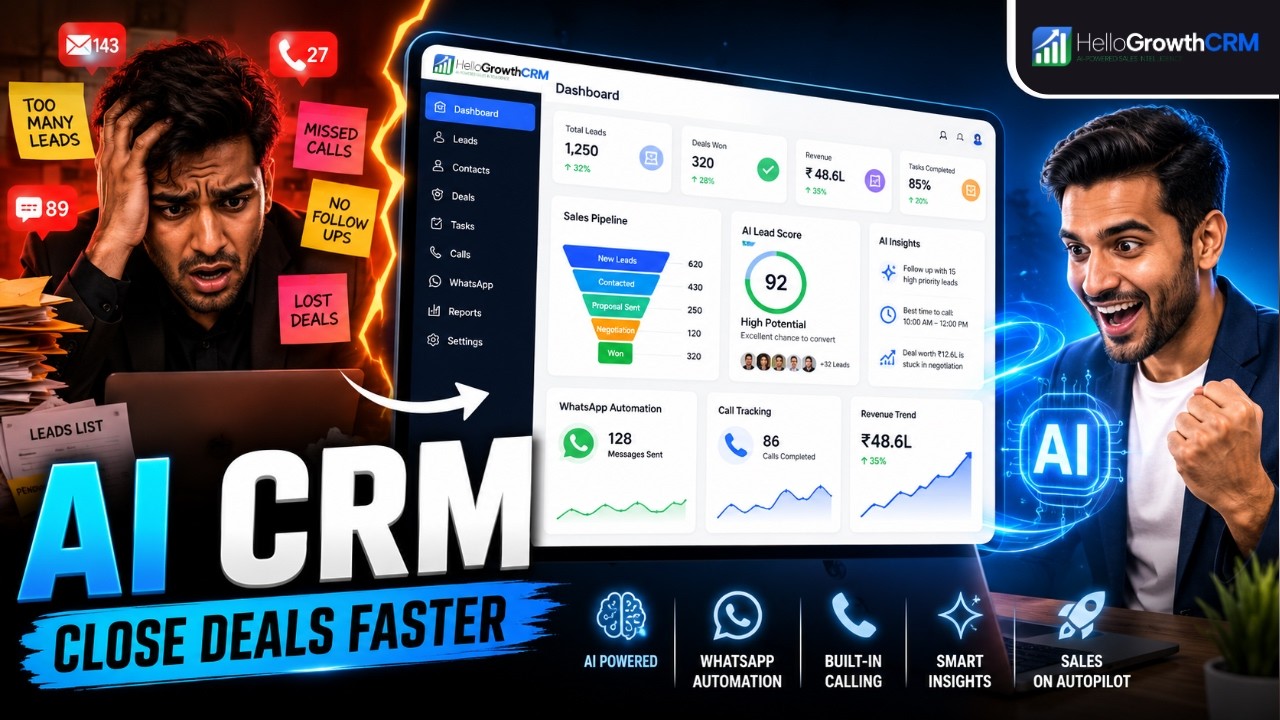
Key takeaways from this video
- AI lead scoring and recommendations that point reps at the next best lead.
- The built-in dialer with call tracking, so calls happen from the lead record.
- WhatsApp and email automation for follow-ups that do not rely on memory.
- AI call summaries and insights after conversations.
- Pipeline and deal management, plus revenue forecasting and reporting.
- Task automation and team collaboration from one dashboard.