HelloGrowthCRM software
Built for real small-business sales teams
HelloGrowthCRM helps reps qualify faster, follow up on time, and close more deals—with practical automation in one place.
- AI lead scoring and pipeline visibility
- Built-in dialer, WhatsApp, and email automation
- Sales forecasting and RevOps-ready reporting
Invoice time tracking is the process of recording the amount of time spent on client work and using that data to generate invoices that reflect actual hours worked. This helps small businesses and freelancers bill clients accurately, maintain clear records, and improve cash flow.
Why this comes up / what goes wrong
Many small business owners who bill by the hour find it challenging to track time accurately. Without a reliable system, time can be lost or forgotten, resulting in incomplete or inaccurate invoices. This delays payments and can damage client relationships. Often, businesses rely on manual notes, texts, or spreadsheets, which are error-prone and inefficient. When time tracking and invoicing are disconnected, verifying billed hours or responding to client questions becomes difficult.
Step-by-step
- Choose a time tracking method: Decide whether to track time manually using timesheets or spreadsheets, or with software. Pick a method that your team can use consistently.
- Record time immediately: Log hours daily or as tasks are completed to avoid forgetting details. Include start and end times, breaks, and descriptions.
- Organize time entries by client and project: Link time records to specific clients and projects to simplify invoice preparation.
- Review and approve time entries: Check entries for completeness and accuracy before invoicing.
- Generate invoices based on tracked time: Calculate billable amounts by multiplying hours worked by hourly rates, adding any expenses, and preparing the invoice.
- Send invoices promptly: Deliver invoices soon after work completion to encourage timely payment.
- Follow up on unpaid invoices: Monitor payment status and send reminders as needed.
- Keep detailed records: Store time logs and invoices securely for future reference or audits.
Using a CRM that captures leads and tracks deals can keep all information organized and reduce errors. Learn more about the free CRM for small business and WhatsApp and SMS CRM.
Example (fictional figures)
A B2B software reseller in Denver, Colorado, tracked 35 hours on a client project in May 2026. Their hourly rate is $150.
Hours worked = 35 Hourly rate = $150
Billable amount = 35 × $150 = $5,250
They add $250 in expenses.
Total invoice amount = $5,250 + $250 = $5,500
Invoice date: 05/31/2026
This calculation ensures clear communication of charges and allows quick invoice generation.
Common mistakes
- Not tracking time daily: Leads to forgotten hours and inaccurate invoices. Prevent this by setting reminders or using tools that track automatically.
- Mixing personal and billable hours: Causes billing errors. Use separate timers or categories to avoid confusion.
- Delaying invoice creation: Slows cash flow. Create invoices immediately after project milestones or monthly.
- Using multiple disconnected tools: Can lead to data loss or errors. Use integrated systems linking time tracking and invoicing.
- Failing to follow up on unpaid invoices: Results in lost revenue. Schedule follow-ups and automate reminders.
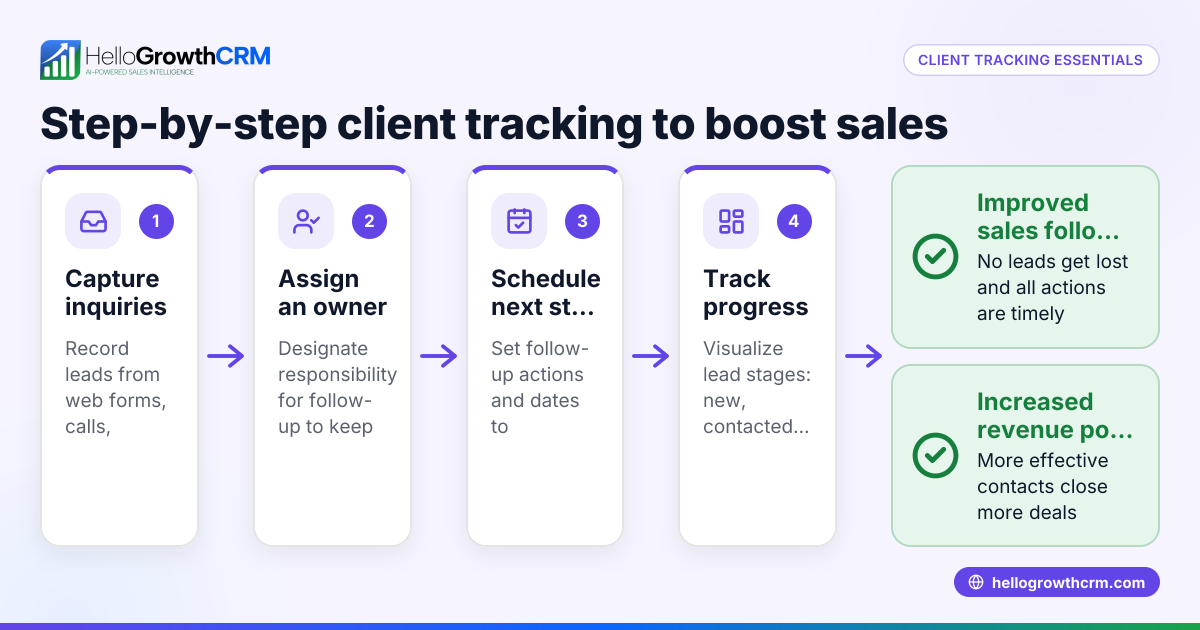
Organizing leads and deals in a CRM helps prevent lost inquiries and keeps follow-ups on track. See how HelloGrowthCRM supports this below.
Doing this in HelloGrowthCRM
HelloGrowthCRM captures every inquiry from forms, calls, or WhatsApp as a lead with an assigned owner and next step, preventing lost or forgotten prospects. When deals close, you can generate quotes, proposals, and invoices directly from the deal record. The status of each quotation (sent, viewed, accepted) appears on the same screen as follow-up tasks, helping you track client engagement and speed payment. This integration keeps your leads, sales tasks, and invoicing in one place, reducing manual work and errors. Learn more about the free CRM for small business and WhatsApp and SMS CRM.
Frequently asked questions
What is the best way to track time for invoicing? The best way is to use a tool or method your team will consistently use daily, such as a dedicated time tracker app, spreadsheet, or CRM with built-in features. The key is accurate, timely entries linked to clients and projects.
How do freelancers handle time tracking and invoicing? Freelancers often use simple apps or spreadsheets to log hours and then create invoices based on those records. Many also use CRMs or invoicing software that integrate time tracking with billing to save time and reduce errors.
Can invoice time tracking help improve business cash flow? Yes. Accurate and timely invoicing based on tracked hours helps ensure you bill clients correctly and get paid faster. It also helps avoid disputes that delay payments.
How does HelloGrowthCRM help with invoice time tracking? HelloGrowthCRM organizes your leads by capturing every inquiry with an owner and next step, so no prospect is lost. It lets you generate quotes and invoices directly from deals, showing their status alongside follow-up tasks. This helps you manage sales and invoicing together, improving accuracy and follow-up.
Is it necessary to track every minute worked? Not always. Many businesses track in increments (e.g., 15 minutes) or by task. The goal is to be detailed enough to justify billing and maintain clear records without overcomplicating the process.
Key takeaways
- Invoice time tracking means recording hours worked to bill accurately.
- Track time daily and organize entries by client and project.
- Generate invoices promptly using tracked hours and rates.
- Avoid common mistakes like delayed tracking and disconnected tools.
- HelloGrowthCRM organizes leads and invoices in one place to reduce errors.
Start managing your leads and invoices more efficiently with HelloGrowthCRM. Start on the Free Forever plan (200 leads, no credit card).
Ready to put this into practice?
Set up your pipeline, WhatsApp follow-ups, and AI lead scoring in minutes — free, no credit card.
Try HelloGrowthCRM freeGet CRM tips in your inbox
Join thousands of sales professionals who get weekly insights on CRM strategy, AI automation, and pipeline optimization.

The HelloGrowthCRM team publishes guides on CRM strategy, AI sales tools, and revenue operations for small business sales teams.