HelloGrowthCRM software
Built for real small-business sales teams
HelloGrowthCRM helps reps qualify faster, follow up on time, and close more deals—with practical automation in one place.
- AI lead scoring and pipeline visibility
- Built-in dialer, WhatsApp, and email automation
- Sales forecasting and RevOps-ready reporting
A tracking form is a tool used to gather and monitor information from customers or potential leads. It enables small-business owners to organize inquiries, track interactions, and ensure timely follow-up to convert leads into customers. This article covers why tracking forms are important, how to create and use them effectively, common mistakes to avoid, a worked example with USD figures, and how HelloGrowthCRM can help streamline this process.
Why this comes up / what goes wrong
Many small-business owners receive customer inquiries through various channels such as website forms, phone calls, WhatsApp messages, email, or even paper notes. Without a centralized tracking form, these inquiries can become scattered, resulting in lost leads, delayed follow-ups, and missed sales opportunities. For example, a business owner might get dozens of appointment requests or product questions daily but lack a system to organize and assign responsibility for each lead. This can cause confusion about which leads need action and when, leading to slow customer responses and lost revenue.
Step-by-step
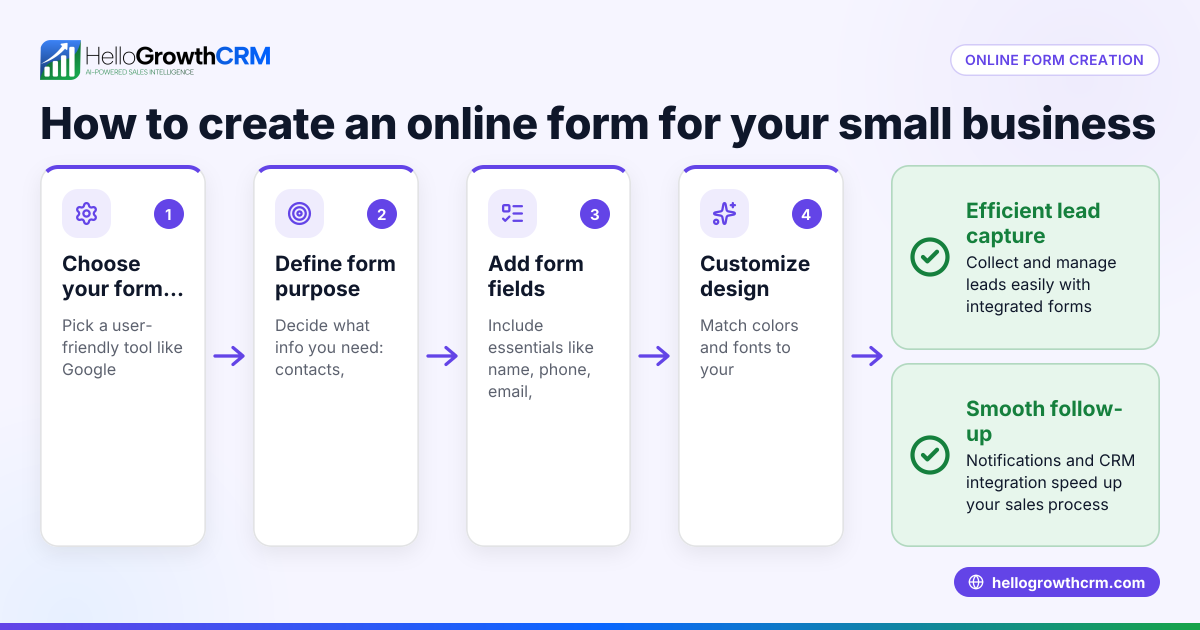
- Define what you want to track: Decide the key information needed from customers or leads, such as full name, contact details (phone and email), inquiry type, preferred contact method, and date of inquiry.
- Choose your form format: Decide if you want a digital form embedded on your website, a form sent via email, or a physical paper form. Digital forms are easier to track automatically and reduce manual errors.
- Create the form fields: Build the form with clear, concise fields. Include mandatory fields for essential information and optional fields for additional details. Avoid overwhelming customers with too many fields.
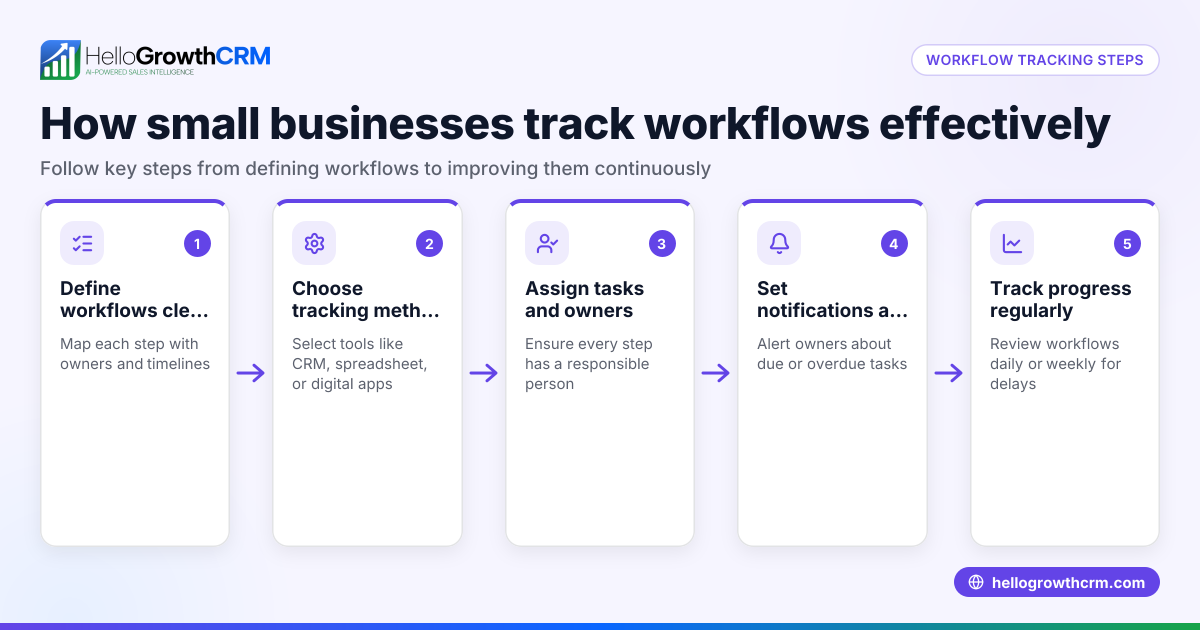
- Set up a tracking system: Determine where form submissions will be collected and stored. This might be a spreadsheet, a database, or ideally a CRM system.
- Assign ownership: Make sure each lead or inquiry is assigned to a specific team member responsible for follow-up. This prevents leads from being overlooked.
- Monitor form submissions regularly: Check new entries daily or multiple times per day to ensure timely responses.
- Follow up promptly: Use the collected information to contact leads quickly and track the progress of each inquiry.
- Review and improve: Periodically analyze the data from your tracking form to identify bottlenecks, missing information, or process improvements.
Example (fictional figures)
A two-location dental practice in Columbus, Ohio, uses a tracking form on their website to capture appointment requests.
- On 05/01/2026, they received 50 form submissions.
- Each form includes patient name, phone number, preferred location, and requested appointment date.
- They assign each lead to a receptionist for follow-up within 24 hours.
Calculations:
Total submissions = 50
Follow-up calls made within 24 hours = 45
Follow-up rate = (45 ÷ 50) × 100 = 90%
If 30 appointments were booked from these calls:
Conversion rate = (30 ÷ 50) × 100 = 60%
Tracking these numbers helps the practice improve their follow-up speed and appointment booking efficiency.
Common mistakes
- Not centralizing data: Using multiple unconnected methods like email, text, and paper notes causes leads to get lost. Prevent this by consolidating all inquiries into one tracking form or system.
- Ignoring follow-up deadlines: Delayed responses lead to lost leads. Prevent this by assigning owners and setting reminders for timely follow-up.
- Collecting too much or too little information: Overcomplicated forms discourage customers, while too little info hampers follow-up. Prevent this by balancing essential and optional fields.
- Failing to review data: Without regular analysis, you miss opportunities to improve. Set routine reviews to identify bottlenecks.
- Not integrating with sales tools: Manually entering data into spreadsheets is error-prone and inefficient. Prevent this by using a CRM that captures leads automatically.
Learn more about integrating lead capture with a WhatsApp and SMS CRM and using a built-in CRM dialer to improve follow-up efficiency.
Doing this in HelloGrowthCRM
HelloGrowthCRM captures every inquiry from a form, call, or WhatsApp message as a lead with an assigned owner and a next step. This keeps your leads organized and moving toward conversion instead of getting lost in notebooks or spreadsheets. You can manage follow-ups efficiently and never miss a lead.
Frequently asked questions
What is a tracking form used for in business? A tracking form collects and organizes customer or lead information to monitor inquiries and manage follow-up. It helps businesses respond faster and improve conversion rates.
How can I create a tracking form easily? You can create a tracking form using online form builders or your website platform. Focus on essential fields and ensure submissions are stored in an accessible system like a CRM or spreadsheet.
Why is it important to assign an owner to each lead? Assigning ownership ensures accountability for follow-up, reducing the chance that leads get ignored or forgotten.
Can a CRM help with tracking forms? Yes. A CRM like HelloGrowthCRM automatically captures inquiries from forms and messages, assigns owners, and tracks next steps, making lead management more efficient.
How often should I review my tracking form data? Regular reviews, such as weekly or monthly, help identify issues in follow-up processes and improve lead conversion.
Learn more about HelloGrowthCRM features for US businesses at HelloGrowthCRM for the United States.
Key takeaways
- A tracking form organizes customer inquiries to prevent lost leads.
- Define clear fields and assign owners for effective follow-up.
- Regularly monitor and review form data to improve sales processes.
- Avoid common mistakes like scattered data and delayed responses.
- HelloGrowthCRM captures every inquiry as a lead with an owner and next step to keep your sales pipeline moving.
Start managing your leads better today. Start on the Free Forever plan (200 leads, no credit card).
Ready to put this into practice?
Set up your pipeline, WhatsApp follow-ups, and AI lead scoring in minutes — free, no credit card.
Try HelloGrowthCRM freeGet CRM tips in your inbox
Join thousands of sales professionals who get weekly insights on CRM strategy, AI automation, and pipeline optimization.

The HelloGrowthCRM team publishes guides on CRM strategy, AI sales tools, and revenue operations for small business sales teams.