HelloGrowthCRM software
Built for real small-business sales teams
HelloGrowthCRM helps reps qualify faster, follow up on time, and close more deals—with practical automation in one place.
- AI lead scoring and pipeline visibility
- Built-in dialer, WhatsApp, and email automation
- Sales forecasting and RevOps-ready reporting
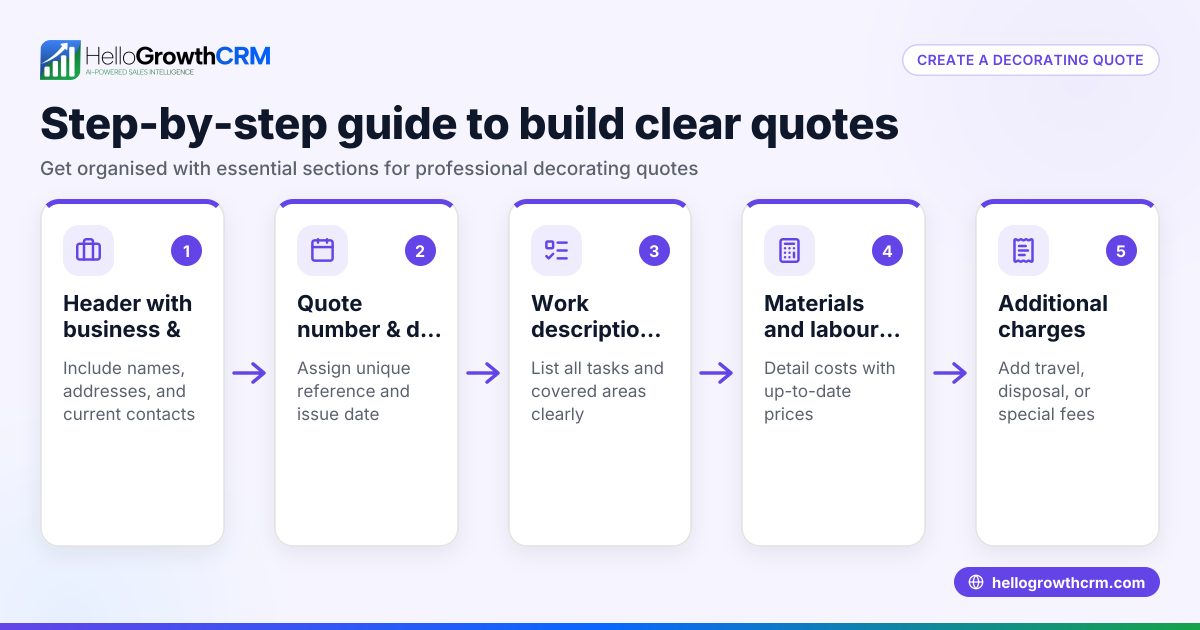
An itemised quote breaks down the total price of a job or order into individual components, showing each item or service separately with its cost. This level of detail helps your customer understand exactly what they are paying for and can reduce disputes or misunderstandings. It also supports better internal tracking for your business.
Why this comes up / what goes wrong
Small business owners often face challenges when quoting customers. Without an itemised quote, customers may question the total price or request breakdowns later, slowing down sales. Sometimes quotes are too vague or lumped together, making it hard to justify costs or compare with competitors. This can lead to lost sales or unhappy clients.
An itemised quote is especially important if your work involves multiple tasks, materials, or services, such as trades, event planning, or training organisations. It also helps when customers want to approve or negotiate specific parts of the job.
Step-by-step
- List all products or services separately. Write each item or task you will provide. Include clear descriptions to clarify what is included.
- Specify quantities or hours. For each item, state how many units or hours you will supply.
- Set unit prices. Assign a price per unit or hour for each item.
- Calculate line totals. Multiply quantity by unit price for each item.
- Add any applicable taxes. Include GST or other taxes if relevant, either within each line or as a total.
- Sum all line totals. Add up all line totals and taxes to get the total quote amount.
- Include terms and conditions. State payment terms, expiry date of the quote, and any other relevant conditions.
- Review for accuracy and clarity. Check calculations and wording to avoid confusion.
- Send the quote promptly. Deliver the quote in writing, preferably by email or a CRM system.
Check that your quote matches what you can deliver and that prices reflect your costs and margin. Confirm the quote format suits your customer’s expectations. Using a CRM with quoting features can help avoid common mistakes by automating calculations and tracking. Learn more about the built-in CRM dialer and WhatsApp and SMS CRM features.
Example (fictional figures)
A registered training organisation in Adelaide, South Australia, quotes a client on 15/06/2026 for a customised training package:
| Item | Quantity | Unit Price (A$) | Line Total (A$) |
|---|---|---|---|
| Training manuals | 50 | 30 | 50 × 30 = 1,500 |
| Trainer hours | 20 | 150 | 20 × 150 = 3,000 |
| Venue hire | 2 | 500 | 2 × 500 = 1,000 |
Subtotal = 1,500 + 3,000 + 1,000 = 5,500
GST (assumed 10%) = 5,500 × 10% = 550
Total quote = 5,500 + 550 = 6,050
The quote document lists each item with description and price, the subtotal, GST amount, total, and payment terms.
Common mistakes
- Not breaking down costs clearly. Prevent by always listing each item and price separately.
- Forgetting to include taxes like GST. Prevent by adding a tax line or including tax in unit prices.
- Using vague descriptions. Prevent by writing clear, specific descriptions of each item or service.
- Not specifying quantities or units. Prevent by stating exact quantities or hours.
- Sending quotes late or without follow-up. Prevent by using tools that track quote status and set reminders.
- Failing to include terms and conditions. Prevent by adding payment terms and expiry dates.
Doing this in HelloGrowthCRM
HelloGrowthCRM lets you create, send, and track quotes directly from a deal record. The quote status (sent, viewed, accepted) is visible on the same screen as your follow-up tasks, helping you stay organised and timely. You can also generate proposals and invoices tied to deals and reconcile payments, streamlining your sales process. See the built-in CRM dialer and WhatsApp and SMS CRM features that complement quoting.
Frequently asked questions
What is the difference between an itemised quote and a standard quote? An itemised quote breaks down the price into individual items or services with quantities and unit prices, while a standard quote often shows only a total price without details. Itemised quotes provide more transparency.
Do I have to include GST in my quotes? If your business is registered for GST, you should show GST on your quotes either as a separate line or included in prices. This helps customers know the tax component.
How long is a quote valid for? Quotes typically include an expiry date, often 30 days, to set a timeframe for acceptance. This protects you from price changes or availability issues.
Can I update a quote after sending it? Yes, but it’s best to send a revised quote clearly marked as updated. Using a CRM like HelloGrowthCRM makes managing quote versions easier.
Is it necessary to send quotes in writing? Yes, providing a written quote via email or CRM ensures clarity and a record for both parties.
Key takeaways
- An itemised quote lists each product or service with quantity and unit price.
- Clear, detailed quotes help avoid customer confusion and speed up sales.
- Always include taxes, terms, and expiry dates in your quotes.
- Use a step-by-step process to prepare accurate, professional quotes.
- Avoid common mistakes like vague descriptions or missing taxes.
- HelloGrowthCRM supports quote creation, sending, tracking, and follow-up from the deal screen.
Start preparing your itemised quotes confidently to improve customer trust and close deals faster. You can start on the Free Forever plan (200 leads, no credit card) today and try managing your quotes with HelloGrowthCRM.
Ready to put this into practice?
Set up your pipeline, WhatsApp follow-ups, and AI lead scoring in minutes — free, no credit card.
Try HelloGrowthCRM freeGet CRM tips in your inbox
Join thousands of sales professionals who get weekly insights on CRM strategy, AI automation, and pipeline optimization.

The HelloGrowthCRM team publishes guides on CRM strategy, AI sales tools, and revenue operations for small business sales teams.