HelloGrowthCRM software
Built for real small-business sales teams
HelloGrowthCRM helps reps qualify faster, follow up on time, and close more deals—with practical automation in one place.
- AI lead scoring and pipeline visibility
- Built-in dialer, WhatsApp, and email automation
- Sales forecasting and RevOps-ready reporting
A live call transfer happens when you connect a caller directly to another team member without dropping the call. Unlike a cold transfer where the call is passed without warning, a live transfer keeps the caller on the line while you introduce or brief the next person. This is especially useful for small businesses aiming to keep prospects engaged and avoid lost leads.
Why this comes up / what goes wrong
Small business owners often face situations where a customer or prospect calls in with a question or request that requires a specialist or another department. For example, a sales rep might need to transfer the call to a product expert or manager. Without live call transfer, the caller might be put on hold or disconnected, causing frustration and lost opportunities. Many small teams rely on multiple communication channels like text, email, and spreadsheets, making seamless call transitions difficult.
Step-by-step
- Answer the incoming call and understand the caller’s needs. Confirm why the transfer is necessary.
- Notify the person you want to transfer to. Call them and explain the situation briefly.
- Put the original caller on hold temporarily, if your system allows. This keeps them waiting without disconnecting.
- Connect the two parties. Join the call so all three can talk briefly.
- Introduce the caller to the new person. Briefly explain the reason for the transfer.
- Confirm the new person is ready to take over. Ask the caller if they are comfortable continuing.
- Complete the transfer. Leave the call or stay on if needed.
- Log the call outcome. Record details like transfer success and any follow-up actions.
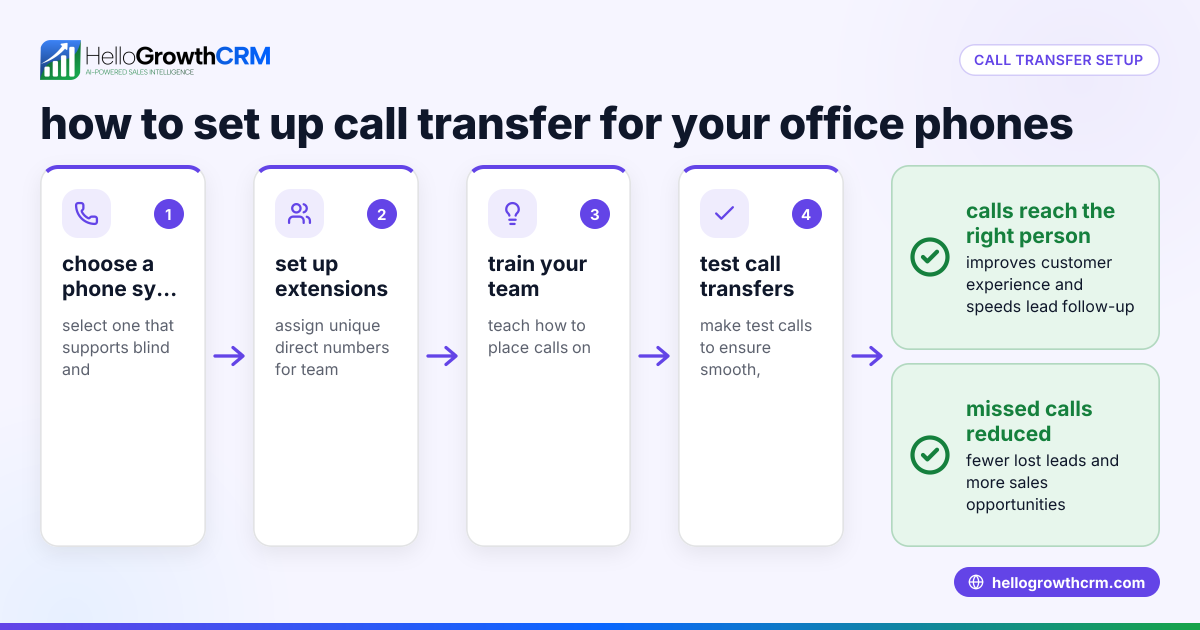
Check your phone or CRM system’s capabilities before attempting live transfers to ensure it supports putting calls on hold and conferencing multiple lines.
Example (fictional figures)
A two-location dental practice in Columbus, Ohio receives a call on 05/10/2026 from a potential new patient asking about insurance coverage. The receptionist answers and realizes the question needs the office manager’s input.
- Receptionist answers the call.
- Receptionist calls the office manager on an internal line.
- Receptionist puts the caller on hold.
- Receptionist connects the caller and manager on a three-way call.
- Receptionist introduces the caller and explains the insurance question.
- Manager confirms they can help.
- Receptionist leaves the call.
- Receptionist logs the call outcome in the CRM.
This live call transfer helps the dental practice keep the caller engaged, increasing the chance of booking an appointment.
Common mistakes
- Not notifying the person receiving the transfer: Causes confusion and poor caller experience. Prevent by always calling ahead.
- Dropping the call accidentally: Leads to lost leads. Prevent by confirming the transfer before disconnecting.
- Failing to introduce the caller: Makes the new person unprepared. Always briefly explain the situation.
- Not logging the transfer outcome: Misses tracking important sales data. Use your CRM to record every call detail.
- Using cold transfers when live transfers are needed: Results in caller frustration. Train staff on when to use live transfers.
For better call management, consider a CRM with a built-in CRM dialer that logs call outcomes automatically.
Doing this in HelloGrowthCRM
HelloGrowthCRM includes a built-in dialer that lets your reps work a list directly from inside the CRM. Each call’s outcome, including live transfers, is logged on the lead record. This keeps your sales team organized and ensures no call details are lost. Learn more about the built-in CRM dialer and how it integrates with your workflows.
Frequently asked questions
What is the difference between a live call transfer and a cold transfer? A live call transfer keeps the caller on the line while you connect them to another person, allowing introductions and briefing. A cold transfer passes the call without warning, often dropping the caller into voicemail or another queue.
Can I do live call transfers on any phone system? Not all phone systems support live transfers. Check if your system allows putting calls on hold and conferencing multiple lines. Many CRM dialers, like HelloGrowthCRM’s built-in dialer, support these features.
How does logging call outcomes help my business? Logging call outcomes tracks what happened during each call, including transfers. This data helps sales teams follow up effectively and analyze performance, reducing lost leads.
Is live call transfer useful for small teams using WhatsApp and SMS? Yes. While WhatsApp and SMS handle text communication, live call transfers improve voice interactions. HelloGrowthCRM combines WhatsApp and SMS CRM features with calling tools for a unified approach. Learn more about WhatsApp and SMS CRM.
How do I train my team on live call transfers? Create clear scripts and protocols for when and how to transfer calls. Use your CRM’s call logs to review and improve performance regularly.
Key takeaways
- Live call transfer connects the caller to another team member while staying on the line.
- It improves customer experience and reduces lost leads.
- Follow clear steps: notify, hold, connect, introduce, confirm, and log.
- Common mistakes include failing to notify or log transfers.
- HelloGrowthCRM’s built-in dialer supports call outcome logging and simplifies call management.
Start improving your sales calls today. Start on the Free Forever plan (200 leads, no credit card) and see how HelloGrowthCRM can help your team manage leads and calls efficiently.
Ready to put this into practice?
Set up your pipeline, WhatsApp follow-ups, and AI lead scoring in minutes — free, no credit card.
Try HelloGrowthCRM freeGet CRM tips in your inbox
Join thousands of sales professionals who get weekly insights on CRM strategy, AI automation, and pipeline optimization.

The HelloGrowthCRM team publishes guides on CRM strategy, AI sales tools, and revenue operations for small business sales teams.