HelloGrowthCRM software
Built for real small-business sales teams
HelloGrowthCRM helps reps qualify faster, follow up on time, and close more deals—with practical automation in one place.
- AI lead scoring and pipeline visibility
- Built-in dialer, WhatsApp, and email automation
- Sales forecasting and RevOps-ready reporting
Office phones with call transfer let you redirect incoming calls to another extension or phone number within your business. This means calls don’t get missed or stuck with the wrong person. It is especially useful for small and mid-sized UK businesses where multiple team members handle sales or customer service. Proper use of call transfer improves customer experience and speeds up lead follow-up.
Why this comes up / what goes wrong
Small business owners often face issues when calls come in and the right person isn’t available. Without call transfer, calls can go unanswered or customers get frustrated being passed around. Many UK businesses still run sales on WhatsApp, email, or spreadsheets and lack a proper phone system. They might use basic office phones without call transfer or rely on mobile phones, which slows down follow-up and loses leads.
Call transfer solves this by letting you move a call to the right team member instantly. It also helps when staff work remotely or when sales teams grow beyond a single person answering the phone. Without it, missed calls mean missed sales opportunities.
Step-by-step
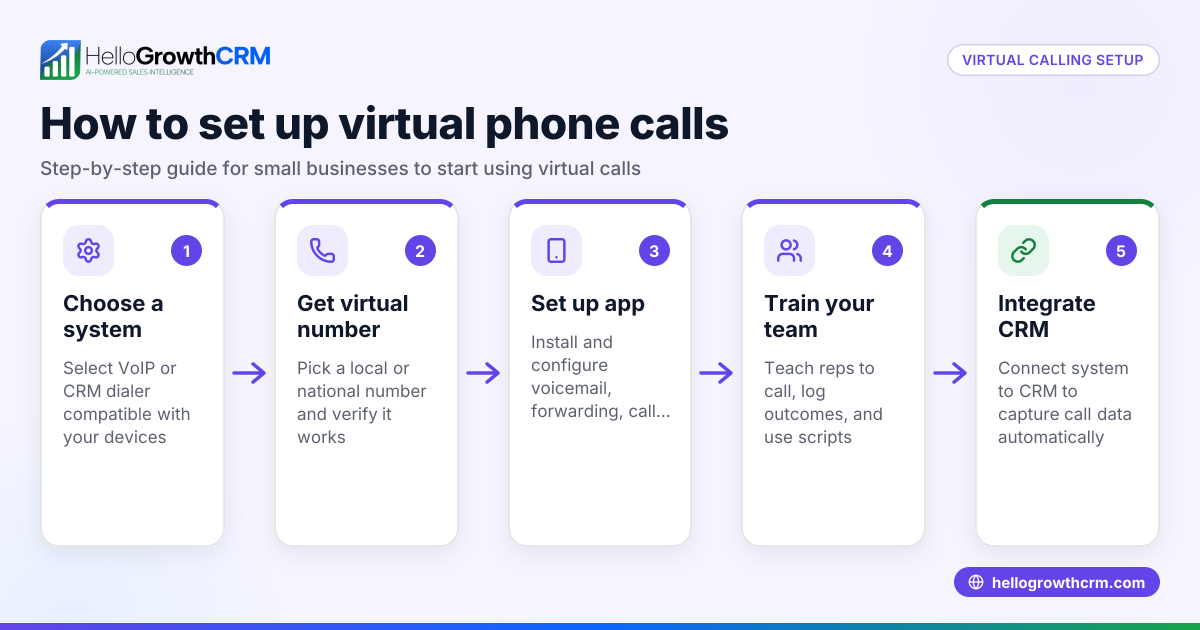
- Choose an office phone system that supports call transfer. Check that your phone hardware or VOIP provider includes call transfer features like blind transfer (direct) or attended transfer (with consultation).
- Set up extensions or direct numbers for your team members. Each salesperson or department should have a unique extension or direct dial number.
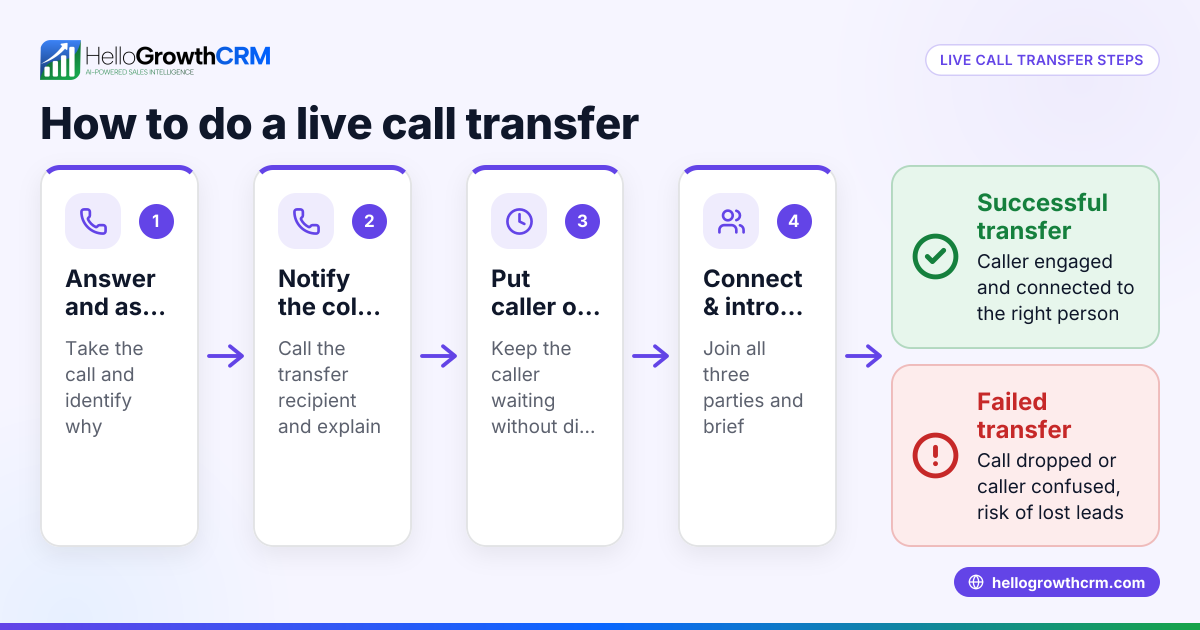
- Train your team on how to transfer calls. Teach them how to place a call on hold and transfer it correctly, either by extension number or phone number.
- Test the call transfer process. Make test calls to ensure transfers connect properly without dropping.
- Monitor call logs and feedback. Use call reports to check if calls are being transferred efficiently and no leads are lost.
- Integrate call transfer with your CRM if possible. This helps track calls and outcomes in one place.
Check that your phone system supports these key transfer types:
| Transfer Type | Description | When to Use |
|---|---|---|
| Blind Transfer | Transfers call immediately | When you know the right person is available |
| Attended Transfer | Talk to the recipient first | When you want to confirm availability or give info |
Example (fictional figures)
A Bristol-based recruitment consultancy with 15 staff wants to improve its call handling. Their current phones do not support call transfer, so calls to the sales team often get missed.
They buy a VOIP phone system supporting call transfer at £4,000 upfront and £150 monthly service.
They estimate that improved call transfer will save 2 lost leads a month, each worth £5,000 in fees.
Annual benefit calculation:
2 leads × £5,000 = £10,000 saved per month £10,000 × 12 months = £120,000 saved annually
Cost calculation:
£4,000 upfront + (£150 × 12) = £4,000 + £1,800 = £5,800 total annual cost
Net benefit:
£120,000 - £5,800 = £114,200 net gain per year
This investment clearly improves business revenue by ensuring calls are handled and leads are not lost.
Common mistakes
- Not verifying if your current phone system supports call transfer. Prevent by checking specs or asking your provider.
- Failing to train staff on call transfer use. Prevent by providing clear instructions and practice sessions.
- Ignoring call transfer types and using the wrong one. Prevent by understanding blind vs attended transfer and when to use each.
- Not testing call transfers regularly. Prevent by scheduling routine tests and fixing issues promptly.
- Not integrating call data with sales tracking. Prevent by using a CRM that logs call outcomes.
Using a CRM with a built-in dialer can help avoid these mistakes by logging calls and outcomes automatically.
Doing this in HelloGrowthCRM
HelloGrowthCRM includes a built-in dialer that lets your rep work a list from inside the CRM. Each call’s outcome is logged on the lead, keeping the full call history tied to contact and deal records. This helps your team manage calls efficiently and track follow-up without juggling separate phones or spreadsheets. Learn more about the built-in CRM dialer and how it supports call management.
Frequently asked questions
What types of call transfer do office phones offer? Office phones typically offer blind transfer, where calls are sent directly without speaking to the recipient, and attended transfer, where you speak to the recipient before transferring. Both have uses depending on whether you want to confirm availability.
Can I transfer calls from mobile phones? Some mobile phones support call transfer if connected to a VOIP or business phone system. However, traditional mobile networks may not support seamless call transfer like office phones do.
How does call transfer improve sales follow-up? Call transfer ensures calls reach the right person quickly, reducing missed opportunities and speeding up responses. This improves customer experience and increases the chance of closing sales.
Can call transfer be integrated with CRM software? Yes, many CRMs support call integration or have built-in dialers that log call outcomes. This helps track customer interactions and manage follow-up tasks in one place. See HelloGrowthCRM for the United Kingdom for more.
Is call transfer complicated to set up? Setting up call transfer depends on your phone system. VOIP systems usually have simple setup options, but training staff is essential. Follow step-by-step guides and test before going live.
Can I use WhatsApp or SMS instead of office phones? WhatsApp and SMS are useful for some communications, but they don’t replace the immediacy of phone calls with call transfer. HelloGrowthCRM supports WhatsApp and SMS CRM features alongside calling.
Key takeaways
- Office phones with call transfer let you redirect calls to the right person, reducing missed leads.
- Choose a phone system that supports blind and attended transfer and set up extensions.
- Train your team and test call transfers regularly to avoid lost calls.
- Integrate call tracking with a CRM to log outcomes and manage follow-up.
- HelloGrowthCRM’s built-in dialer helps manage calls and outcomes directly in your CRM.
To get started with managing your calls and leads better, start on the Free Forever plan (200 leads, no credit card) today.
Ready to put this into practice?
Set up your pipeline, WhatsApp follow-ups, and AI lead scoring in minutes — free, no credit card.
Try HelloGrowthCRM freeGet CRM tips in your inbox
Join thousands of sales professionals who get weekly insights on CRM strategy, AI automation, and pipeline optimization.

The HelloGrowthCRM team publishes guides on CRM strategy, AI sales tools, and revenue operations for small business sales teams.