HelloGrowthCRM software
Built for real small-business sales teams
HelloGrowthCRM helps reps qualify faster, follow up on time, and close more deals—with practical automation in one place.
- AI lead scoring and pipeline visibility
- Built-in dialer, WhatsApp, and email automation
- Sales forecasting and RevOps-ready reporting
A newsletter sign up is a simple form or tool designed to collect contact details like email addresses from people interested in receiving your business updates, offers, or news. Setting this up correctly ensures you build a mailing list that helps you stay connected with customers and prospects. This article explains why small businesses need a clear newsletter sign up, walks you through the setup steps, highlights common mistakes, offers a practical example, and shows how HelloGrowthCRM can help automate your follow-up process.
Why this comes up / what goes wrong
Small business owners often want to grow their customer base by sending newsletters but struggle to capture sign ups effectively. They may use generic forms that don’t ask for the right information or lack a clear call-to-action, resulting in few sign ups. Others collect emails but fail to organize or follow up, losing potential leads. Without a simple, ready-to-use format and a follow-up system, newsletter sign ups become ineffective or ignored.
Step-by-step
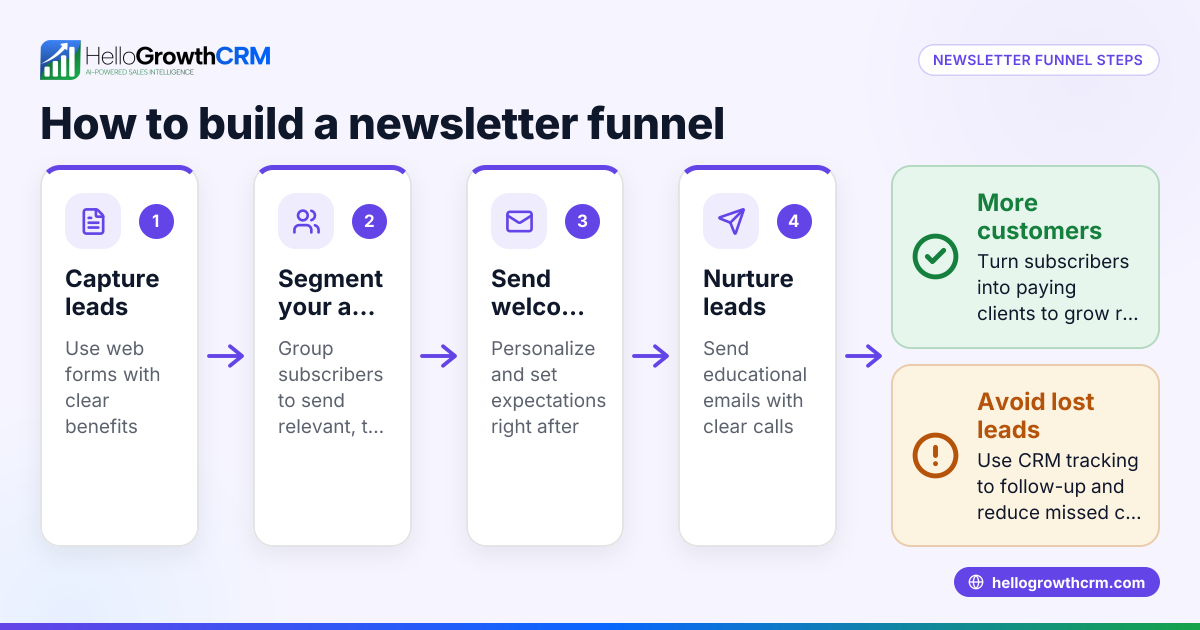
- Choose your sign up method: Decide whether to use a web form, a landing page, or a pop-up on your site. Ensure it’s mobile-friendly.
- Design the form: Include essential fields only — typically name and email address. Avoid too many fields which discourage sign ups.
- Write a clear call-to-action (CTA): Use action words like “Subscribe to our Newsletter” or “Get Weekly Updates.” Make the button visible and attractive.
- Add privacy assurance: Include a short note about data privacy, such as “We respect your privacy and won’t share your information.”
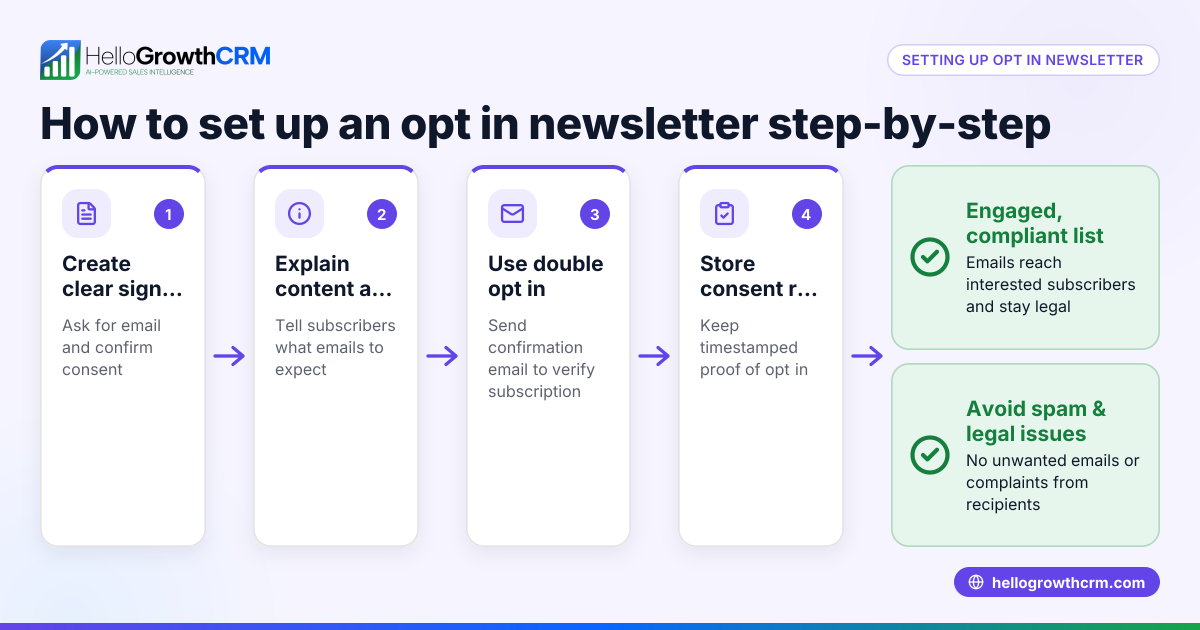
- Set up confirmation: Use a double opt-in if possible, where subscribers confirm their email by clicking a link. This reduces fake or mistyped addresses.
- Connect to your contact list: Ensure sign ups automatically add to your mailing list or CRM for easy management.
- Plan your follow-up: Schedule a welcome email or sequence to engage new subscribers immediately.
- Test the form: Submit test entries to check it works on desktop and mobile, and that you receive the data correctly.
- Monitor and optimize: Track sign up rates and tweak the form or CTA as needed.
Example (fictional figures)
A residential real-estate team in Phoenix, Arizona, wants to grow their newsletter list. They create a web form with these details:
- Fields: First name, Email address
- CTA button: “Join Our Monthly Market Updates”
- Privacy note: “No spam, unsubscribe anytime.”
- Double opt-in enabled
They receive 200 sign ups in the first month. Their welcome email campaign costs $0.10 per email sent.
Calculation:
200 sign ups × $0.10 = $20
The team spends $20 to engage 200 potential clients, turning sign ups into leads.
Common mistakes
- Too many form fields: Asking for excessive info reduces sign ups. Keep it minimal.
- Unclear CTA: Vague buttons like “Submit” don’t motivate action. Use direct phrases.
- No privacy note: Visitors hesitate without data assurance. Always include one.
- No confirmation step: Without double opt-in, you risk fake emails and spam complaints.
- Ignoring follow-up: Collecting emails without sending welcome messages wastes leads. Automate follow-ups.
- No mobile testing: Forms that don’t work on phones lose many sign ups. Always test.
For task and follow-up management, using activities and task boards helps keep follow-ups organized and timely. Automated sequences and campaigns can run your welcome emails and reminders without manual work.
Doing this in HelloGrowthCRM
HelloGrowthCRM offers tools to streamline newsletter sign ups and follow-ups. Each new contact can become a task with a due date in the activities and task boards, so your team never misses a follow-up. You can set up automated sequences and campaigns to send a five-step follow-up over two weeks that stops as soon as the subscriber replies. Additionally, the Beta AI agents feature can draft follow-up messages after calls or contacts, letting reps review and send quickly. These features help small and mid-sized businesses manage sign ups and nurture leads efficiently.
Frequently asked questions
What information should I ask for in a newsletter sign up? Ask only for essential information like first name and email address. Extra fields can reduce sign ups because they add friction. You can gather more details later once the subscriber is engaged.
Why is double opt-in important? Double opt-in requires subscribers to confirm their email by clicking a link in a confirmation email. This prevents fake or mistyped addresses from entering your list and reduces spam complaints, improving your sender reputation.
How can I encourage more sign ups? Use a clear, compelling call-to-action and place your sign up form where visitors can see it easily, such as your website header, blog posts, or social media. Offering incentives like discounts or exclusive content can also boost sign ups.
How often should I send newsletters? Consistency matters more than frequency. Choose a schedule you can maintain, such as weekly or monthly, and stick to it. Over-emailing can cause unsubscribes; too infrequent contact can reduce engagement.
Can I automate follow-ups after sign up? Yes, automation tools like the sequences and campaigns feature in HelloGrowthCRM let you send timed messages to new subscribers automatically, improving engagement without extra manual work.
How do I ensure my sign up form works on all devices? Test your form on desktop, tablets, and smartphones before publishing. Responsive design ensures the form adjusts to different screen sizes, making it easy to use everywhere.
Key takeaways
- Keep newsletter sign up forms simple with essential fields only.
- Use clear calls-to-action and privacy notes to build trust.
- Implement double opt-in to ensure valid email addresses.
- Automate welcome and follow-up emails to engage new subscribers.
- Test forms on multiple devices to avoid losing sign ups.
- Use tools like HelloGrowthCRM’s task boards and automation to manage follow-ups efficiently.
Start building your newsletter list today with a simple, effective sign up form and automate your follow-ups to turn contacts into customers. You can start on the Free Forever plan (200 leads, no credit card) with HelloGrowthCRM to organize leads and automate outreach.
Ready to put this into practice?
Set up your pipeline, WhatsApp follow-ups, and AI lead scoring in minutes — free, no credit card.
Try HelloGrowthCRM freeGet CRM tips in your inbox
Join thousands of sales professionals who get weekly insights on CRM strategy, AI automation, and pipeline optimization.

The HelloGrowthCRM team publishes guides on CRM strategy, AI sales tools, and revenue operations for small business sales teams.