HelloGrowthCRM software
Built for real small-business sales teams
HelloGrowthCRM helps reps qualify faster, follow up on time, and close more deals—with practical automation in one place.
- AI lead scoring and pipeline visibility
- Built-in dialer, WhatsApp, and email automation
- Sales forecasting and RevOps-ready reporting
A no show email sample is a polite, clear message you send to clients or prospects who miss a scheduled appointment or meeting without notice. It typically thanks them for their interest, reminds them of the missed time, and invites them to reschedule. This article provides a ready-to-use no show email sample, step-by-step instructions on writing and sending it, common mistakes to avoid, and how HelloGrowthCRM can help automate follow-ups.
Why this comes up / what goes wrong
Small-business owners often schedule meetings with potential clients or customers to discuss services, quotes, or sales opportunities. Sometimes, the client does not show up at the agreed time without informing the business. This wastes valuable time and can delay closing deals or providing services. Without a professional and clear follow-up email, the business risks losing the lead or appearing unorganized. A no show email sample helps maintain professionalism, encourages rescheduling, and keeps the sales process moving.
Step-by-step
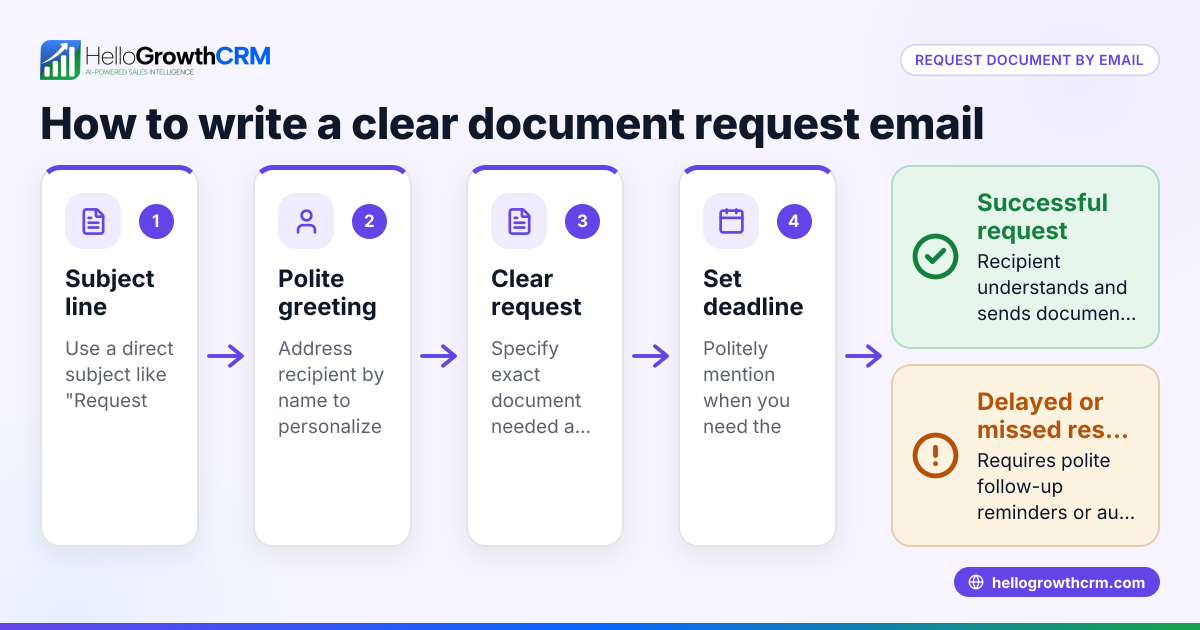
- Start with a polite greeting and thank the client for their interest. This sets a positive tone.
- Mention the missed appointment clearly but without blame. For example, "We noticed you missed our meeting scheduled for [date/time]."
- Express understanding and offer flexibility. Clients may have legitimate reasons for missing the meeting.
- Invite them to reschedule. Provide a clear call to action, such as "Please reply to this email or click here to choose a new time."
- Include your contact details. Make it easy for the client to reach you by phone, email, or messaging.
- Keep the tone professional and concise. Avoid sounding frustrated or accusatory.
- Check for spelling, grammar, and clarity before sending. A polished email reflects well on your business.
For ongoing follow-up, consider using email automation and sequences to send gentle reminders or next-step messages automatically.
Example (fictional figures)
GreenLeaf Landscaping, a landscaping contractor in Charlotte, North Carolina, scheduled a consultation with a prospective client for 03/15/2026 at 2:00 PM. The client did not show up.
GreenLeaf Landscaping charges $150 per hour for consultation and estimates a 3-hour job for a garden makeover, totaling $450. The missed appointment delayed the project start and impacted revenue.
Calculation of lost potential revenue due to no show:
Hourly rate = $150
Estimated hours = 3
Total potential revenue = $150 × 3 = $450
GreenLeaf sends this no show email:
Subject: Missed Appointment on 03/15/2026 – Let's Reschedule
Hi [Client Name],
Thank you for your interest in GreenLeaf Landscaping. We noticed you missed our meeting scheduled for 03/15/2026 at 2:00 PM. We understand that things come up unexpectedly.
Please reply to this email or call us at (704) 555-6789 to choose a new time that works for you. We look forward to helping you with your landscaping needs.
Best regards, Sam Taylor Owner, GreenLeaf Landscaping
This email is clear, polite, and invites the client to reschedule without pressure.
Common mistakes
- Sounding accusatory or frustrated. Prevent this by using neutral language and assuming positive intent.
- Not including a clear call to action. Always tell the client how to reschedule or get in touch.
- Sending the email too late. Send the no show email within 24 hours of the missed appointment to stay relevant.
- Forgetting to proofread. Typos or unclear sentences reduce professionalism.
- Not tracking replies or follow-ups. Use a shared inbox like HelloMail shared inbox so your team can see responses and avoid duplicated efforts.
- Relying on manual follow-up only. Automate follow-up sequences to avoid leads slipping through the cracks with sequences and campaigns.
Doing this in HelloGrowthCRM
HelloGrowthCRM offers a HelloMail shared inbox where replies to your no show emails are visible to your whole sales team on the deal, preventing missed responses. You can also set up sequences and campaigns to run a five-step follow-up over two weeks automatically. These sequences stop as soon as the prospect replies, saving time and ensuring consistent follow-up without manual effort.
Frequently asked questions
What should I include in a no show email? Include a polite greeting, mention the missed appointment without blame, express understanding, invite rescheduling, and provide your contact details. Keep it concise and professional.
How soon should I send a no show email? Send the email within 24 hours of the missed appointment to stay timely and relevant.
Can I automate no show emails? Yes, using email automation and sequences like those in HelloGrowthCRM helps you send follow-ups automatically and consistently.
What if the client never replies? Use a multi-step sequence to send gentle reminders over a couple of weeks. If there is still no reply, consider closing the lead but keep the door open for future contact.
Should I mention consequences of missing the appointment? It’s best to avoid mentioning penalties or consequences in the first no show email. Focus on rescheduling and maintaining a good relationship.
How can I keep my team updated on no show replies? Using a shared inbox like HelloMail allows your sales team to see all replies to no show emails, improving coordination and response times.
Key takeaways
- Use a polite and clear no show email to maintain professionalism.
- Include a call to action inviting the client to reschedule.
- Send the email within 24 hours of the missed appointment.
- Avoid accusatory language and keep the tone positive.
- Automate follow-ups with sequences to avoid losing leads.
- Use a shared inbox to track replies and coordinate your team.
Start improving your follow-up process today. Start on the Free Forever plan (200 leads, no credit card) with HelloGrowthCRM to manage no show emails and follow-ups efficiently.
Ready to put this into practice?
Set up your pipeline, WhatsApp follow-ups, and AI lead scoring in minutes — free, no credit card.
Try HelloGrowthCRM freeGet CRM tips in your inbox
Join thousands of sales professionals who get weekly insights on CRM strategy, AI automation, and pipeline optimization.

The HelloGrowthCRM team publishes guides on CRM strategy, AI sales tools, and revenue operations for small business sales teams.