HelloGrowthCRM software
Built for real small-business sales teams
HelloGrowthCRM helps reps qualify faster, follow up on time, and close more deals—with practical automation in one place.
- AI lead scoring and pipeline visibility
- Built-in dialer, WhatsApp, and email automation
- Sales forecasting and RevOps-ready reporting
Outbound call center CRM software centralizes outbound calling activities, enabling sales teams to work call lists efficiently, log call outcomes, and automate follow-ups. This improves lead conversion by reducing lost opportunities due to slow or inconsistent follow-up. The article covers why small businesses look for this software, how to evaluate and choose the right solution, a worked example with Canadian figures, common mistakes to avoid, and how HelloGrowthCRM features help with outbound calling.
Why this comes up / what goes wrong
Many small-business owners run outbound sales or customer outreach through disjointed tools like spreadsheets, phone apps, and messaging platforms. This leads to slow follow-up, lost leads, and poor visibility into sales activities. Managing call lists manually is inefficient and error-prone. Without a unified system, reps forget to follow up or repeat calls unnecessarily. The need for outbound call center CRM software arises to streamline calling, track outcomes, and automate follow-up messages on channels like WhatsApp and SMS.
Step-by-step
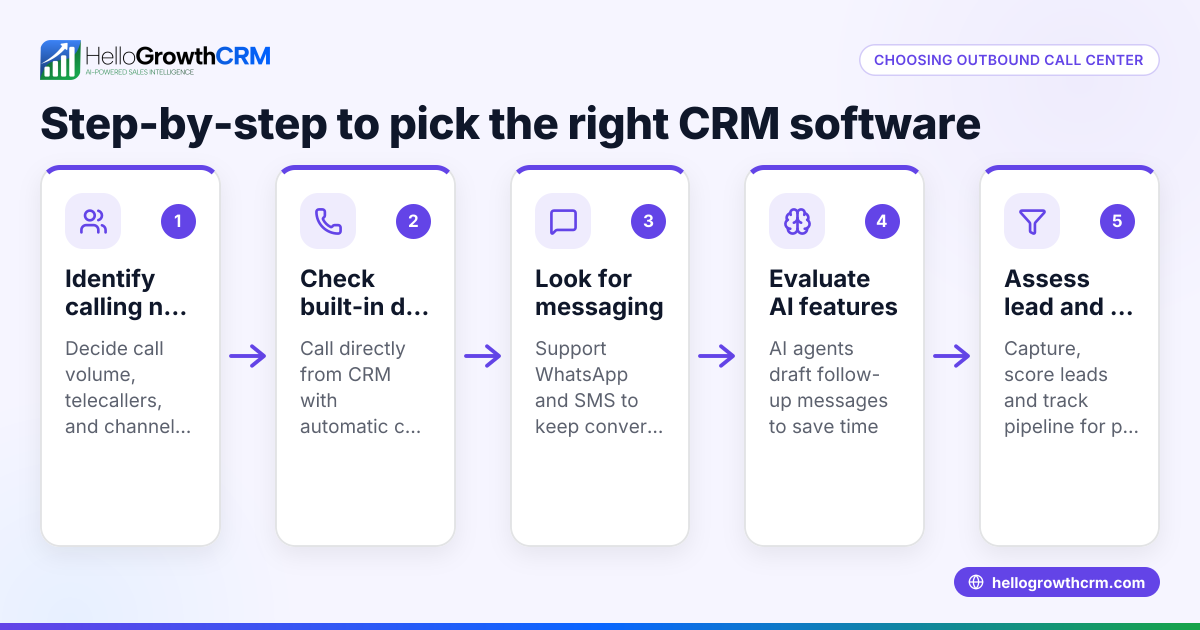
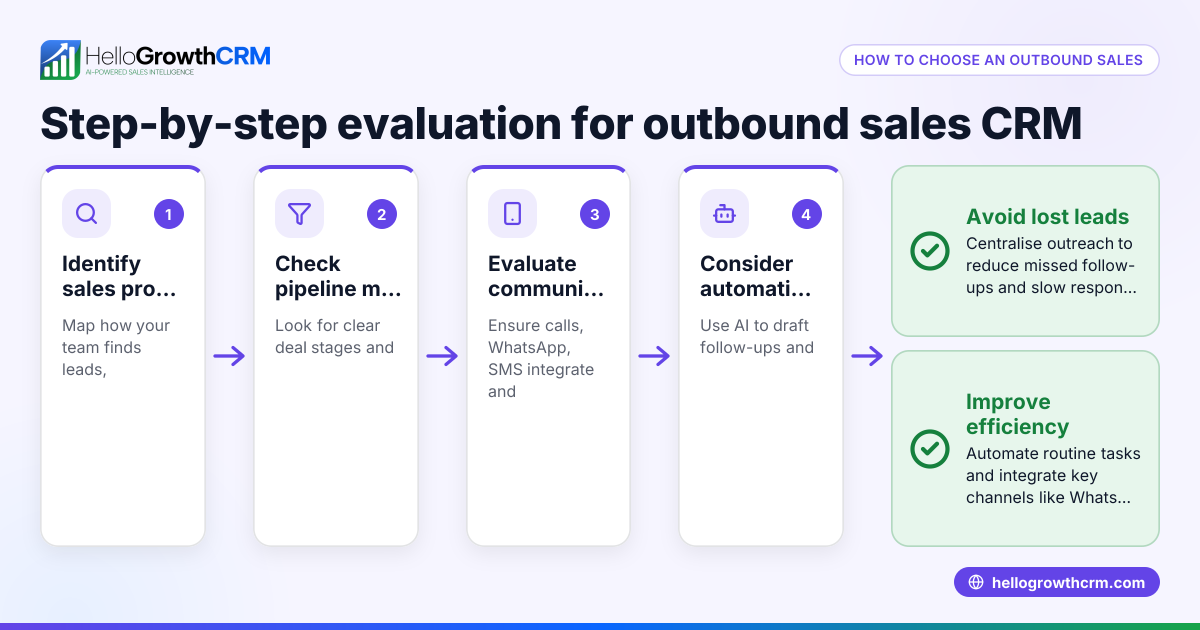
- Identify your outbound calling needs: Determine call volume, team size, and channels used (phone, WhatsApp, SMS). Check if you need features like power dialing or AI assistance.
- Check for built-in dialer functionality: Ensure the CRM has a dialer that lets reps call directly from the system and logs call outcomes on each lead. This saves time switching apps and keeps call history organized.
- Look for integrated messaging channels: Confirm the CRM supports WhatsApp and SMS follow-ups logged on lead records to maintain conversation history and improve response rates.
- Consider AI features: AI agents that draft follow-up messages after calls can speed up rep workflow and maintain consistent communication.
- Evaluate ease of use and adoption: The CRM should be simple enough your sales team will actually use it daily without extra training.
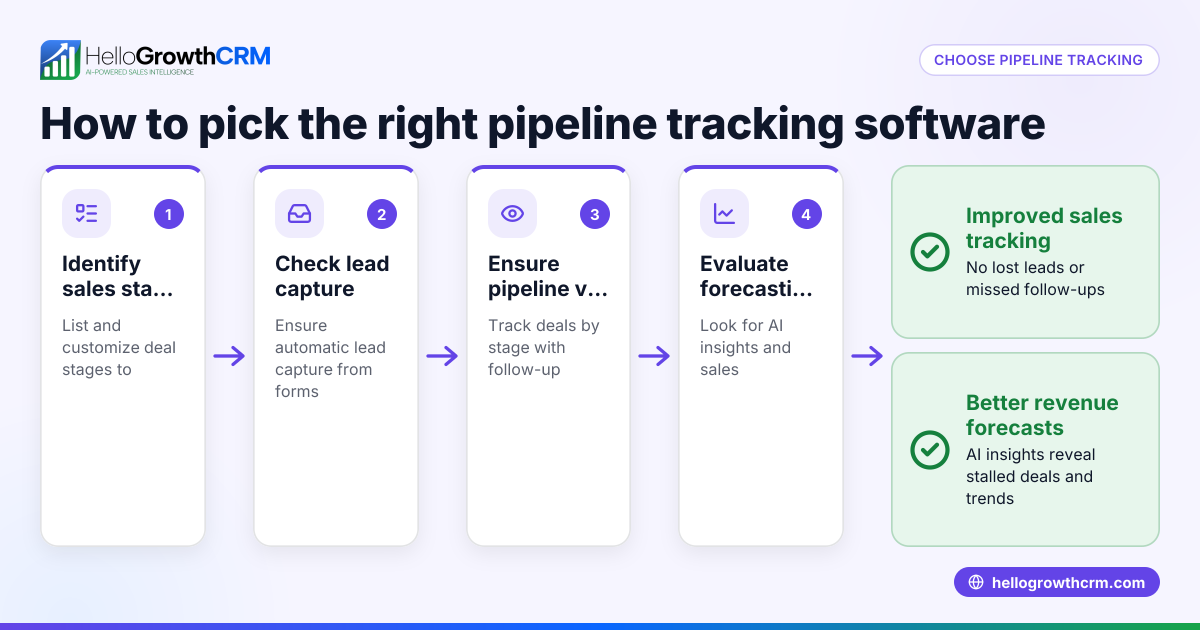
- Review reporting and forecasting: Good outbound CRM software provides insights on call outcomes, pipeline progress, and sales forecasting to help manage performance.
- Test integrations: Check if the CRM can capture leads from your web forms or other tools to automate lead entry.
- Compare pricing and plans: Match features to your budget and growth plans; some dialer and AI features may require higher tiers.
- Ask about support and onboarding: Ensure the vendor offers help to get your team started and resolve issues quickly.
For more on dialer features, see the built-in CRM dialer page.
Example (fictional figures)
A staffing agency in Halifax, Nova Scotia, runs outbound calls to potential clients. They have 4 telecallers making 50 calls each per day. They want to log call outcomes and send WhatsApp follow-ups.
- Calls per day = 4 reps × 50 calls = 200 calls
- Average call duration = 3 minutes
- Total calling time per day = 200 calls × 3 min = 600 minutes = 10 hours
Without a CRM dialer, reps spend 5 minutes logging outcomes and sending follow-ups manually per call:
- Logging + follow-up time per call = 5 min
- Total admin time = 200 calls × 5 min = 1,000 minutes = 16.7 hours
Total time spent daily = 10 hours (calling) + 16.7 hours (admin) = 26.7 hours
Using outbound call center CRM software with built-in dialer and AI draft follow-ups reduces admin time by 80%:
- Reduced admin time = 16.7 hours × 20% = 3.34 hours
- New total time = 10 hours + 3.34 hours = 13.34 hours
Time saved daily = 26.7 hours - 13.34 hours = 13.36 hours
This allows the staffing agency to increase call volume or focus on closing deals.
Common mistakes
- Choosing software without a built-in dialer: Forces reps to switch between phone apps and CRM, wasting time. Prevent by testing the dialer functionality.
- Ignoring messaging channels like WhatsApp and SMS: Misses chances to follow up where leads respond best. Confirm these are integrated.
- Overlooking AI features: Manually drafting follow-ups slows reps. Use AI agents to draft messages for review.
- Selecting overly complex CRM: Leads to low adoption. Choose software designed for small teams with simple interfaces.
- Not verifying reporting capabilities: Without good reports, you can’t track outbound performance. Check for pipeline and call outcome reports.
- Neglecting onboarding support: Lack of training causes delays. Ensure vendor provides onboarding help.
See more on CRM features to avoid these pitfalls.
Doing this in HelloGrowthCRM
HelloGrowthCRM offers a built-in dialer that lets telecallers work a list from inside the CRM, logging each call outcome directly on the lead record. WhatsApp and SMS conversations with leads are also logged, and follow-ups can be sent as messages from the CRM. AI agents in beta draft follow-up messages after calls, so reps only need to review and send, speeding up workflows and improving consistency. Learn more about these features on the HelloGrowthCRM for Canada page.
Frequently asked questions
What is outbound call center CRM software? Outbound call center CRM software combines calling tools, lead management, and messaging channels in one platform to help sales teams manage outbound calls efficiently and follow up consistently.
How does a CRM dialer improve outbound calling? A built-in dialer lets reps call leads directly from the CRM, automatically logging call outcomes and histories. This reduces manual work, prevents lost data, and speeds up calling.
Can I use WhatsApp and SMS for follow-ups in outbound calls? Yes, many outbound CRMs integrate WhatsApp and SMS messaging, allowing reps to continue conversations on channels leads prefer, with all messages logged on the lead record.
What are AI agents in outbound CRM software? AI agents can automate tasks like drafting follow-up messages after calls, updating records, and executing workflows, reducing rep workload and improving communication speed.
Do I need power dialer features for my small business? Power dialers automate dialing multiple numbers in sequence, increasing call efficiency. For smaller teams or lower call volumes, a local dialer built into the CRM may suffice.
How do I ensure my team adopts outbound call center CRM software? Choose software with an intuitive interface, provide onboarding support, and select features that directly reduce daily workload to encourage regular use.
Key takeaways
- Outbound call center CRM software unifies calling, lead tracking, and messaging for efficient sales outreach.
- A built-in dialer inside the CRM saves time by logging calls and outcomes automatically.
- WhatsApp and SMS integration helps maintain conversations where leads respond best.
- AI agents can draft follow-up messages to speed up rep workflows.
- Avoid overly complex software to ensure team adoption.
- Good reporting and onboarding support are essential for success.
Start improving your outbound calling today by trying HelloGrowthCRM’s built-in dialer, WhatsApp/SMS messaging, and AI agents. Start on the Free Forever plan (200 leads, no credit card).
Ready to put this into practice?
Set up your pipeline, WhatsApp follow-ups, and AI lead scoring in minutes — free, no credit card.
Try HelloGrowthCRM freeGet CRM tips in your inbox
Join thousands of sales professionals who get weekly insights on CRM strategy, AI automation, and pipeline optimization.

The HelloGrowthCRM team publishes guides on CRM strategy, AI sales tools, and revenue operations for small business sales teams.