HelloGrowthCRM software
Built for real small-business sales teams
HelloGrowthCRM helps reps qualify faster, follow up on time, and close more deals—with practical automation in one place.
- AI lead scoring and pipeline visibility
- Built-in dialer, WhatsApp, and email automation
- Sales forecasting and RevOps-ready reporting
A payment tracking spreadsheet template is a simple, structured tool that lets small-business owners organize and monitor incoming payments, outstanding invoices, and due dates efficiently. This helps prevent missed payments and improves cash flow management. This article explains why such templates are important, guides you through creating one step-by-step, provides a fictional example with US figures, lists common mistakes and how to avoid them, and describes how HelloGrowthCRM supports your sales and payment tracking needs.
Why this comes up / what goes wrong
Small-business owners often handle multiple clients and invoices using scattered notes, emails, or text messages. Without a centralized system, it’s easy to lose track of which payments have been received, which invoices are overdue, and what amounts remain outstanding. This can lead to cash flow problems and strained client relationships. A payment tracking spreadsheet template provides a clear, consistent format to log invoice numbers, client names, invoice and due dates, amounts invoiced, payments received, payment dates, and outstanding balances. It helps you stay organized and follow up promptly.
Step-by-step
- Create columns for key details: Set up columns for Invoice Number, Client Name, Invoice Date, Due Date, Invoice Amount, Payment Received, Payment Date, and Balance Due.
- Use consistent date and currency formats: Enter dates in MM/DD/YYYY format and amounts in USD to avoid confusion and sorting errors.
- Add formulas to calculate balances: Use formulas such as
Balance Due = Invoice Amount - Payment Receivedto update outstanding amounts automatically. - Apply conditional formatting: Highlight rows where the due date has passed and the balance due is greater than zero to flag overdue payments.
- Build a summary section: Add totals for invoiced amounts, payments received, and balances outstanding to monitor your cash flow at a glance.
- Update regularly: Enter payments as soon as you receive them and mark invoices as paid when fully settled.
- Back up your spreadsheet: Save copies regularly to cloud storage or an external drive to prevent data loss.
For free ready-made templates and sales tools, visit our free sales tools and calculators and sales templates pages.
Example (fictional figures)
A B2B software reseller in Denver, Colorado, issues Invoice #1001 on 04/01/2026 for $12,000, due 04/30/2026. On 04/20/2026, they receive a partial payment of $7,000.
- Invoice Amount = $12,000
- Payment Received = $7,000
- Balance Due = $12,000 - $7,000 = $5,000
The spreadsheet row looks like this:
| Invoice Number | Client Name | Invoice Date | Due Date | Invoice Amount | Payment Received | Payment Date | Balance Due |
|---|---|---|---|---|---|---|---|
| 1001 | Acme Corp | 04/01/2026 | 04/30/2026 | $12,000 | $7,000 | 04/20/2026 | $5,000 |
Conditional formatting highlights this row if today’s date is past 04/30/2026 and Balance Due > $0.
Common mistakes
- Not updating payments promptly: Leads to inaccurate balances and missed follow-ups. Prevent by scheduling daily or weekly updates.
- Mixing date or currency formats: Causes confusion and sorting errors. Always use MM/DD/YYYY and USD consistently.
- Ignoring partial payments: Record partial payments separately to keep balances accurate.
- No backup copies: Risk losing all payment data. Save backups on cloud or external drives.
- Overlooking overdue invoices: Use conditional formatting or filters to identify and act on overdue payments.
- Using multiple unlinked spreadsheets: Consolidate all payment data into one master file to avoid errors.
Download free templates from our sales templates page for a quick start.
Doing this in HelloGrowthCRM
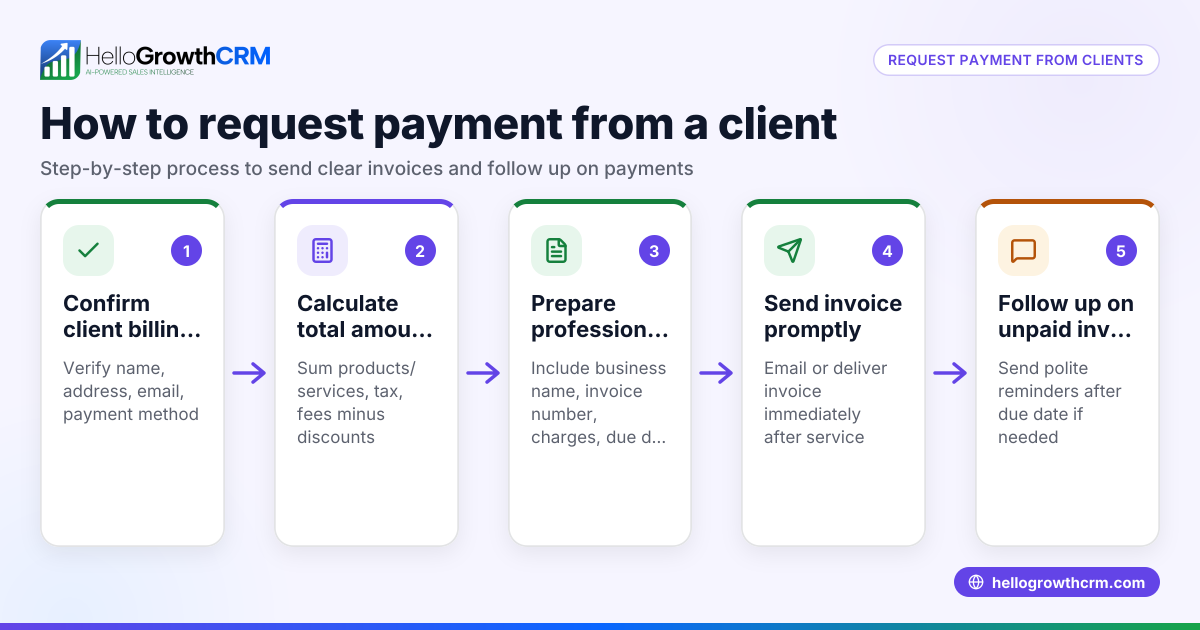
HelloGrowthCRM provides built-in quoting and proposal tools that let you build, send, and track commercial documents directly from a deal record. You can generate invoices tied to closed deals and see payment statuses alongside your follow-up tasks on the same screen. This helps avoid scattered notes and missed payments. Additionally, every inquiry from forms, calls, or WhatsApp lands as a lead with an owner and next step, keeping your sales pipeline organized. Explore these features and download free sales tools at HelloGrowthCRM for the United States.
Frequently asked questions
What should a payment tracking spreadsheet include? It should have columns for invoice numbers, client names, invoice and due dates, invoice amounts, payments received, payment dates, and outstanding balances. Conditional formatting for overdue payments is useful.
Can I use Excel or Google Sheets for payment tracking? Yes, both work well. Google Sheets offers easy sharing and backup, while Excel provides powerful formula options.
How often should I update my payment tracking spreadsheet? Update it as soon as payments arrive or at least daily during busy times to keep balances accurate and ensure timely follow-up.
Is there a template I can download to get started? Yes, free payment tracking spreadsheet templates and other sales tools are available without signup on our free sales tools and calculators page.
How can HelloGrowthCRM help with payment tracking? HelloGrowthCRM lets you send quotes, proposals, and invoices from deals and track payments received all on one screen with your follow-up tasks. It also organizes leads from forms, calls, and WhatsApp, helping you stay on top of your sales and payments.
Key takeaways
- Use a payment tracking spreadsheet template with columns for invoices, payments, and balances.
- Keep date and currency formats consistent to avoid errors.
- Update your spreadsheet regularly and back it up.
- Use conditional formatting to highlight overdue payments.
- Download free templates and tools from HelloGrowthCRM’s free sales tools and calculators and sales templates.
- HelloGrowthCRM’s quoting, invoicing, and lead management features help organize your sales and payment processes.
Start tracking your payments efficiently today. Start on the Free Forever plan (200 leads, no credit card).
Ready to put this into practice?
Set up your pipeline, WhatsApp follow-ups, and AI lead scoring in minutes — free, no credit card.
Try HelloGrowthCRM freeGet CRM tips in your inbox
Join thousands of sales professionals who get weekly insights on CRM strategy, AI automation, and pipeline optimization.

The HelloGrowthCRM team publishes guides on CRM strategy, AI sales tools, and revenue operations for small business sales teams.