HelloGrowthCRM software
Built for real small-business sales teams
HelloGrowthCRM helps reps qualify faster, follow up on time, and close more deals—with practical automation in one place.
- AI lead scoring and pipeline visibility
- Built-in dialer, WhatsApp, and email automation
- Sales forecasting and RevOps-ready reporting
A price increase email example is a straightforward message that informs customers about upcoming changes in your pricing. It clearly states the new price, the reason for the increase, and the effective date. This article explains why you need such an email, provides step-by-step writing guidance, a realistic example, common mistakes to avoid, and how HelloGrowthCRM can help automate follow-up communications.
Why this comes up / what goes wrong
Small business owners in the US often face the need to raise prices because of rising costs, inflation, or improvements in their products or services. However, customers expect transparency and advance notice. Without a clear price increase email, customers may feel surprised or frustrated, which can lead to lost sales or damaged relationships. Many owners find it challenging to choose the right tone and timing for these emails. They also worry about how to efficiently follow up when customers respond with questions or objections. Clear communication and timely follow-up are essential to maintain trust and customer loyalty.
Step-by-step
- Start with a clear subject line. Use something like “Important update: changes to our pricing” to prepare the customer for the message.
- Address your customer personally. Use their name or company name if possible to make the email feel direct and respectful.
- State the price increase clearly and early. Mention the current price, the new price, and the date when it will take effect.
- Explain the reason briefly. Focus on value, rising costs, or service improvements without going into excessive detail.
- Reassure your customer. Emphasize your ongoing commitment to quality and support.
- Include a call to action. Invite questions or provide a contact point for further communication.
- Close politely and professionally. Thank them for their business and trust.
- Check your email for clarity and tone. Avoid jargon, aggressive language, or anything that might sound defensive.
- Schedule your email to send well before the price change date. Ideally, give at least 30 days’ notice so customers can adjust.
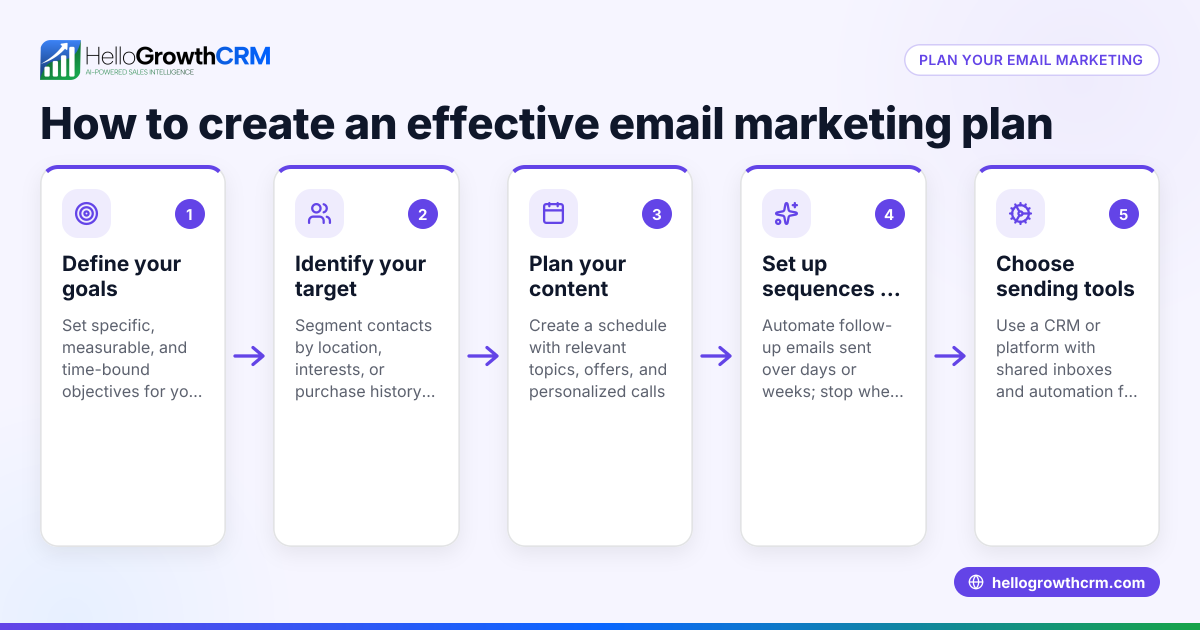
- Prepare to follow up. Use sequences and campaigns to automate reminders or replies, stopping automatically when a customer responds (email automation and sequences).
Example (fictional figures)
Jane owns a landscaping business in Charlotte, North Carolina. She currently charges $150 per lawn mowing session. Due to increased fuel and equipment costs, she plans to raise the price to $175 starting 08/01/2026.
Subject: Important update: changes to our pricing
Dear [Customer Name],
Thank you for trusting Jane’s Lawn Care. We want to inform you that starting 08/01/2026, our lawn mowing service price will increase from $150 to $175 per session.
This change reflects rising fuel and equipment costs while allowing us to maintain the quality service you expect.
If you have any questions, please contact us at support@janeslawncare.com.
Thank you for your continued business.
Best regards, Jane Doe
Price increase calculation: $150 + ($150 × 16.67%) = $150 + $25 = $175
Jane’s price increase percentage is: ($25 ÷ $150) × 100 = 16.67%
Common mistakes
- Not giving enough notice. Prevent this by scheduling the email well before the price change date, ideally 30 days or more.
- Being vague about the increase. Prevent by stating exact new prices and the effective date clearly.
- Ignoring customer concerns. Prevent by inviting questions and providing clear contact details.
- Using aggressive or defensive language. Prevent by keeping the tone polite, professional, and appreciative.
- Failing to follow up. Prevent by setting up automated follow-up sequences in your CRM to ensure no customer inquiry is missed (email automation and sequences).
Doing this in HelloGrowthCRM
HelloGrowthCRM supports price increase emails with its HelloMail shared inbox, so replies to your quotation or price update emails are visible to your entire sales team on the deal. This prevents missed responses or duplicated follow-up. You can also set up sequences and campaigns — a five-step follow-up over two weeks runs automatically and stops the moment the prospect replies, ensuring timely and efficient communication without manual effort. Learn more about these features at email automation and sequences.
Frequently asked questions
How far in advance should I notify customers about a price increase? Aim to notify customers at least 30 days before the new prices take effect. This gives them time to adjust their budgets or ask questions.
Should I offer existing customers a grace period before the price increase? Offering a grace period can help retain loyal customers. You might keep the old price for a set time or offer a discount if they commit early.
How do I handle customer pushback on the price increase? Listen to their concerns, explain the reasons clearly, and highlight the value you provide. Use your CRM’s shared inbox to track and coordinate responses.
Can I automate price increase emails and follow-ups? Yes, with HelloGrowthCRM’s sequences and campaigns, you can automate multi-step outreach that stops as soon as the customer replies, saving time and ensuring no lead is missed.
What is the best tone for a price increase email? Keep it polite, transparent, and appreciative. Avoid defensive or aggressive language to maintain trust.
How can I keep my sales team informed about customer replies to price increase emails? Using a shared inbox like HelloMail in HelloGrowthCRM allows your whole team to see replies on deals, so everyone stays informed and can respond promptly.
Key takeaways
- Clearly state the new price, reason, and effective date early in the email.
- Give customers at least 30 days’ notice to adjust.
- Keep tone polite, professional, and appreciative.
- Invite questions and provide contact details for support.
- Use automation tools like HelloGrowthCRM sequences to follow up efficiently.
- Use a shared inbox to keep your sales team aligned on customer communications.
To explore pricing plans and features that help you manage customer communications smoothly, see US pricing.
Ready to put this into practice?
Set up your pipeline, WhatsApp follow-ups, and AI lead scoring in minutes — free, no credit card.
Try HelloGrowthCRM freeGet CRM tips in your inbox
Join thousands of sales professionals who get weekly insights on CRM strategy, AI automation, and pipeline optimization.

The HelloGrowthCRM team publishes guides on CRM strategy, AI sales tools, and revenue operations for small business sales teams.